
 Email article
Hello there and welcome here. My name is Peter and I live in Denmark. This is, of course, my first post on dotTech.
I learned of Ashraf via Giveaway of the Day and have followed his blog, dotTech.org, for a long time. I work with computers doing maintenance and/or troubleshooting on a daily basis and figured I could pass on some personal knowledge to my fellow dotTechies.
Today, I will discuss 3 portable programs I use to clean computers:
- CCleaner
- Glary Utilities
- Wise Registry Cleaner
It was difficult at first when I first started to use registry cleaners. I did not know anything about the registry but I did know if you make any false moves in there (i.e. delete the wrong things), you may have to reinstall the software (or even your whole OS) that was damaged in the registry. However, everyday my computer was getting slower and slower so I was forced to think in new ways and learn about the registry, because I need my computer – without it I am lost.
So, after trying several different things to try to speed up my computer, I decided to learn about the registry and how to clean it.
First I started with CCleaner…
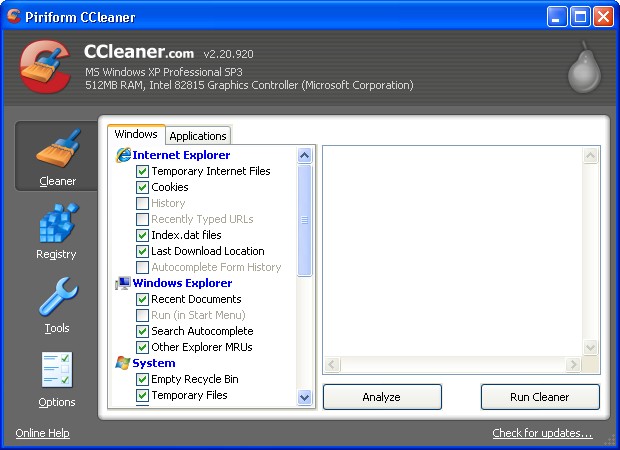
CCleaner main window
…because many sites I surfed mentioned CCleaner as a safe and reliable cleaner. At the beginning I would delete only the TEMP files (temporary files). However, after a while, when I had the time to look at every entry in the registry CCleaner was asking me to delete, I gained the courage to clean more than just TEMP files. From my experience, I learned a lot about the significant entries; I could trace them all, or nearly all, to what they do and what program program they belong to.
In my time experimenting with many different registry cleaners, I discovered many registry cleaners come with an explanation on why you can delete the entry, and they categorize them in temporary files, missing references, unused extensions etc.:
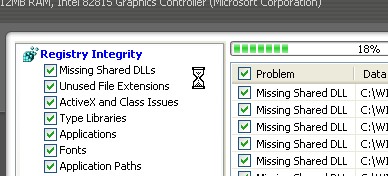
Ccleaner scanning registry
After I played around with many registry cleaners, commercial ones and free ones, I could see that the trials of the commercial registry cleaners you only can delete 10-20 entries at a time even though they find about 2-900 deletable entries. The problem was, I was helping other with their computers around the same time I was experimenting with registry cleaners, so my need dictated something less restrictive. There I went searching for something safe and reliable, yet simple and free to use everywhere. In the end, I found the 3 free (portable) registry cleaners that fit my needs and can work well for you too.
CCleaner
As I already mentioned, CCleaner was the first program I used for registry cleaning, and I have stuck with it, because it is free, and safe.
CCleaner is so reliable, with CCleaner I usually just delete the suggestions it makes without giving it a thought.
However, I would like to say something for the TEMP files cleaning: it can help a program to run again by fixing, for example, error messages. However, at the same time, think twice about delete TEMP files because deleting TEMP files for a program that needs the TEMP files may cause issues because sometimes TEMP files store user data and such (think browser cookies and cache as an example).
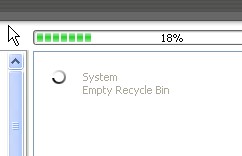
CCleaner checking for temporary files
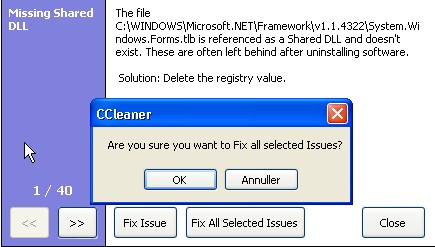
Ccleaner before cleaning the selected files
Glary Utilities
At first I thought Glary Utilities is the same as Ccleaner, but after studying the suggestions of Glary Utilities, in terms of cleaning the registry, I could see that Glary Utilities finds different errors than CCleaner but is also safe to use. Because Glary Utilties is portable it was easy to test it on other machines without leaving any trace on the computer that the program has been there, and that is a thing I like very much. Remember, you do not want to spend time to install and then uninstall a registry cleaner.

Glary Utilities main window
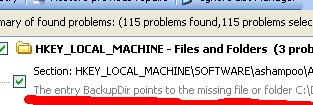
Glary U. description of chosen entry
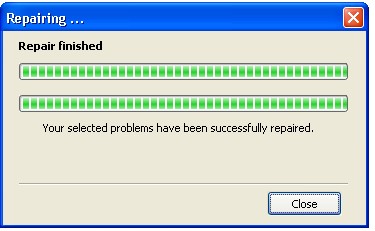
Glary Utilities after cleaning
Wise Registry Cleaner
Initially I used the installer version, not portable verison, of Wise Registry Cleaner, because at the time I did not know there is a portable version of Wise Registry Cleaner. However I am glad I used Wise Registry Cleaner, even though I had to install it, because it found around 400 entries to delete (safely) the first time I ran it, and it had a good explanation for what each entry is, what it is for, and what category it belongs to. If you do not know many things about registry try to scan your computer with this software, highlight individual entries, and see on the bottom of the window what it is for a file and why you can delete it; this way you can learn a lot about registry and registry cleaners. Of course if you scanned your computer for learning purposes only, you can always choose to not delete anything, closing the program after you read all the info. With Wise Registry Cleaner, only the registry entries which are “safe” to delete are checked for deleting by default; however you can always manually check the other entries there are a lot of possibilities here if you want to go further.

Wise Registry Cleaner after scan
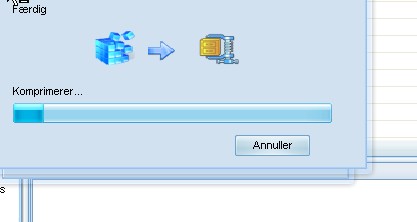
Wise Registry Cleaner backup of registry
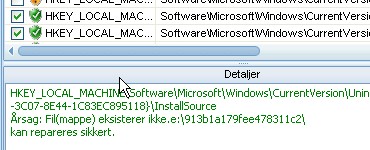
Wise registry Cleaner info on entry
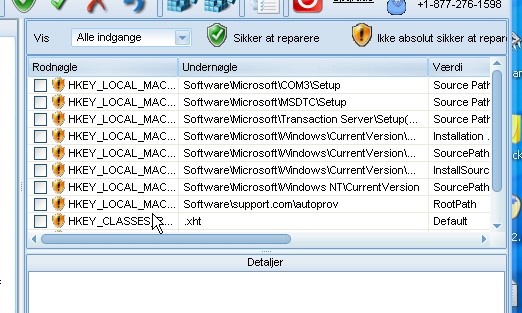
Wise Registry Cleaner after cleaning the registry
I use all three programs I just mentioned to clean my computer and others. One of the biggest reasons I find them all so useful is all three have portable versions so you can have them on a USB stick and clean computer after computer without having to install anything. The other main reason I have used these three is because I have had any problems after cleaning computers with them if I use the safe/default mode of course.
You can use them separately or together. Together they clean better, because in one way or another they each find different errors on the computer as they search in different ways.
Personally, I categorize them in the following 3 steps:
- Surface cleaning – CCleaner (TEMPORARY files (choose the files you want to delete) and registry files)
- Middle phase cleaning – Glary Utilities (at default settings)
- Deep cleaning – Wise Registry Cleaner (delete the safe ones (they are marked safe) registry files)
Steps 2 and 3 I only do once a month maximum, but CCleaner I use several times during the week.
Note: I did hear that some people have problems using Ccleaner to clean Office 2003 temporary files. However, other people tell me that CCleaner helped them fix a damaged Office 2003 by deleting those temporary files, so unless you have a damaged Office 2003, you can choose to not delete those temporary files with Ccleaner.
That’s it, I am very happy with these programs and find them useful and hope you can find them useful too. I have made many computers run much better, If not as new.
See you in the next article :O).
You can download the programs from the following links:
Glary Utilities homepage [direct download to portable version]
Wise Registry Cleaner homepage [direct download to portable version]
[This article has been contributed to dotTech by Peter with minor edits from Ashraf.]




