Looking for a free movie editor besides Windows Movie Maker, VirtualDub, and Avidemux? You have come to the right place. Today I am going to tell dotTechies how everyone have get MAGIX Movie Edit Pro 15 Silver for free!
What exactly does MAGIX Movie Edit Pro 15 Silver do? Here is a short infomercial from the developer:
What is MAGIX Movie Edit Pro 15?
MAGIX Movie Edit Pro 15 is a complete movie studio for your PC. MAGIX Movie Edit Pro 15 lets you easily transmit your recordings to your computer and then, once you have improved and enriched them, onto DVD and Blu-ray Disc. It’s great for theater-quality presentations on TV, screen, or monitor.MAGIX Movie Edit Pro 15 is a production studio for the PC for editing videos, movies, photos, and audio from a wide range of sources. Long movies can be automatically separated into different chapters or scenes, or do the opposite by automatically incorporating short takes into a single movie.
Add audio, theater-quality transitions, text, and selected effects to your own movies with a mouse click. The easy-to-use interface, advanced technology and handy assistants guarantee perfect results at lightning speed!
Once your movie is finished, you can use it again in a number of ways: Transfer it back onto tape or to your camcorder, burn it onto DVD or Blu-ray DiscTM and enjoy it on TV, or put it online for your friends and family in your personal MAGIX Online Album.
The only thing to note is the freebie of MAGIX Movie Edit Pro 15 Silver has the burning features disabled – everything else works as far as I can tell.
So, how to get MAGIX Movie Edit Pro 15 Silver? Just follow these simple directions:
Version being given away for free: v8.6.017
Free updates available: Unspecified
Supported OS: Windows XP/Vista – it also seems to work fine on Win7
- Visit the promotion page and download MAGIX Movie Edit Pro 15 Silver.
- The download size is 115 MB and the download speed is really, really, really slow – be patient. It took me about 2 hours to download it and I am on a high-speed connection.
- After it has finished downloading, install it.
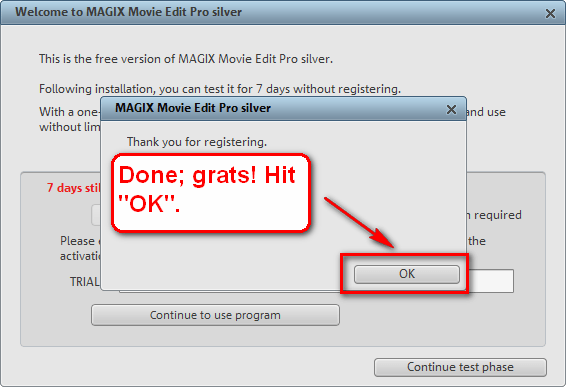
- After installation, run it and you should be asked to register the software:
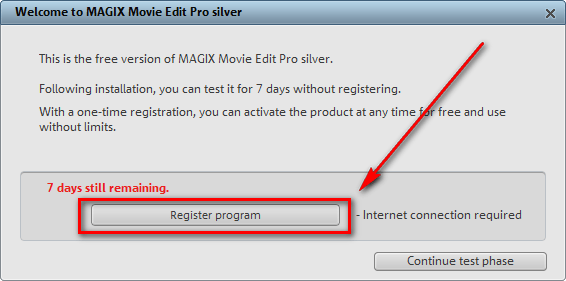
Click on “Register program” and the registration page will open in your browser window:
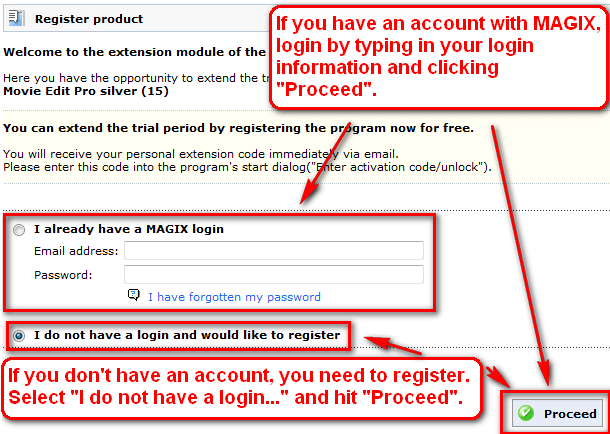
- If you already have an account with MAGIX, login. Your registration information will already be filled out; you will just need to “complete the registration”:
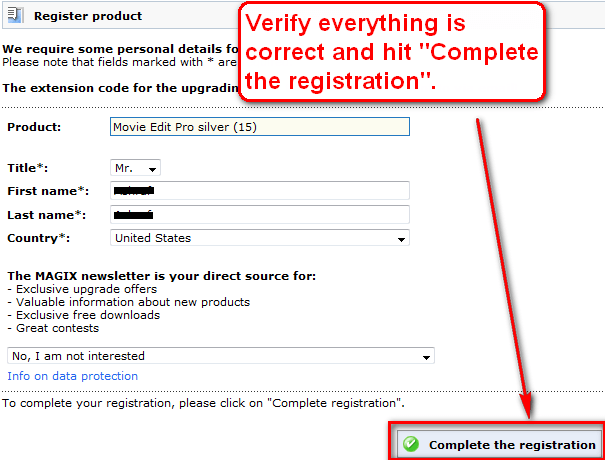
If you don’t have an account with MAGIX, you will need to register:
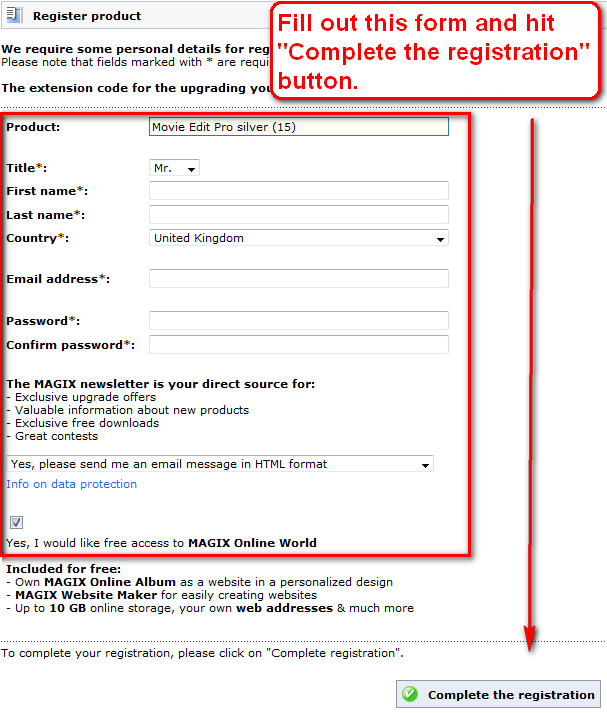
- After you finished registering, either with an old account or a new account, check the inbox of the e-mail you registered with. There should be an e-mail from “MAGIX <register@magix.net>” with the subject of “MAGIX <register@magix.net>”. In the e-mail you will find your registration code:
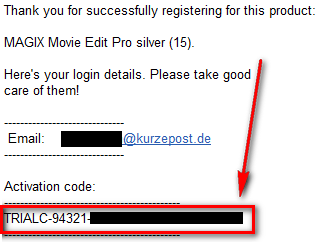
Copy the registration code.
- Go back to MAGIX Movie Edit Pro 15 Silver program window and paste in your registration code to register the software:
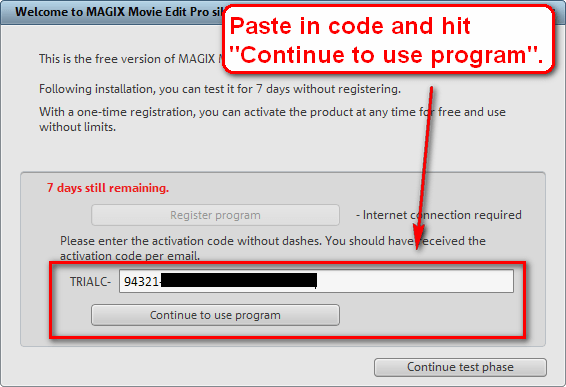
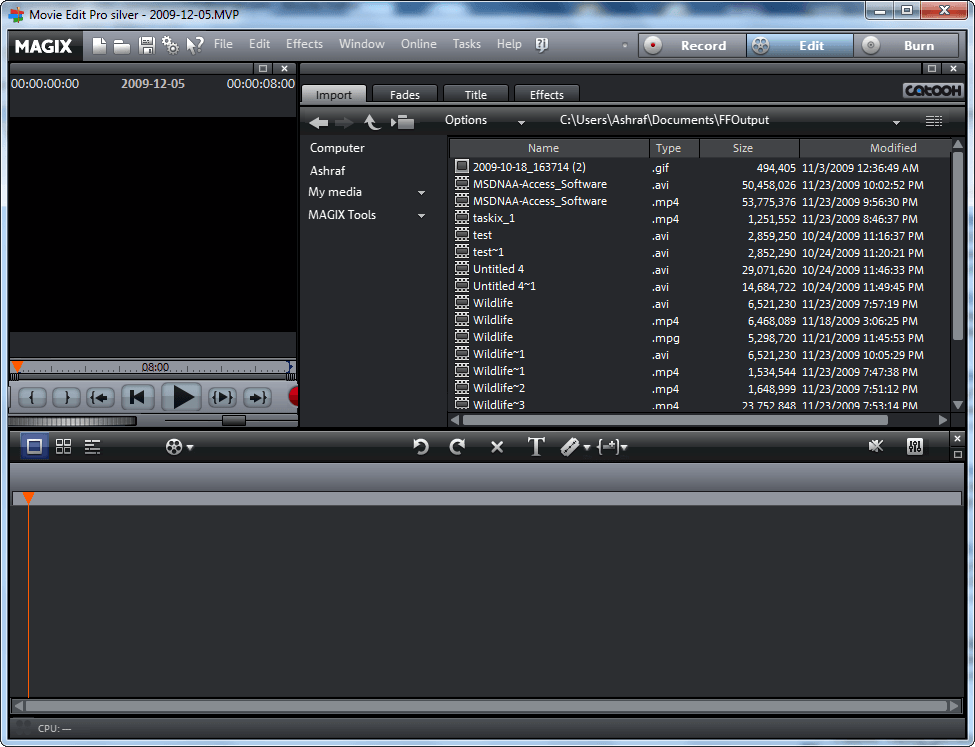
- Enjoy your new, fully registered, and free MAGIX Movie Edit Pro 15 Silver:
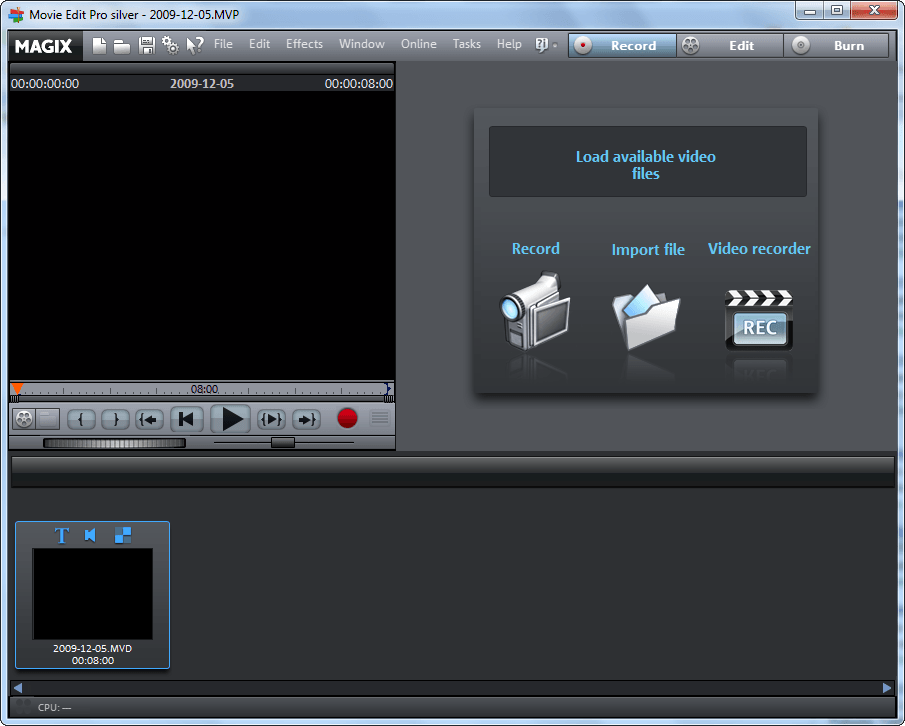
If you have any trouble getting MAGIX Movie Edit Pro 15 Silver post below – I will try to help.
Thanks Jean²!


Email article


Ive tried to register it 4 times allthe emails they send me have no serial to enter HELP
Mine also had no registration code, mind you I went directly from the link you posted, since I have to wait before I can download the file.
Actually it downloads on my connection at around 800 kb a sec and I can’t say my internet connection is fast.
Great program, thank you Ashraf! I didn’t have any problem registering it. I got the registration code email within minutes.
Not to rub it in on your long wait Ashraf, but it took only 11 minutes for my download… ;) Maybe you were downloading it during a flurry of others downloading it too?
Now I just need to spend hours learning how to use this great piece of software…
I didn’t have any trouble with the download either. I got it in 1 min 20 sec.
I also didn’t get a registration code, only an email saying you successfully registered but no code.
@RoseD1st: Are you registering it directly from the link that opens in your web browser when you click on the “Register program” button?
@Darthyoda: Try registering it directly from the link that opens in your web browser when you click on the “Register program” button.
@Someguy: Whaaaaaat? I had to wait so long for it!
@DJ: Screenshots or it never happened. ;)
@karen: Bleh. Whateva! =P.
@Al: Are you registering it directly from the link that opens in your web browser when you click on the “Register program” button?
Are you registering it directly from the link that opens in your web browser when you click on the “Register program” button? Yes and all 4 came to me with no reg serials.I tried to contact them but they wont let you with out the serial :(
I downloaded it in less than 4 minutes.
Proof ;P : http://img691.imageshack.us/img691/7843/23832940.png
junk
DL took a long time but registration went fine. Looks like an interesting program, will play with it tomorrow. Thanks.
@Someguy: OOOH… I only get MAX 130KB/s. :(
EDIT: Currently 47B/s. OUCH!!! :(
Uhm, I think you should provide us the registration link. Everything will be better.
ashraf, my code came with a “TRIALC” prefix? was this what you received? I would have expected a different prefix for the full version code
regards
Oops.. Just 3 seconds too late to edit previous post.
Can anyone tell me of a mirror or some way that I could get this within the next few months?
“19 B/s -> 73 days left”
Downloaded, installed, registered and activated with no problems.
I took about 7mins to download at a speed of 3Mb per sec and I got the registration code successfully.
Thanks Ashraf.
please a registration link that works,I uninstalled till I get a serial I dont keep trial apps
SWEET!
Always on the search for a good free video editing software. Anyone know where I can find a comprehensive review or know how long this will be happening?
Also, by “burning features disabled” do you mean you just can’t burn disks, or that you can’t export your videos at all? Can you save an iso or another disk image to your hard drive?
@RoseD1st: =(. I do hope you get it to work.
@Mr. J: Bleh! Fine, you win. This time. =P.
On a serious note, it may be because I am farther, geographically, to the download server than other people.
@jay: Why is that?
@John: You are welcome =).
@Kev93: Ouch indeed. Even I didn’t get that slow.
@thelemontree10: Done. I updated post to include it.
@gary: Yes. The code is supposed to have that prefix – no worries.
@Kev93: I tried downloading it off their main website, but it won’t take the code.
@Rocky: Great! Grats =).
@Ryan: 3 MB o_O. Dang.
@RoseD1st: https://www.magix.com/ap/servicecenter/prodreg.php?pProgram=Videodeluxe15_silver&pCharge=8.6.0.17&pCountry=UK&pTrialkey=TRIAL-94809-00840-21050-48464-03235. Hope that helps.
@Refpeuk: I don’t know how long this promotion will last. You can export your videos – you just can’t use the “burn” feature. I don’t know if you can save it as an ISO or other disk image.
I dunno if it’s common for video editors to install drivers and a service but this one sure does. Gonna stick with virtualdub and its plugins.
thanks Ashraf you really are a star.
Anyone who wants to install this, think twice. It comes with a lot of stuff you don’t want, almost impossible to uninstall and slows up your pc to the bottom.. Firebird server for example. Even when the programm wasn’t running it used about 95% upc and I could not do anything normal anymore.
Installed it with Shampoo Uninstaller 4, but even that program had a hard time uninstalling and left a lot of trash.
After a system repair all looks fine, thank god…
@Jolie:
I seem to have no problem with it.
@Ashraf:
Where is Magix’s download server?
I’m in China and the download speed with DownThemAll on Firefox is around 2.2 MB/s.
Adrian
I intended to install this program, just to see. However, Jolie’s post made me wait a bit to hear other people’s experiences.