
Virtual Machines, Part Three: Window integration and other operating systems

February 15, 2010 17 Email article | Print article

Now that you’ve gotten either Windows or Ubuntu – or both – installed in VirtualBox and Shared Folders installed it’s time to go further. This article – the third in the series on virtual machines – is a shorter article detailing the easy task of window integration and suggestions of where to go next.

Table of contents

Window Integration
Other Operating Systems
Try new things
Last thoughts
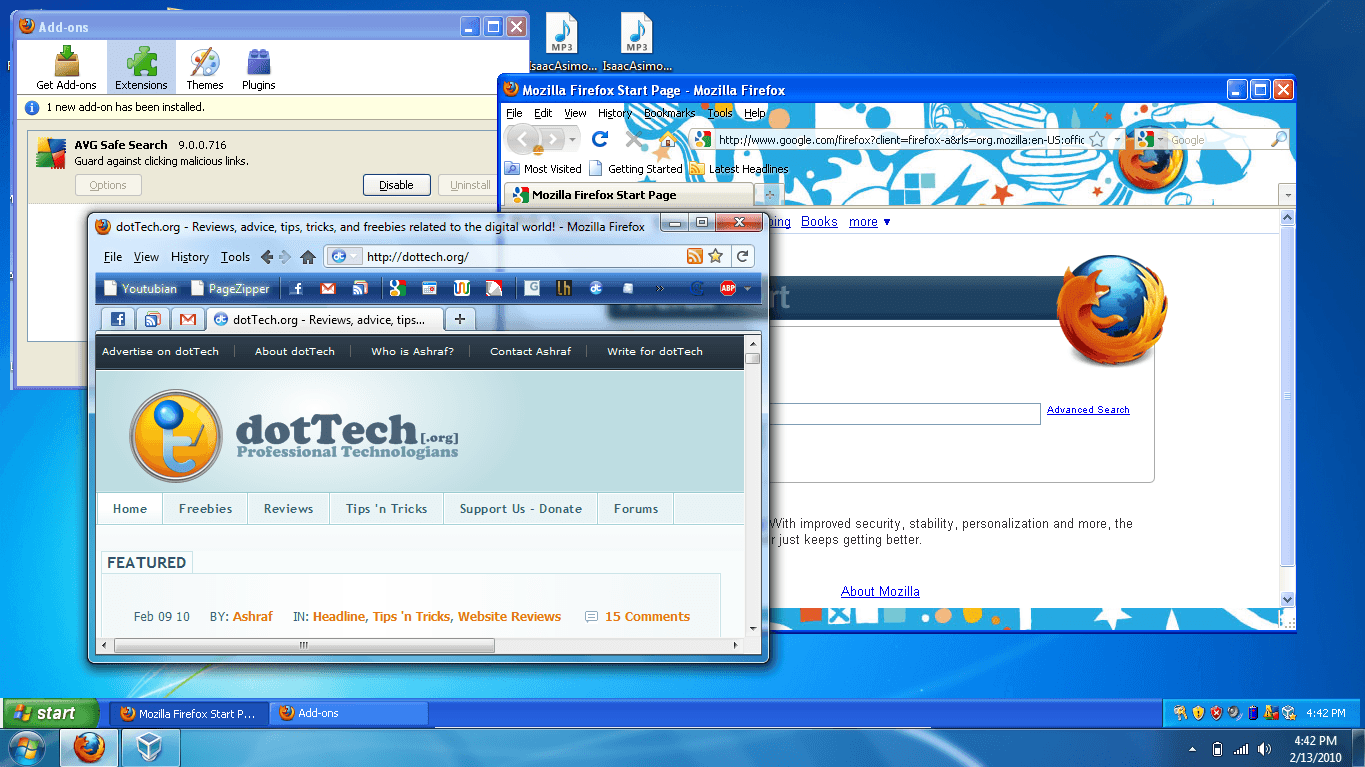
Window Integration

To integrate windows, just press the host key – the right Ctrl key by default – and L.   All your windows will suddenly integrate with your desktop!  Unfortunately, you will have another task bar, but it will be convenient and easy to use!  This is where, in my opinion, where virtual machines really start to be user-friendly.  Note that the graphics won’t be amazing, but that’s to be expected.
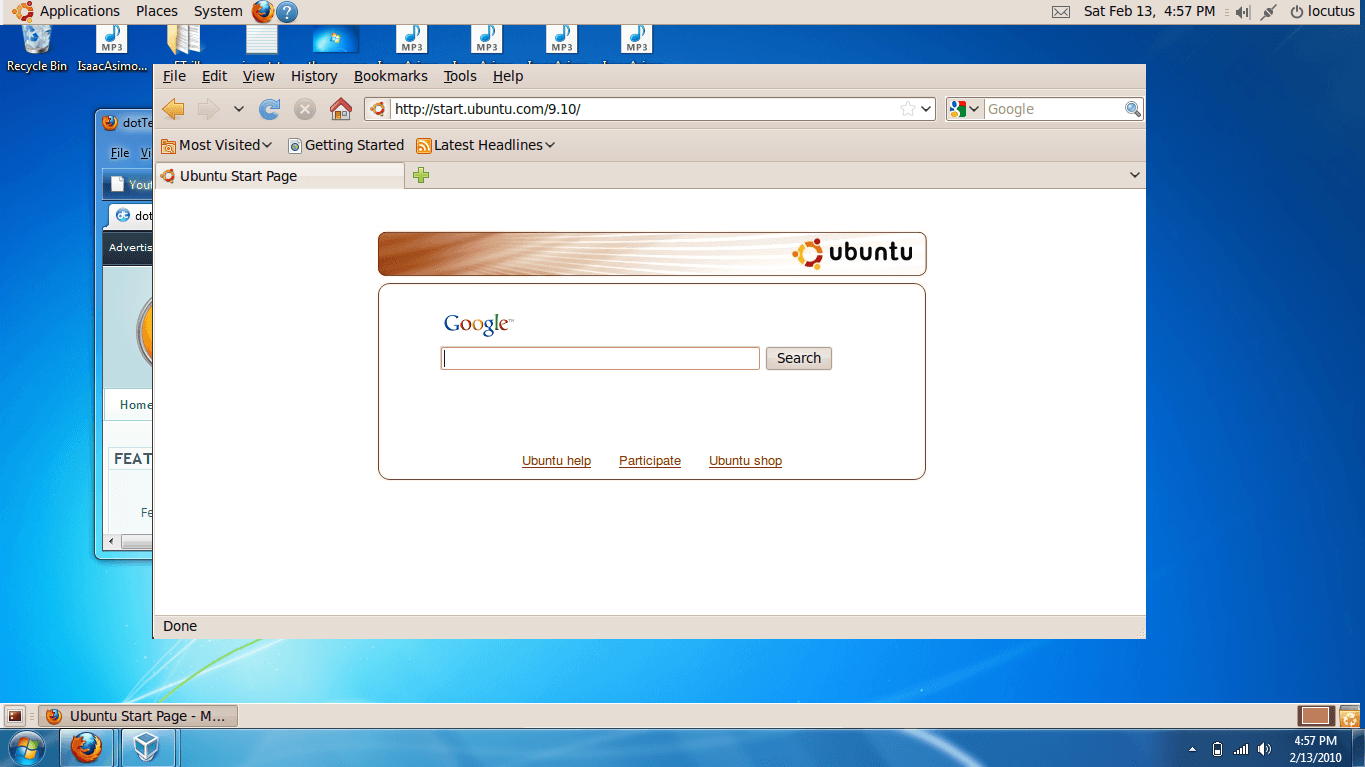
There are certain bugs, such as I couldn’t get Ubuntu to show the top bar of windows.  You can still use the right click menu in the Ubuntu task bar to move the windows.  Also, when the VM goes into screen saver mode, it looks funky.

Other Operating Systems to try

Puppy Linux – A small, lightweight operating system designed for thumb drives and older computers:
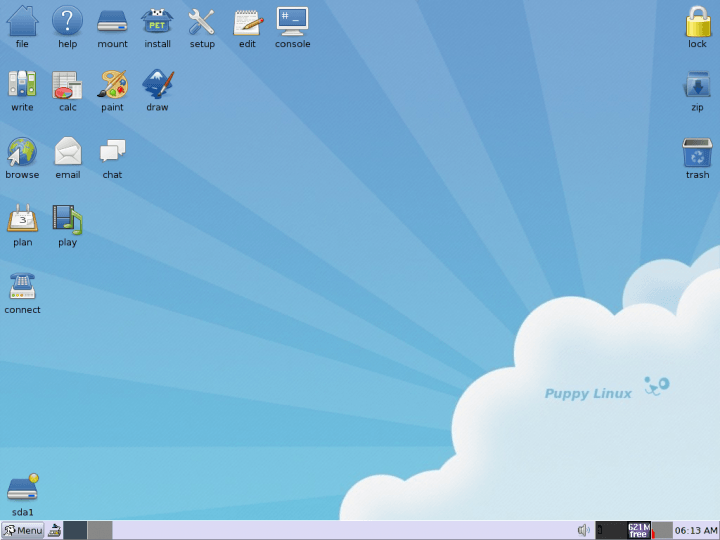
Dreamlinux - Dreamlinux is a free, modern and modular GNU/Linux system:

Linux Mint – Linux Mint’s purpose is to produce an elegant, up to date and comfortable GNU/Linux desktop distribution:
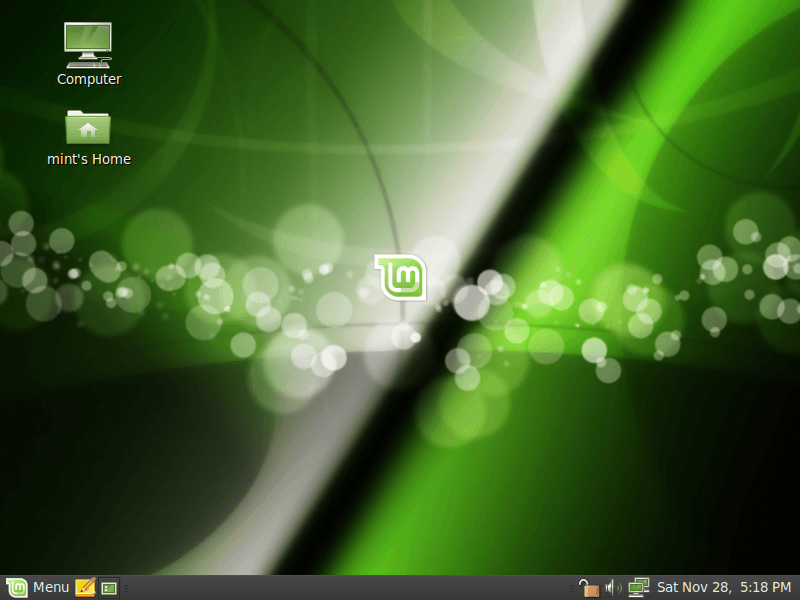
Note:  I may do an article on Linux Mint or Dreamlinux in the future so stay tuned!

Try new things

A lot of skilled computer people get to be where they are by experimenting and not being afraid of clicking things.  I recommend that you try the same thing- for instance, I actually didn’t know much at all about virtual machines 10 minutes before starting to write the first in this series.  I researched as I wrote, occasionally deleting sections I wrote in advance of trying.  On a virtual machine, just do, then see what happens.  The worst that could happen is you toast your virtual machine.

Last Thoughts

Do you have things you want to know?  Things that you did and want to share?  Feel free to share them in the comments!

17 Comments »

  1. JJSlider February 15, 2010 at 12:40 PM (comment permalink) -

    I have actually been trying out Linux Mint for the last month using a virtual drive on my computer, and I’ve been tinkering with it lately to test out its full capabilities. I must say, I am seriously considering it as a viable alternative to Windows. Would love to see how you would rate it though, Locutus (or whoever ends up writing the article).

    Actually… I haven’t used it in a little while. I should get back to finishing off my analysis of it.

    1
  2. Samuel February 15, 2010 at 12:42 PM (comment permalink) -

    You didn’t mention Chrome OS or DSL :(

    2
  3. Ashraf February 15, 2010 at 12:45 PM (comment permalink) -
    Mr. Boss

    @Samuel: ROFL Samuel lobbying for something Google? Did Microsoft spank you lately? =P.

    (I am just kidding, of course.)

    3
  4. JJSlider February 15, 2010 at 12:46 PM (comment permalink) -

    Surely EVERYONE mentions Chrome OS these days, though?

    4
  5. Samuel February 15, 2010 at 12:48 PM (comment permalink) -

    @Ashraf: I happen to think Chrome OS isn’t a bad idea. I don’t agree with Google on how and why it is, but I do think it is.

    5
  6. sean February 15, 2010 at 3:17 PM (comment permalink) -

    Thanks for this locutus. I’m guessing this was the artical you were talking about yesterday?

    6
  7. Adrian February 15, 2010 at 4:44 PM (comment permalink) -

    Locutus, you really are on a writing spree lately :). Is there anything you’re writing currently?

    Anyway, I don’t like the “multiple taskbar” approach. It disturbs the eye.

    7
  8. Locutus February 15, 2010 at 5:17 PM (comment permalink) -

    @Samuel: I can’t find a place to download a precompiled Chrome OS, and DSL is out of development.

    @sean: Yes it is :D Not as good in my opinion however…

    @Adrian: I think you can move the Windows ones in the same style as normal (unlock and drag) and I’m guessing the same can be done somehow with Ubuntu.

    8
  9. Samuel February 15, 2010 at 5:22 PM (comment permalink) -

    @Locutus: I thought Ashraf did an article on place you could get it from? DSL is out of dev? Wow I feel out of touch!

    9
  10. sean February 15, 2010 at 6:32 PM (comment permalink) -

    @Locutus: thanks, it’s actually pretty good. Would you be able to have one task bar if you set the native OS to auto hide the task bar, then intergrate the Virtual machine?

    10
  11. Samuel February 15, 2010 at 6:43 PM (comment permalink) -

    @sean: You would still have two taskbars, just one would some times be hidden.

    11
  12. Krash February 15, 2010 at 7:18 PM (comment permalink) -

    @Locutus: I like this virtual machine thing and am trying it out with Ubuntu and currently downloading Linux Mint. Out of curiosity, is there any way to get a full screen out of virtual box to make it easier to view web pages or work with documents?

    12
  13. Locutus February 15, 2010 at 7:39 PM (comment permalink) -

    @Krash: Sure. With guest additions installed (see part two) press the right control key and F. Do the same to exit.

    13
  14. sc February 16, 2010 at 3:12 AM (comment permalink) -

    @Samuel: For VirtualBox, use the fullscreen mode (Host + F) to hide the host’s taskbar. Toggle back to windows mode using the same Host+F combination.

    14
  15. Krash February 16, 2010 at 4:07 PM (comment permalink) -

    @Locutus: Thanks, worked like a charm!

    15
  16. Kev93 February 16, 2010 at 7:53 PM (comment permalink) -

    @Locutus: I may do an article on Linux Mint or Dreamlinux in the future so stay tuned!

    Now were talking!! I would LOVE to see what you thought of various distro’s. Come to think of it, a few articles on how to use linux to replace windows wouldn’t be a bad idea…

    Maybe I should start writing!!

    @Ashraf: Would you publish such an article? You made some ‘anti-linux’ comments a while back. Wasn’t sure if it was just all my ‘names’ though…

    16
  17. Locutus February 17, 2010 at 4:28 PM (comment permalink) -

    @Kev93: I don’t really like Dreamlinux… it’s hard to find the partitioner, which is required for the install… I’d rather use something easy to set up like Mint. Looks like if I do an article, it’ll be Ubuntu or Mint!

    17

Leave A Response »



