
 Email article
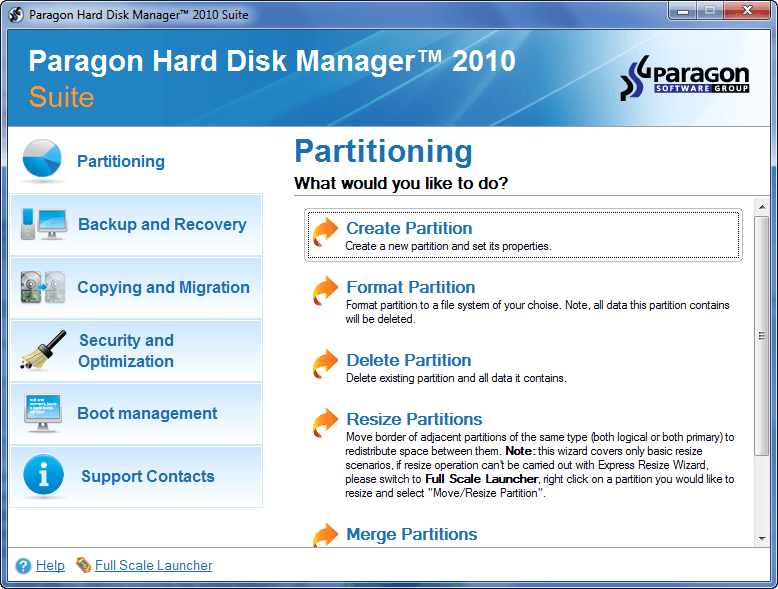 Without a doubt software by the Paragon Software Group are a hit not only on dotTech (simply see the amount of views articles on Paragon software get as opposed to other software), but in the whole computer software realm. Indeed, built as solid as rocks and containing features which are rarely, if ever, matched by rivals, Paragon software deserve all the praise they receive. So when I say dotTech has a real treat for dotTechies, I mean it… with emphasis. What treat you ask? Free licenses of Paragon Hard Disk Manager 2010 Suite! 20 free licenses, to be exact.
For those that don’t know, here is a list of the key features of Paragon Hard Disk Manager 2010 Suite:
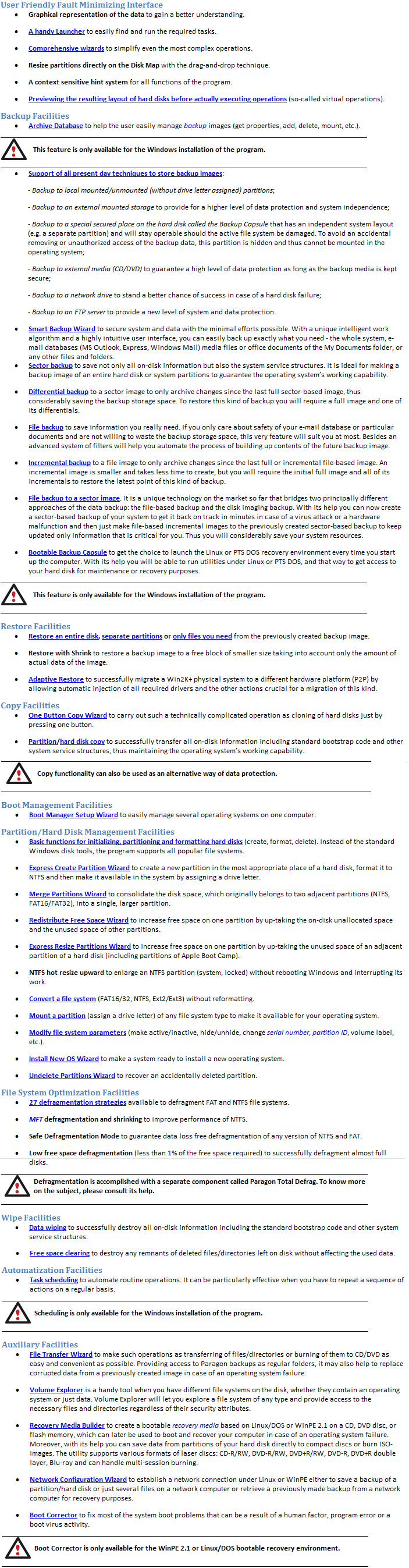
(Click on image to view list in full.)
Since Paragon Hard Disk Manager 2010 Suite is newly updated from v2009 (Paragon has not even released it to the public yet – it will be released to the general public in the next few days), I am sure everyone is also interested in the changes/improvements made in this latest version in the Paragon Hard Disk Manager line (I quote the developer for this list):
Hard Disk Manager 2010 features full support for Windows 7 and new express launcher. Also new features were developed and some of existing ones were updated to deliver you maximum functionality and safety:
- Easy Partition Resize
- Express Create Partition Wizard
- Express Resize Partitions Wizard
- P2P Adjust OS
- Smart Driver Injector
- Smart Backup Wizard
- Backup to an FTP server
- Selective Restore
- Scheduling for the File backup
- Advanced system of filters
- Boot Corrector for WinPE
- The latest Linux kernel (Linux-based Recovery environment)
- WinPE 2.1 recovery environment
- Safe Defragmentation Mode
- More flexibility for online data processing techniques
- Better support for 64-bit platforms
- Better support for GUID Partition Table (GPT) Better support for Apple Boot Camp
- Better support for Linux ExtFS
Now, lets get to the juicy part: How to get a free license of Paragon Hard Disk Manager 2010 Suite. Well, as I already mentioned dotTech has 20 licenses to give away for free as part of a promotion sponsored by Paragon. However, this promotion will work a little bit different than other dotTech promotions have in the past. You may notice that the title of this post has a “Part 1” in it. That is because this specific promotion will take place in two parts. For part one, everyone is given the ability to download Paragon Had Disk Manager 2010 Suite (a 10 day fully functioning trial bar WinPE). In part two, whoever wants a chance to win a license of Paragon Hard Disk Manager 2010 Suite must post a comment answering the following questions:
- What you used (or will use) Paragon Hard Disk Manager 2010 Suite for?
- What is your favorite feature in Paragon Hard Disk Manager 2010 Suite?
- Are there any aspects of Paragon Hard Disk Manager 2010 Suite that can be improved (bug fixes, more features, interface enhancements, etc.)? If so, please explain.
- If you were in the market looking for a hard drive management software, would you pay $49.95 to purchase Paragon Hard Disk Manager 2010 Suite? In other words, do you think $49.95 is a fair price for this software? If not, please specify the price you would prefer.
Take note a whole new article – which will be posted in a few days – will be created for part two. The comments and the answers to the questions must be answered in the thread for part two. Entry in the giveaway will not be accepted if a comment is posted in this article instead of the article for part two. Also, other details relevant to this promotion, such as updating abilities, possible discounts, etc. will be discussed in the article for part two.
So, what are you waiting for? Go download Paragon Hard Disk Manager 2010 Suite and give it a try! Remember these are fully functioning (except for WinPE) 10 day trials. If you are one of the lucky winners of a license, or if you purchase Paragon Hard Disk Manager 2010 Suite, you won’t need to install or download the software again; rather you will be able to unlock the trial version. You can download Paragon Hard Disk Manager 2010 Suite from the following links:
Supported OS: Windows 2000 Professional/XP Home Edition SP2/XP Professional SP2 (32/64 Bit)/Vista (32/64 Bit)/Win7 (32/64 Bit)
Version: v2010 Build 9396 (15.01.10)
