Email article
{rw_text}Software reviewed in this article:
Version reviewed:
v2010 Build 0310
Supported OS:
Windows 98+
Price:
Prices vary depending on version and license amount, but a single “Technician’s License” starts at $69 (USD) but you can get it for free for a limited time at Giveawayoftheday.com!
Software description as per the developer:
SIW is an advanced System Information for Windows tool that gathers detailed information about your system properties and settings and displays it in an extremely comprehensible manner.
————————-{/rw_text} –>
{rw_good}
- Straightforward and easy to use.
- Displays detailed information about user’s computer from hardware to installed software and everything in between.
- Allows user to output “reports” in multiple different formats (HTML, CSV, TXT, XML).
- Comes with a handful of useful “extra” tools such as a password revealer, MAC address changer, etc.
- Has a portable version.
{/rw_good} –>
{rw_bad}
- The password revealer doesn’t work very well.
{/rw_bad} –>
{rw_score}
{for=”Ease of Use” value=”10″}Very easy to use. However, keep in mind that by nature of this type of software, SIW will display a lot of “technical” information so you may feel overwhelmed if you don’t know what they all mean.
{/for}
{for=”Performance” value=”9″}Claimed the name of my Windows is “Windows 7 (Business)” in one place and “Windows 7 Professional” in another. I am using Windows 7 Professional. Also the password revealer doesn’t work very well. Otherwise, though, performs really well.
{/for}
{for=”Usefulness” value=”5″}I can see some people finding it useful, while some won’t.
{/for}
{for=”Price” value=”7″}Although $69 may seem very high, the price is around the ballpark when compared to the price of rival commercial software. Keep in mind, also, that there is a freeware version for home/non-commercial users.
{/for}
{for=”Arbitrary Equalizer” value=”9″}This category reflects an arbitrary number that does not specifically stand for anything. Rather this number is used to reflect dotTech’s overall rating/verdict of the program in which all the features and alternatives have been considered.
{/for}
{/rw_score} –>
{rw_badb}
If you decide to use the installer version of System Information for Windows, during installation you will be prompted by an OpenCandy advertisement asking you if you want to install a third party software, like so:
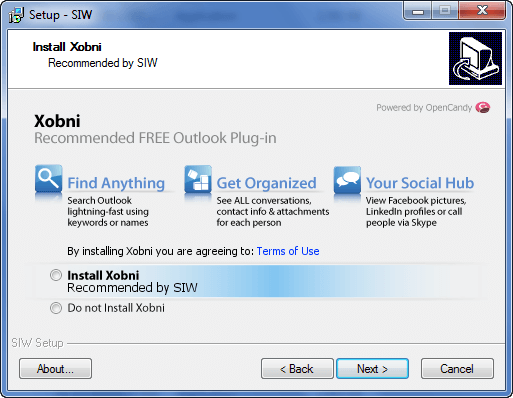
Be sure to select “Do not Install…” unless you specifically want to install the third party software. (You don’t need to install the third party software for System Information for Windows to work properly.) If you want to avoid being presented with this advertisement, use the portable version of System Information for Windows.
{/rw_badb} –>
{rw_verdict}[tupr]
{/rw_verdict} –>
System Information for Windows is a PC “diagnostic/system information” software; it “audits” your PC and tells you what it finds. In other words, it scans your computer and displays a ton of information about it, ranging from your hardware, to your software, and everything in between (it even knows what underwear your computer is wearing).
This is what System Information for Windows’ main program window looks like:
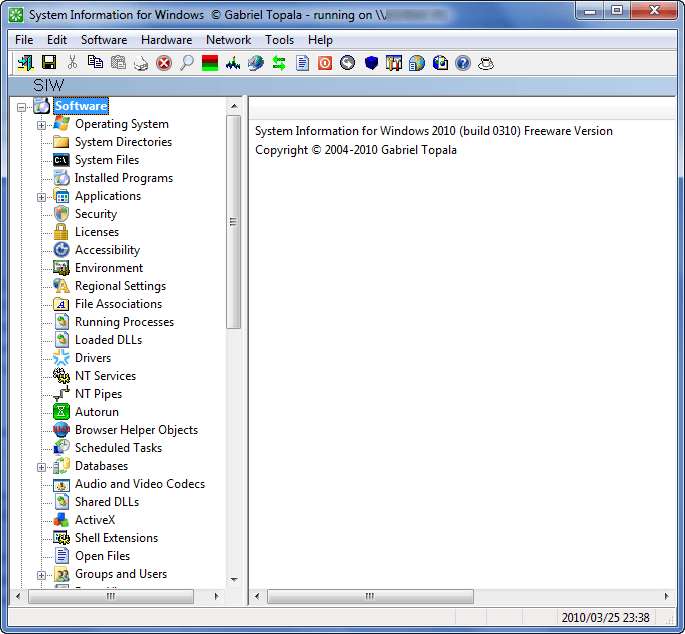
Do note that when you first run SIW it will open fully maximized. However, if you resize the program window, every time after that the program will start sized at that window size you set it at.
This is all the information SIW can find and display for you:

You simple need to click on the category of information that you want and SIW scans your computer, then displays it for you, like so:
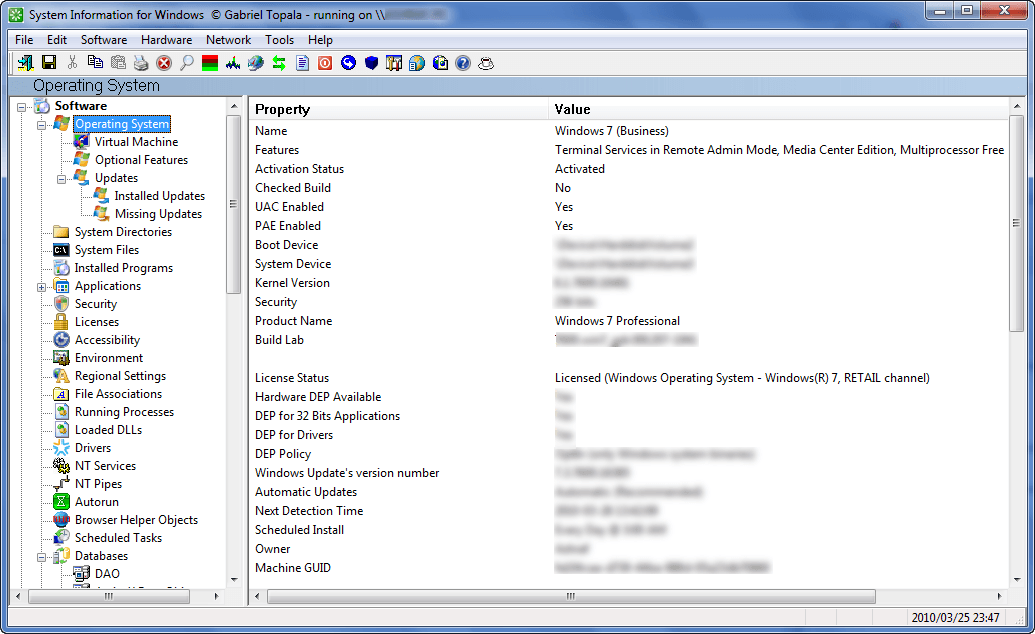
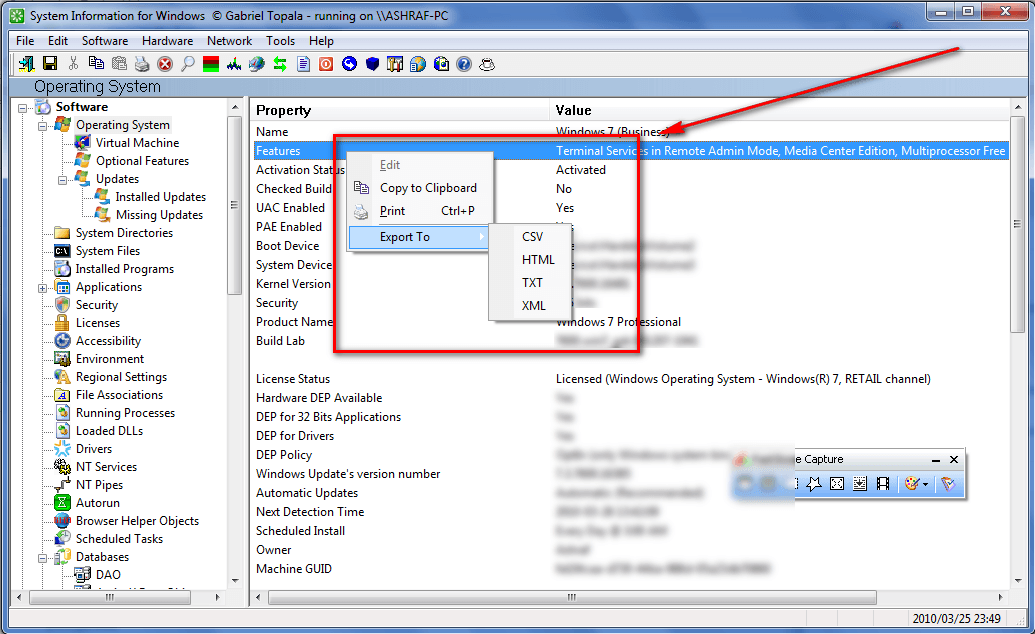
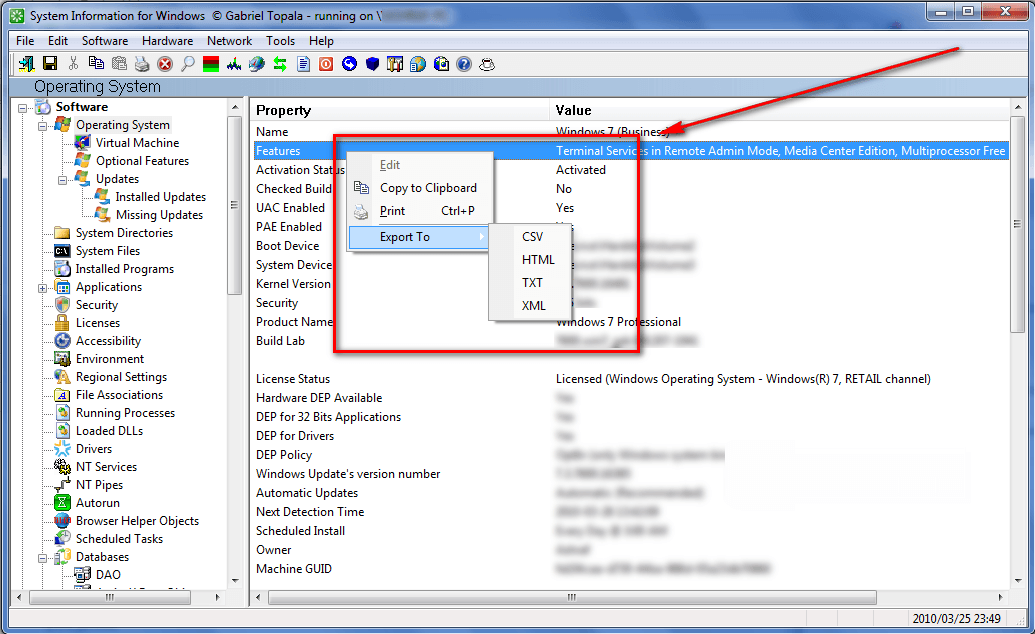
If you right-click on the information displayed, you can copy the information (all of the information in that category) to clipboard, print it, or export it to a HTML, CSV, TXT, or XML file:
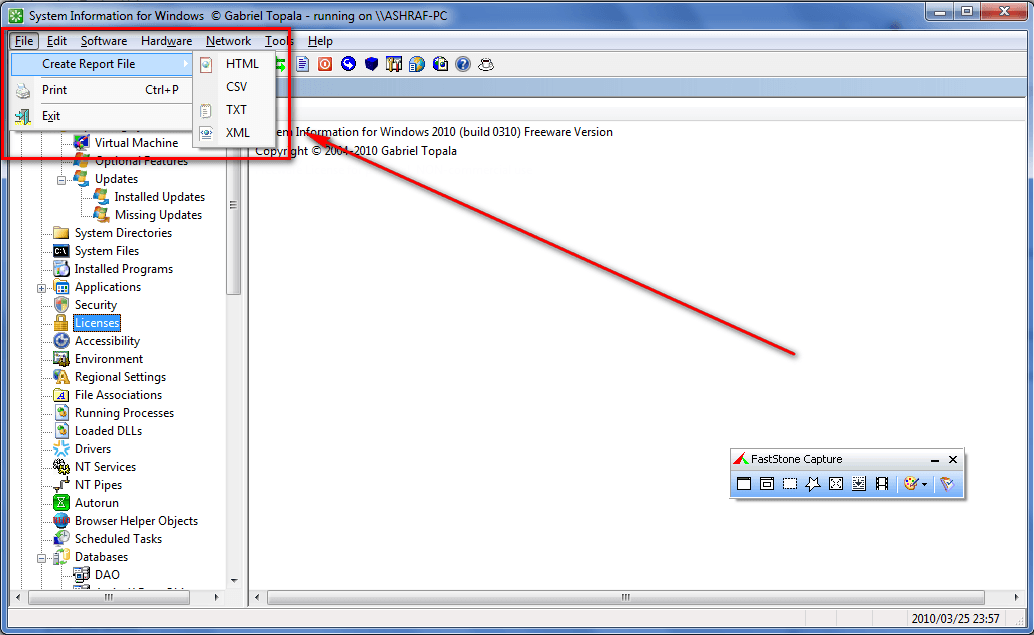
In addition to being able to generate a “report” of individual categories like I just mentioned, users are also able to generate a report of multiple categories. To do this, simply go to “File” -> “Create Report File” and select the type of report desired (HTML, CSV, TXT, or XML):
Examples of how each type of report will look like can be found at the following links: CSV, HTML, TXT or XML. If XML is selected, users can use download a SIW Viewer to view the XML report.
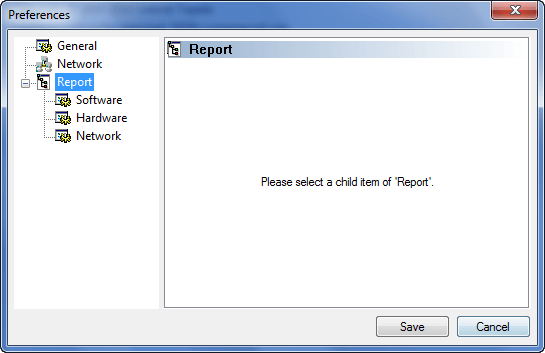
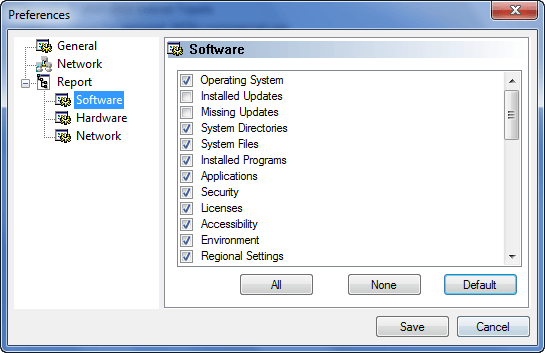
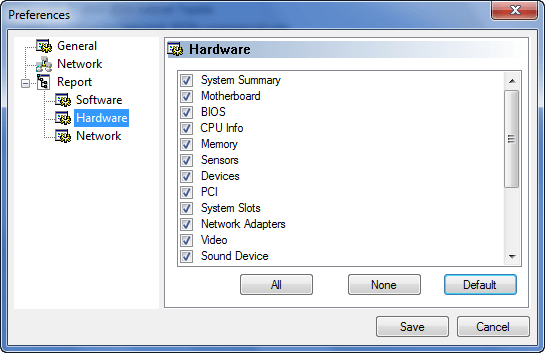
The categories that will be included in the multiple-category report is determined by the ones that are selected under “Options” (“Tools” -> “Options”):

In addition to the system information/diagnostic features of SIW, SIW includes a handful of other “tools” for users to use:
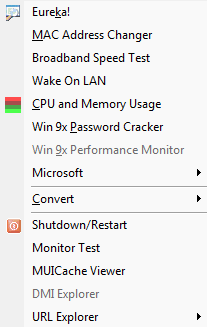
- Eureka!
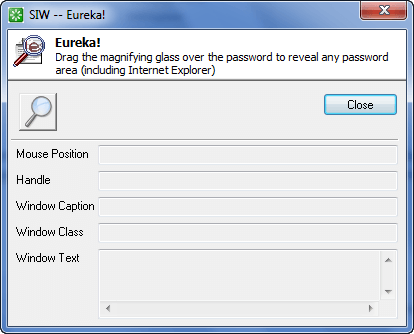
Eureka is a “password revealer”; it shows the hidden password behind the asterisks. The only problem is during my tests Eureka doesn’t work very well at all. In fact, I couldn’t even get it to reveal one password.
- MAC Address Changer

MAC Address Changer allows you to change the MAC address of various of your computer’s devices.
- Broadband speed test opens a link to the developer’s website where you can conduct a speed test.
- Wake on LAN
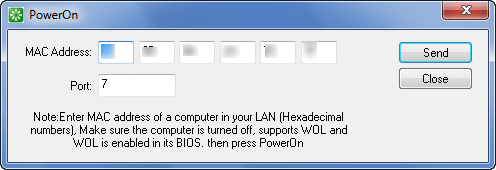
Wake on LAN allows you to wake up computers on your LAN (if supported).
- CPU and Memory Usage

A monitor for CPU and memory usage.
- Win9x Password Cracker
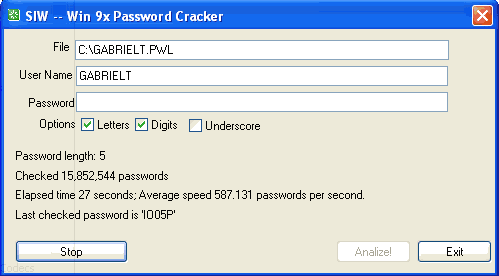
(Screenshot taken by the developer.)
Tries to crack the password if you are on Windows 9x
- Win9x Performance Monitor

(Screenshot taken by the developer.)
- Shutdown/Restart

This review was conducted on a laptop running Windows 7 Professional 32-bit. The specs of the laptop are as follows: 3GB of RAM, a Radeon HD 2600 512MB graphics card, and an Intel T8300 2.4GHz Core 2 Duo processor.
{rw_freea}
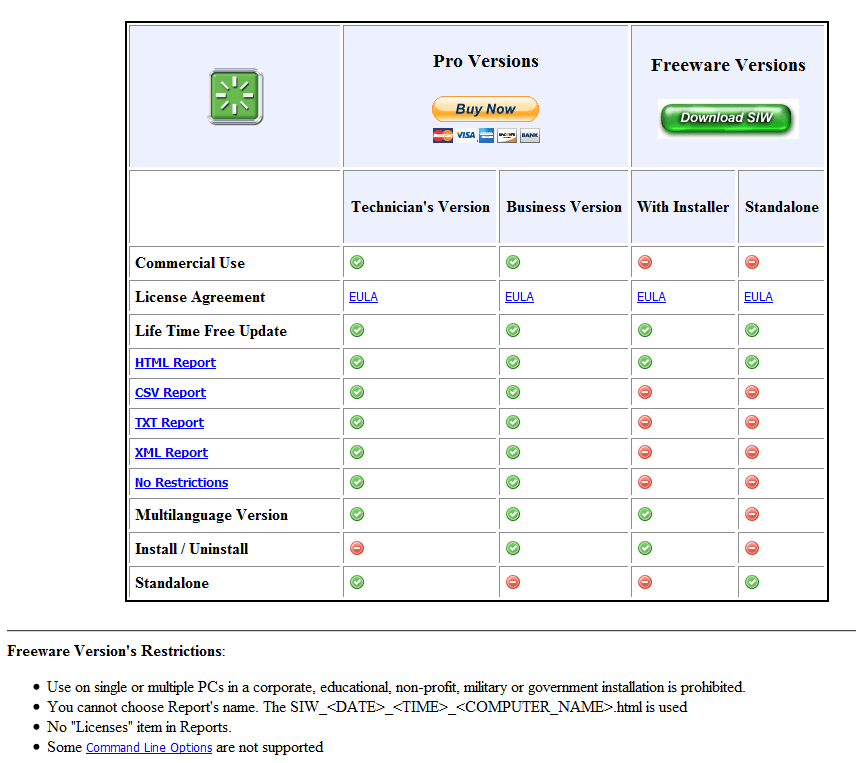
SIW has a free for non-commercial use version. This chart explains the differences in features (there aren’t that many differences):
All of these tools are “system information/diagnostic” tools:
{/rw_freea} –>
{rw_verdict2}System Information for Windows is a terrific application. It is light, provides a whole lot of information, comes with a handful of useful tools, and even has a portable version. I give it two thumbs up and highly recommend it to anyone that needs it. (Remember that SIW has a freeware version for home users so not everyone needs to purchase it.)
{/rw_verdict2} –>