
 Email article
Similar to WinUtilities, Glary Utilities is a jack-of-all-trades system optimization/maintenance software. Here are the features of Glary Utilities as per the developer:
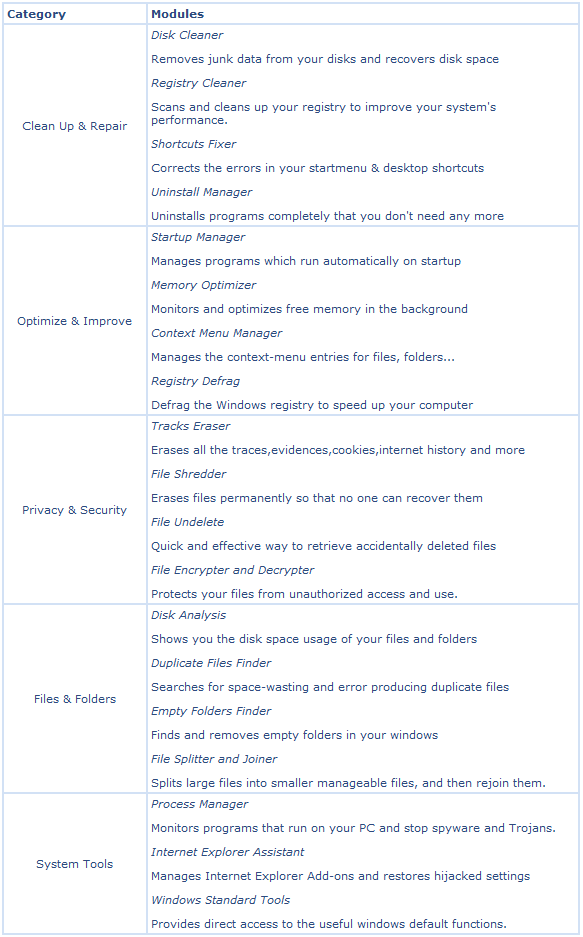
Glary Utilities comes in two flavors: Glary Utilities Free and Glary Utilities Pro. The main differences between the two flavors as per the developer are that Glary Utilities Pro comes with:
- Automatic care in background
- Enhanced system fixing, optimizing and more
- Free 24×7 Technical Support
- Consent for commercial use
CHIP.de is running a promotion (it is probably a time limited promotion so grab this as soon as you can) where everyone can get Glary Utilities Pro for free! This promotion comes with 6 months of free updates, after which users either need to start using Glary Utilities Free or purchase Glary Utilities Pro.
To get Glary Utilities Pro for free, follow these simple directions:
Supported OS: Windows XP/Vista/Win7
Version being given out for free: v2.20.0.831
Free updates: For 6 months only
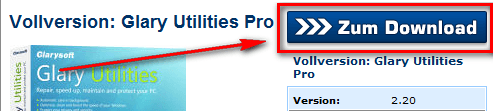
- Visit the CHIP.de promotion page and follow the download links to download Glary Utilities Pro:

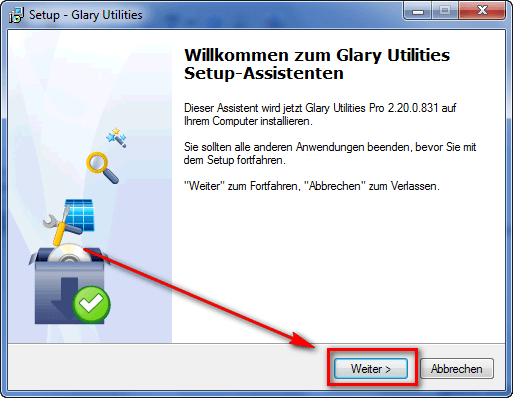
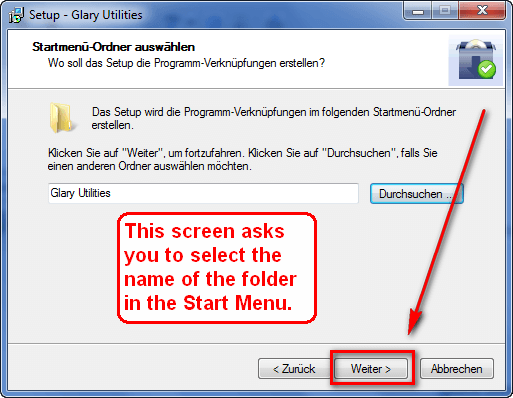
- After you have downloaded it, install it. The installer will be in German, so follow these screenshots if you don’t understand German:

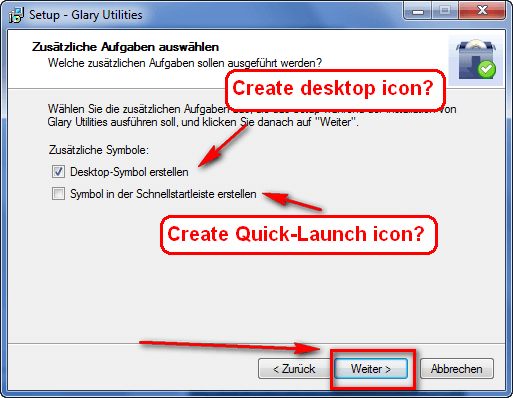
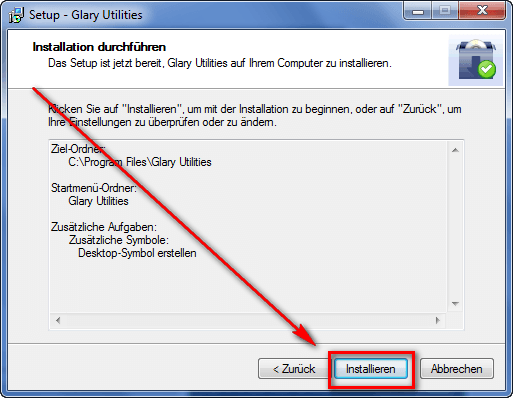
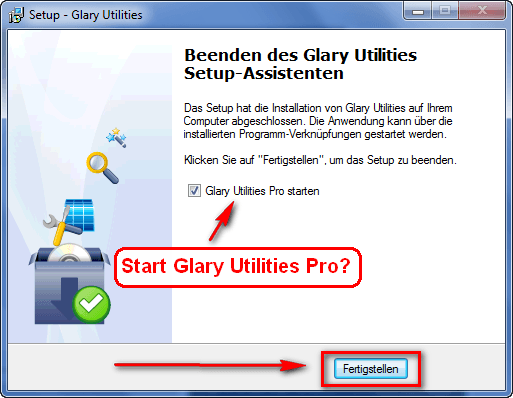
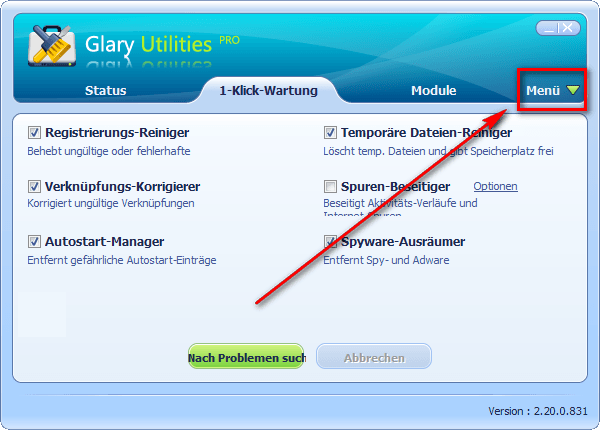
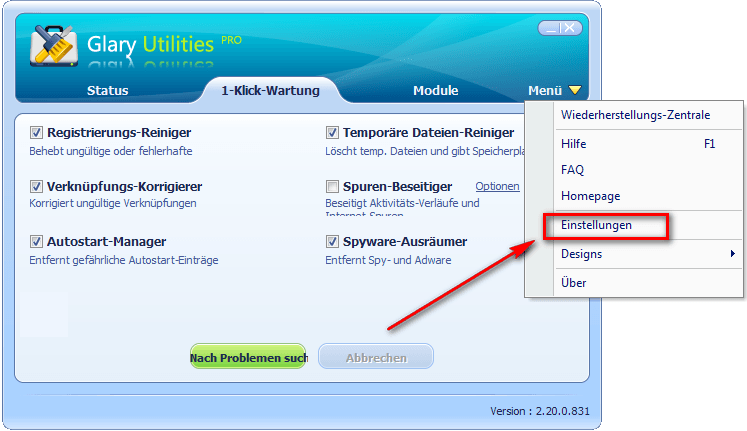
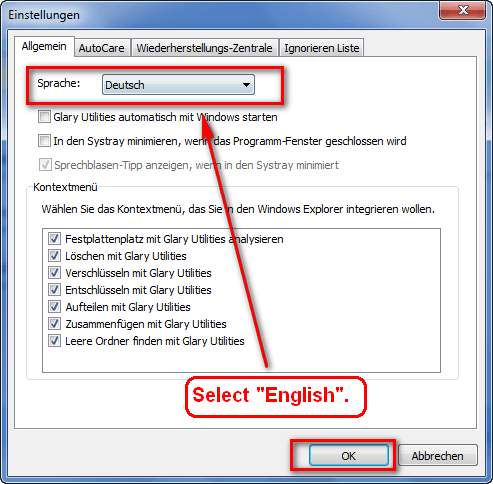
- After you have finished installing, run Glary Utilities Pro. The program will be in German. The following screenshots show you how to change it to English:
- Enjoy! (There is no registration required.)
If you have any trouble getting Glary Utilities Pro for free, post below and I will try to help.
