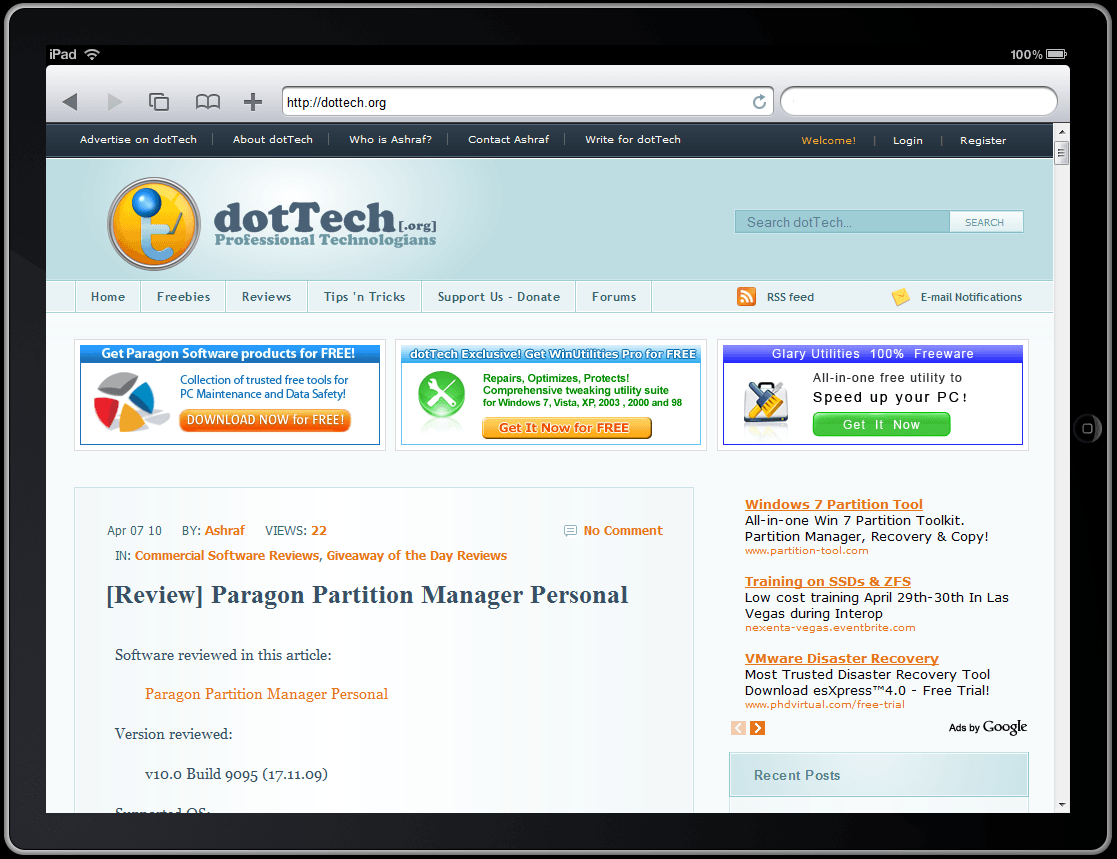
iPadPeek: Surf the Internet on the iPad… without having to own an iPad

November 11, 2011 37 Email article | Print article

Have you bought an iPad yet? Neither have I. (We may be lucky we have not jumped onto the bandwagon – yet – considering the complaints about iPad’s WiFi and how problematic it is.) Would you like to know how it feels to surf the Internet on an iPad – without actually owning an iPad? Me too. Enter, stage right, iPadPeek:
iPadPeek is an online iPad simulator – it allows you to surf the Internet as if you were surfing the Internet on an iPad. All you have to do is type in a URL in the address bar, and get going. If you prefer vertical view over horizontal, clicking on the iPad border will change its rotation from horizontal to vertical and vice versa. iPad’s virtual keyboard is even simulated for a “real-life” affect. So, how close to “real-life” is the simulator? Well, only a “real-life” iPad owner can shed some light on that. My guesstimate: not even close.


37 Comments »

  1. phoenix_rising April 7, 2010 at 3:15 AM (comment permalink) -

    Or we could just borrow Karen’s … if we could ever prise it out of her hands!

    1
  2. Jabtano April 7, 2010 at 3:26 AM (comment permalink) -

    I haven’t no. I’m waiting for the HP-Slate. simply because it will be running win 7 rather than the iphone OS.it will also have flash.from all the specs I have seen the slate will be a lot better than the ipad.

    2
  3. Joji April 7, 2010 at 3:32 AM (comment permalink) -

    3-4 drops on the carpet = screen screwed
    a drop on the floor = your’e done
    coffee spill? = your’e still done

    Final Verdict for iPad = too vulnerable to damage, not worth it at all!
    Alternatives = A nice laptop should do it, same thing, only bigger and last longer. :)

    ~Joji~

    3
  4. anemailname April 7, 2010 at 3:36 AM (comment permalink) -

    For $1 more I’ll wait for the HP Slate.

    4
  5. Joji April 7, 2010 at 3:37 AM (comment permalink) -

    It would be awesome if this fun web version of iPad could be launched from your desktop… then that would be more realistic! :D
     
    ~Joji~

    5
  6. phoenix_rising April 7, 2010 at 3:51 AM (comment permalink) -

    @Joji: Is any computer immune to coffee spills and drops on the floor (bar those special shock-proof, industrial-strength ones)?

    6
  7. Joji April 7, 2010 at 5:05 AM (comment permalink) -

    @phoenix_rising: Lenovo/IBM laptops are tuff. A lot of the time, they are imune to “oops, it fell to the ground! :O”
    Coffee Spills… it depends where it gets poured on. I forgot to mention that Lenovo/IBM will always be your #1 buddy for those who drop their stuff often…. I guess.

    I never dropped my laptop before, but my friends did and their laptops never “died”, oh and yes they own Lenovo too, same laptop as mine.

    Not all of my friends are careful with their electronics; they drop them way too often, it breaks, etc etc, NO PROTECTION AT ALL! I mean seriously, why would you buy electronics if your’e not going to take care of it at all! Sheesh… unlike the others, I take care of my stuff most of the time. Though, I  have a bad habbit of cleaning my laptop by wiping off any dirt or stain on it way too often… hehe!

    ~Joji~

    7
  8. karen April 7, 2010 at 7:37 AM (comment permalink) -

    I’ve seen the spec for the HP Slate and it may be better for some things, worse for others.
    It does have a faster processor (and probably more memory but Apple hasn’t released that info), but that is probably needed for the overhead of running Windows.
    We’ll have to wait and see what HP’s proprietary touch UI overlay on top of Win7 looks like.  My, admittedly biased, opinion is that it won’t look/work nearly as smoothly as Apple’s iPhone OS on the iPad.  The reviews I’ve read of the touch UI that HP uses on their TouchSmart PCs says that at least on those machines, HPs touch technology is very sluggish and unresponsive.  The iPad’s touch is extremely responsive.
    It also has a shorter battery life (5 hours vs 10+ for the iPad).
    And the screen is about 1″ less diagonally even though it weighs about the same.
    OTOH, it does have additional ports (1 USB, 1 card reader) and a 3MB camera (outward facing) and a webcam (inward facing) and obviously since it is running Win7, you could put whatever applications on it you want and run more than one at a time.
     
    @Ashraf – I haven’t had an wifi or other issues.  In fact, I have more wifi connection issues with my HP laptop.  And I’ve been using the iPad for some pretty heavy video streaming.
    @Joji – You think the HP Slate will be any less fragile?  I doubt it.  It will also be mostly glass on the front.  Laptops may be marginally tougher, but most of them do not contain glass for the screen and most laptops are much more vulnerable to spills.  The only really “tough” laptops are those designed for construction sites, etc.  But those are big and heavy and therefore not very portable.
     
    http://www.engadget.com/2010/04/05/hp-slate-to-cost-549-have-1-6ghz-atom-z530-5-hour-battery/

    8
  9. mukhi April 7, 2010 at 9:14 AM (comment permalink) -

    i will not buy ipad for simple reasons:

    no multitasking (come on, i want a capable computer in it)
    no flash (no youtube & others, really?)
    no webcam (you want me to use an external one? huh)
    no direct USB port/card reader (why external adapter when the idea of ipad is actually to make a small tablet?)
    iphone OS? i really wonder whether i can do all of my everyday computing.

    i would praise apple for these reasons though:

    there is no better (if not worse) touchscreen devices that other companies make. responsiveness of screens of all touchscreen phone suck when i compare them to that of iphone.
    there is no better (if not worse) looking screen that other companies make.
    apple makes very reliable products. HP slate? really? HP has never kept their promise in terms of reliability. HP tablet sucks.  had to sell it out as i got headache in every aspect of a tablet. cheaper but much less reliable. will not buy any HP computer in future.

    9
  10. karen April 7, 2010 at 10:16 AM (comment permalink) -

    @mukhi: All of those “no” things are valid reasons if it’s your only computer.  But I think it is another device for most people.
    But in my few days of ownership, I would say the following:
    -lack of multi-tasking no big deal.  Most people don’t truly “multi-task”, they just switch rapidly between doing different things.  Apps launch quickly on the iPad, so hitting the home button to open a new app, doing something, going home, and opening a second app is ok.  At least for me.
    -you have youtube because there is an app.  lots of other sites either have apps (abc) or changed their websites over to html5 (cbs).  hulu is working on an app (although it may be subscription based).  In lots of web-browsing over the past few days, I haven’t really noticed the lack of flash.  I can only think of one time I saw the big white blank space where a video may be.  But it depends on your surfing habits, of course.
    -webcam, I don’t really have an opinion on because I never use the one on my laptop either
    -haven’t had a need for USB/card reader yet.  time will tell.  It was easy to connect to my pc and iTunes and load some photos on to it.
    -”all my everyday computing” – depends on what you do everyday.  It can’t replace my desktop for work (I’m a programmer by trade), nor can it replace doing things like ripping dvds which I do on my laptop to transfer to a NAS.  I haven’t tried the new iWorks apps, so I don’t know how it does for content creation like that.  I have though typed some pretty long emails/blog/forum posts on it fairly quickly and accurately and my typing will get better as time goes on.

    10
  11. Mike April 7, 2010 at 11:29 AM (comment permalink) -

    From what I’m seeing, the Slate is the direction this field should be going, at least hardware-wise:  a true computer but in a slate format.  Too bad the iPad is a few generations behind in that regard, although with what seems to be a very nice interface.  And to get into the device, as needed, I’d like to see a wifi or bluetooth separate keyboard (or preferably, a keyboard that slides out from under)–let’s not forget the user, manfs.

    11
  12. rachana April 7, 2010 at 11:44 AM (comment permalink) -

    WAITING FOR ADAMS PAD WITH TEGRA 2
    IF ANY ONE HAVING INFORMATION POST
    HERE.
     
    rachana

    12
  13. rachana April 7, 2010 at 11:46 AM (comment permalink) -
  14. mukhi April 7, 2010 at 12:06 PM (comment permalink) -

    @karen
    you are right, if i would belong to the class of people who afford to buy a $500 computer (i would not call ipad a computer though unless multi-tasking is enabled in future) to use it as a secondary device, i would agree with you.
    i am a researcher, i need my browser, pdf reader, MS word/excel/powerpoint (and some other apps if needed) open at the same time frequently. you may say that no one can actually do multi-tasking at the same time, however, i can’t simply afford to close one app and open the other to do my job. that would be clumsy enough. switching rapidly between doing different things is the one i need it, call it multi-tasking or not.
    “there is an app” may solve youtube issue, but not the others. youtube is the least thing i actually need in terms of flash. no flash is definitely a deal-breaker for any researcher, if you put more argument, i will show you why, it’s that simple.
    i need webcam simply for communication with my family.
    most of the devices in the market are USB based now, therefore, USB port, IMHO, is a must. the same is true for a card reader as i don’t feel to connect my cam through USB to the computer to load the photo right after session. card-reader is way more convenient.
    i have already talked about my everyday computing needs. my sony vaio lappie with win7 does it all and does it without hitch. it’s not as sleek/light/small as ipad, but way more diverse and powerful than ipad. i spent ~$850 on it.
    i know there are people who buy desktop, laptop, tablet, netbook and so on to meet the primary, secondary, tertiary, quarternary…  needs, but i can’t do that, and in future, even if i can afford, i won’t do that. this is just my personal opinion, don’t generalize it, but i believe there are people who will agree with me.

    14
  15. mukhi April 7, 2010 at 12:41 PM (comment permalink) -

    i would like to mention a few more things…
    those who are bashing ipad for being fragile must be kidding. which affordable gadget in the world is rock-solid, and spill-proof? i don’t like my vaio’s surface simply because it is glossy. i don’t see why computer manufacturers make it so glossy that it becomes a finger-print magnet. another good aspect about ipad is its amazing battery life, HP & others still need to work on that.

    15
  16. Edison Rosa April 7, 2010 at 1:04 PM (comment permalink) -

    @mukhi: I totally agree with you.

    16
  17. Joji April 7, 2010 at 1:48 PM (comment permalink) -

    @karen: iPhone and iPod Touch are very sturdy and doesn’t break easily. Though, I did spill some small ammount of liquid a few times on my keys and it never got dammage…. OH WHAT THE HECK! I spilled stuff a lot of the time on my keys… my laptop never seems to malfunction! XD
    Though I guess it’s valnurable to big spills… but to say the truth, my Lenovo laptop is very sturdy, trust me. It’s very durable and it doesn’t break so easily. ;)
    ~Joji~

    17
  18. Locutus April 7, 2010 at 1:58 PM (comment permalink) -

    This “simulator” doesn’t actually show mobile versions of sites, so it’s useless for a lot of sites (Gmail, Cogizio, Gawker media sites, any site with a mobile version)…

    18
  19. Joji April 7, 2010 at 2:41 PM (comment permalink) -

    Ashraf and MikeR… do you guys have twitter? I wanna follow you guys! XD
     
    ~Joji~

    19
  20. Joji April 7, 2010 at 4:24 PM (comment permalink) -

    Hey guys, I need help. My parents are going to get a new AV product since “Windows Live OneCare” is almost expired!
     
    My parents are going to get Kaspersky. Though I’m not sure if I should get ESET or Avira instead. I am not sure which one I should get between the three. Please help!

    Oh, one last thing. My family is going to buy Win 7 soon… so is there any way to bring the product key over to other systems like “Online Armor” can?

    Please reply!

    ~Joji~

    20
  21. karen April 7, 2010 at 5:30 PM (comment permalink) -

    @Joji #20 – use Microsoft Security Essentials – it’s free.  And the Win7 built-in firewall works fine.

    21
  22. karen April 7, 2010 at 5:30 PM (comment permalink) -

    @mukhi – I think we were both trying to make the same point.  It really depends on what you want to use it for…

    22
  23. Ashraf April 7, 2010 at 6:10 PM (comment permalink) -
    Mr. Boss

    I agree – bashing the iPad because it is “fragile” is kind of… dumb (I am not calling anyone dumb, mind you). All electronics are fragile – spilling coffee or dropping any laptop will just about destroy it.

    That said, I don’t think it is fair to compare HP Slate to the iPad because the Slate – if my numbers are correct – will come out at a base price of $1000 while the iPad’s base price is half of that. I think the iPad is overpriced, so I think the Slate is even more overpriced. Future of laptop computing my *** – I agree with Karen that iPad/Slate should be considered “secondary” machines; these machines are not really for productivity usage but for, as TIME put it, “viewing”. So, in that regard, dropping that kind of cash is silly in my opinion (I only say “silly” cause I don’t have one =P).

    23
  24. Ashraf April 7, 2010 at 6:12 PM (comment permalink) -
    Mr. Boss

    @karen: I am glad you aren’t having problems. I only brought up that WiFi issue because I read about it on CNN.

    @Joji: I would go with Kaspersky or ESET NOD32. Avira is good, but it has too many false positives for me to recommend anyone purchase it. That said, Karen also has a good point – there are many free security software out there that will work just fine for you although I disagree with the notation to use MSE as your main line of defense.

    24
  25. karen April 7, 2010 at 6:46 PM (comment permalink) -

    @Ashraf  – apparently the wifi issues are only with some brands of dual band routers.  My router does wifi-n, but isn’t dual band.
    I think the “starting” price point of the HP Slate is supposed to be $549.

    25

Leave A Response »