dotTech Exclusive: 30 free licenses of Linkman Pro!
April 17, 2010 111
Email article | Print article
Linkman Pro was one of the first software I reviewed way back when dotTech was first launched; yet, to this day I remember it because of how much I was impressed by it. So, with great pleasure I would like to announce a dotTech-Outer Technologies giveaway of 30 free licenses of Linkman Pro!
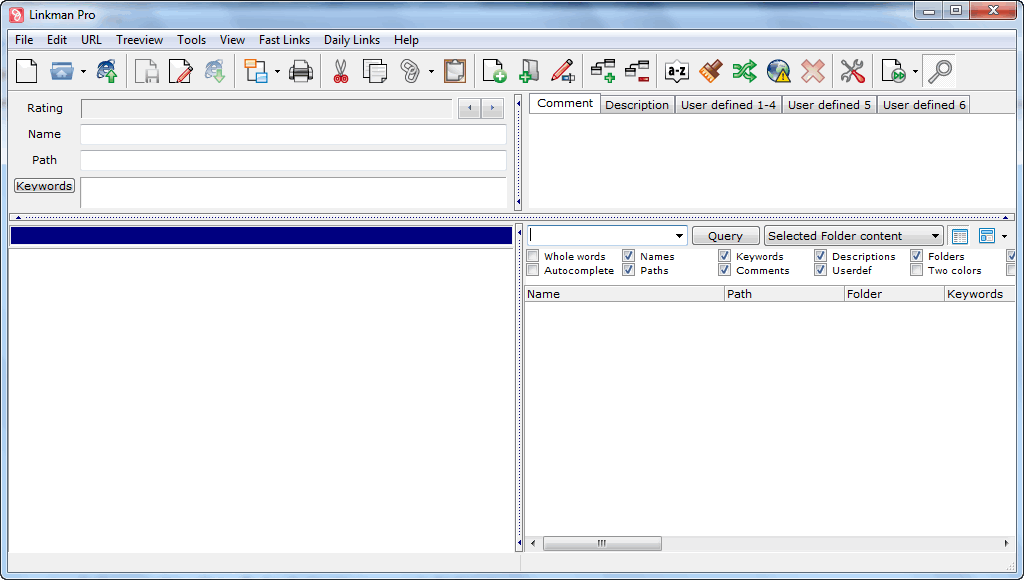
For those that don’t know, Linkman Pro – which also has a Linkman Lite version which is freeware – is a professional, feature filled bookmarks/favorites management tool. In other words, it helps you easily manage your bookmarks/favorites if you use multiple browsers, multiple computers, or would like to be able to create back ups for safe keeping. Here is an overview of the features that Linkman Pro has, as per the developer:
- Compatibility with all major Windows browsers
- Firefox 1.x-3.x, Internet Explorer 3.x-8.x, Google Chrome 2.x-5.x, K-Meleon 1.x, Maxthon, SeaMonkey 1.x, Opera 4.x-9.x, Avant Browser, Neoplanet, Netcaptor, SlimBrowser
- Use the same link collection across different browsers (automated synchronization between Firefox, IE and other browsers)
- Synchronization support to share links between multiple computers
- Supports keywords, ratings, comments, descriptions, shortnames and user defined data
- Ability to handle large databases (even millions of links) without performance or stability issues
- Optional installation on removable drives like USB sticks
- Internet Explorer integration
- Firefox 3 integration
- Optional Desktop Toolbar (supports all browsers including Chrome and Opera) for fastest browsing ever
- Optional Internet Explorer Toolbar
- Highly customizable user interface
- Tray Icon
- Detects duplicate links, even if they differ in subdomains, ports or login data
- Query for URLs on the same domain or subdomain and display results in groups
- User defined rating system
- Synchronization
- Extensive help file and PDF Tutorial
- Ability to check URLs for dead links, intelligent (only major) content changes, and page movements
- Retrieves keywords, descriptions and custom metatags from web pages
- Password protection
- Multiple import and export formats
- Direct Internet Explorer Favorites support (including correct item order)
- Firefox Bookmarks
- Google Chrome
- Powermarks
- SeaMonkey
- Opera Hotlist
- Html
- Separated Value files
- Any data file containing links
- Editable Export Templates (XML, TSV…) with UTF8 support
- Fully customizable Html Link webpage generation
- Search and Replace
- Text and Status Query
- Link Collector
- Printing support
- Sort feature with multiple sort orders and autosort
- Drop Basket for faster browsing and URL addition
- URL Path associated launch
- URL Launch History
- Fast Links for fast access to your favorite URLs
- Daily Links feature to launch several bookmarks with one click
- Full Drag and Drop support including link drops from browser to Linkman
- Advanced Tray Icon (configurable click actions)
- User defined browser support
- Auto save
- System-wide hotkeys for easy use, even when working with another application
If you want to learn more about Linkman Pro, you are welcome to read my review, or watch the tutorial video. Do take note, however, that both the review and the tutorial video are of old version of Linkman Pro – the latest versions have made many improvements. (A full changelog of improvements made to Linkman Pro with each new release can be found the bottom of this page.)
That all being said, 30 lucky dotTechies will have the chance to own a copy of Linkman Pro for free! All winners will receive free updates. Here are the rules for this promotion:
Version being given out for free: 7.9.0.30
Free updates: Yes
Supported OS: Windows 2000/XP/Vista/Win7
Download size: 7.7 MB
- If you want a chance to win a license of Linkman Pro, you must post a comment below answering all of these questions:
- Have you ever used a bookmarks/favorites manager or synced bookmarks/favorites across multiple browsers or computers? If yes, please name the software/service you have used.
- What will be the main task you will use Linkman Pro for (sync bookmarks across browsers, sync bookmarks across computers, backup bookmarks, etc.)?
- Is there anything Outer Technologies can improve in Linkman Pro (bug fixes, more features, etc.)? If yes, please specify.
- Do you think $25 (for a single license) is a fair price for Linkman Pro? If no, please specify the price you think is fair.
Anyone that does not answer all four of these questions will be disqualified.
- 10 licenses are reserved for dotTech donors, authors, and artists. If you fall in this 10 license reserve category, please specifically state so in your comment (i.e. say “I am a donor” if you are a donor, etc.), otherwise I may not know. Also if you are a donor, please be sure to use the e-mail you donated with in your comment (do not post your e-mail in public, just use the e-mail in the “e-mail” form when posting a comment) so I can confirm.
- The other 20 licenses can be won by anyone.
- I reserve the right to award specific people licenses if I feel they have helped foster the dotTech community by being very active (the people who fall into this category is at my sole discretion).
- You may only enter the drawing once and may only win one license. If you try to enter more than once, you will be disqualified.
When posting a comment, please make sure you enter an e-mail that is 100% valid and an e-mail you will check because the licenses will be distributed via e-mail by me. If you win and don’t have a valid e-mail or an e-mail you don’t check, your license will go to waste. However, please don’t post your e-mail in your comment! You should never post your e-mail on a public form. Just enter the e-mail you want to be contacted at in the “E-mail” field when writing your comment – I will be able to get your e-mail from there. Or if you are a registered dotTechie just post a comment while you are logged in and I will be able to find your e-mail.
The winners of this giveaway will be announced after the giveaway has ended in 72 hours, or on Tuesday April 20, 2010.
Good luck to everyone!
Anyone that misses out can always purchase Linkman Pro (scroll down to the bottom of the page to find Linkman Pro) for $25 (USD).
111 Comments »
Leave A Response »


1) No, I have never used a bookmarks/favorites manager or synced bookmarks/favorites across multiple browsers or computers?
2) I would use Linkman Pro sync bookmarks across computers and backup bookmarks.
3) I do not know of anything that can be improved.
4) I believe $15 would be an appropriate price.
Thanks Ashraf & Outer Technologies. I would like to participate.
1. No, I haven’t.
2. Backup, but also sync.
3. Don’t think so. Maybe I’ll come up with one later.
4. Yes, it is.
Thanks Ashraf, this may be just what I need – I am a donor. With everything you say this program can do, I finally might be able to get things organized.
I use 3 computers and use Firefox, Opera, and IE and have not been able to sync any of these correctly.
1.I have used older versions on Firefox and currently use Xmarks
2.The main task will be to sync my bookmarks across my various computers with different browsers.
3. Don’t know what can be improved since I have not used this product before.
4. The $25 seems a little high for this product but I bet it does so much more than what I am expecting. I wold think the $15-$20 price would be better.
Thanks again, STF4all
1. No,
2. Yes I would use this program for syncing bookmarks between various browsers.
3. I dont’ have any at the moment
4. I think that $10 is a fair price for this program.
1 No, I have never used a bookmarks/favorites manager or synced bookmarks/favorites across multiple browsers or computers
2 I dont’ have any at the moment
3 I do not know of anything that can be improved
4 I believe $ 10-15 would be an appropriate price.
Hi all DotTechies!
Thanks for a great usefull offer and a good written review.
I’ll certainly participate in your giveaway of Linkman Pro.
Here is my answers as requested:
1. Yes I have, AllWay Sync. Can’t say I’m a pro on this software yet as it has alot of possibilities inside but I’ve been useing it for sync my bookmarks and other databases between different operatingsystems and browsers on the same machine. Mostly I guess this one works better for sync files and usual stuff, perhaps not that developed for working with bookmarks as I would like to see it.
2. In my case the main task would be to find out a way in how to manage all my bookmarks between one system with XP Pro and another with Windows 7 + one virtual Windows 7.
Would be terrific to have a chanse to sort everything in good order and sync it all in good shape as there is both duplicates of links and quite many old items too by now:) Forgot to mention the notebook..
3. From been reading your review and watched the video it looks to me as a really nice software includeing several good options and tools.
I have’nt used this one before so I’m sorry as my knowledge is unsure.
4. Might be for those who have some bucks left over to pay with, why not use TrialPay and other collaborations online. Think that could be a great solution too.
Wish everyone good luck in the draw and big thanks Ashraf!
Sincerely
Max
Have you ever used a bookmarks/favorites manager or synced bookmarks/favorites across multiple browsers or computers? – YES – http://www.linkshelf.com - for years! Fabulous, FREE , I don’t know what I’d do without it!! Gets me all my favorite sites from any PC that is on line – at a library, client, friend…2) What will be the main task you will use Linkman Pro for (sync bookmarks across browsers, sync bookmarks across computers, backup bookmarks, etc.)? Yes, all of above, of course; and compare to Linkshelf – maybe it does offer more; and, I do worry about what I’d do if Linkshelf ever shut down!
3. Is there anything Outer Technologies can improve in Linkman Pro (bug fixes, more features, etc.)? If yes, please specify. Nothing I see as of yet…
4. Do you think $25 (for a single license) is a fair price for Linkman Pro? If no, please specify the price you think is fair.
Well, IF the $25 is for a single license for use on what ever the licensee happens to be using, and is updatable on an ongoing (as opposed to yearly, for example), yes, I’d say that is fair (IF I am convinced it is better than Linkshelf, which is free!)
Ashraf – just wanted to thank your for your efforts, on GAOTD, and your own site.
Much appreciated!
Stan W, Orlando
r.
If you want a chance to win a license of Linkman Pro, you must post a comment below answering all of these questions:
Have you ever used a bookmarks/favorites manager or synced bookmarks/favorites across multiple browsers or computers? If yes, please name the software/service you have used.
What will be the main task you will use Linkman Pro for (sync bookmarks across browsers, sync bookmarks across computers, backup bookmarks, etc.)?
Have you ever used a bookmarks/favorites manager or synced bookmarks/favorites across multiple browsers or computers? If yes, please name the software/service you have used. I have used Delicious to synonize my bookmarks on the internet
What will be the main task you will use Linkman Pro for (sync bookmarks across browsers, sync bookmarks across computers, backup bookmarks, etc.) I would use it to sync across the browsers and for my different computers.
Is there anything Outer Technologies can improve in Linkman Pro (bug fixes, more features, etc.)? If yes, please specify. No it looks like a great program
Do you think $25 (for a single license) is a fair price for Linkman Pro? If no, please specify the price you think is fair. I think 15.00 would be fair price
1. Have you ever used…..
->No.
2. What will be the main task….
–>Keep track of bookmarks across computers
3. Is there anything …can improve ..
—> to be determinate
4. Do you think $25 (for a single license)…
—-> no more than $9.99, and it should be for whole family
1. No, I use firefox 99.9 percent of the time with the scrapbook addon. This is not a bookmark program but allows me to copy webpages or parts onto my machiine and i can highlight or delete secitions. Brilliant how ever if i cant remmeber which folder i put the page in the search takes longer than i require. I find with the web I am getting information overload and trying to keep track becomes a pain.
I check dottech.org everyday partly beacause you review programs that i would not of come across or I had dismissed because of using alternate methods. Thanks to your review i have downloaded and done a quick test on the lite version. Its very good though need to spend more time on it.
2. sync bookmarks across browsers and across computers, backup bookmarks fast search
3. have an option to show small thumbnail of the bookmark without having to open in browser
or an option to click the bookmark on the left hand side and see the full page on the right
or click on the folder on the left and get a summary much like an RSS feed reader.
a combination of the existing bookmarks with an option to save offline and edit like scrapbook
https://addons.mozilla.org/en-US/firefox/addon/427
4. I think $10 would be fair
cheers
1. Have you ever used a bookmarks/favorites manager or synced bookmarks/favorites across multiple browsers or computers? If yes, please name the software/service you have used.
Answer:
Weave in Firefox is great.
URL Gather – is old and only works in Firefox and IE – it has no chrome support!
Transmute – is a really good bookmark converter.
Am Deadlink – it is good for weeding out useless, expired old and dead bookmarks.
I have used all the above with Transmute and Weave being my favourite. Yet, they all seem to lack something which is frustrating. On the contrary, I have heard so much about Linkman Pro and I would LOVE to win a license as I believe it is really the best product of its kind on the market and it is a class leading product. This is one piece of software I REALLY need and is one I would get great use out of – e.g. I cannot use Firefox at work and have literally hundreds of work related bookmarks that I would love to sync to my home PC or another PC if I change jobs! Linkman would be invaluable for this purpose. Indeed I use multiple different browsers on multiple different computers (at home and at work – hence the need for a license of the Pro version!) and I get really frustrated not having access to all my frequently used bookmarks (especially e.g. government websites for legislation and company information sites research). I cannot emphasize just how much I would love a copy of this software and how useful it would be to me.
2. What will be the main task you will use Linkman Pro for (sync bookmarks across browsers, sync bookmarks across computers, backup bookmarks, etc.)?
Answer:
This is a hard one to answer as I would really use ALL the program features in combination! However, if I had to pick a main feature it would have to be the ability to sync bookmarks across computers. More than any other feature the ability to do this just floats my boat!
3. Is there anything Outer Technologies can improve in Linkman Pro (bug fixes, more features, etc.)? If yes, please specify.
Answer:
I believe this is very important question and urge all those trying to win a license to give as much detail as they can here. I feel if a software developer is kindly giving away their product the least any person entering the draw can offer is a bit of feedback to ensure future versions of the product are further developed and easier to use. When I used an old version of the software I found the interface quite cluttered and overwhelming (which detracted from the ease of use of the software and whether or not learning how to use the software was intuitive!) That being said this has been improved in the newer versions. I would also hope importation of bookmarks into chrome has been improved but having not tested the latest pro version I cannot say if this is the case! My advice to Outer Technologies make the interface simpler so the product does not scare off first time users and make the interface customizable so people can hide features being displayed that they don’t use often. Other than this I have no other criticisms yet – I will need to test the product and see…
4. Do you think $25 (for a single license) is a fair price for Linkman Pro? If no, please specify the price you think is fair.
Answer:
My opinion is very subjective regarding this question. I would say yes $25 is a bargain because the program would be so useful to me. However, if one has simple bookmarking needs then maybe $25 may be a bit much. To appeal to a wider range of users maybe the developer should make the cost $15-$20. Indeed we all did those graphs in calculus at school about finding the point where profit was maximized (i.e. a higher volume at a mid range price sometime made more money than selling less volume at a lower price)…
In summary, I would really LOVE TO WIN a copy of this program as it would be invaluable to me. Ashraf please put me in the draw and please carefully consider the above responses when deciding whether to award me a license. Cheers for organizing this promotion. Just like your efforts in organizing the promotion for Win Utilities Pro (which I use every day) your efforts on this promotion are much appreciated! Thank you!
@Lee: A note in my above post it should read “(i.e. a higher volume at a mid range price sometime made more money than selling less volume at a “higher price“)…I typed “lower price” when I meant “higher price”.
Thanks for another great opportunity to win some excellent sw Ashraf.
My answers are as follows:
1-xmarks add-on in firefox
2-The main use would be for syncing bookmarks across multiple pcs.This would be very useful for me as I work in research.The ability to retrieve keywords from web pages would also be extremely useful.
3-Haven’t used the product yet so am unable to give a fair answer.
4-Again this is difficult to answer without giving the product a try.However any product over $19.99 would be more than an impulse purchase so the current price probably deters possible customers.
Good luck everyone!
Hello Ashraf,
I use FruitfulTime BookmarkManager.
If I win a license for Linkman Pro I would use it to backup my bookmarks and sync them between IE and FF.
In my opinion the feature to export the bookmarks database in “encrypted form” would be a nice addition.
If the license provided for $25 entitles one for liftime free upgrades,then it’s worth the asking price.Otherwise it should be $10.
Thanks..
1. I never use a programs like Linkman
2. For Bookmarks backup and synchronise them bettwen multiple pc’s
3.Im unable to give answer cause I havent use software like this.
4.Yes, It’s fair price.
1. Nope. Have never used such software before.
2. All of the above. I am starting my foray into “other” (i.e., non IE) browsers, so could see it being handy there. I do use 2 computers and have been manually syncing important bookmarks. Of course, backup would be handy.
3. I couldn’t tell you now as I have never used the software (Pro or Lite) before. (I hope to be able to report back on it though!)
4. $25 seems a little steep for such a product, but perhaps my opinion would change after using it and observing it’s true utility and convenience.
Thank you for this opportunity and the useful information and free downloads since I discovered dottech.org a week ago!
Yes, Linkstash mainly
Sync across computers first, occasionally across browsers (IE & Opera ), also backup bookmarks using a single file
The ability to be used within opera (Integration within Opera, not just import/export)
I think a fair price would be around $15 with 1 year of updates/upgrades and $30 for a lifetime license.
Thanks for organizing this draw.
1. Have you ever used…..
->Goodsync…
2. What will be the main task….
–>Keep track of bookmarks across computers
3. Is there anything …can improve …
—> a combination of the existing bookmarks with an option to save offline and edit like scrapbook…
4. Do you think $25 (for a single license)…
—-> no more than $15…
1. Long time ago, on a mac, URL Manager Pro
2.In short, unifying and sorting all grown stuff in one place
3.Will see when using it
4.I can´t judge so far, didn´t look for market with this focus yet
Have you ever used a bookmarks/favorites manager or synced bookmarks/favorites across multiple browsers or computers? If yes, please name the software/service you have used.
Generally do exports/imports to html
What will be the main task you will use Linkman Pro for (sync bookmarks across browsers, sync bookmarks across computers, backup bookmarks, etc.)?
Both sync bookmarks across browsers and across my desktop & laptop.
Is there anything Outer Technologies can improve in Linkman Pro (bug fixes, more features, etc.)? If yes, please specify.
Have not tried yet. Will go to see if there is a trial.
Do you think $25 (for a single license) is a fair price for Linkman Pro? If no, please specify the price you think is fair.
I think that you would sell more at 19.99 but 25 is in the ballpark
Shelly F
Q1.Have you ever used a bookmarks/favorites manager or synced bookmarks/favorites across multiple browsers or computers? If yes, please name the software/service you have used.
A1 No I have not however I would love to try as I am a University student and have a desktop, laptop and netbook that I am constantly in a state of flux with because I never remember where I bookmarked something and don’t have time to be confused or frustrated.
Q2 What will be the main task you will use Linkman Pro for (sync bookmarks across browsers, sync bookmarks across computers, backup bookmarks, etc.)?
A2 I will probably use Linkman Pro for all of the above depending upon it’s ease of use.
Q3 Is there anything Outer Technologies can improve in Linkman Pro (bug fixes, more features, etc.)? If yes, please specify.
A3 Ease of use and easily understood interface would be what I am looking for. Therefore my hope is Linkman Pro is that.
Q4 Do you think $25 (for a single license) is a fair price for Linkman Pro? If no, please specify the price you think is fair.
A4 I can’t price something I have not tried, however, I will tell you if it is simple and user friendly I would pay $20
Hello!
1. I have not used favorites manager across multiple browsers or computers before.
2. The main task I will use Linkman Pro will be to sync the bookmarks between the computers in my home network. Right now I am using a USB flash drive, and- I believe- Linkman Pro will be a lot more easy.
3. In fact- I have never used Linkman Pro, (I even did not know it exist…). So- I could not report any bugs so far.
4. Well- $25 is not a big deal, but- would be great if I can use one license for 3 computers for example… Anyway- in my opinion- $25 is ok.
Finally- thanks for this opportunity, guys!
1. Yes, I’ve used a bookmarks/favorites manager and synced bookmarks/favorites across multiple browsers and computers? My experience was so terrible and the computers retired that I can’t even remember the downloaded software that I used.
2. My main task for using Linkman Pro would be to sync my laptop and desktop, to play with different browsers via the synched links and to keep my extensive bookmarks organized… very interested in the basket, rating and other tools.
3. Outer Technologies might consider exploring usefulness features, such as speech, gesturing and the like… organization and sync are not”focus” type tasks and should be quick, easy and well integrated as part of ordinary browser use/ experience. Sharing bookmarks in a home/home biz network would be killer… nearly every day. Partial sync’ing and sharing would also be a strong talking piece for myself and with my clients.
4. $25 (for a single license) is not as much of an issue as the site license price for my home/ home-biz network… particularly my tablet and desktop, but also the other computers on the net and with which I communicate (via Internet). Add the above (3) and $20-25 or more is fine… assuming the deal for sync’ing and sharing AT LEAST on our LAN is ALSO worthwhile. Problem is that handling only one computer or computer pair in this day and age is impractical. A very low price site license (don’t know what is fair) or winning would motivate me further.
Hi!
1- I use mainly 2 apps to sync, backup and manage across computers and browsers (I use Firefox (windows/linux), chrome (windows/linux) and Opera (windows/linux), which are AM-Deadlink and XMarks.
2- Well if the app can be used under Wine and if it can subst my both apps and give more features than both together, I will used it in place of them to manage, backup and sync my bookmarks across OS, computers and browsers.
3- Never use it so I can’t give an opinion here.
4- I believe in open source (GPL) and on the GNU project so it’s difficult for me to say a price for a piece of software, and before someone complain about this In the beginning of my IT career I was a software developer. In windows environment I only use legal (giveaway, pre-installed or freeware) software, the same applies to linux.
1. Have you ever used a bookmarks/favorites manager or synced bookmarks/favorites across multiple browsers or computers? If yes, please name the software/service you have used.
I have used am deadlink a couple of different times and while I think it could be a good program, I was not happy with the results. It would indicate that a link was no longer active or not at the address which was listed in the bookmark and yet if I clicked on the bookmark manually, it took me to the site right away.
2. What will be the main task you will use Linkman Pro for (sync bookmarks across browsers, sync bookmarks across computers, backup bookmarks, etc.)?
Since I have been using computers since the early 80′s I have accumulated a ton of bookmarks and needless to say, they have taken over my computer. I have tried to manually check all of the bookmarks but before long I get discouraged and give up.
Linkman Pro would be really useful to me, especially now. I just purchased a laptop pc and an iPod Touch so I am really going to want to be very organized where my bookmarks are concerned. I don’t want to have a bunch of non-working bookmarks, especially on the iPod as space can be a premium with it.
3. Is there anything Outer Technologies can improve in Linkman Pro (bug fixes, more features, etc.)? If yes, please specify.
I have yet to use Linkman Lite or Pro yet, but am downloading the Lite version right now and am going to install it as soon as it is downloaded. I have downloaded the Lite version and had it organize my bookmarks and must say that I was pleasantly surprised by the speed with which it accomplished that function. I am hesitant to make suggestions about improvements. I did try to do a couple of things with the Lite version and got a message that it was only available in the Pro version.
4. Do you think $25 (for a single license) is a fair price for Linkman Pro? If no, please specify the price you think is fair.
I think $25 is a fair price for a program if it works as advertised. I have purchased several programs from companies and individuals if I felt that it was quality “bang” for my buck.