NetWorx: Monitor your bandwidth usage to verify you’re being billed properly by your ISP

March 6, 2012 40 Email article | Print article

Many people run on what is known as a “bandwidth-limited” Internet connection (okay, I admit, I don’t know if that is the official name… I just came up with it on the spot); people on these plans are only allowed to use X amount of GB in regards to bandwidth per month, and any usage higher than that results in the ISP charging the customer extra. Other people run on a pay-as-you-go or prepay Internet connection (okay, I admit, I don’t know if that is the official name either… I just came up with it on the spot); people on these plans only pay for the amount of bandwidth they use per month (or per day, per hour, etc.) as opposed to having a set monthly bill. For users on these type of Internet connections, when the bill arrives at the end of the month, it can often be a surprise how much bandwidth was used; basically one puts trust into their ISP’s hands and accepts they are being billed properly. I am not saying all ISPs are cheats; what I am saying is everyone should trust, but verify. NetWorx is a program that allows you to do just that.

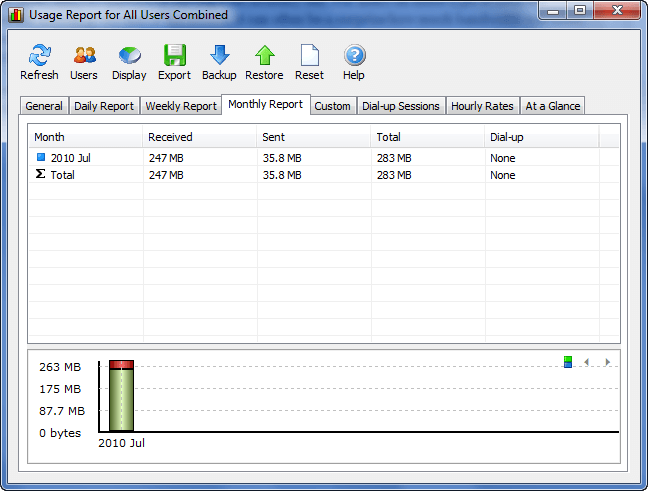
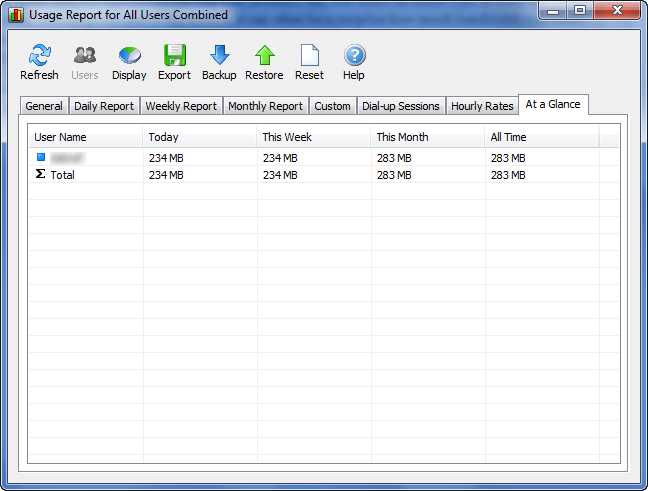
NetWorx is a software that allows users to monitor how much bandwidth you have used…
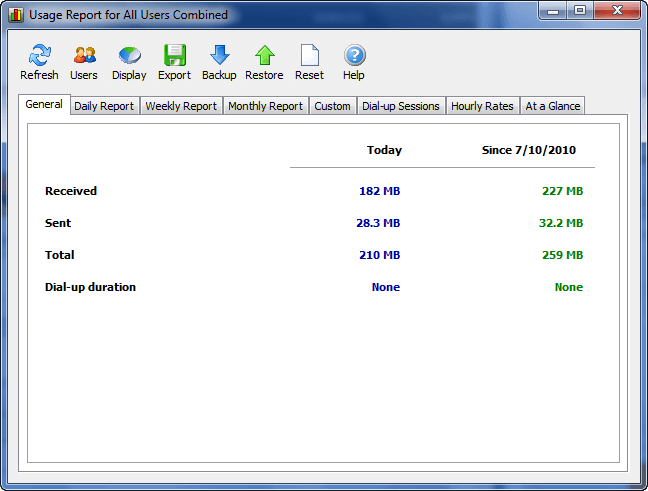
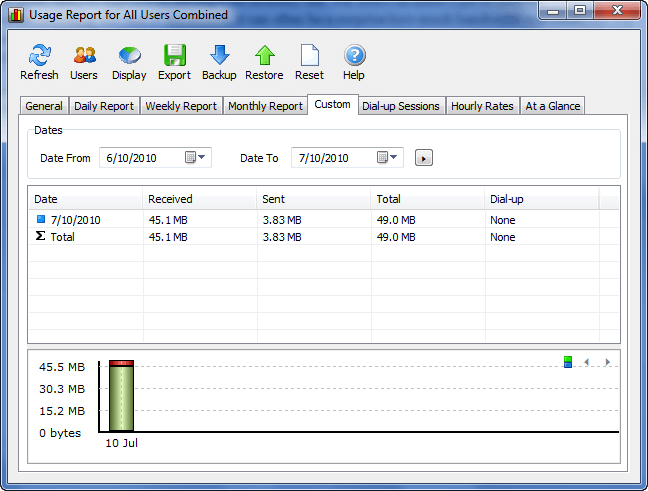
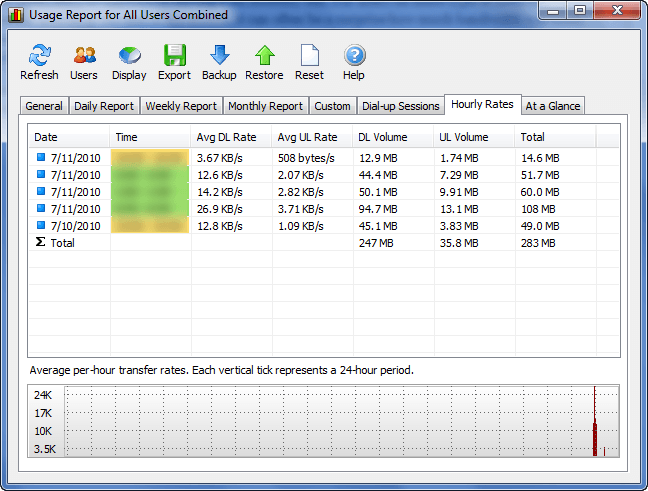
…and then provides multiple different methods to analyze the usage, such as via daily reports, weekly reports, monthly reports, hourly rates, etc.:

To make it easy to share your usage reports with others, NetWorx allows you to export each report into .XLS, .RTF, .HTM, .TXT, and .CSV formats. For dial-up users NetWorx has the ability to monitor bandwidth usage by dial-up sessions. For multi-user computers, NetWorx has the ability to differentiate bandwidth usage between users, or to view bandwidth usage in total.

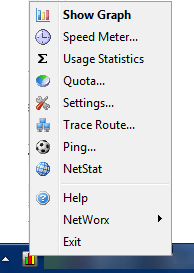
In addition to the already mentioned, NetWorx has a few other “extra” tools, such as ping and trace route, accessible via right-click on NetWorx’s system tray icon:
Of course for NetWorx to be able to accurately monitor bandwidth usage you need to have it running all the time whenever you are connected to the Internet, need to run it for all users (if applicable), and need to run it on all computers (if applicable). However, NetWorx is not a very heavy app, using 5-10 MB of RAM only, so it shouldn’t have too large of a burden on your computer while it is running. Plus, for those people that hate installing programs, NetWorx has portable and installer versions.

All in all, if used properly NetWorx can be a very useful tool for those unfortunate, bandwidth-limited users. You can grab NetWorx from the following link:

Version reviewed: v5.1.2

Supported OS: Windows 2000 and higher

Download size: 1.5-1.7 MB

NetWorx homepage

[Direct download portable version]

[Direct download installer version]

Thanks WobblyWombat!

40 Comments »

  1. alan July 14, 2010 at 12:57 AM (comment permalink) -

    @Joleca:
    Question If it can get usage classified by user,
    can it also show any wireless access by a neighbour you were not aware of ?
     

    26
  2. Joleca July 14, 2010 at 12:14 PM (comment permalink) -

    @alan: If they have access into your router, I would think so…
     
    BUT you shouldn’t be running an UN-SECURED Network..

    You need to be running the highest level of security/encryption your router allows ( and set a strong password key…)   Any computer accessing your router needs to have the same security/encryption method and key…   And, you should be able to set your router to not broadcast its SSID (computer name) so it isn’t even visible to your neighbors regardless of whether its secure or not..  (of course someone with the correct security/encryption & password would still be able to connect even if the SSID wasn’t being broadcast).

    Security types would be WEP, WPA2-Personal, WPA2-Enterprise, WPA-Enterprise, etc..
    Encryption:  AES or TKIP
    Password/Key – the longer the better, include numbers, capital & lowercase letters, special characters, etc..

    27
  3. alan July 14, 2010 at 1:09 PM (comment permalink) -

    @Joleca:
    I know all that.  I never said I would use inadequate encryption.
    I only wanted to know if the application in question was able to distinguish between the normal Ethernet links and the Wireless links.
    I asked because I have previously only seen a consumption meter that measured what the single computer was sending/receiving through the operating system, and was not aware of any facility to extract data from the router of anything consumed by other computers which connected direct through a router.
    Merely for the sake of NOT bothering with incomplete information I would like to have the information completed if possible, i.e.
    When distinguishing between different computers that access the internet only by direct access through the router, will the router restrict its statistics to only the computers using one of the available hardware Ethernet links, or will it also handle statistics for each and every Wireless link that comes in to the router.
     
    I consider WEP to be inadequate encryption.  It was cracked a long time ago.
    I believe WAP was cracked more recently
    I think WAP2 is OK for now, but I wonder how long before that too is cracked.
    My “native” XP system will show my connection, and also of local Wireless channels.
    It shows some of my neighbours transmit their SSID, and other do not.
    I think I remember it shows which ones use WEP and which use WAP2
    It definitely does not show any MAC addresses.
    My router is configured to exclude a neighbour unless :-
    He uses WAP2 with the correct password
    He has the right SSID (even though it is not “broadcast”)
    He has a specific 48 bit MAC address that I have preset as permissible.
     
    I have absolutely ZERO confidence in the last two items.
    I have downloaded and tested several applications to better understand how to minimise my wireless range, and during evaluation I found they told me far more than XP’s “native” application :-
    They told me the SSID of each signal, even those that XP said were not transmitted.
    They told me the 48 bit MAC address that was sending each signal,
    So any semi-technical neighbour that downloaded those tools would immediately know :-
    My type of WEP/WAP2 encryption
    my SSID (even though I was not “broadcasting” it, I had to be transmitting it for the protocol to work)
    my 48 bit MAC address, and that he can easily spoof.
    Then a quick search for MAC ADDRESS SPOOFING and he has the lot – see :-
    http://blogs.techrepublic.com.com/security/?p=395
     
    With all that he only needs my encryption key, and that is useless if I have WEP.

    28
  4. Joleca July 15, 2010 at 7:47 PM (comment permalink) -

    @alan: I can only go by personal experience on this one..
    As I’ve already mentioned, I have 3 computers on my network..   One, the desktop is a wired connection…  The other 2, both laptops are wireless only..
    When I check the usage, it shows the individual usage for each computer and the sum total for all..   Beyond that, I really can’t tell you anything else..  I’m not the developer of the software, just a very very happy user who happened to stumble across it after a very nasty phone session with Comcast threatening to disconnect me for 1 year if I went over their (unknown at the time) bandwidth cap.
    I know it seems to very accurately track my actual up/down usage total and the figure it shows meshes with what Comcast says I’m using..
    If you go to the NetWorx homepage, there is a link to their forum page..  The software developer is pretty good about responding to all questions and concerns..

    29
  5. alan July 16, 2010 at 12:39 AM (comment permalink) -

    @Joleca: Thanks
    Some years ago I saw usage monitors which only ran on the P.C. in stand-alone mode.
    This is the first time I have encountered one that gathers statistics from a router, so I wanted to clarify details
     

    30
  6. jumbi July 23, 2010 at 2:14 PM (comment permalink) -

    I have been using bitmeter so far (freeware) but I am going to try this for sure :-)

    31
  7. Alexandery December 2, 2010 at 2:57 AM (comment permalink) -

    you can monitor your bandwidth using ProteMac Meter http://protemac.com/Meter/
    .It;s really nice prog)

    32
  8. Sammy March 17, 2011 at 2:42 AM (comment permalink) -

    for traffic monitoring i use ProteMac Meter too. it’s really cool prog protemac. com

    33
  9. Jenny June 30, 2011 at 12:56 PM (comment permalink) -

    @jSwannO: Your data usage isn’t just what you download – it is everything you look at online, everything you listen to online, every email or IM you sent out or receive: because they all use packets of data to take the information to you and from you.

    @Joleca: I’m going to give it another go around with Networx- I have a new modem and router. I think the reason it only showed me my own usage previously was because the modem router I had then wasn’t query compatible… hopefully this one is! ;)

    34
  10. Joleca June 30, 2011 at 4:53 PM (comment permalink) -

    Go for it Jenny,

    I’ve been using Networx for almost 3 years now and can’t be happier.. It tracks almost spot-on what Comcast shows I’m using, and I haven’t had to worry about going over (or near) the Comcast bandwidth cap since I first installed it…

    Now have 4 computers on my network (wired desktop, 2 laptops and a netbook which are all wireless) and it accurately tracks and totals all 4 showing me the total bandwidth for the entire network on each computer.

    @Jenny:

    35
  11. Howard July 6, 2011 at 10:36 AM (comment permalink) -

    OK, NetWorx monitors my side of the internet connection (and I like it), but I need to determine if my internet service provider is reliable, or “up.”

    Are you aware of any software that samples (and records) a cable modem (periodically) to see if there is a signal?

    Thank you.

    36
  12. Prema March 6, 2012 at 12:20 PM (comment permalink) -

    lol ashraf, thanks for bringing this back up. I was looking for something similar to monitor my bandwidth :)

    37
  13. Mags March 7, 2012 at 6:04 AM (comment permalink) -

    Just adding a thumbs up for NetWorx and to explain why this is a very useful tool to have. I’ve been using it for a couple of years now.

    My reason for using this is very obvious.

    A couple of years ago my ISP decided up “upgrade” its tracking SW for user usage (i.e. upload/download.) I occasionally checked my usage, but was always within my limit. Imagine my surprise when I received a bill for over-usage charges to the tune of $30.00 over and above my normal monthly charge. And it happened again the following month.

    I called my ISP and complained and assured them it wasn’t me, but they didn’t believe me. I refused to pay the amount since I knew it wasn’t me. Then it happened again the following month, and this time the amount was over $40.00.

    I then searched the ‘net to see if anyone else was experiencing the same problem and lo and behold there was an outrage from many, many others with the same ISP that the same thing happened to them.

    End result was that the ISP was forced to apologise and to give a credit on everyone’s account that had be charged this ridiculous fee.

    Their explanation was that there was a bug in the new “upgrade” and that it was now fixed. I don’t believe that, but they are not overcharging anymore for over-usage when it doesn’t happen.

    I started using Networx after the first charge showed up on my account and had proof that they were wrong in their tracking.

    I pays to have it installed as a backup in case this ever happens again.

    38
  14. BarrysCool March 7, 2012 at 2:54 PM (comment permalink) -

    OK, I know that I’m a bit late entering this conversation but my experience is a big plus for NetWorx.
    I have been using the program for a couple of years and not long ago my ISP sent an account showing that I had exceeded my download limit. With NetWorx I was able to converse with their Tech guys and compare my use on a daily basis showing a pattern which resulted in them cancelling the over-charged account. They reissued an account that was within my download limit, and this would never have happened but for the presence of NetWorx on my computer.

    39
  15. http://google.com February 13, 2013 at 8:53 PM (comment permalink) -

    “NetWorx: Monitor your bandwidth usage to verify you?re being billed properly by your ISP | Reviews, news,
    tips, and tricks | dotTech” definitely causes myself imagine a
    little bit extra. I really adored each and every particular element of it.
    Thanks for your effort -Lionel

    40

Leave A Response »