NetWorx: Monitor your bandwidth usage to verify you’re being billed properly by your ISP
March 6, 2012 40
Email article | Print article
Many people run on what is known as a “bandwidth-limited” Internet connection (okay, I admit, I don’t know if that is the official name… I just came up with it on the spot); people on these plans are only allowed to use X amount of GB in regards to bandwidth per month, and any usage higher than that results in the ISP charging the customer extra. Other people run on a pay-as-you-go or prepay Internet connection (okay, I admit, I don’t know if that is the official name either… I just came up with it on the spot); people on these plans only pay for the amount of bandwidth they use per month (or per day, per hour, etc.) as opposed to having a set monthly bill. For users on these type of Internet connections, when the bill arrives at the end of the month, it can often be a surprise how much bandwidth was used; basically one puts trust into their ISP’s hands and accepts they are being billed properly. I am not saying all ISPs are cheats; what I am saying is everyone should trust, but verify. NetWorx is a program that allows you to do just that.
NetWorx is a software that allows users to monitor how much bandwidth you have used…
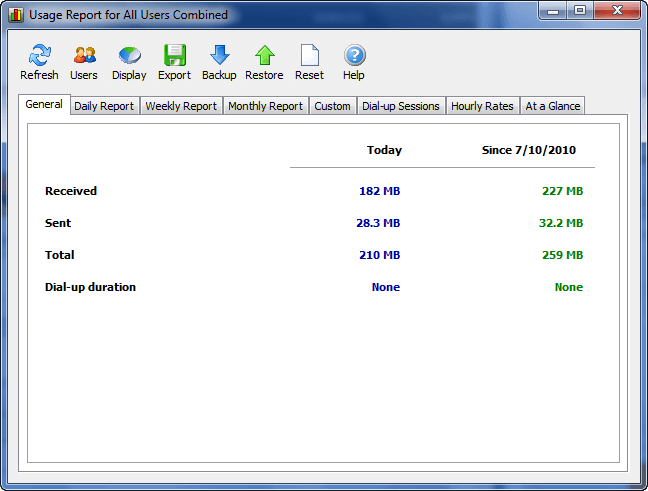
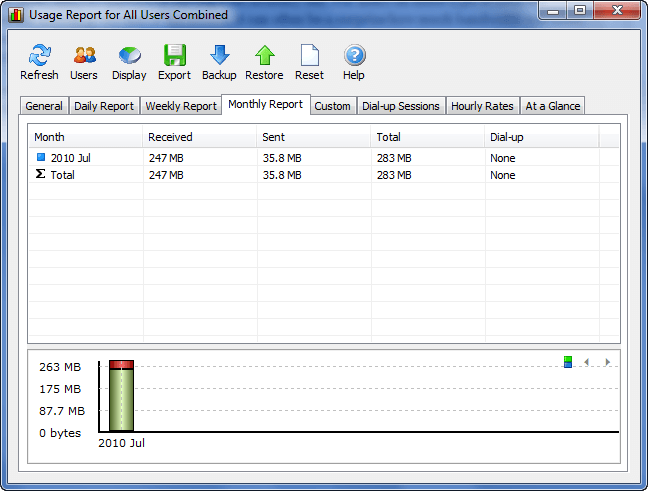
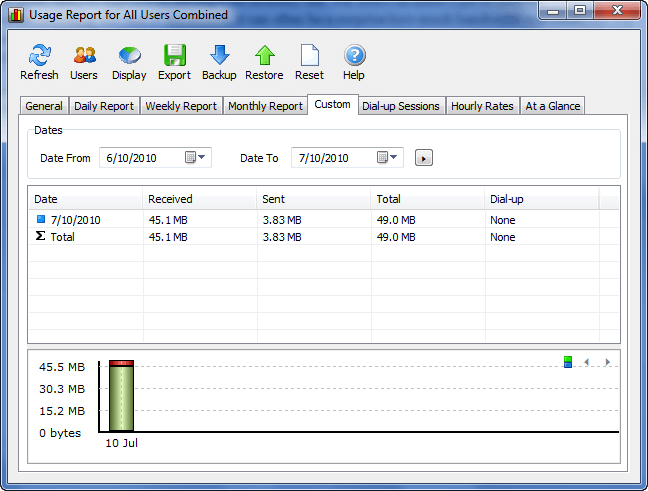
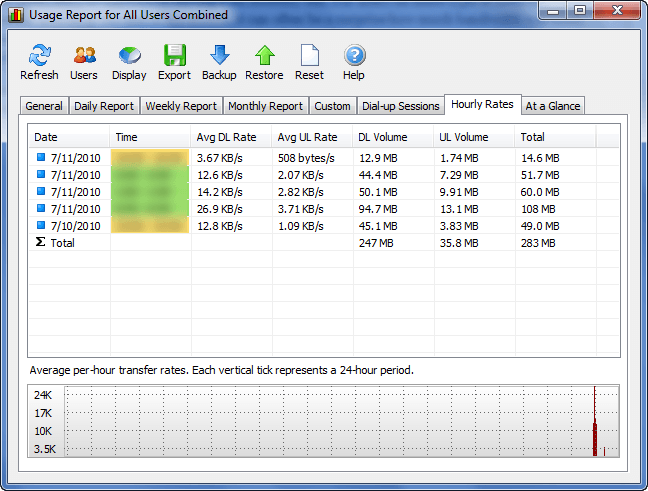
…and then provides multiple different methods to analyze the usage, such as via daily reports, weekly reports, monthly reports, hourly rates, etc.:
To make it easy to share your usage reports with others, NetWorx allows you to export each report into .XLS, .RTF, .HTM, .TXT, and .CSV formats. For dial-up users NetWorx has the ability to monitor bandwidth usage by dial-up sessions. For multi-user computers, NetWorx has the ability to differentiate bandwidth usage between users, or to view bandwidth usage in total.
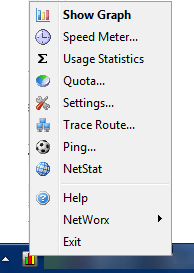
In addition to the already mentioned, NetWorx has a few other “extra” tools, such as ping and trace route, accessible via right-click on NetWorx’s system tray icon:
Of course for NetWorx to be able to accurately monitor bandwidth usage you need to have it running all the time whenever you are connected to the Internet, need to run it for all users (if applicable), and need to run it on all computers (if applicable). However, NetWorx is not a very heavy app, using 5-10 MB of RAM only, so it shouldn’t have too large of a burden on your computer while it is running. Plus, for those people that hate installing programs, NetWorx has portable and installer versions.
All in all, if used properly NetWorx can be a very useful tool for those unfortunate, bandwidth-limited users. You can grab NetWorx from the following link:
Version reviewed: v5.1.2
Supported OS: Windows 2000 and higher
Download size: 1.5-1.7 MB
Thanks WobblyWombat!







It’s funny : I have just installed this software a couple of days ago because I needed one like this.
But I have choosen to keep Networx after a comparison between 10 softwares of this kind and I have found Networx to be the best of all !
@Sputnik: Great minds think alike. And by great minds I mean you and WobblyWombat. =D
I am glad you are enjoying NetWorx.
@Ashraf: Hey Ashraf… what would be best setting to have it show for outgoing .. for things like checking on virus’s or trojans calling home or even if someone is messing around in my machine? installed and standard is showing speed.. think im more concerned with my outgoing data amount right?
I’ve heard good things about NetWorx for quite some time now. Tracking bandwidth usage can be critical for many users with a limit on their monthly bytes.
Can’t say as I’ve tried this one – I’ve been paying a flat fee for unlimited DSL for 10-12 years now.
Hi – In Australia it is known as usage by most I.P’s. It includes download plus upload total usage in (usually) gigabytes. My I.P. sends emails frequently to advise how much usage you have used from your monthly allowance, very handy to keep an eye open.
Les
I love this program i have been using it for about 2 months now and it works great. The only problem I have with it is that you can not separate from both your pay as you go and your home DSL.
Actually stumbled across NetWorx last fall after Comcast threatened to disconnect me for 1 year after going over the allowed bandwidth cap.. I’d had company staying for the previous month and they were all using the internet and I guess it all added up very very fast..
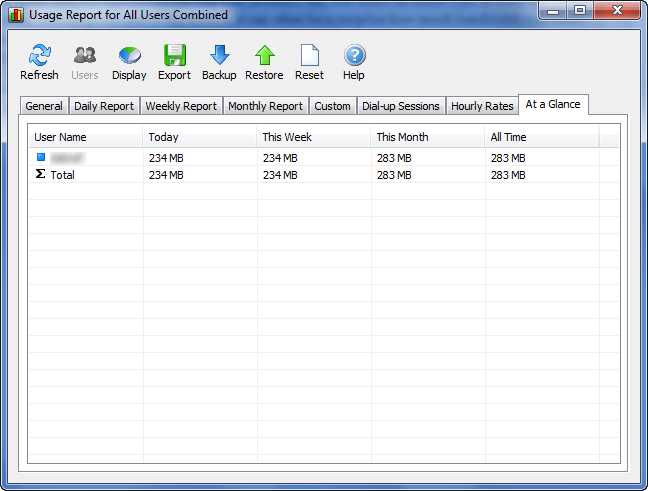
Anyway found NetWorx and installed on the desktop and both laptops.. If you have multiple computers you can set it to monitor “All Connections” and “ignore traffic within the lan”.. This way it will give you your total external bandwidth usage totaled on each computer… You don’t have to manually add each one, it does it for you… On the “At a Glance” tab, it will show the usage for each individual computer and total it all up for you..
You can also set it to warn you if you’ve used (or are coming close to using) a set amount of bandwidth each day.. If you want, you can even set it to shutdown your computer if needed.
This is definitely a “live-saver”… All you have to do is let it run and check your stats and you’re “safe”…. And, now I know I don’t have to worry about Comcast threats anymore!!
Simple, organized, and terrific for not so techie people. Not bad!
Ça fait quelques mois que j’essaie de comprendre d’où vient la différence entre ce que je télécharge et ce que mon FAI me dit que je télécharge (qui est plus élevé de plusieurs GB par mois). J’ignorais que ce type de programme existait.
Merci beaucoup, Ashraf.
@Joleca: so to monitor usage in a home with several computers on a LAN I’d need to install the program on each computer?
DARN!!! We have boarders who stay with us for 6 months at a time, we let them use our internet, but I don’t fiddle on their computers.
I’m still hoping to find something that will monitor the whole LAN without having to install on each puter
Thanks, Ashraf. My WildBlue satellite internet has a rather horrible limit of 17 GB and it doesn’t reset every month (its on some “rolling” period thing, makes no sense). This may help out.
Sorry my post is bold folks – must have bumped the B key :(
@Jenny:
Nope… You only need to install on each computer if you want to be able to see the “total usage” on each computer.. (and you probably don’t want your boarders to know what kind of bandwidth is going across your entire network)
As long as you have installed on your main computer, it will show the traffic for every computer on the network.. You just need to make sure to set to “ignore traffic within the lan” or you’ll be adding usage for any computer that’s accessing shared files, folders, drives, printers, etc.. As long as your main computer is set to see other computers on the “network”, you’ll be able to track all the incoming/outgoing bandwidth usage..
I have installed on all of my computers because I don’t want to only be able to check usage from just the desktop… I’m in a townhouse with 6 levels so its much easier to be able to check bandwidth from any computer and not just the desktop in the computer room.
@Joleca: if you use a router-modem then you don’t have a “main” computer, and you wil have to install it on every computer.
If your interent is connected to one of you computers and it is set to allow other computers on the network to “share the internet connection” then you are right. But most home networks are of the former type.
To check: can either computer connect to the internet even if the other one is switched off? if you can then yuo will need to install Networx on both
Thanks Joelca, and thanks Roger-u
Sadly I am in the category that Roger talks of. our router is our modem.
Darn. I was hoping this would be a nice simple non-hardware-upgrade solution. (I see that D-Link has upgraded the firmware for several of their lines to include a dashboard for this purpose – unfortunately my modem/router isn’t one of them)
I assume this tool knows nothing of any usage of the Internet via a Wireless connection to the router with inadequate encryption.
Hi Ashraf :)
McAfee Siteadvisor says : in our tests,this download contained some people would consider spywares ,adwares or other potentially unwanted programs
Block the download????
@Dr.H: Odd, when I went to the website McAfee SiteAdvisor did not show anything. However, when I manually go to SiteAdvisor and look up softperfect.com I get a result.
That said, Yes SiteAdvisor found a problem with some downloads on softperfect.com (the generic Delphi problem) but SiteAdvisor found NetWorx to be 100% clean. See the following links:
Plus I scanned NetWorx after downloading and it came up clean for me.
I have been using SoftPertect NetWorx for about two years now on my desktop. I just started using the portable edition for working on client’s computers. I love both of them, they are is easy to use and with one click I can find out about all my (and my client’s) internet activities.
@Roger-u &jevvv:
I have 3 computers… one is the desktop which is wired and the other 2 are wireless laptops.. I have a modem from Comcast which is connected to a Linksys Wireless-N router… The desktop is wired to the router, the 2 laptops connect wireless only…
When I first installed NetWorx on the desktop (everything goes there first as its easier with a full sized keyboard and mouse), I could immediately see the other 2 laptops even though I hadn’t installed the software on them yet… Installing on every computer only allows you to check or monitor your entire network ON every computer… As long as a device is visible in the Network (traffic across the router, wireless or wired), NetWorx will track it…
If you haven’t set sharing permissions or enabled “Homegroup” (Windows 7), your computers won’t be able to talk to each other, but they will still see each other on the network as long as they are all the same workgroup, etc..
Regardless, it won’t hurt to try it… the software is free and can always be uninstalled if it doesn’t do what you want it to.
This is awesome! I would like to have such a tool. Thanks for sharing Ashraf.
Dear Ashraf
I was using until now another freeware called Netmeter which has served me well. I will give this a try as well.
Dr Nitin
@Joleca: I am sure Netwrox (on the desktop) can detect that laptops are on the network. The question is: can Networx actually tell you how much traffic the laptop is generating between itself and the internet - that trafic is going nnowhere near your desktop? Maybe it can interrogate the router? (in which case it weill only work with some routers). I’d be interested to know.
I currently have Netmeter.. maybe i’ll have to give this one a try, just out of curiosity if nothing else now.
@Roger-u:
I believe it must query the router (mine is a Linksys WRT160N)…. below is from my current “at a glance tab” from the desktop computer
It shows all 3 computers (Joleca is the wired desktop, the other 2 are the laptops).
NetWorx At a Glance
User Name Today This Week This Month All Time
C3P0\Joleca 20.5 MB 75.9 MB 453 MB 346 GB
Joleca 7.03 GB 19.5 GB 97.2 GB 942 GB
MINI-ME\Joleca 0 bytes 195 MB 893 MB 23.8 GB
Total 7.05 GB 19.7 GB 98.5 GB 1313 GB
As you can see, it gives individual usage for each computer, then the total usage (daily, weekly, monthly, and since installed).. Since Comcast has a set monthly bandwidth allowance (up & down), I’m most interested in the Monthly Total for my network… Since I’ve set it to ignore traffic within the lan, its only showing me the Up and Down that Comcast sees… and so far its been very very accurate…. they finally made a usage monitor available on your account page a month or 2 ago and every time I’ve checked it, the NetWorx total for the month it’s been the same or very close to the Comcast total (they have a 3-hour delay on their web total).
@Roger-u: & @Joleca: I think you’ve explained why I can’t get it to work properly. It appears my Buffalo WHR-HP-G54 / DD-WRT router isn’t cooperating…..