dotTech Exclusive: Free 2 year licenses of Safe Returner (an anti-malware program)! [24-hours only]

August 28, 2010 130 Email article | Print article

Update: This giveaway has now ended. Please subscribe to dotTech (e-mail | Twitter | RSS) so you can know about future giveaways before they expire!

Today dotTech joins forces with SafeReturner Anti-Malware Studio to bring dotTechies 2 year licenses of Safe Returner – an anti-malware program – for free!

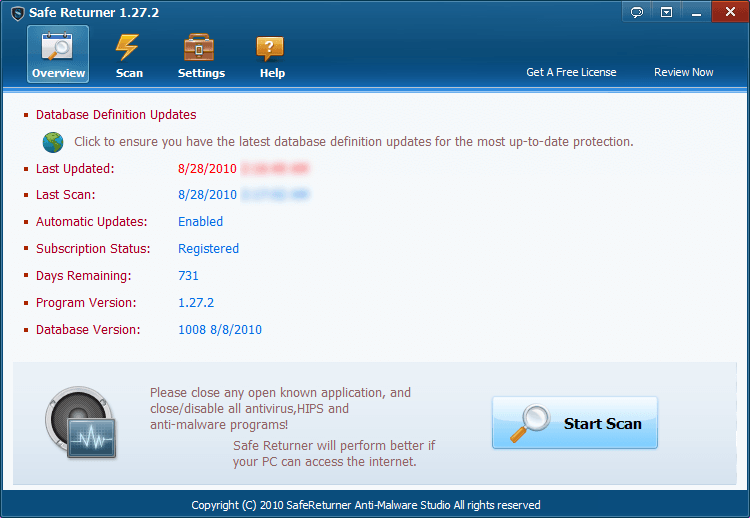
Safe Returner is not your typical anti-malware software. It does not have live protection and it doesn’t aim to prevent your computer from malware infections. Rather, using its heuristics engine and signature database, Safe Returner is a tool that aims to clean your computer after it has been infected. Here is a description of what Safe Returner is and a list of its features as per the developer:
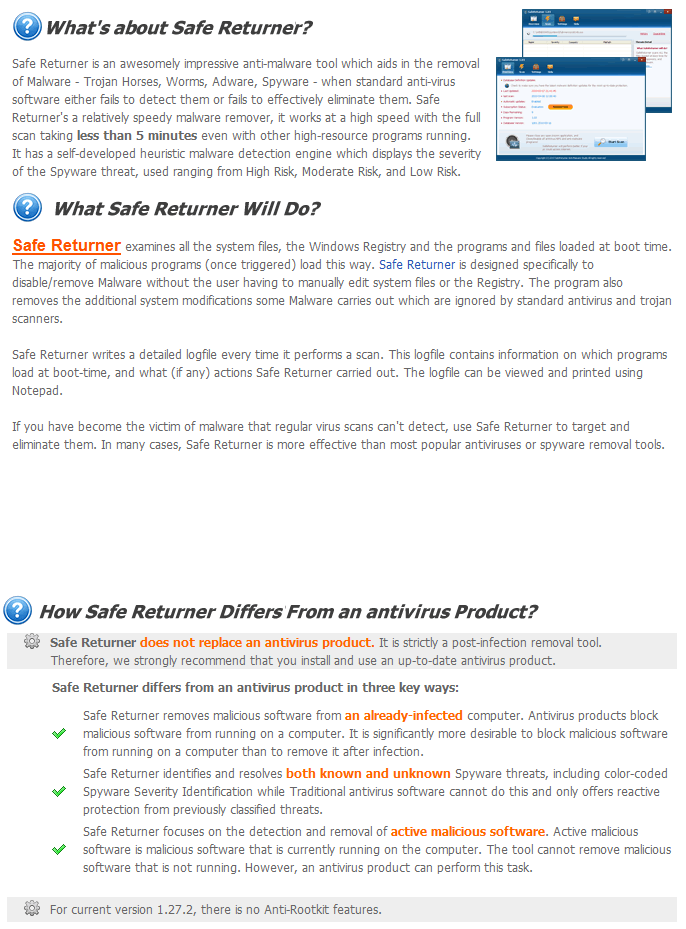
(Click on the image to view it in full size.)
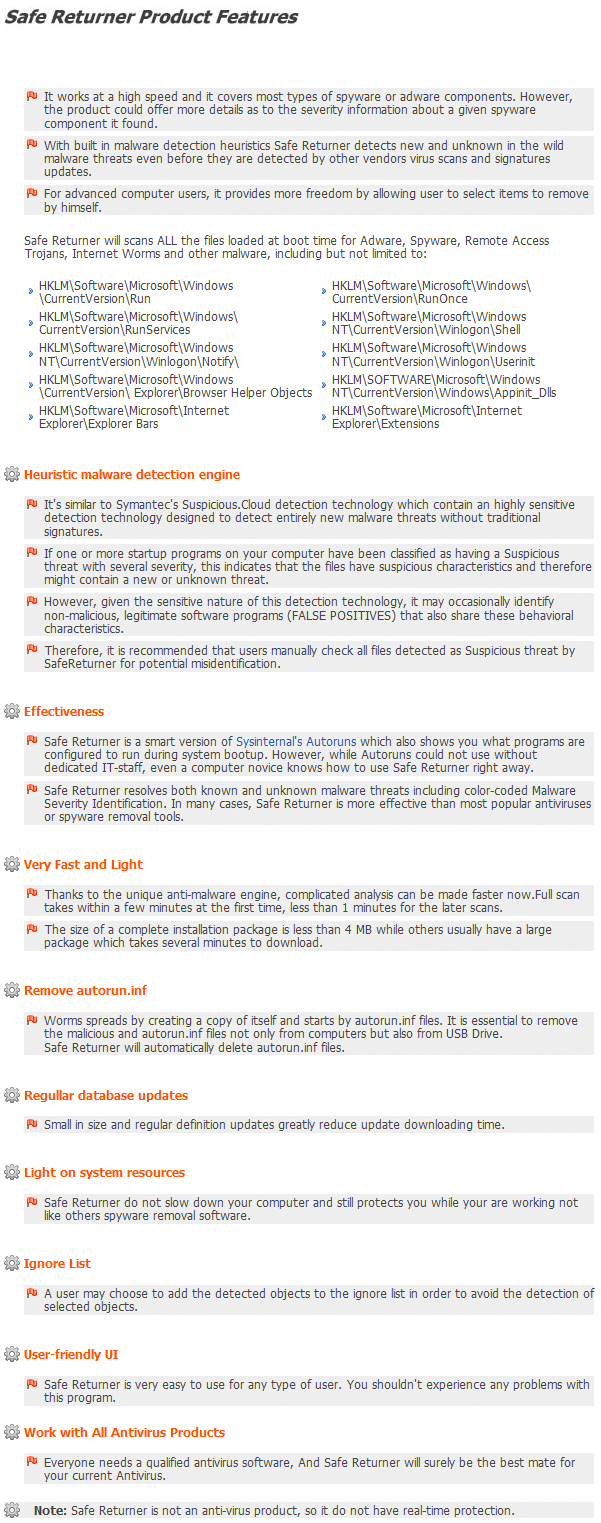
(Click on the image to view it in full size.)

Since dotTech has not reviewed Safe Returner, I cannot say how good (or bad) Safe Returner is. However, Softpedia has reviewed Safe Returner and has given it 4/5 stars, so Safe Returner must be doing something right. Since Safe Returner is a security software – and not just your average program – I highly suggest you read Softpedia’s review before you decide if you want to grab Safe Returner or not.

For the next 24-hours, dotTechies are able to grab a 2 year license of Safe Returner for free; if you are interested in getting Safe Returner, follow these simple directions:

Version being given out for free: v1.27.2

Free updates: Yes database updates and program updates (1.x versions only) are free for as long as the license lasts.

Supported OS: Windows 2000/XP/Vista/Win7

Update: If you are on Win7 64-bit, be sure to run Safe Returner as administrator.

Download size: 3.0 MB

Special note: This giveaway is active for 24-hours, from August 28, 2010 03:00 PST to August 29, 2010 03:00 PST. After this 24-hour time period, users will no longer be able to grab the free 2 year license of Safe Returner. However, the developer has informed me anyone that has grabbed the license within the 24-hours can “activate the app whenever they want”. In other words, the timer on the license will start ticking soon as you get it, but you can install/reinstall Safe Returner with the license whenever you want.

  • Visit the dotTech Safe Returner promotion page and fill out the short form:

Note: This promotion is available to everyone – everyone may get it for free. However, this is a dotTech.org promotion. Please do not directly link to, copy, paste, or reprint the link to the registration page anywhere else including private or public forums, blogs, file hosting services, etc. If you want to spread information about this offer, you may link to this article by providing a permalink (alternative permalink) to your audience. If you respect our wishes, we will be able to continue to bring you great freebies. If you don’t, we have no incentive to continue our promotions and they may stop.
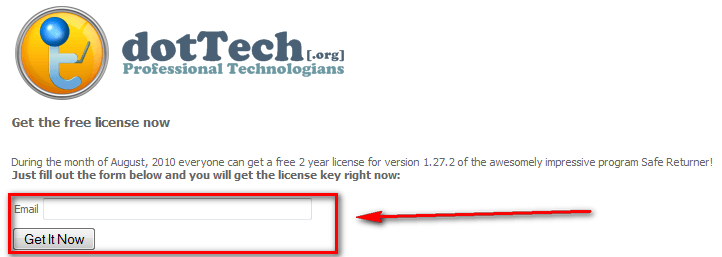
  • After you have filled out your e-mail address and hit “Get It Now”, your license key will be displayed to you:
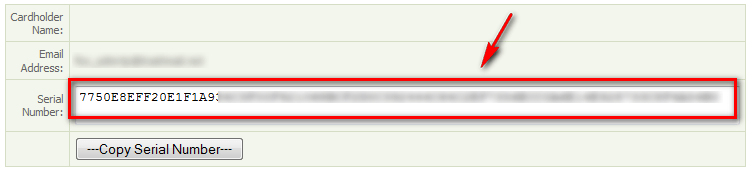
Copy the serial number because you will need it to register Safe Returner. (NOTE: The “Copy Serial Number” button may not work – you may need to manually select + copy the serial number.)

  • Download and install Safe Returner. (If your computer is already infected with malware and the malware is blocking .EXE files from running, download the .COM version of Safe Returner.)
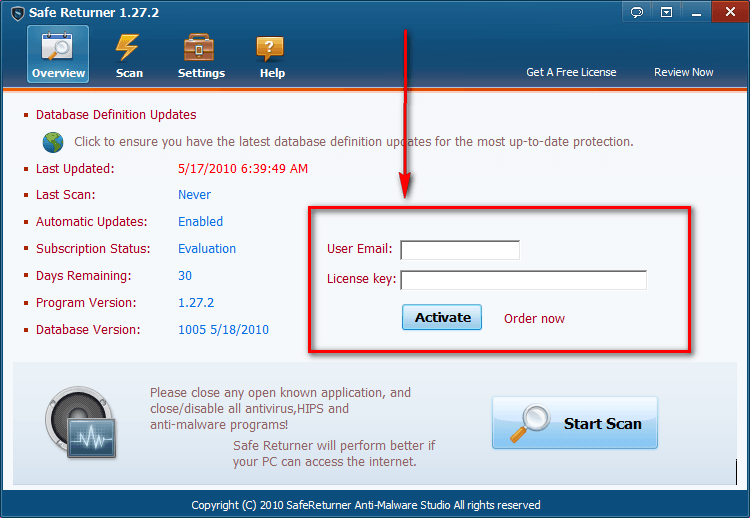
  • After you have installed Safe Returner, run it and register it:

  • You will be asked to restart Safe Returner:
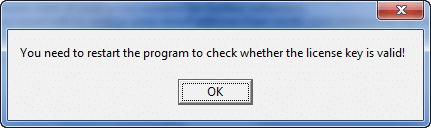
Restart Safe Returner. If you did it all properly, it should say “Registered” under “Subscription Status”.

  • Play around with Safe Returner, come back here, and post a comment providing the developer with feedback on the program.
  • Enjoy!

If you have any trouble getting Safe Returner for free, post below and me or other dotTechies will try to assist you.

130 Comments »

  1. Ashraf August 28, 2010 at 3:37 AM (comment permalink) -
    Mr. Boss

    dotTech was just down for 20 minutes, so if you weren’t able to access dotTech that is the reason why. Everything should be working fine now.

    1
  2. miftah August 28, 2010 at 3:45 AM (comment permalink) -
  3. phoenix_rising August 28, 2010 at 3:49 AM (comment permalink) -

    Thanks for this Ashraf. Potential users can also check out the user comments on Cnet: http://download.cnet.com/SafeReturner/3000-8022_4-75206397.html?tag=mncol
    And at Wilders Security: http://www.wilderssecurity.com/showthread.php?t=274894
    It’ll be interesting to see people’s comments on this prog.

    3
  4. Murphy August 28, 2010 at 3:52 AM (comment permalink) -

    Hi,
    Thank you for this Promo .
    Best regards !
     
    PS. Sorry for that ”mistake” . The problem was solved .

    4
  5. Greg Bern August 28, 2010 at 4:02 AM (comment permalink) -

    Installled on win7 64 but want run. says unexpected error and have to restart scan. tried several times even with yes when asked if infected.  would like a cancel scan button since have to x out to start over the scan.  not sure if works on a 64 bit system. could not find in features list.  using bitdefender av.

    5
  6. Boyfriend August 28, 2010 at 4:09 AM (comment permalink) -

    AOA,
    Thank you very much Ashraf bahi. It is very useful giveaway, a very nice tool to clean malware infections.

    6
  7. Greg Bern August 28, 2010 at 4:14 AM (comment permalink) -

    support@safereturner.com
    using hotmail and want go through as email. delivery failed.  anyone else try support.? this is email you type in on support tab. would like to just have to click on vs typing out. 

    7
  8. John August 28, 2010 at 4:15 AM (comment permalink) -

    a review on Raymond.cc

    It is quite effective in an already infected machine, just pay attention to some possible false positive detections.

    http://www.raymond.cc/forum/freebies/22132-giveaway-10-licenses-of-safe-returner.html

    8
  9. egomoo August 28, 2010 at 4:29 AM (comment permalink) -

    @Greg Bern: Hi,

    I’m sorry for that.

    It did test on XP 64 bit ,and Windows 7 32 bit but not windows 7 64 bit as some device reason.

    Could you send me the debug log located at %appdata%\safereturner\

    of 3 files
    log.ini and sub folder debug\  Debug.log  error.log to me

    egomoo[at]gmail.com

    9
  10. Greg Bern August 28, 2010 at 4:50 AM (comment permalink) -

    copy your license down as I lost mine and have to start over if can get to run. would like email of lic so can save easier.

    trying egomoo help.

    10
  11. amozai August 28, 2010 at 5:15 AM (comment permalink) -

    Thanks a lot for the promo.
    will give it a try.

    11
  12. Ashraf August 28, 2010 at 5:29 AM (comment permalink) -
    Mr. Boss

    @egomoo: FYI for those that don’t know, egomoo is the developer of Safe Returner.

    12
  13. Rob August 28, 2010 at 5:29 AM (comment permalink) -

    Thank you for this one! just ran scan and the only thing it picked up was 2 from microsoft alg.exe and logonui.exe
    both are main components for windows operating system. THIS PROGRAM IS VERY VERY GOOD. the developer advises to stop all running programs for a better scan, it works. one of the best give aways since i started comming to your site. THANK YOU Ashraf.

    13
  14. rueaskew August 28, 2010 at 5:31 AM (comment permalink) -

    Registration is not user friendly. But beyond that my 5 attempts at running a scan resulted in 5 hangups @ c:\Program Files\superantispyware\sasseh.dll and the message about an “error”occurring; restart the program to try again. Since SUPER AntiSpyware has saved my butt on several occasions and Safe Returner won’t even scan it’s a no-brainer which one I’ll be removing. But my thanks to dotTech.org for the offer and the effort.
    I am running WindowsXP Home Edition.

    14
  15. drtank August 28, 2010 at 5:43 AM (comment permalink) -

    Unable to install this program.
    gives the following error:-
    http://i37.tinypic.com/sfulaw.jpg
    i am using Win7 64bit, Avira…
    any advice?????

    15
  16. john barrentine August 28, 2010 at 5:45 AM (comment permalink) -

    do you need to remove any other malware before installing? Also can I download to my other computer,or laptop later? Thanks Jack B. P.S. Never have heard anything about the snowfox giveaway?

    16
  17. anthony jolley August 28, 2010 at 5:45 AM (comment permalink) -

    Just tried to put in the licence code but safe returner keeps coming back evaluation
     

    17
  18. Lawwe August 28, 2010 at 5:54 AM (comment permalink) -

    Vielen Dank für dieses Anti-Malware Proggy

    18
  19. Ande August 28, 2010 at 5:57 AM (comment permalink) -

    Great get, Ashraf and thanks!
     
    Q:  How soon does it have to be activated?

    19
  20. John B. August 28, 2010 at 6:11 AM (comment permalink) -

    I installed on Windows 7 64 Bit.  I also got “error” upon start scan.  It also installs Ask.com toolbar. UNINSTALLED!!!

    20
  21. Miltos August 28, 2010 at 6:12 AM (comment permalink) -

    Installed in on XP, tried to execute and the notepad comes on with confused text. The only thing I can read is:

    MZP    ?? ? @   ? ? ?!?L?!This program must be run under Win32
    $7
    …………………………………..

    What could be the problem? Thanks. 

    21
  22. Dwight August 28, 2010 at 6:37 AM (comment permalink) -

    Hi Ashraf,
    I had no problem what soever in securing the serial code on the promo page.
    This program does not Install on my Win 7 64bit and leaves a .scr notepad with garbled message on desktop instead of the short cut file mentioning that it is compatible with 32 bit system or so.
    Lucky that I set up the program with Revo uninstaller so I could have a clean un install of left overs….
    Regards.
    Dwight

    22
  23. amit raina August 28, 2010 at 6:53 AM (comment permalink) -
  24. Slasher August 28, 2010 at 6:59 AM (comment permalink) -

    The program installed fine. I was able to get the key and register with no trouble. I have already run a scan which went quick. It only found one thing which appears to be a false positive (sfcfiles.dll). Overall I like it so far. Hats off to egomoo.

    24
  25. Mags August 28, 2010 at 6:59 AM (comment permalink) -

    No problem downloading, installing and registering on two PCs.
     
    PC 1 Desktop with Win 7 32bit – scanned and didn’t find anything.
    PC 2 Laptop with Win XP – scanned and found 2 false positives.  I added those to the ignore list.
     
    IMO (at this time) I think this is a great program.
     
    THX Ashraf.
     

    25

Leave A Response »