Elegantly browse two websites at the sametime with TwoBrowse

September 22, 2011 33 Email article | Print article

Need to browse two sites at once?  Need to split the screen 50-50?  Try TwoBrowse, a free HTML page developed by myself and Caleb Stein.  TwoBrowse is based on the QuickBrowser source code and is a great way to look at two pages at once:
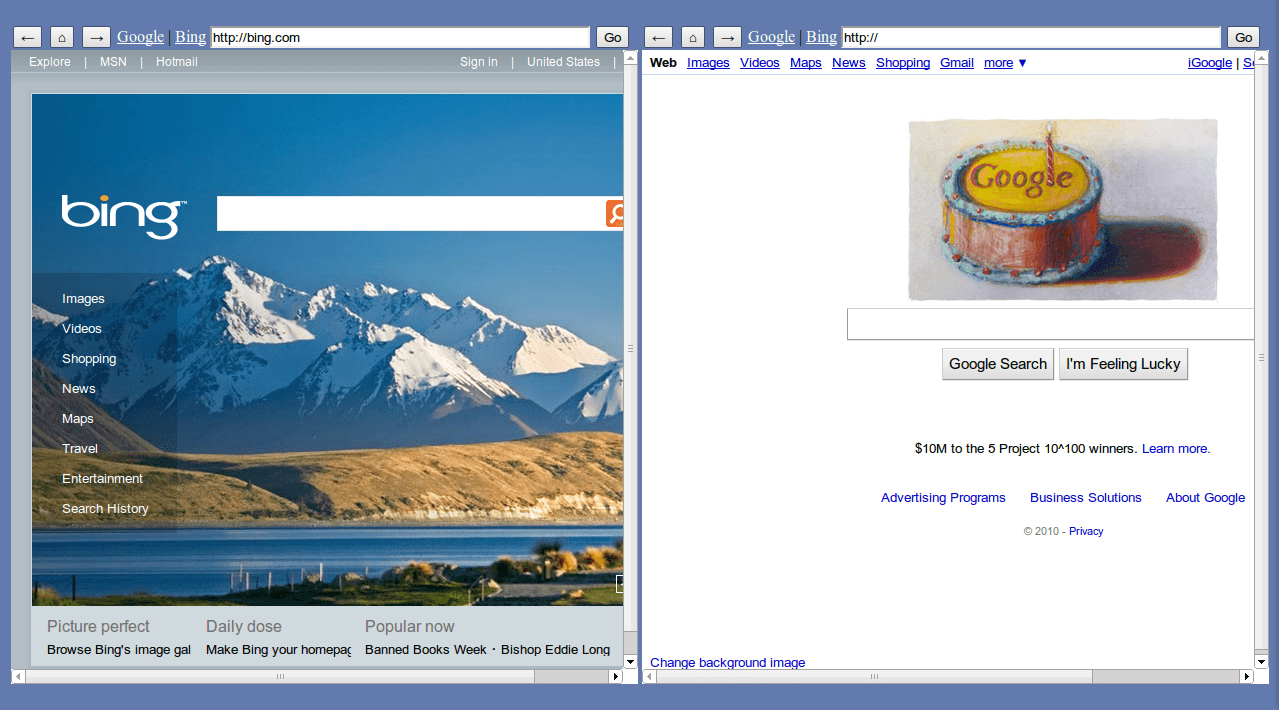
TwoBrowse has two different sets of back, home, and forward buttons and two different URL bars.  When you enter a URL into one of the bars and click Go it’ll take you directly to the page you want.  This is great if, say, you want to watch a YouTube video on one side and browse on another, and you’re on a computer like the Wii where you can’t use two windows or if you simply want a more elegant solution (for this enter full screen).  TwoBrowse, being open source like its originator QuickBrowser, is quick to modify and relatively simple to use.

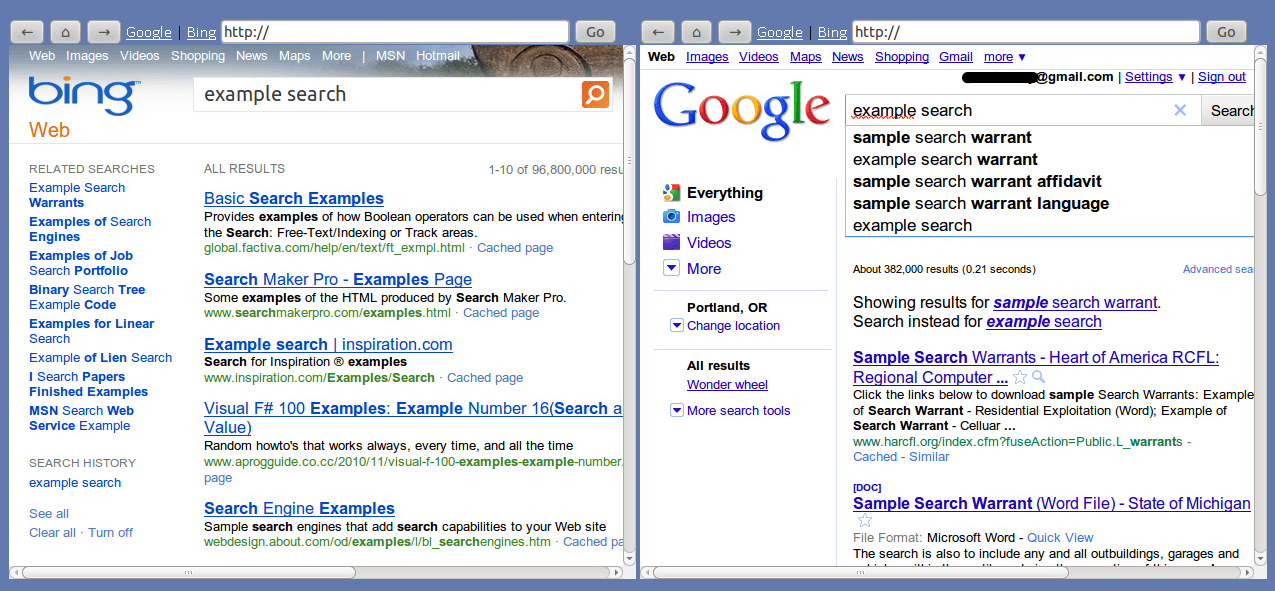
Here I’m comparing two search engines in full screen, one extremely popular and the other the leading rival:
What kind of things would you like to see in TwoBrowse?


TwoBrowse homepage

33 Comments »

  1. Locutus November 30, 2010 at 10:48 PM (comment permalink) -

    @lol768: Wait, really? It works fine for me in Firefox…. it flashes a 404 message and then goes to my home page. It works fine! I’ll try it in IE; but for now try my site.

    BTW the site defaults to just a blue page.

    26
  2. Locutus November 30, 2010 at 10:50 PM (comment permalink) -

    @Locutus: …
    The whole thing is broken in IE. Whatever.

    27
  3. Locutus December 1, 2010 at 12:02 AM (comment permalink) -

    @lol768: I just had an idea–what if we use Javascript to write the iframe, and thusly use a variable?! We could then also define a starting frame src for people without a stored cookie.

    28
  4. lol768 December 1, 2010 at 5:03 AM (comment permalink) -

    @Locutus: The reason it flashes a 404 and then shows the hompeage is because the onload function of the body tag automaticly executes the function. The javascript in the src of the iframe won’t do anything :)

    IE is a totally useless browser :) but I’ll see if I can fix it. For the frame written in Javascript idea – that would work but wouldn’t it be easier to set the src of the frame to the default page and then if they have the cookie then redirect them to their homepage. There might be some delay in this method but it would work.

    As I was on ubuntu when writing the code I only tested it in Firefox but itmay be that IE doesn’t support the jquery cookie code.

    Another thing, I hotlinked the cookie code from github. You may want to download the file and upload it to your htdocs/twobrowse folder and link to it like that.

    29
  5. Locutus December 4, 2010 at 11:48 PM (comment permalink) -

    @lol768: There’s a slight issue with your code. It splashes the home page of the left frame in an Alert.

    30
  6. Locutus December 16, 2010 at 11:26 AM (comment permalink) -

    @lol768: Doesn’t work locally in Chrome, it may be because Chrome doesn’t allow local cookies correctly, but I’ll not upload it as the main one just yet.

    Also, if you have a website, feel free to add it to the CREDITs comment at the top.

    32
  7. Jeffrey Solomon January 7, 2011 at 8:22 AM (comment permalink) -

    do you think there will be a time when I can use the fantastic idea to be able to have google voice on one side (it is https://) you guys do great work!!!

    33

Leave A Response »