
 Email article
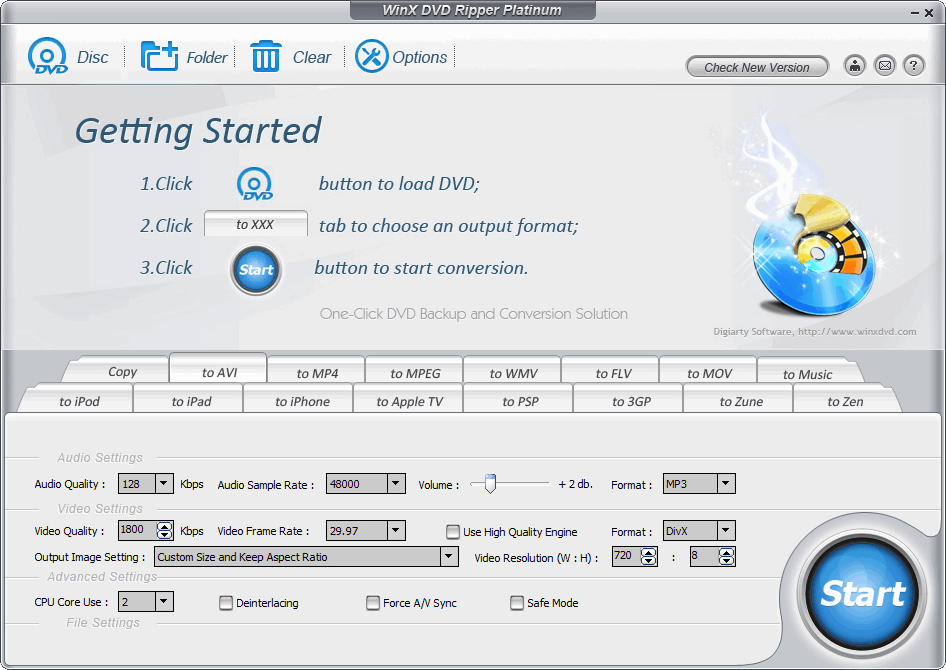 Update: This promotion is now over. Sorry to those that missed it! To avoid missing promotions in the future, consider subscribing to dotTech: RSS Feed | E-mail | Twitter | Facebook.
This whole week has been a blast from the past; so why not end the week with a bang? In July dotTech ran a dotTech Promotion featuring the very popular WinX DVD Ripper Platinum. Now dotTech is again teaming up with Digiarty Software to bring everyone WinX DVD Ripper Platinum for free. This time around, however, we are featuring the program for Windows and Mac and we are providing the latest v6, a recent update to the program that brought quite a few changes. [NOTE: Since I am not a Mac user, I do not know if WinX DVD Ripper for Mac is v6 or not – it may have a different numbering scheme than WinX DVD Ripper Platinum (for Windows). Whatever version it is, it is the latest version offered by Digiarty Software. Furthermore, this article discusses the features of WinX DVD Ripper Platinum (for Windows); the features of WinX DVD Ripper for Mac are similar.]
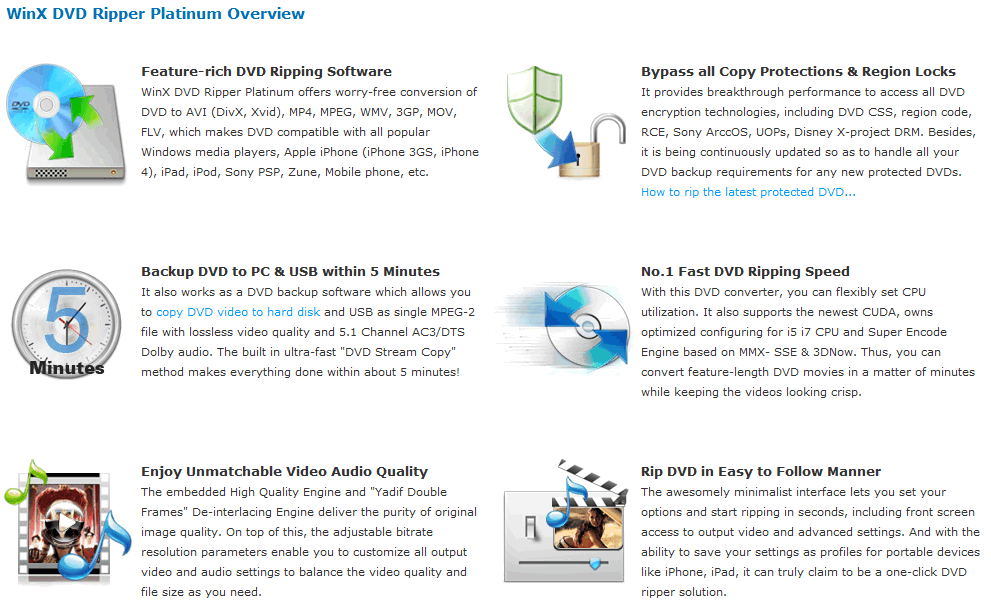
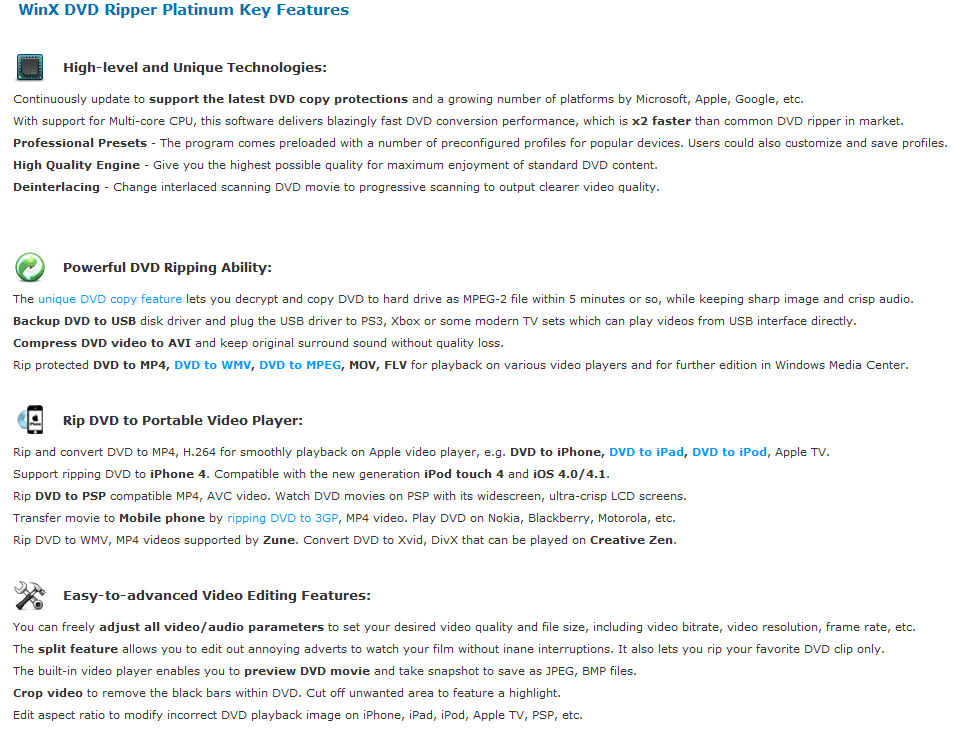
For those that don’t know about WinX DVD Ripper Platinum (have you been living in a cave?!), WinX DVD Ripper Platinum is a DVD-to-all ripper that allows you to easily rip/backup DVDs to multiple different video formats, including a 1:1 copy so you can store your backups in DVD quality. WinX DVD Ripper Platinum can also bypass DRM protection and region locks. Here are the main features of WinX DVD Ripper Platinum as per the developer:
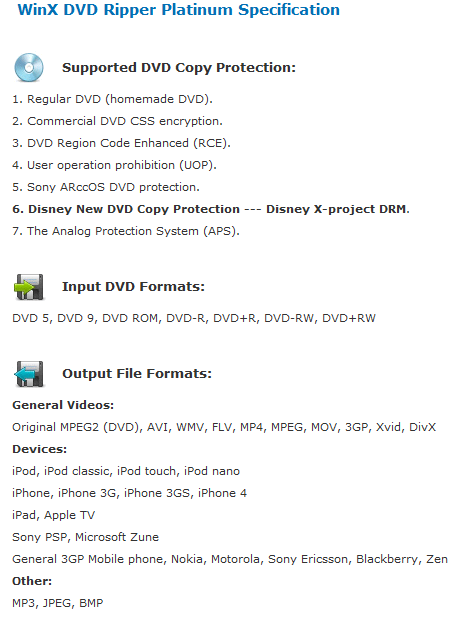
Here are all the supported input/output formats as per the developer:
If you would like to know about WinX DVD Ripper Platinum in more detail, feel free to read dotTech’s full review on WinX DVD Ripper Platinum.
For those that have a previous version of WinX DVD Ripper Platinum, here are the major changes in v6, as per the developer:
- Output MP4 video with AAC 2 Channels, AAC 4 Channels and AAC 6 Channels supported.
- Support AVI container, keeping original DVD AC3/DTS 6 Channels audio track.
- Output WMV and MPEG video with original DVD AC3/DTS 6 Channels audio track.
- Improved WMV encoder to fit the requirement of Windows Media Center. Backup DVD to WMV with AC3/DTS audio and stream to PS3 & Xbox 360.
- Significantly increase H.264 encoder speed. Better support for Multi-core CPU.
- Optimized the support for iPhone 4, iPad, iPod 4 and other iOS 4 video players.
- New software UI.
I don’t know if it is required or not to uninstall previous versions of WinX DVD Ripper Platinum before installing this latest version, but I highly suggest you uninstall previous versions anyway (to avoid any potential problems).
Before I provide the details on how to get WinX DVD Ripper Platinum for free, I would like to explain the scope of this promotion. First of all, this promotion is live for 72-hours only – from November 26, 2010 to November 28, 2010. Secondly, you must activate the program by November 30, 2010; if you don’t activate by November 30, 2010 you may not be able to activate at a later date. Lastly, there are no official free updates with this promotion. However, Digiarty Software has offered to provide three lifetime licenses (which include free updates) for free to the three people who provide the best feedback in the comments below.
That said, to get WinX DVD Ripper Platinum for free, follow these simple directions:
Version being given out for free: v6.0.0 Build 20101108
Official free updates: No
Supported OS: Windows 98 and higher
Download size: 10 MB for the Windows version
- Download (Windows version | Mac version) and install WinX DVD Ripper Platinum.
- After installation, run the program; you will be asked to register the software:
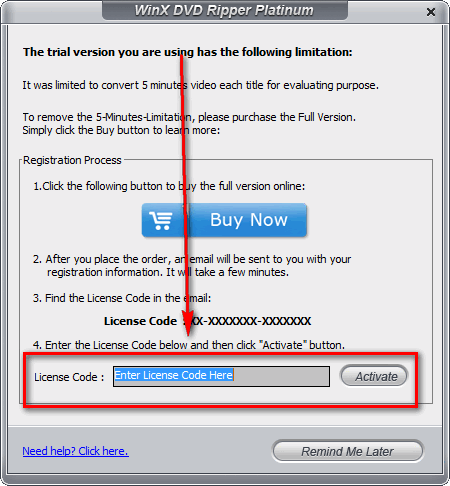
Using the following license code to register the software:
- Windows – License Code: AA-TYTGUWUJ-SSJGXD
- Mac – License Code: WINXDRM-8764-9652-1130
Note: This promotion is available to everyone – everyone may get it for free. However, this is a dotTech.org promotion. Please do not copy, paste, or reprint this license codes anywhere else including private or public forums, blogs, file hosting services, etc. If you want to spread information about this offer, you may link to this article by providing a permalink (alternative permalink) to your audience. If you respect our wishes, we will be able to continue to bring you great freebies. If you don’t, we have no incentive to continue our promotions and they may stop.
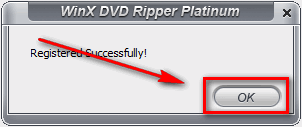
You registered properly, you will get some sort of confirmation message window:
- Enjoy! (Remember to provide feedback to Digiarty Software in the comments below for a chance to win a lifetime license.)
If you have any trouble getting WinX DVD Ripper Platinum for free, post below and other dotTechies or I will try to help.
Please only use WinX DVD Ripper Platinum/WinX DVD Ripper for Mac legally as defined by the laws of your country/region. dotTech is not responsible for any illegal activity conducted with WinX DVD Ripper Platinum/WinX DVD Ripper for Mac.
