
 Email article
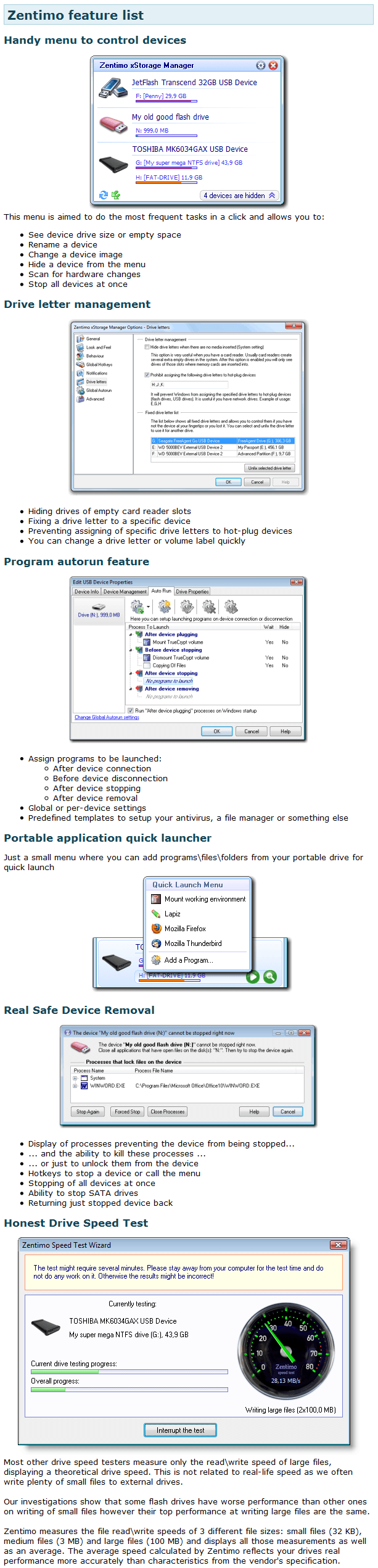
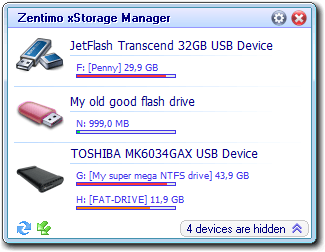 Missed out on the USB Safely Remove giveaway last year? Here is your chance to get it again… in a different form. Zentimo is the successor to the very popular USB Safely Remove, a program that allows users to manage external devices that connect to the computer via USB (external hard drives, USB/flash drives, etc.). Here are the features of Zentimo, as per the developer:
 Typically Zentimo would run you $35 per license. However, for a limited time Crystal Rich Ltd (the developer of Zentimo) is running a promotion (starts December 1, 2010 and ends December 7, 2010) allowing everyone to get Zentimo for free! The promotion is of v1.0 of Zentimo and comes with no free upgrades or technical support; but you get to keep and use Zentimo (v1.0) for free for life if you take advantage of this promotion.
To get Zentimo (v1.0) for free, follow these simple directions:
Version being given out for free: v1.0
Free updates: No
Supported OS: Windows XP and higher
Download size: 2.8 MB
Giveaway time frame: Starts December 1, 2010 and ends December 7, 2010
Note: Unless specifically stated otherwise in this article, Zentimo has not been tested or reviewed by dotTech (aside from checking to make sure this promotion is valid). Please do not take this post as an endorsement/rejection or review of the program. This article is simply to inform about the availability of this program as a freebie.
- Visit the Zentimo promotion page and register:
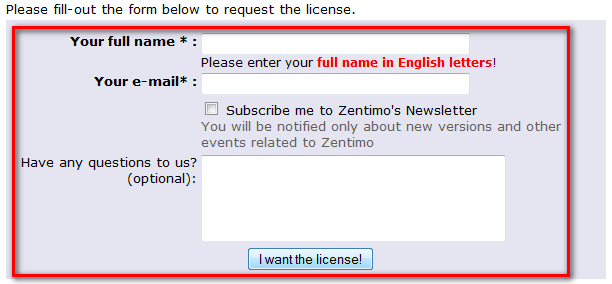
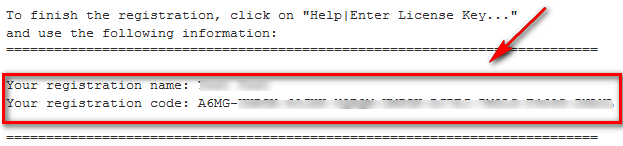
- After you have registered, check the inbox of the e-mail you registered with. There should be an e-mail from Zentimo (support@safelyremove.com) with the subject of Zentimo License Key (valids only for v. 1.0!)?. The e-mail contains your registration information:
- Download and install Zentimo.
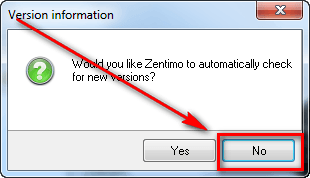
- After installation run Zentimo. The first thing that will happen is you will be asked if you want Zentimo to automatically check for updates. Unless you plan on purchasing Zentimo (and thus getting updates), you should click No:
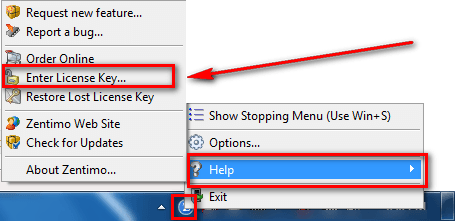
- After that, right-click on Zentimo’s system tray icon and go to Help -> Enter License Key…
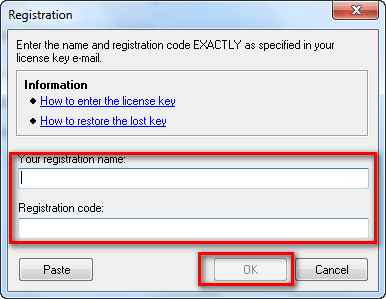
…and register Zentimo using the registration details you received via e-mail:
- Enjoy!
If you have trouble getting Zentimo for free, post below and other dotTechies or I will try to help.
Thanks Gibbster!
