
 Email article
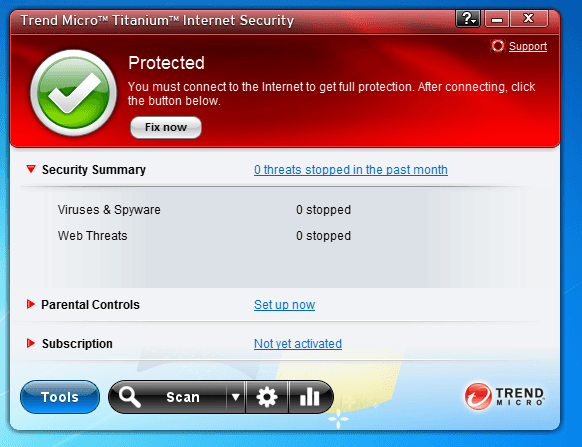 Last week I updated my post that compares four free anti-malware programs. Today I present you with a chance to get a commercial, paid anti-malware program… for free!
Trend Micro Titanium Internet Security is Trend Micro’s cloud-based anti-malware program that provides all the following features/protection (as per the developer):
Get essential protection
- Protect your PC from viruses and spyware
- Prevent unauthorized changes to your applications
Surf the web safely
- Stop malicious downloads from websites
- Find and block malicious links in emails or IMs
- Block email and image spam
- Windows firewall optimization
- Authenticate wireless hotspots and WiFi networks
Protect your children online
- Restrict Internet access by specific categories
- Limit Internet access time and duration for children
Safely bank and shop online
- Data theft prevention keeps your sensitive personal information, like credit card numbers and passwords safe
On paper, in terms of features, Trend Micro Titanium Internet Security 2011 looks very attractive. However, features aren’t the only thing that make or break a security program; performance also plays a huge role. In that regard, according to AV-Comparatives.org Trend Micro is a very unflattering brand, to put it lightly: Trend Micro Anti-Virus + Anti-Spyware 2010 placed 19th out of 20 products tested in AV-Comparatives’ most recent on-demand tests in August; and it wasn’t just that all the programs scored closely so Trend Micro ended up at the bottom by dumb luck. Rather, Trend Micro found only 90.3% of all malware (compared to 97%+ of most of the other programs) and had many false positives too. Personally, I wouldn’t touch Trend Micro with a ten-foot pole; but hey, if you want it who am I to stop you, right? To get Trend Micro Titanium Internet Security 2011 for free for one year, follow these semi-simple directions:
Version being given out for free: v2011
Free updates: For one year
Supported OS: Windows XP/Vista/Win7
Download size: About 50 MB
Note: Unless specifically stated otherwise in this article, Trend Micro Titanium Internet Security 2011 has not been tested or reviewed by dotTech (aside from checking to make sure this promotion is valid). Please do not take this post as an endorsement/rejection or review of the program. This article is simply to inform about the availability of this program as a freebie; nothing more, nothing less.
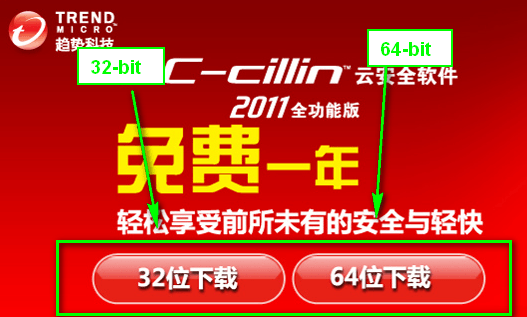
- Visit the promotion page and download Trend Micro Titanium Internet Security 2011:
- After the download has finished, extract the contents of the ZIP file and run the installer. The installer is in Chinese (don’t worry I will show you how to change the program to English) so follow these screenshots if you don’t understand Chinese:
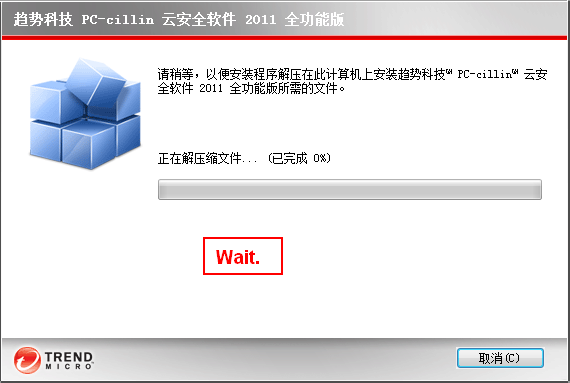

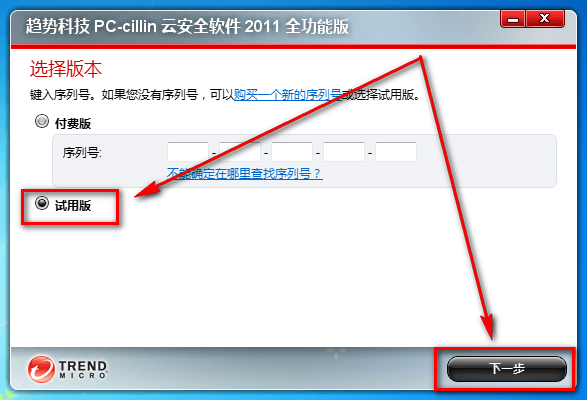
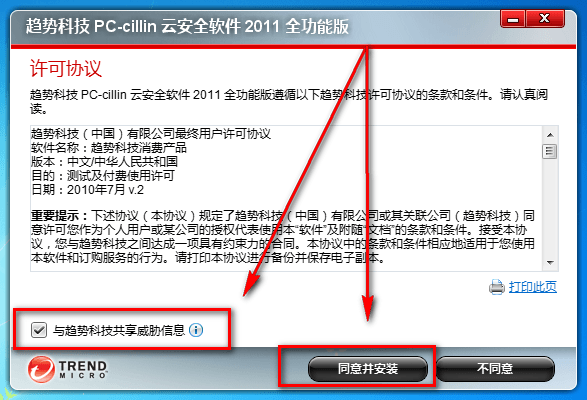
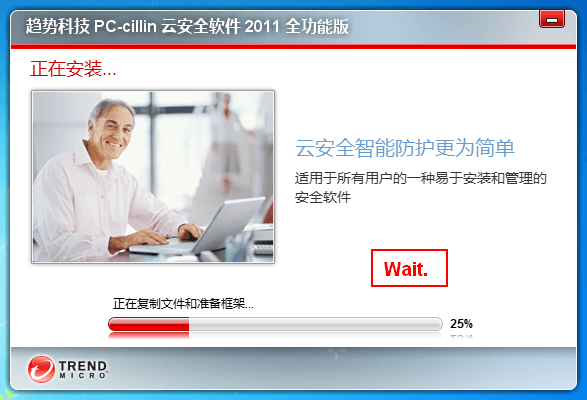
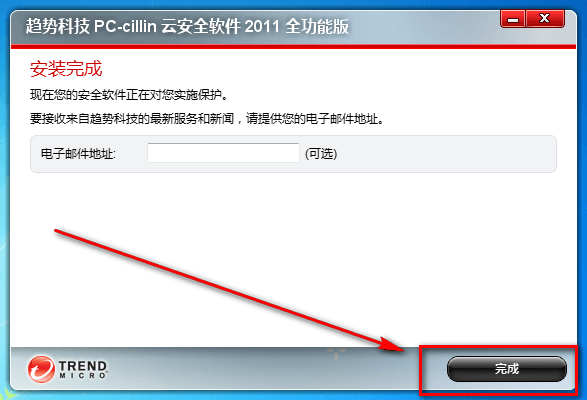
- After the installation has finished, Trend Micro Titanium Internet Security 2011 will automatically start. You need to close it:
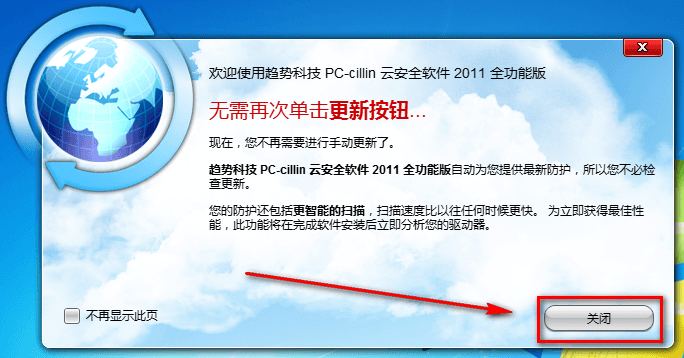
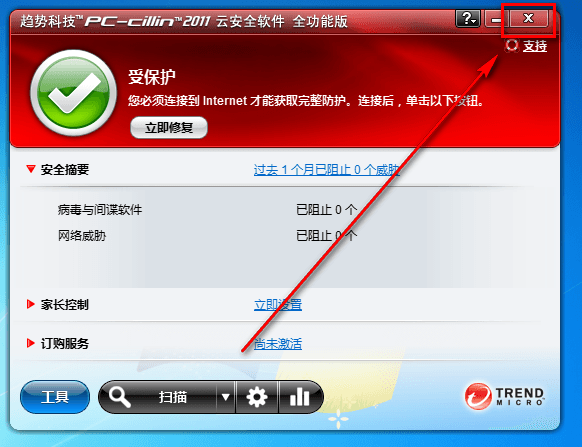
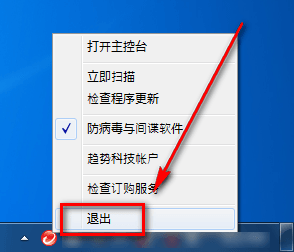
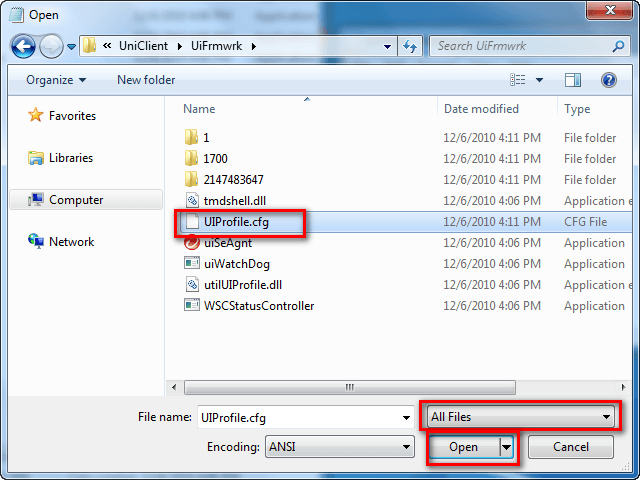
- Open Notepad (Vista/Win7 users may want to Run As Administrator). Go to File -> Open. Go to C:\Program Files\Trend Micro\UniClient\UiFrmwrk\ and open UIProfile.cfg:
- Once you have UIProfile.cfg open, press Ctrl + F on your keyboard and search for ZH-CN:
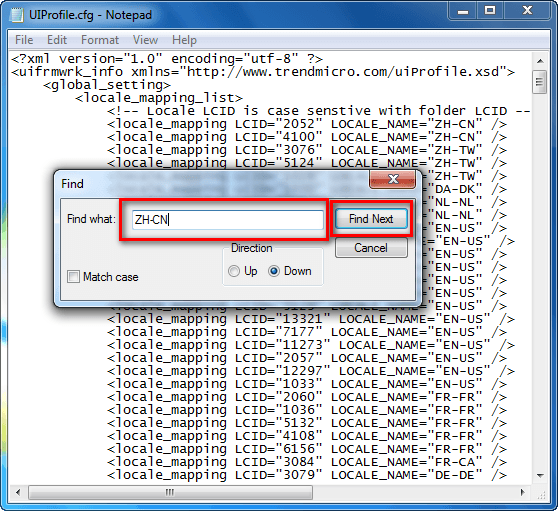
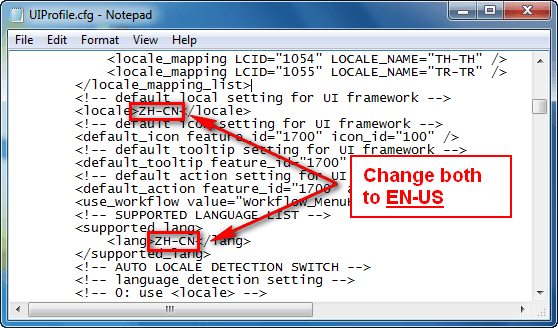
Hit the Find Next button three times until you get to the following lines:
As the screenshot says, change both the ZH-CN values in those two lines to EN-US.
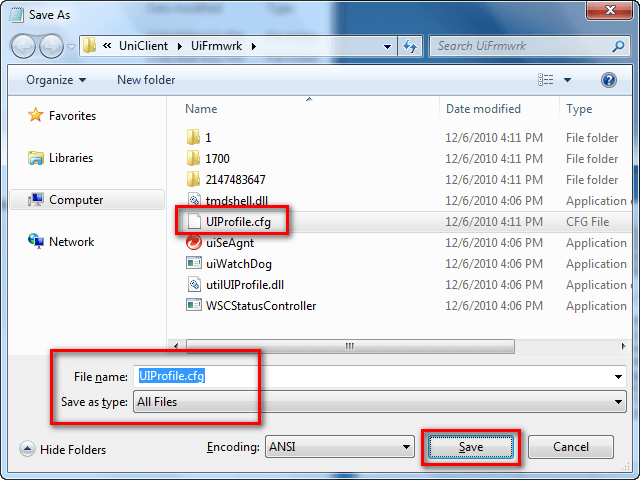
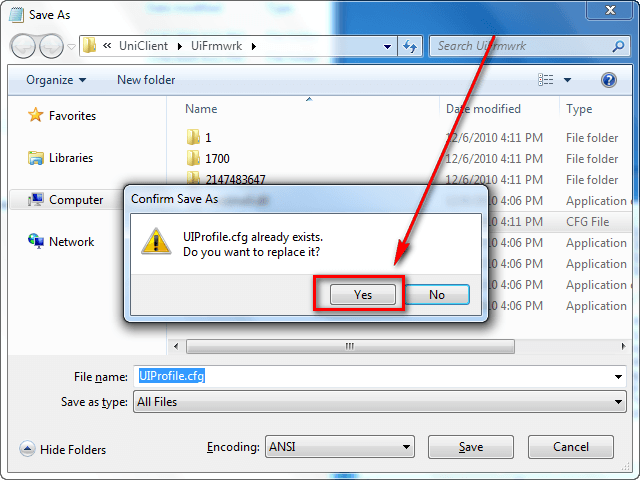
- Go to File -> Save. Save over UIProfile.cfg:
- Close UIProfile.cfg and run Trend Micro Titanium Internet Security 2011.
- Congratulations – you now have Trend Micro Titanium Internet Security 2011 for the next twelve months!
- Enjoy!
If you have any trouble getting Trend Micro Titanium Internet Security 2011 for free, post below and other dotTechies or I will try to help.
[via Raymond.cc]
