
 Email article
 There are plenty of PDF readers and creators/printers out there. PDF-XChange seems to be one of the more popular ones, even being featured on a Lifehacker Hive Five contest. While dotTech has never reviewed PDF-XChange, many of people recommend this program as fast, lightweight, and efficient piece of software. Giving users the ability to view PDF’s in a tabbed interface, providing a fast load time, and also allowing users to create new PDF’s and edit or convert existing ones is just some of the attractive features of PDF-XChange.
PDF-XChange is actually available in many different editions, PDF-XChange Lite ($26), Normal ($54), and Pro ($76), with each edition having different features. This chart illustrates the differences between the three editions (chart created by the developer):

Although we can only wish for a freebie of PDF-XChange Pro in the future, there is one freebie that is available now: Back on October 20 PDF-XChange Lite was made free for home and academic users! Here’s a list of features for PDF-XChange Lite as per the developer:
PDF-XChange 4 ‘Lite’ features include:
- Terminal Server/ Citrix Compatible
- Multi-Language UI support
- Output Documents from any Windows Application & Create new PDF file
- Control Basic Paper Settings including paper size & scaling; Basic graphic resolution settings; and normal, n-up and booklet layout settings.
- Add Custom PDF AcroForms to PDF documents during creation.
- Control how and where you save your converted PDF files or let’s you use standard Save As Dialog.
- Embedded fonts support
- Create PDF files with clickable literal URL links (http;//, mailto:) intact after converting to PDF.
- Resolution – Max Output 2400 DPI
- Mirrored Printing Supported
- Add Document Information/Metadata/XP Metadata
The developer states this is a limited time offer, but does not specify how long this offer will last, so grab it while you can:
Version being given out for free: v4.0 Build 188
Free updates: Unknown
Supported OS: Windows 2000 and higher
Download size: 22.4 MB
Giveaway limitation: Free for home, academic, and non-commercial use only
Note: Unless specifically stated otherwise in this article, PDF-XChange Lite has not been tested or reviewed by dotTech (aside from checking to make sure this promotion is valid). Please do not take this post as an endorsement/rejection or review of the program. This article is simply to inform about the availability of this program as a freebie; nothing more, nothing less.
- Simply head over to the promotion page and download PDF-XChange Lite.
- Unzip the file and run the installer.
- Install the program like normal. The only registration you will be required to do is enter your e-mail address at the end:
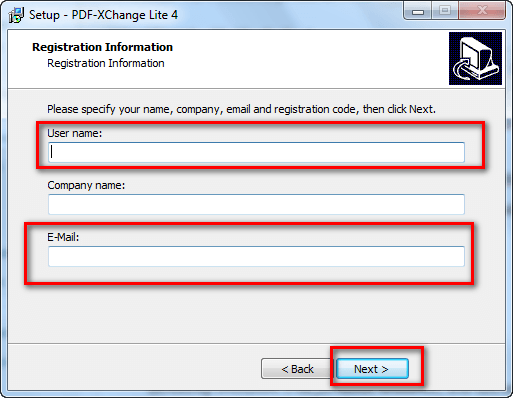
Oother than that there is no need to enter a serial key or anything.
- Enjoy!
If you have any trouble getting PDF-XChange Lite for free, post below and other dotTechies or I will try to help.
