Free JetDrive 2010 Professional!

December 8, 2010 46 Email article | Print article

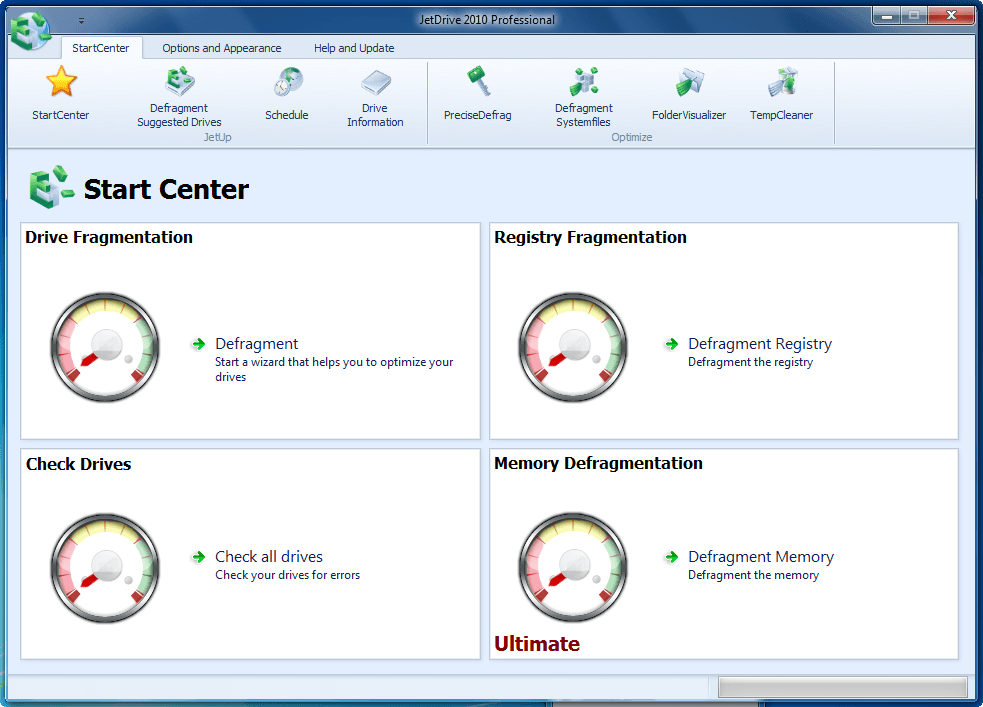
Not satisfied with the freeware defragmentation offerings? If yes, JetDrive 2010 Professional is a “defragementation suite” that may interest you. The following is a description of the program as per the developer:

JetDrive 2010 Defragmentation Suite

Do you still remember the feeling when you bought your PC and everything everything ran so quickly? When applications opened almost instantly? With JetDrive you can regain this lost speed.

Defragmentation

There is a physical reason why your PC slows down with time. The arrangement of files on your hard drive becomes more and more chaotic, and individual files may be broken into many small parts over the entire drive, resulting in fragmentation. The outcome is a slowing down of your system, as the hard drive reads and merges these separate fragments every time you open a file. JetDrive defragments your drive and restores it to an optimal state.

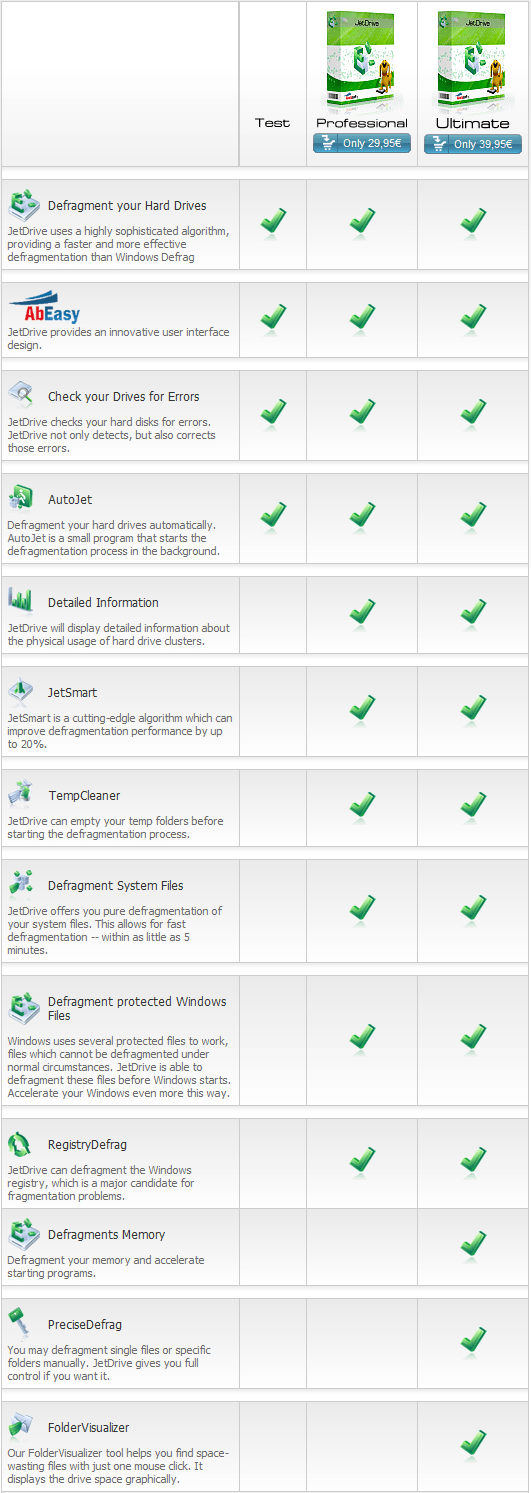
The following chart lists the features of JetDrive 2010 Professional and compares the features between JetDrive 2010 Professional and JetDrive 2010 Ultimate:
For a limited time, everyone can get JetDrive 2010 Professional for free! To get JetDrive 2010 Professional for free, follow these simple directions:

Version being given out for free: v2010 Professional

Free updates: Unknown

Supported OS: Windows XP/Vista/Win7

Download size: 31.5 MB

Note: Unless specifically stated otherwise in this article, JetDrive 2010 Professional has not been tested or reviewed by dotTech (aside from ensuring that this giveaway is valid). All the information about the program in this post is based off the information provided on the developer’s website. Please do not take this post as an endorsement/rejection or review of the program. This article is simply to inform about the availability of this program as a freebie; nothing more, nothing less.

  • After JetDrive 2010 Professional has finished downloading, install it. (That installer is in English except for the one part where you will have to register.)
  • During the installation you will be asked to register JetDrive 2010 Professional:
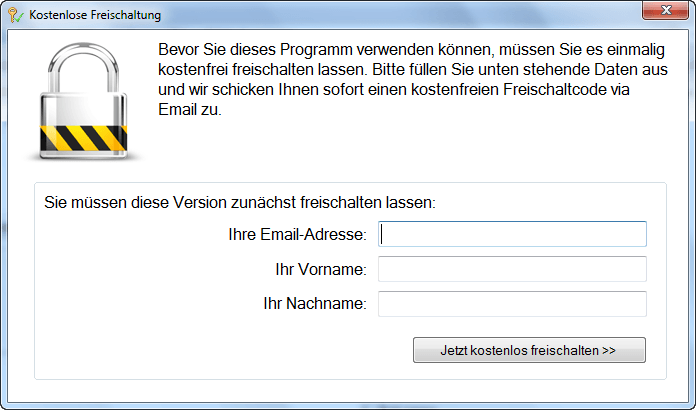
Enter your e-mail address, first name, and last name to register it:
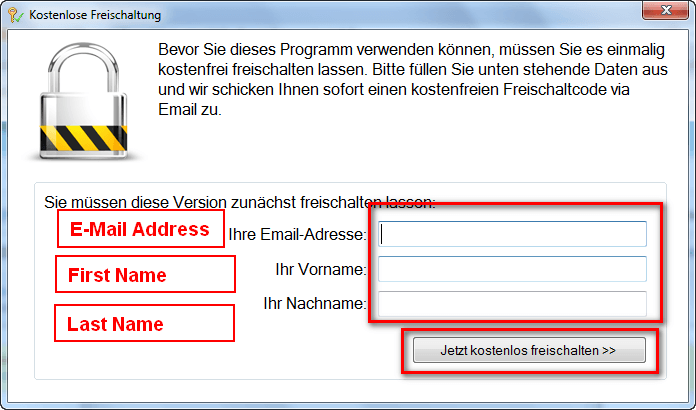
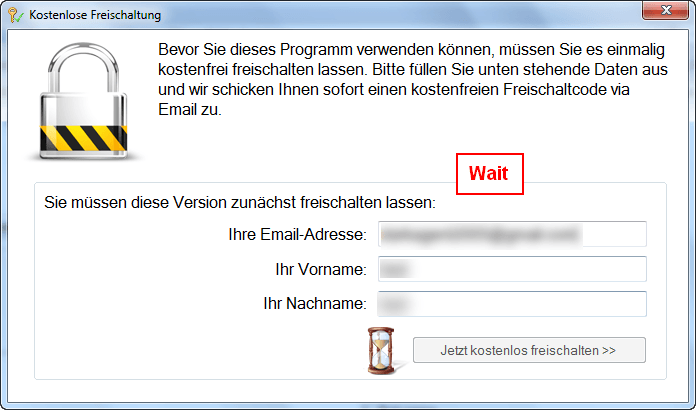
If you get that last popup message, then you have registered JetDrive 2010 Professional properly (it automatically detects registration). If you did not get that last message, that means JetDrive 2010 Professional was unable to automatically detect your registration and you will have to register it manually. If you fall within the latter category, look for an e-mail from Abelssoft <software@abelssoft.de> with the subject of Abelssoft: Ihr Freischaltcode; the e-mail contains the registration code you will need to use to register JetDrive 2010 Professional. JetDrive 2010 Professional was able to automatically detect registration for me so I don’t have any screenshots to show how to manually register the program.

  • Enjoy!

If you have any trouble getting JetDrive 2010 Professional for free, post below and other dotTechies or I will try to help.

Thanks Roy!

46 Comments »

  1. Rob (Down Under) December 9, 2010 at 6:51 AM (comment permalink) -

    Are you Auslogics guys using a purchased version or a free version ?

    26
  2. David Goldstein December 9, 2010 at 7:01 AM (comment permalink) -

    Free version, but I think I will now send them a donation or purchase an upgrade – this incident proves to me the superiority of their product. I find the Auslogics program indispensable and superior to any I have tried to date.

    27
  3. janetb December 9, 2010 at 8:54 AM (comment permalink) -

    @Rob (Down Under):

    I was using a regular commercial version which I got free from either GAOTD or dotTech….

    28
  4. janetb December 9, 2010 at 9:07 AM (comment permalink) -

    @MikeR:

    Many thanks for your response, but I was looking for plain old MIKE (without the R)….:-)….You didn’t really relate to my point of concern–the relative efficiency of MyDefrag’s ordering system vs others’…..They make a point of saying you can’t go back and forth, and I can vouch for the fact that they give VERY different results!

    29
  5. Jimmy December 9, 2010 at 9:09 AM (comment permalink) -

    Thank you Ashraf for the info and chip.de for the giveaway

    30
  6. Richard December 9, 2010 at 10:31 AM (comment permalink) -

    Hi
    Dont agree with auto tick of that little box at the bottom, I did and was flooded with email comments so wont tick that again but will come to Asharf site if I wish to catch up. Keep up the good work mate.

    31
  7. giovanni December 9, 2010 at 12:55 PM (comment permalink) -

    Is this APP any better than Advanced System Care, Smart Defrag, Auslogics, Ultimate Defrag Free Edition and/or 360Amigo ??

    To improve the speed of your PC I also suggest you have a look at this amazing article I’ve just stumbled upon by chance:

    * The 50 Best Registry Hacks that Make Windows Better

    http://www.howtogeek.com/howto/37920/the-50-best-registry-hacks-that-make-windows-better/

    Enjoy reading!

    32
  8. jumbi December 9, 2010 at 2:07 PM (comment permalink) -

    MyDefrag is great but quite complicated for non-techies.
    I like also O&O defrag tool but I believe its also difficult like MyDefrag for amateurs (not freeware but offered around from time to time).
    Auslogics is fast, effective and simple, best for most people.
    It should be mentioned that Auslogics has a screen saver version, covering by this way the automatic defragment:
    http://www.auslogics.com/en/software/disk-defrag-screen-saver/

    Although I can understand MyDefrag technical details, I found myself finally using Auslogics, because I have a lot of computers and can’t bother to spend more time to each one.
    From time to time I test other software too.
    For example, IOBit has a nice degragment tool but because of bad practices to other matters, I do not install it to “serious” PCs, nor recommend it.

    Many people above complained about the time needed for JetDrive to finish full initial operation. I can understand the frustration.
    One must explain that a lot more steps are done except just defragging and this takes time indeed. E.g. the disk checking tool and the re-arrangement of system files taking place to the faster areas of the hard disk. During all time, it shows info on what exactly it does.
    Especially the feature of defragging the windows locked files, I think I have seen only on Paragon tool with its bootable CD.
    It has the possibility to choose just simple degragment though, which takes normal time like most others.
    Using it for the first time, I think so far that its a great program.

    33
  9. David Goldstein December 9, 2010 at 2:41 PM (comment permalink) -

    I don’t agree with Jumbi # 33 – I simply asked it to defrag my system drive – the simplest possible action to perform – nothing else – it still indicated that it would take over a day to complete. So if you want to spend untold hours on a simple defrag, then this program is for you. Otherwise, go Auslogics, go!! re giovanni # 32 – thanks – I really like the ‘Take Ownership’ hack – this has always been a problem when dealing with Vista files that refuse to be deleted or moved without going into the Properties and taking ownership there – that can be frustrating. Thanks to How-To-Geek for the tons of time it has saved me and the absolutely delicious tips it provides – I’m a relative powerhouse now, thanks to The Geek!!

    34
  10. Bill Schu December 9, 2010 at 4:35 PM (comment permalink) -

    Ok I tried this out and it said it would take 1 day 3 hours 50 minutes. It’s a lie after it finishes the second function(defrag files) it dropped to less than 30 minutes. I don’t have much on my hard drive but it did say it would take over a day to finish. So give it a try and ignore the time because time flies.

    35
  11. David Goldstein December 9, 2010 at 5:03 PM (comment permalink) -

    30 minutes!! On a drive that has very little on it? Bill # 35, you are definitely a trooper. Auslogics not only defrags in one tenth that time, but in a few more minutes it optimizes the drive as well. I am in business and when I have several machines in here to work on for clients, or when I am on-site, I can’t afford to waste precious time (and neither can my clients.) You must have a lot of time and patience, Bill, which I don’t! But hey, whatever sets you free. In my opinion, ditch this lemon and jump on the Auslogics bandwagon! I do appreciate your input though. Cheers and good night!!

    36
  12. David Roper December 9, 2010 at 5:36 PM (comment permalink) -
  13. Rob (Down Under) December 9, 2010 at 5:42 PM (comment permalink) -

    @David Roper:
    Thanks for that.
    I had gone back and studied their web pages a bit more, and discovered that the commercial version is free for Home use.
    I deleted my post within about 3 mins.
    And I just discovered that everyone can see the post, whilst the countdown was going on.
    “Not many people know that”

    38
  14. Bill Schu December 9, 2010 at 6:06 PM (comment permalink) -

    @David Goldstein:

    Hey if it’s a free paid version I’ll try it. I gave input and found it’s a waste of time but we learn by our mistakes ;>}

    39
  15. Suze December 10, 2010 at 7:48 AM (comment permalink) -

    @janetb: I also love to read mike’s comments. However, I don’t ever remember reading his posts here, but only on the GotD site.

    40
  16. janetb December 10, 2010 at 8:27 AM (comment permalink) -

    @Suze:

    Thanks for the input—I can never remember whether its here or there that I see hom….:-)….I save a lot of his posts and go over them….

    41
  17. Sunny December 10, 2010 at 8:50 AM (comment permalink) -

    Re JetDrive and Time issues

    Folks, don’t be too put off by the stated time-to-complete. It’s quite common for the assessed time to be way way out. In the past two years I’ve been using Ultimate Defrag and its timer is deceptive also. This is a fairly widespread problem in a variety of programs.

    I wouldn’t dismiss a defragger just because it wasn’t as speedy as another one. I believe some actually do a more careful and thorough job which can involve more time.

    What I’ve liked about Ultimate Defrag is its professionalism. It’s beautifully laid out, and you can see the great care, thought, and consideration the developer has taken with every bit of it. Most of all I appreciate his extensive help and information file. Although it was a very long read I learned a lot about drives and fragmentation from it. By a careful reading of it it you can make much better choices about which of the options he provides will suit your particular needs. I admit it’s not for beginners, but it’s good for everyone to stretch themselves sometimes and acquire deeper knowledge of a subject.

    Having said that I’m impressed by MikeR’s inspiring prose on MyDefrag. I used it years ago when it was JKDefrag and am tempted to see how the program has evolved over the years. I will go now and download a copy.

    42
  18. vyverjet December 11, 2010 at 5:46 PM (comment permalink) -

    I am an out and out supporter of the Piriform’s Defraggler. I have used Auslogics, JK Defrag and the “Disk defrag” option in Winutilities pro and it’s neither the time nor the speed which determines which is the best as debated above. Suppose a C:// Drive which has an alloted free space of 200GB and has used up 100GB cannot logically be expected to be defragged in 15-20 minutes! At one time in the past i had both Piriform’s Defraggler and Auslogics and though the latter was very fast and as a follow up defraf. by the defraggler always showed that Auslogics was not(my apologies to Ashraf) very thorough! Mydefrag was top notch.
    The “DEFRAGGLER” analyses the drive first off and after the process shows the number of fragments still remaining! I appreciate the honesty of the developer!
    Anyway i thank Ashraf for this new program in dottech. As somebody said”you must always have a spare”, except a life-partner!

    43
  19. Mr.Dave December 11, 2010 at 6:56 PM (comment permalink) -

    @janetb:
    Is there a way to make “auto notify” a profile option? Then each user could set it as they want. It should be an opt-in option.

    44
  20. David Roper December 12, 2010 at 7:25 AM (comment permalink) -

    @Mr.Dave: I like that too, Opt in.

    45
  21. internetexplorer February 12, 2011 at 2:23 AM (comment permalink) -

    As of now, at least, this offer appears to be over. No reference to it that I can find on their site(s). Oh well.

    46

Leave A Response »