Free PowerDesk 8 Professional!

December 10, 2010 60 Email article | Print article

Update: This promotion is now over. Sorry to those that missed it! To avoid missing promotions in the future, consider subscribing to dotTech: RSS Feed | E-mail | Twitter | Facebook.

Software Description

The following is a description of PowerDesk 8 Professional as per the developer:

6 Powerful File Utilities for the price you’d normally pay for 1!

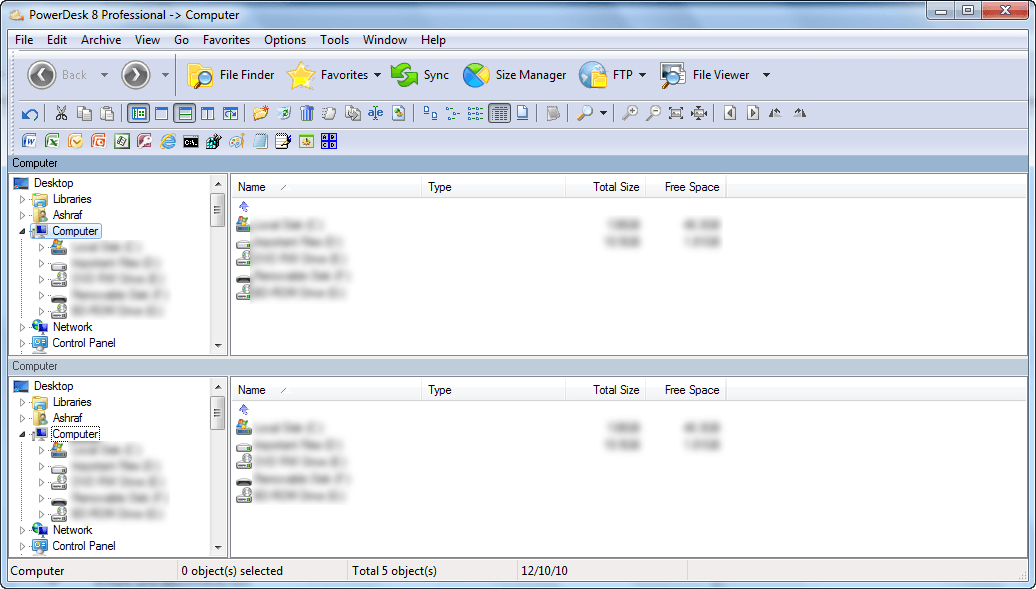
The winner of numerous awards and sparkling reviews from PC Magazine, Windows Magazine, and PC World, to name a few, PowerDesk® 8 Professional completely replaces Windows® Explorer with a wide array of File and File Management tools that let you organise, search, edit, delete, move, sort, view and copy files, including those found on digital cameras or MP3 players.

  • FTP – Access PowerDesk FTP in an easy-to-use, drag-and-drop interface and view FTP sites as though they were ordinary folders! Once you’ve set up your favorite FTP sites, connecting with them is just 1-Click away. PowerDesk now supports Secure FTP!
  • Sync Manager – Compare and synchronise the contents of two folders. Especially useful for work on files that are shared between two computers, it’s also useful for backing up files and much more!
  • Size Manager™ – A powerful utility that shows you where and how the space on each of your drives is being used. Using Size Manager makes it easy to efficiently manage drive storage space.
  • Dialog Helper – Enhances Open dialog boxes and Save dialog boxes by adding a selection list for previously opened files and folders. It also provides a file viewer pane that supports over 150 file formats. Dialog helper also allows fixed dialogs to be easily resized.
  • Archive Manager – Easily compress and expand files from over 30 popular compression formats. See within archives to view entire file lists, selectively view the contents or extract selected files with a simple drag and drop operation.
  • File Finder – Quickly locate forgotten files with a powerful “search engine” type tool. Search by keyword, file type, size, or date range and see the “hits” displayed in a single-line reference. Search inside Zip files, archives, emails and attachments too!

Great File Management you won’t want to live without!

  • Dual pane operation – Easily drag and drop files between folders and drives.
  • Layout Manager – Single click icons save complete layouts or add layout icons to your desktop, so PowerDesk starts up exactly where you want it to!
  • Add File Notes – With a right-click of the mouse, add notes to help organise your files – displayed in a mouse-over window or details view, easily be reminded what’s in a file without having to open it!
  • Colour Customise Your File Folders – Easily customise and prioritise your file folders with eight distinct colours.
  • File Info Column – Display specific details about each file in the file pane viewer. MP3 files will show a song title and run time. Images will show the size and resolution. Word documents show document title and more.
  • MP3 Collection Management – Create and control portable MP3 playlist files as well as multimedia applications. Randomise feature ensures a complete random play order. Plus, cool tools to preview MP3 files, search for files, as well as rename and edit files groups in a single action.
  • File Viewer – Open the right file the first time! Improved file preview options allow users to view the contents of a file in a preview pane or as a thumbnail image. Browse files from digital cameras, whole directories of images, or MP3 players – where you can even view by artist name, album title, or your own personal notations!

Energise Your Desktop!

  • View file formats and convert images without the original software
  • Secure encryption to keep your documents safe from prying eyes
  • Folder synchroniser for easy sharing with other PCs, with your laptop, or for backups
  • Playlist Editor to play/manage your audio files
  • Plus- customisable toolbar, super search engine, zip compression, file annotation, mouse-over file summaries and lots more!

Privacy Protection

  • Encrypt files using PowerDesk encryption or DES encryption
  • File Shredder completely removes all traces of a file
  • Password protect your zip files

dotTech Quick Glance

PowerDesk 8 is a program that aims to be your go-to program for all your file management needs; it is a 137 MB bahamut that has many, many features ranging from FTP manager, archive manager, file finder and everything in between. In regards to functionality, PowerDesk 8 doesn’t provide anything groundbreakingly unique; there are many other programs – often freeware – that provide the functionality of individual components of PowerDesk 8. For example, 7-zip is an excellent archive manager; FileZilla is an excellent FTP client; there are many viable Windows Explorer replacements out there, such as QDir; Heidi’s Eraser or East-Tec Eraser 2009 delete secure files well; AxCrypt and TrueCrypt are go-to programs for encryption; GFI Backup has a sync component to it; Disk Space Fan is a “Size Manager” alternative; IrfanView is an excellent file viewer; FormatFactory can convert images; for desktop search, the built-in Windows Search is actually an excellent tool, and there is Everything for people that desire more; etc. The main attraction of PowerDesk 8 is not unique or special features but rather the fact that it provides multiple features in one package; an all-in-one, if you want to call it that.

That said, PowerDesk 8 will be attractive to people that like all-in-one programs; everyone else can save yourselves the headache of downloading a 137 MB program. (On a personal level, I prefer specialized software over all-in-one utilities.)

Freebie Details

To get PowerDesk 8 Professional for free, follow these simple directions:

Version being given out for free: v8.2.0.18 “Professional”

Free updates: Unknown

Supported OS: Windows XP/Vista/Win7

Download size: 137 MB

Note: Unless specifically stated otherwise, dotTech has not conducted a full, comprehensive review of PowerDesk 8 Professional. The content under “dotTech Quick Glance” is some quick, to-the-point advice to help advise dotTechies on PowerDesk 8 Professional. Please don’t take the “dotTech Quick Glance” as a know-all, be-all regarding PowerDesk 8 Professional – it is only quick advice gained by giving PowerDesk 8 Professional a quick look.

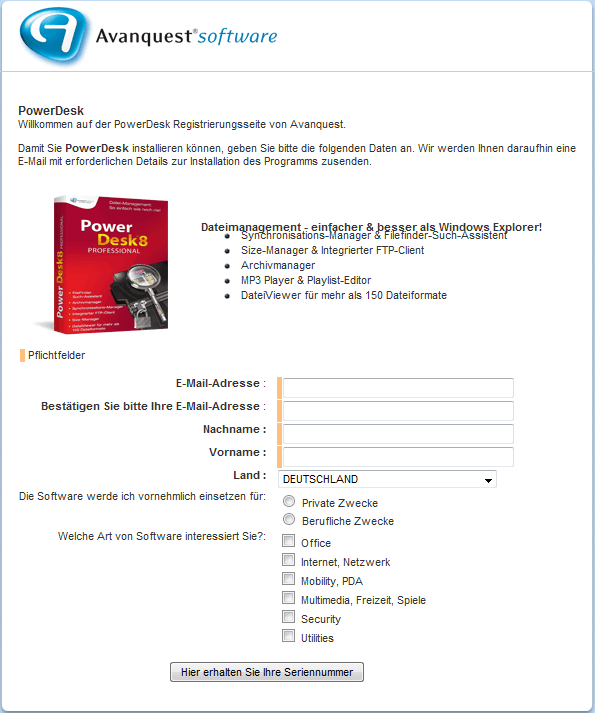
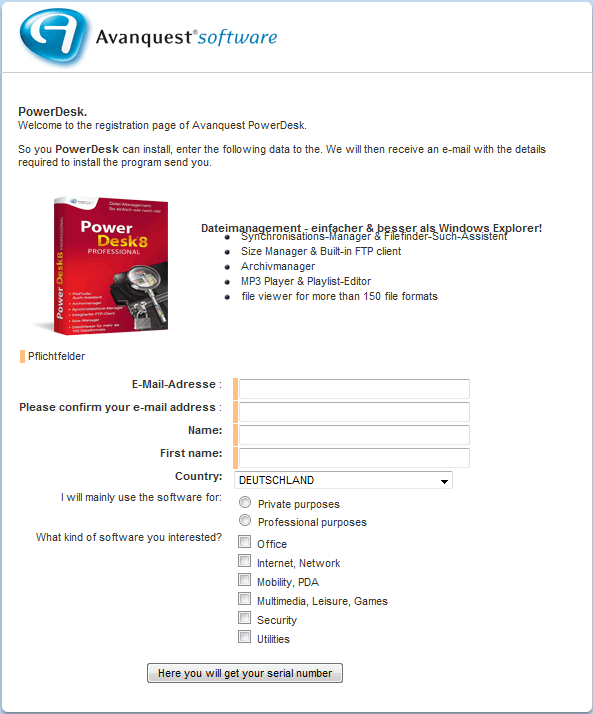
If you don’t understand German, here is a rough translation of the registration page:

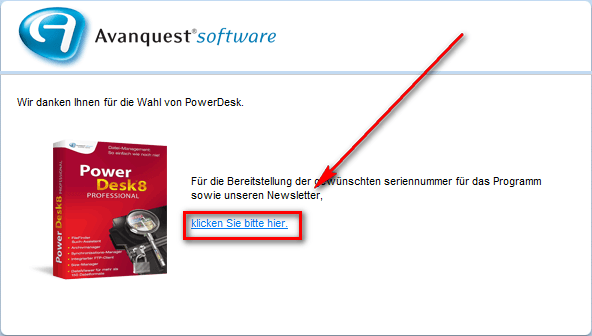
If you do it properly, you should get a confirmation message similar to the following:
  • Check the inbox of the e-mail address you registered with. Look for an e-mail from kontakt@avanquest.de with the subject of Ihr PowerDesk 8 Pro seriennummer: E-Mail-Bestätigung?. In the e-mail there will be a link you must follow to confirm you registration and get your serial key:
Once you follow the link, the webpage that opens displays your registration code to you:
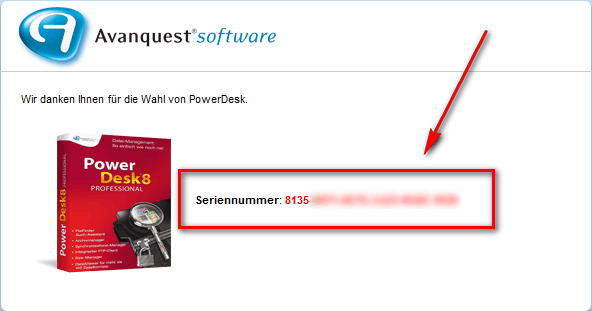
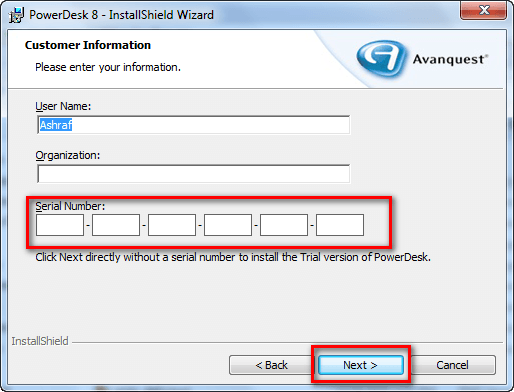
  • Download and install PowerDesk 8 Professional. (The program is in English.) During installation you will be asked to register the program. Enter the serial number you received:
  • Enjoy!

If you have any trouble getting PowerDesk 8 Professional for free, post below and other dotTechies or I will try to help.

Thanks krumpelt!

60 Comments »

  1. Curt@dk December 10, 2010 at 3:42 PM (comment permalink) -
  2. Rui Costa December 10, 2010 at 3:54 PM (comment permalink) -

    I think it’s the same serial for everyone.

    2
  3. Ashraf December 10, 2010 at 5:00 PM (comment permalink) -
    Mr. Boss

    @Curt@dk: You are welcome!

    @Rui Costa: It probably is. However, dotTech policy is to never post serial keys, even if they are universal, unless there are extraordinary circumstances like the server is being bombarded and people aren’t getting their keys.

    3
  4. Clodmore December 10, 2010 at 5:07 PM (comment permalink) -

    Thanks, Ashraf, for posting about this offer.

    I’ve been a user of PowerDesk since version 3 or 4. I did not upgrade beyond version 6 though, as I didn’t see much benefit in doing so. However, for free, I’ll upgrade and give it a try. I do like some of the functions of PowerDesk, but not enough to pay for them anymore. You’ve spoiled me with too many FREE subsitutes and offers. Please keep them coming as I like being spoiled! heh

    4
  5. harris December 10, 2010 at 5:44 PM (comment permalink) -

    a word of caution when installing powerdesk pro v8 on window 7 home premium 32 bit…make sure you do a system restore before beginning installation. the program leaves more residue than itunes when uninstalling. after doing a system restore i get the message that restore did not restore correctly and if i have problems to go to advanced restore…
    anyways ashraf, i like your new design….

    5
  6. Richard December 10, 2010 at 6:09 PM (comment permalink) -

    @harris:I think you meant to say “create a system restore point”, not to do a system restore.

    6
  7. Josh December 10, 2010 at 6:31 PM (comment permalink) -

    Likewise, I do not go for all-in-one utilities. I like their Sync Manager, but already have most of the other stuff (and they include things I don’t need in their package). Not going to download and install this huge file just for the sync manager. I find that, often, all-in-one utilities do one or two things well, but their other functions are mediocre when compared to my favorite stand alone tools. Using stand alone tools is also more practical when you want to perform a particular task well without firing up a whole steam engine.

    7
  8. Josh December 10, 2010 at 6:40 PM (comment permalink) -

    If it leaves behind a lot of debris after uninstallation, I am definitely not interested. I once had the same problem with some Ashampoo products and I have been avoiding them ever since. Whether it impacts on performance or not, I just hate it when programs leave garbage all over my system when I remove them. I know most programs do, but it’s usually just a few pieces and they can be easily cleaned up afterwards if you know how. But it’s irritating when they leave lots of stuff behind.

    8
  9. harris December 10, 2010 at 6:59 PM (comment permalink) -

    @Richard: yeah richard…i did mean to say create a restore point but after an hour and a half of manually going through the registry i was feeling a little addled…

    9
  10. Bruce Fraser December 10, 2010 at 7:27 PM (comment permalink) -

    Ashraf,

    This is an EXCELLENT program! Thank-you!
    I have been using PowerDesk Explorer as my file manager for years. I recently downloaded and tested every single freeware file manager out there, and the free PowerDesk 7 was still the best.

    OK, forget about all the frilly stuff added on. Here’s what I like about the basic file manager tools in version 7 (haven’t yet installed version 8), but just wanted to encourage people to get this great program):

    * Can use one or two panes; easy to switch. Dual panes can be split horizontally or vertically.
    * Zip files are viewed as a folder
    * Favourites: quickly go to specified locations
    * Backtrack (some call it “breadcrumbs”)
    * Copy full path to clipboard (Edit – Copy path as text)
    * Undo file delete or file copy
    * Preview files (not in the usual free version; but available in this freebie of the Pro version!)
    * File wipe (secure delete)
    * With a file selected, click a toolbar icon to “File Associate”
    * Toolbar icon to open Command window
    * Very easy to use

    PROBLEMS (may have been fixed in the new version 8):
    Cannot undo File move
    Sometimes chokes on Zip files containing hundreds of files.

    10
  11. AB December 10, 2010 at 8:25 PM (comment permalink) -

    Thanks for a great program. I have a windows 7, home premium, 64 bit laptop. It installed in the program files folder for 32 bit programs. Do I have to do anything else to make sure it is optimized for my 64 bit computer?

    11
  12. digish December 10, 2010 at 9:10 PM (comment permalink) -

    Hi,

    Thanks for finding about this telling us.

    digish a d

    12
  13. rAJESH December 10, 2010 at 10:11 PM (comment permalink) -

    DOWNLOAD LINK NOT FOUND???

    13
  14. Ashraf December 10, 2010 at 10:12 PM (comment permalink) -
    Mr. Boss

    @rAJESH: Works just fine for me. Try it in a different browser?

    14
  15. rAJESH December 10, 2010 at 10:24 PM (comment permalink) -

    I MEAN NO DOWNLOAD LINK IN MAIL

    15
  16. Ashraf December 10, 2010 at 10:28 PM (comment permalink) -
    Mr. Boss

    @rAJESH: You need to say the magic words; or you could just scroll up and look a bit closer, it is there :-)

    However, in case you still don’t find it… so here you go: http://ftp2.avanquest.com/evaluation/powerdesk/8/PowerDesk_trial_ENG_setup.exe

    16
  17. phoenix_rising December 10, 2010 at 11:12 PM (comment permalink) -

    This definitely sounds interesting – and it is a program I’m interested in. Thanks for the heads-up Ashraf. I just spent a while looking at different reviews of the PowerDesk 8, and it seems that they are a mixed bag. I found this review to be particularly good – and others might want to have a look at it for guidance: http://scientificlanguage.com/page19.html

    I’m still not sure if I’ll install it just yet. I might take the coward’s approach and wait and see what others think after they have installed it.

    17
  18. Numsekrummen.dk December 11, 2010 at 1:08 AM (comment permalink) -

    I think ill try this… Use Q-Dir and thats #1 file manager for me. But sometimes you need to see something new. Thnx for the nice work on the review ^^

    18
  19. Jimmy December 11, 2010 at 1:14 AM (comment permalink) -

    Thank you Ashraf for the info and avanquest.com for the Promo

    19
  20. jSwann December 11, 2010 at 2:04 AM (comment permalink) -

    Merci beaucoup Ashraf. Et merci beaucoup krumpelt. Really great.

    20
  21. Phil K December 11, 2010 at 2:09 AM (comment permalink) -

    Tried to get the key, and they’ve sent it to NEITHER of the email addresses I sent.
    Any chance of someone sending it, as Avanquest don’t seem to like gmail !

    21
  22. CHRIS GAINSFORD December 11, 2010 at 2:34 AM (comment permalink) -

    Got the key OK.Downloaded the program OK. When I started the install I was asked for the key for the TRIAL version?? I didn’t install, thought it was a free program

    22
  23. Rustem December 11, 2010 at 3:06 AM (comment permalink) -

    As I know, “Vorname” in German is “name” in English, and “Nachname” is “surname”.

    23
  24. Spredo December 11, 2010 at 3:34 AM (comment permalink) -

    Looks like an interesting “little” program.

    One problem here. Windows installer keeps crashing. It does NOT stop the installation, but I am not happy with a program/installer that keeps windows installer shouting “Windows installer has stopped, check online and close program or just close program”.

    Ok, so it does not actually STOP the installation when you say “ok” to the “close the installer”-bit. But actually, I am not sure that is more “quality” than if the program/installation was actually stopped… This may be because of the installer. This MAY be because of the installer for the giveaway. This may also be MY problem, and something no one else experiences (W7 -64 bit). But I am not too happy about it.

    So, this MIGHT be a great program, but the installation process in itself has me wondering.

    24
  25. karsten December 11, 2010 at 4:47 AM (comment permalink) -

    It really has been some good days here on dottech, a lot of good programs thank you Ashraf

    I tried to look for a tutorial for this program, I found one bad on. Are there any one there know a tutorial for this program?

    Bruce Fraser said: Backtrack (some call it “breadcrumbs”). Can some one explain me what that is/means.
    I can’t find a translation for that word, even i have seen t many times, I really like to know what it means
    thanks.

    25

Leave A Response »