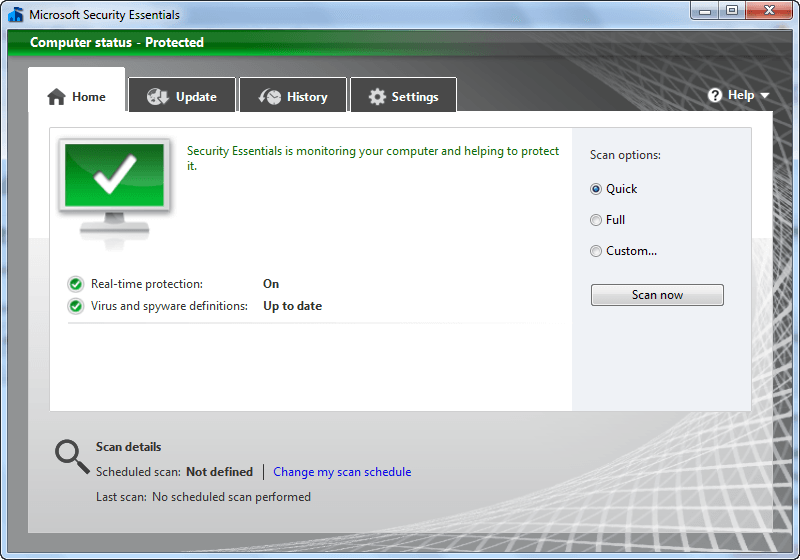
New v2 of Microsoft Security Essentials brings new features, makes improvements
December 27, 2010 39
Email article | Print article
Reviewed by dotTech, and used by many, Microsoft Security Essentials is a terrific product created by Microsoft to help address the ever growing malware issue. Being fairly new, until yesterday MSE was only v1; now, Microsoft has released v2 of MSE, adding few features and making improvements.
Although Microsoft seems to have kept fairly quiet about the update – I cannot even find an official announcement nor an official changelog – I have been able to successfully update to v2 of MSE and can verify that it has indeed been released.
While there seems to be no official changelog available, the Help file of MSE v2 lists the following changes made in v2:
This version of Microsoft® Security Essentials includes the following new features and enhancements to better help protect your computer from threats:
- Windows Firewall integration. Security Essentials setup enables you to turn on or off Windows Firewall.
- Network Inspection System. This feature enhances real-time protection by inspecting network traffic to help proactively block exploitation of known network-based vulnerabilities.
- New and improved protection engine. The updated engine offers enhanced detection and cleanup capabilities with better performance.
These features are described in more detail in the following sections.
- Windows Firewall integration
- Windows Firewall can help prevent attackers or malicious software from gaining access to your computer through the Internet or a network. Now when you install Security Essentials, the installation wizard verifies that Windows Firewall is turned on. If you have intentionally turned off Windows Firewall, you can avoid turning it on by clearing a check box. You can change your Windows Firewall settings at any time via the System and Security settings in Control Panel.
- Network Inspection System
- Attackers are increasingly carrying out network-based attacks against exposed vulnerabilities before software vendors can develop and distribute security updates. Studies of vulnerabilities show that it can take a month or longer from the time of an initial attack report before a suitable security update is developed, tested, and released. This gap in protection leaves many computers vulnerable to attacks and exploitation for a substantial period of time. Network Inspection System works with real-time protection to better protect you against network-based attacks by greatly reducing the timespan between vulnerability disclosures and update deployment from weeks to a few hours.
- Award-winning protection engine
- Under the hood of Security Essentials is its award-winning protection engine that is updated regularly. The engine is backed by a team of antimalware researchers from the Microsoft Malware Protection Center, providing responses to the latest malware threats 24 hours a day.
Furthermore, although the Help file does not state it, it looks like MSE now also includes a “behavior monitor” (presumably a behavior blocker):
Even at v1 MSE performed extremely well as an anti-malware program; without a doubt v2 makes it that much better. It will definitely be an interesting comparison pitting MSE v2 against avast!, AVG, and Avira the next time I update the comparison article.
It seems like at this time there is no update of MSE available from MSE itself or Windows Update; if you already have MSE installed you need to download v2 manually and manually upgrade. You can download MSE v2 from the following links:
Version reviewed: v2.0.657.0
Supported OS: Windows XP/Vista/Win7
Download size: 7.5-9.5 MB, depending on if you get 32-bit or 64-bit version
Thanks acr, Troll, and Samuel!







I love the new background image, can we say http://www.deviantart.com/download/138456576/Microsoft_Forefront_Wallpaper_by_marxo.jpg
awesome news, time to switch to MSE…
how good MSE is in blocking autorun.inf? avast! does a nice job and saved me several times. probably the only reason why i didn’t switch from avast! to MSE.
avast! vs. MSE:
price: both free
footprint: comparable
protection: comparable
speed of scan: comparable
reliability: comparable, however, only MSE comes from the company which makes windows!
This might be a stupid question, but should we remove/uninstall v.1 before we install v.2..or just install over the existing version?
Dan
@Dan:
It will update version 1 to version 2. No need to uninstall.
Tried it, tends to slow things down. I think I am going to stick with Avira. Much liter on my system
For some reason I feel naked with out Avira running in the background. lol
@Dan: Download the installer and run it – you will have an option to upgrade. So, essentially just “install over”.
Thanks, Bill and Ashraf, for the quick reply on this..much appreciated!
Dan
Apparently you found out about the lack of an official change log.
While it would be nice if it auto updated the program, very few anti-malawares do. (Really annoying but true).
Thanks Ashraf. I built this machine new 6 months ago and MS Essentials has protected it well ever since. Glad to see they finally have an upgrade. MS released 12 updates the other night, along with one from ATI for the Radeon 5770. System is still stable and the 5770 is running 3 degrees cooler. I love 2010.
Thanks, Ashraf, for the heads up. I probably would have never known about it otherwise.
I upgraded from Version 1 to 2 without any problems. I don’t know which anti-virus program is the best, but Security Essentials seems to work fine for my needs. I really don’t go to any “dangerous” sites or download files from unknown sites, but I suppose things could happen. MSE seems to meet my needs.
The install from 1 to 2 did not work. Now my system is running without an anti-virus. I’ve tried several things to back it off, based on the error code, but nothing has worked. Even system restores didn’t work. I had to resort to Acronis and restoring a backup of my C: drive.
Thanks again for yet another WONDERFUL download.
and I’ve unsubscribed from dot-net (under an alias) – have fun!!!!!!!!
@George: What can I say; I get off on making people screw up their computers.
On a serious note, I was able to upgrade without any problems and as you can see from the above comments others were also. Sorry it wasn’t the same for you.
@George: I am sorry to see you go; aside from the MSE fiasco I do hope you enjoyed your stay at our little corner of the Internet.
@Samuel: But isn’t it odd Microsoft has released v2 so quietly?
@Everyone: You are welcome! (Even you George.)
Can I run AVG and MSE at the same time or must I choose which girl to dance with?
@David Roper: Live protection for both at the same time? Yes you can. But should you? No… it will probably slow your computer down.
Cheers, Ash
@Phil K:
Oh and I’m happy to continue, myself Ash !
@David Roper: Uninstalled AVG. Now my PC is noticeably faster than when I ran both. Thanks.
They Were fighting each other. I got notices they were stepping on each others’s toes.
OK.. I upgraded without any problems or issues and have been keeping an eye on things for a good few hours now..and all seems fine, aside from from system apparently becoming somewhat sluggish, with program windows becoming very slow to refresh and the pointer acting a little erratic..as if the PC is about to freeze up.
Also, I noticed while playing music files or videos/mpegs..there is a kind of intermittent “warble ” on the audio that wasn’t there before..again, as if it is about to stall or crash due to the system being overloaded.
Up to now I have had no problems running MSE alongside the other programs I have, so I am guessing this new upgrade has added something to the mix that is resulting in these issues “under the hood”. So..I want to ask anyone up of these things what you think I should do?
Currently I have the following running at startup..
a)..MSE
b)..Online Armour ++
c)..SUPERAntiSpyware Pro
d)..WinPatrol Pro
To date, this combo has been great..but in light of what’s now happening, which..if any..do you guys think I should or can do without?
Basically, I would like to know if you think MSE is REALLY good enough to trust as my main firewall and first line defense..or should I keep some or all of the others running on my system at the same time. I have become used to the popup windows of OA and the way I am warned if and when anything tries to do something it should..or simply run without my knowing..a feature I think MSE lacks…so I am finding it hard to let go of that and trust MSE 100%.
Any feedback or ideas will be very much appreciated.
Thanks in advance.
Dan
@Dan:
I would just use SAS as an on demand scanner. It is fine in that role. But the real time protection is not very good at all. One thing about MSE, even this latest version, is that it constantly scans archive files which can cause a bit of a system hit. And from what I understand, having the “scan archive files” unchecked under the settings tab just applies to on demand scans.
If you’ve not done so yet, you may also want to make sure that MSE, OA and WinPatrol are all excluded from each other – so that MSE isn’t constantly scanning the OA HIPS and WinPatrol protection & vice versa. Also reboot and let your computer run a bit – maybe a day or two – do a full system scan with MSE – then see if the problems you have continue. If so, maybe check out some other av’s at that point.
@acr:
Thanks, acr, for the welcomed advice. I never thought of excluding each of them from each other, like you suggested..that’s a real good idea..and an obvious one I should have thought of myself. Even that alone might sort the issues out I am having. Guess time will tell on that front.
I’ll knock SAS off from booting at startup and see how that goes, following your advice. I usually only run manual scans with it anyway..so it’s using up system resources needlessly anyhow..
I’ll post again on this just to update on how this transpires for me in a few days..for anyone who is interested.
My thanks again, for the quick reply and advice.
Dan
ASHRAF:
Why on earth is MS keeping v.2 such a secret??? Is it perhaps a beta verson?
I’ll keep my Avira until you do a comparison review…..:-)…..
@Dan:
Online Armour ++ also has an antivirus element, so that could be conflicting if it’s not turned off (for on-access).
Another point, MSE is not a firewall – it has an on/off for the Windows firewall, and some network inspection, but I’d be inclined to pair MSE with a much more controllable firewall than the basic Windows one