Keep all your apps up to date with FileHippo Updater
February 11, 2011 32
Email article | Print article
Most people here know that updating software means having less bugs and having more security. Unfortunately, most software titles have their own custom-built updaters that are easily ignored and only show up once you open a program. This can make a person annoyed at a piece of software for crashing, or worse yet actually leave a computer open to viruses or malware.
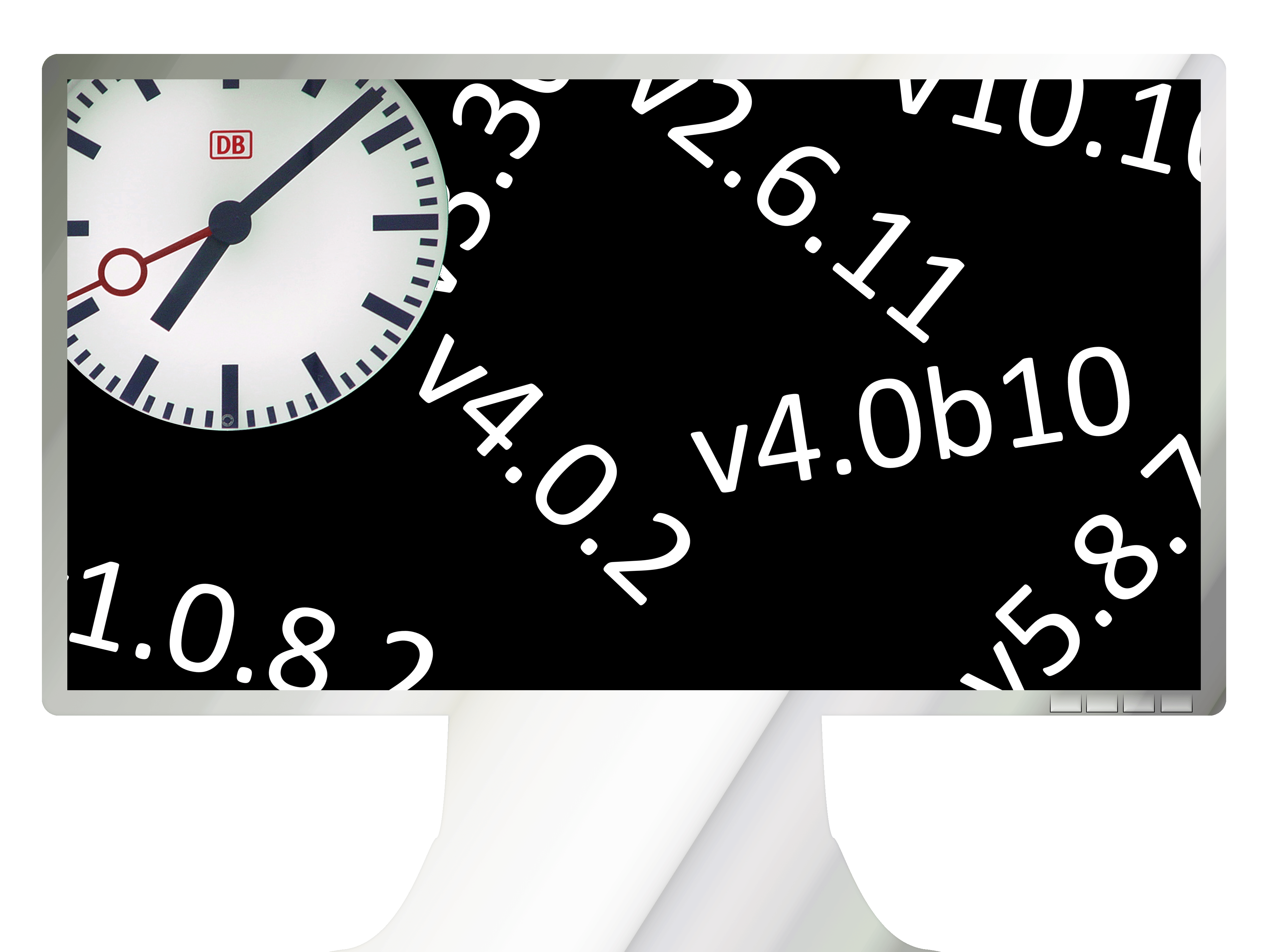
Image credit: Wikipedia, Locutus
FileHippo Update Checker: a well-designed update checker
Luckily, there are a few updaters that allow someone to easily update a majority of their software with just a few clicks. From those updaters, FileHippo stands out over its competitors because it has a much better user interface, it lacks false positives, and it’s extremely tiny–under 300KB!
After downloading, just open the updater. It will immediately launch a no-nonsense scanning window:
In just a matter of seconds, a new browsing window will open. It’ll have a list of all of your updates, from stable releases to beta software:
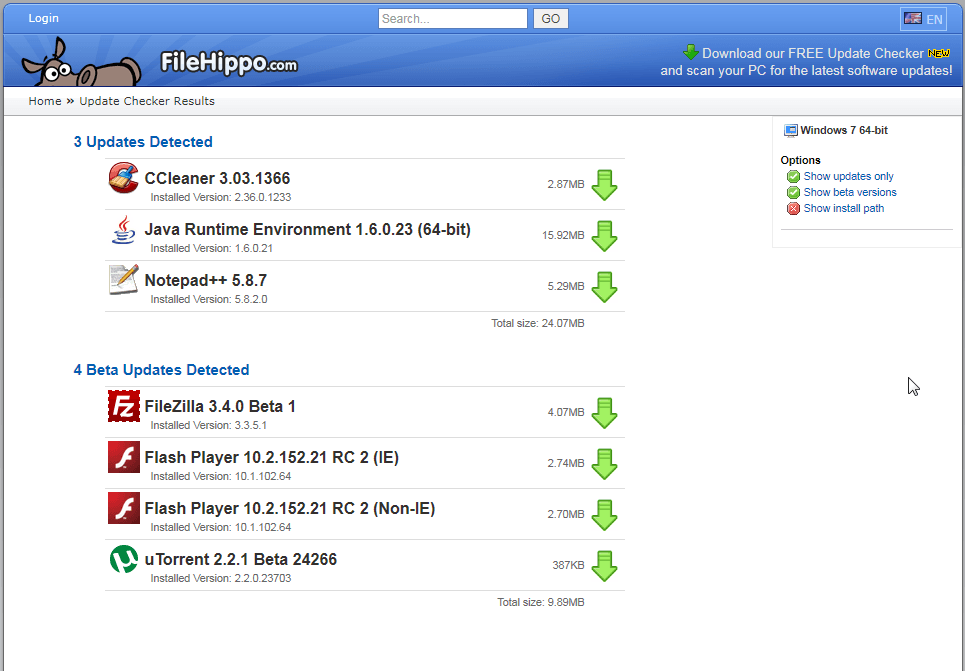
As you can see, I haven’t updated CCleaner in a while.
To download the updates, just hit the green arrows next to the software name. You’ll be linked to the installer, which in the case of the CCleaner installer, was the version without the toolbar–no need to watch for toolbars!
Conclusion
Unfortunately, updaters aren’t perfect, and there is no way to detect all software and all updates. For instance, I had v1.1.4 of VLC Media Player installed; v1.1.7 was released last night (and FileHippo even has v1.1.7 on their site). However, it did find updates for most of the software that needed updates, and one out of ~60 pieces of software isn’t bad at all.
Version reviewed: v1.038 portable
Download size: 247kb
Supported OS: Windows 7/Vista/XP/2003/2000/ME/98 with .NET 2.0
FileHippo.com Update Checker download page | installer | portable
Bonus points to anyone who can name the software titles the versions in the lead picture are.







Ashraf is in the house again!! And he’s brought some goodies!
@Steel: *Locutus :P
I hope you enjoy my content too. Whenever Ashraf gets busy he lets me take the handles for a bit.
Don’t know about Steely, but I do Locutus. Keep up the good work.
Dottech, Giveaway, both awesome sites. Thanks to both of you for your dedication to give us the opportunity to find good and useful software. Indeed, File Hippo has been a program that I love and have used for years. I’m glad you are recommending it to the masses. Good program and both of you are great guys!
Thanks a lot, Locutus!
I remember a discussion about computer privacy, where the question arose, who is behind FileHippo.
Do you know more about FileHippo?
(BTW. Another firm, about which I´d like to know more about would be piriform.)
@ccgwh: Challenge accepted. I’ll have to do a little digging, but I’ll see what I find.
v2.6.11=GIMP
v4.0.2=Photomax pro, google maps, cyanogen mod, insomnia pro, flac to mp3, Mihalism Multi Host , Oracle Utilities Application Framework, Game Jackal Pro, Jprobe, Speed Up My PC 2009, Roxio Popcorn, Avid® Media Composer, Native.Instruments.Kontakt.VSTi.RTAS, 68 classifieds, WHMCS, VideoGet , AV Arcade, iPhone OS, PMP , IomegaWare Tools
to name a few LOL
v4.0b10= MyDefrag, Firefox, PAUP, MAXED, FastDial,
V5.8.7= Notepad++, Acala DVD Ripper Professional, ActivePerl, Metro, SyncBackPro, YouTubeGet, WebGenz, Portable Pointstone System Cleaner, Mireth ShredIt etc…
Might be best for all concerned if the author’s credit was published in a larger size at the head of a dot tech review. That way we wouldn ‘t keep witnessing this continuing problem of people thanking Ashraf for Locutus’s work, or Locutus for Ashraf’s, or either of ‘em for contributions actually made by neither.
Re Filehippo. It was always good and has gotten better, so well done Locutus for the reminder today. It also makes sense to regard this as one half of a valuable updating team, t’other half being Secunia, this latter app more oriented towards security. So: Filehippo + Secunia — perfick combination.
I was disappointed with the updatechecker. I downloaded the portable version, put it in the root of drive with all my portable apps and all it scanned was the C: drive.
@ccgwh:
I don’t know who is behind Piriform but I use some of their products and they are GREAT!!! Never had a problem or any reason to think anything sneaky or underhanded was going on.
@MikeR:
Short of making the author’s name blink or something, I don’t know if anything else would work. I think most people just assume Ashraf writes everything, without bothering to check for a name.
This seems like a very nice program. It worked quickly on my XP SP2 system. Thank you for the info.
Go Ashraf! Keep up the great reviews!
Thank you, LOCUTUS ;)
I find it funny that there is an advertisement in the top corner of the program for their software updater XD
@Pwnana: That is pretty funny xD
I use FileHippo, too, but users ought to know what they are doing before allowing automatic updates to their system. FileHippo always wants me to update my video drivers, for example, even though the newer drivers are not compatible with my old video card. It also wants me to update some GOTD programs that will lose their license if I update them.
I’d sure like to hear more about comparison of FileHippo Updater v. Secunia v. Software Informer. Is only 1 necessary, or are they complementary?
@Dru: I can’t speak about Software Informer, but Secunia and FileHippo Updater are largely complementary. Secunia addresses identifying potential security holes caused by using outdated (or just old) versions of software, whereas FileHippo attempts to find newer versions of anything you have installed on your system, regardless of whether there are security implications or not. I use them both.
It’s slightly obscured, but is the one in the top-right corner “10.10″?
@The Living Spirit: Yep!
Personally, I use Secunia to be sure the software that I need to be secure stays updated, plus I use CNET’s TechTracker to be advised of any voluntary updates that I may want to get, since it covers just about all programs that I do or might care about (more than FileHippo in my experience), plus if you read all the info it provides it will tell you if it is a free update or a free trial of an upgrade, again in my experience. P.S. I wanna say QuickTime for the opening pic, but I’m doubting myself, as it seems just too obvious.
I’ve been pleased with this program. I have tried other update checker programs but they don’t meet my expectations; some can show new updates but don’t have a link to them or sometimes their links are down. What I love about Update Checker from Update Hippo is just that, it gets me the updates available and offers a download, they even keep up with betas, best of all is that it saves hunting around for updates when they are all-in-one place.
I guess that’s OK if you’re interested in betas; me, I try to stay as far away from them as possible, since I’ve been very disappointed in my previous experience with them. Besides the extra time it take to deal with their glitches, there’s also the adverse effects on other programs and my operating system – not all the time, of course, but often enough to make any benefit from them not worth all the aggravations. On the other hand, I”ll take an RC (a Release Candidate) any day, as most of the bugs should be gone by then. Back to Hippo’s Update Checker, it may have added more programs since I last tried it – I certainly hope so, since the above article will probably get a lot of people to give it a whirl. I welcome Hippo’s effort and hope it is up to the level of the competition from CNET’s TechTracker and Secunia, also free, as well as Magix, which I recently discovered also has an updater built into its free PC Check and Tuning 2011. May the best one(s?) win. :)
@internetexplorer If you were referring to me, I don’t like betas, just saying that they are up-to-date enough to provide the latest of what’s available, at least to a day.
I would try Secunia but it keeps telling me that I am up-to-date on everything, so I am really an Update Freak. :)
Megaman: Sorry if I misunderstood you. You do have a point, of course, about having the latest possible rendition of a piece of software. However, I do goo to go through and update everything every week or two, maybe longer in the case of CNET or Magix, less in the case of Secunia. The last of these I especially like because it tells me which updates are needed NOW due to vulnerabilities or some similar security problem; second on my list is CNET because it identifies which newer versions are totally free (I use a lot of freware and free promotional offers) and which are merely free trials that may overwrite one of my promotional offers and leave me without it when the trial is over (not to mention that some trials are crippleware). CNET also covers more programs than any other I”ve used so far, but Secunia and Magix seem to have closed the gap quite a bit lately. I’ve also discovered that sometimes it’s beter not to be an early adopter, especially of a Microsoft product.