Update: This promotion is now over. Sorry to those that missed it! To avoid missing promotions in the future, consider subscribing to dotTech: RSS Feed | E-mail | Twitter | Facebook.
Software Description
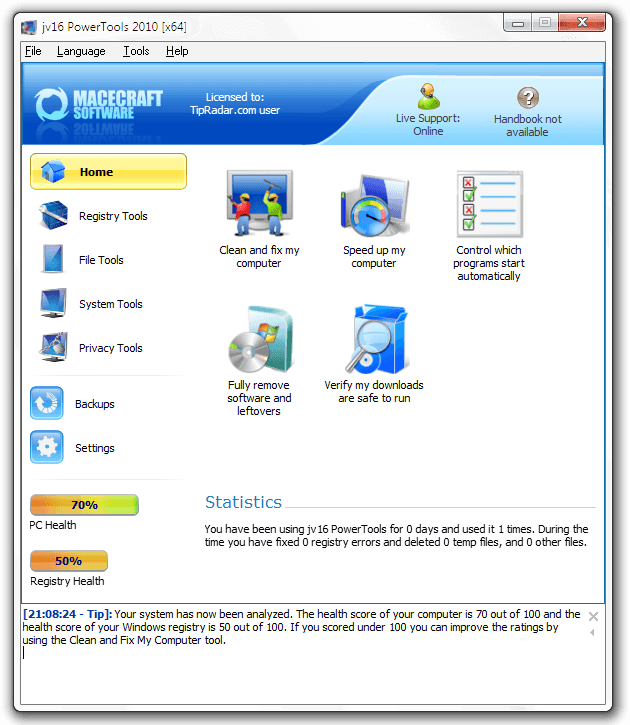
jv16 PowerTools 2010 is a great freebie. Here’s what Macecraft, the makers of jv16 PowerTools, has to say about their flagship product:
Key Features
- Cleans and fixes your computer
- Uninstalls software and gets rid of all the left-overs
- Optimizes Windows
- Improves your safety by detecting potentially dangerous files
- Improves your privacy
- Recovers deleted files
- Safe to use – automatic backup feature and numerous additional safety features
- Multilingual user interface
dotTech Advice
Although Ashraf has never formally reviewed jv16 PowerTools, he has never been shy about showing how much he likes it:
Although never formally reviewed on dotTech, jv16 PowerTools is among the top-tier when it comes to system cleaning, maintenance, and optimization utilities. jv16 PowerTools is what I like to call a “focused” system utility. Instead of including a wide spectrum of tools, like some other system utility programs out there, jv16 PowerTools focuses on system cleaning, maintenance, and optimization features which range from registry management to privacy cleaning and everything in between.
Freebie Details
Version being given out for free: v2.0.0.986
Free updates: Unknown
Supported OS: Windows 2000+
Download size: 9.3MB
Giveaway time frame: 72 hours
Instructions
Download and install jv16 PowerTools 2010 like normal. You’ll be walked through a multiple-step setup process at the end of which the program will restart.
Then download the license file. It should contain a simple license.xbin file. Just put this file onto your desktop for it to be detected automatically. You may have to restart the program.
In what has to be one of the easiest giveaways ever, you now have a working copy of jv16 Powertools! It’s a great find and an even better freebie.
[TipRadar via WheezerTech]


Email article
Great FREEBIE man!!
Just a question: what if I downloaded the SW on my Home PC now and applied the license file on my laptop later on (for instance next week)?
Can I do that or do I have to use the license file within 72 hours starting from now?
Cheers from Italy
Giovanni
PS Hey, what became of Ashraf? Is he on vacation?
@Giovanni: I’m fairly certain that if you just keep the license file around it will work, but it’d be best to just install it everywhere right now.
Supergroovy freebie! It found 103 registry errors overlooked by both CCleaner and WinUtilities; also reduced the size of my registry by 30 megs. Thank you!
Further detail to your instructions: I found it necessary to unzip the license before it was recognized.
@internetexplorer: Well it does say to put the License.xbin file, not the zip file, on your desktop, no? ;-)
I guess you’ve got me there–but it’s easy to overlook a “minor” detail when your eyes are “itching to go.” (If you haven’t watched any Westerns lately, that’s an old horse opera idiom for “raring to go,” FWIW.
One more note in case anyone out there needs to know: My other computer had the 2009 version of jv16 already and I forgot to uninstall it first, but lo and behold I checked the new 2010 version and it was already licensed (to dotTech!) before I got around to downloading the new license as you instructed. I also discovered that it’s OK to uninstall the old one after installing the new one, at least when the new one is installed in a different folder, as I just happened to be doing for unrelated personal reasons. :)
hvac software
Hello Locutus :D
Thanks for the heads up
Havent yet installed, but Ash always praises this app when he posts about it.
So, going to finally try it out :)
This may be a silly question:
=> Does the licence *need* to be “on the desktop”?
Can it not be placed in the program folder? Or in the dwld folder (mine is in a different partition)?
I tend to keep my desktop clean & uncluttered, so prefer not to have it there.
If anyone could confirm this, would much appreciated!
Peace
Tortuga: Not a silly question; or at least if it is, I’ve been there, done that. The license may be read from another location, but I seem to recall that the directions for doing so were rather precise in contrast to just putting it on the desktop. That said, my experience is that you do not have to leave it out there once the program has read and registered the license information, so you can move it then if you so desire.
I was one of the lucky ones who got the full PRO version of jvPowertools from Bild Magazine (Germany) a couple of years back. Prior to that, I’d been running this app in its freeware guise, before its creators quite rightly set up Macecraft in order to go commercial and get something back for their many years of effort. (And yes, I am a donor since the freeware days.)
The Bild offer allowed users free updates, so the version available today is exactly the same as the one I’ve been using throughout 2010. Based on that usage, I can only recommend it wholeheartedly. It’s not a shallow gimmick-filled app but one which has been carefully refined over a long period. It’s from a European developer of provenance rather than some Chinese knock-off outfit. The care that has gone into its develop0ment is evident in the care it takes with a user’s computer, and especially in the way it constantly errs on the side of safety rather than indulging in crazily aggressive behaviour which may produce spectacularly high “results” but also spectacularly kethal consequences.
I’ve used all the so-called Swiss Knife apps. jvPowerTools is still the only one never to have caused a problem, never to have let me down, and as tailored to a novice as it is to an experienced computer user. As a freebie for the next 72-hours, this is Rolls Royce quality software for absolutely nowt. Grab it while you can.
Hi InternetExplore :D
Many thanks for your reply!!
I’ll do as you suggest ;)
And then put it back into the dwld folder w all the other Info/Screenshots/Links/Tutorials/…
I’m a compulsive organizer, and even more as I get older, as most times can no longer remember what is what & where is it !! Confusion sets in fast … *sigh*
******************************
Hi MikeR :D
I was going to install this on the nw PC, instead of what I usually use iObit Advanced SystemCare3.
Guessing this is what you meant by Chinese knock-off outfit (after all that méli-mélo w Malwarebytes), right? Never felt right after that continuing to use it, just waited for the 1Y license to expire b4 removing it.
So, what you are saying is this tool does similar tasks but is much better/safer.
I dont want an over complicated thingy w a thousand options I wont use.
As I said too old & too newbie at same time, dont want to feel overwhelmed by all these new tools.
So muck to learn, never enough time …
Peace
Hey, Cutie, my XP won’t open the .xbin file and all the help I find wants $$$ to do so. Any ideas?
@Eric Reed: “Hey, Cutie” yourself :) I, too, have XP and had no problems installing this. 1) D/I jv16 PT, 2) download the license zip onto your Desktop & then extract the .xbin file, and 3) restart jv16 PT. That’s it!
@Tortuga: Hi Tortuga, hope you’re keeping fine. Yup, forget Iobit. Or at least try a comparison test of your own of jvPowertools against iobit and any other ‘Swiss knife’ jack-of-all-trades utility. It’s definitely jv for me. . .
Many thanks for this Swiss army knife powertool–much appreciated!
had tried previous version and I think its a great set of utilities!
thankssss for the new version :-)
BDW, Where is Ashraf this days? Hope he is doing well.
Hi MikeR
Hey, ‘r you the Mike from down under??!
There are a few *mikes* around, I keep getting confused which is which :(
Grey cells having fun playing tricks on me! :D
And, are you the same Mike that wrote that CapsLock prog that Ash posted a few months back?
Really considering starting a note pad referencing names«»notes, so I dont make a fool of myself – anymore then usual I mean!! ArkArkArk
Be back 2morrow see if you are you *or* someone else :D :D
Ciao
NB:
You seem to know quite a bit about this jv16PT critter.
I’m going to study it for a bit, see if I get the hang of it.
I’m sure I’ll have a few questions, if you dont mind.
I seem to remember a portable version of this being available to those who have licensed the standard (non-portable) version. Does anyone know if that’s still the case?
@Chris: I can only find versions of it on Warez sites. You can also make your own:
http://www.macecraft.com/phpBB3/viewtopic.php?f=23&t=3917
Why does it say I have a 60 day time limited license?
Don did you put the license.xbin on your desktop not your folder? After you extract it? If not you need put on Desktop open program then it should work. I did no issue. I also used System Mechanic that another great program been using for years. But two programs wouldn’t hurt would it :)?
I’ve followed the instructions, but can’t get the program to register. Here’s what comes up when I looked under “Help”, “License Tool”:
Current license file: C:\Program Files (x86)\jv16 PowerTools 2010\License.xbin
License owner: TipRadar.com user
Contact e-mail: jouni.flemming@macecraft.com
Licensed computers: 5
License issued: 04.02.2011 (dd.mm.yyyy)
License serial number: 68794-15B7E50E-935335220
The licensed computers means the number of computers that this product can be used with. Redistribution strictly prohibited! Please contact http://www.macecraft.com if you suspect piracy of this product.
I tried looking for a new license, directing it to the license file on the desktop, but still not registered. Now what?
@Eric Reed , u don´t have to “open” the lic-file. just place in on the dektop. jv16 will find it there during installation. OR install jv16 first and put the lic-file into the jv16-folder and restart the app. (not the pc (-;)
by the way, tks for that great little thing!
Ashraf, we miss u ………