What’s new in Internet Explorer 9: faster, better, more competent
March 14, 2011 61
Email article | Print article
It’s finally here: Internet Explorer 9. Internet Explorer 9 is meant to revitalize Internet Explorer and maybe even turn some techies into IE users. Its web standards supports are exponentially better than previous versions, with much better CSS3 and HTML5 support than previous generations. It was also the first browser to introduce hardware acceleration and the fastest at the Sunspider javascript test.
The new design: snazzy!
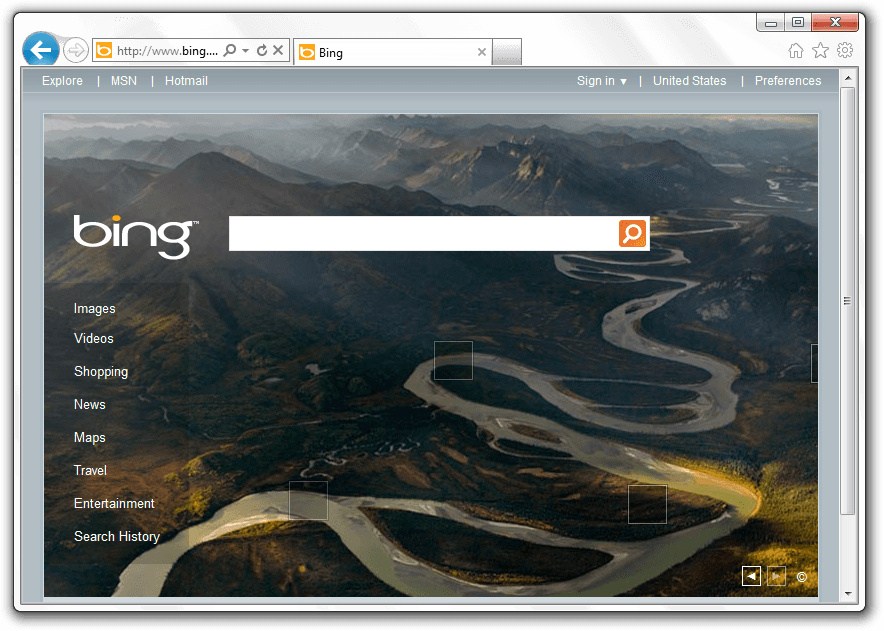
Of course, the first thing you’ll notice when starting up Internet Explorer 9 for the first time is that it looks… different. Just different. Gone are the lots of toolbars and too many buttons to count. In fact, Internet Explorer 9 is the one with the least browser chrome of the big three:
The way Internet Explorer manages to do this while maintaining large buttons is to put all the tools on one line:

(If you don’t like the small amount of space for the URL bar, you can simply drag the right side to make it bigger.)
Pinned Sites: integrate webapps with Windows
If you use Windows 7, you’ve surely come across jump lists. These are the little boxes that pop up when you right click on a task bar item. Microsoft has decided to take it one step further and not only allow you to pin sites as webapps, but to actually allow them to create items on their jump lists:
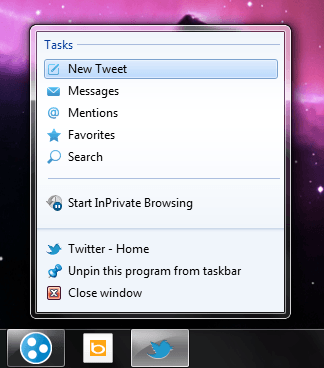
These lists can allow for quick task jumping and make it easier to access things you want.
The all-new Download Manager: minimal and useful
If you’ve been using Internet Explorer for all these years, another thing you’ve had to put up with the lack of a download manager. Luckily for you, Internet Explorer 9 comes with a download manager that actively informs you about the percentage done, the status, and the size of each download:
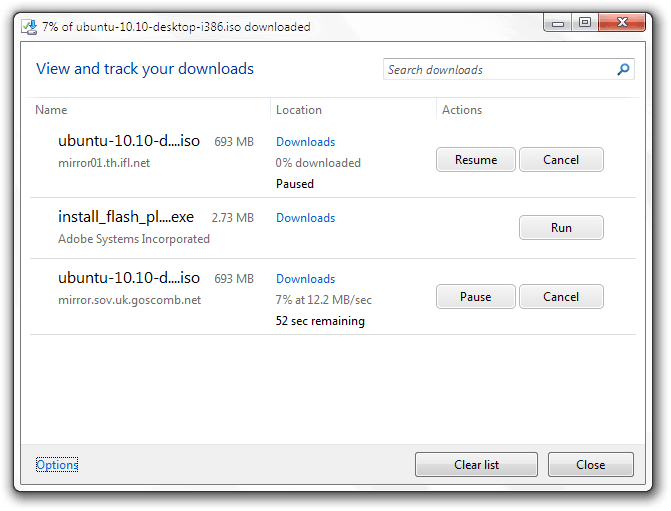
One unique feature of this new download manager is Microsoft’s SmartScreen technology which uses a URL blacklist to determine how safe a download is, and to show an appropriate warning. It also performs some basic scanning, like Firefox and Chrome.
Web standards support: code for one, publish for all
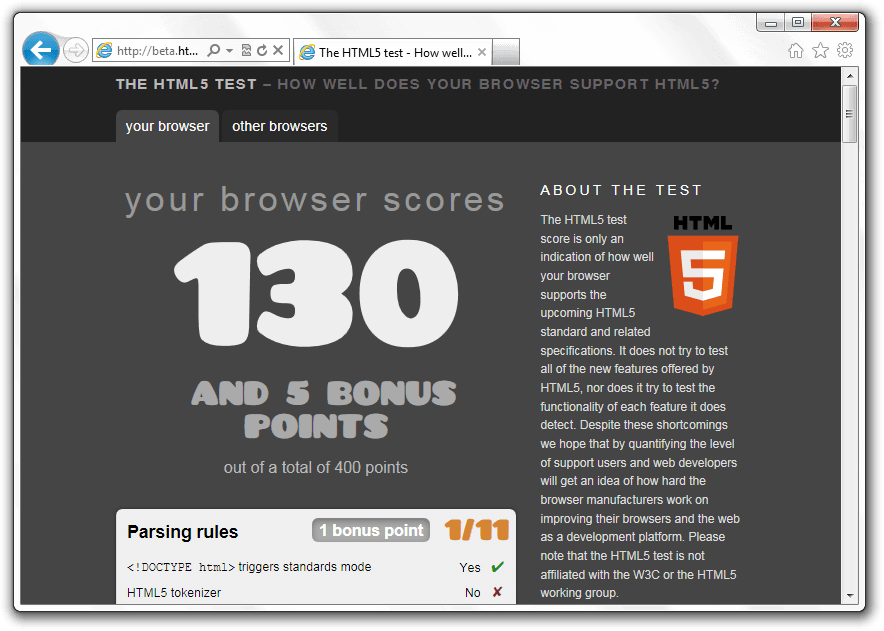
One of the most amazing parts about Internet Explorer 9 is that it’s actually fairly close to being compatible with most current web standards. It still lacks things like form types and user interaction events, but Internet Explorer 9 is a leap towards actually working well with the rest of the world.
It’s fast(er).
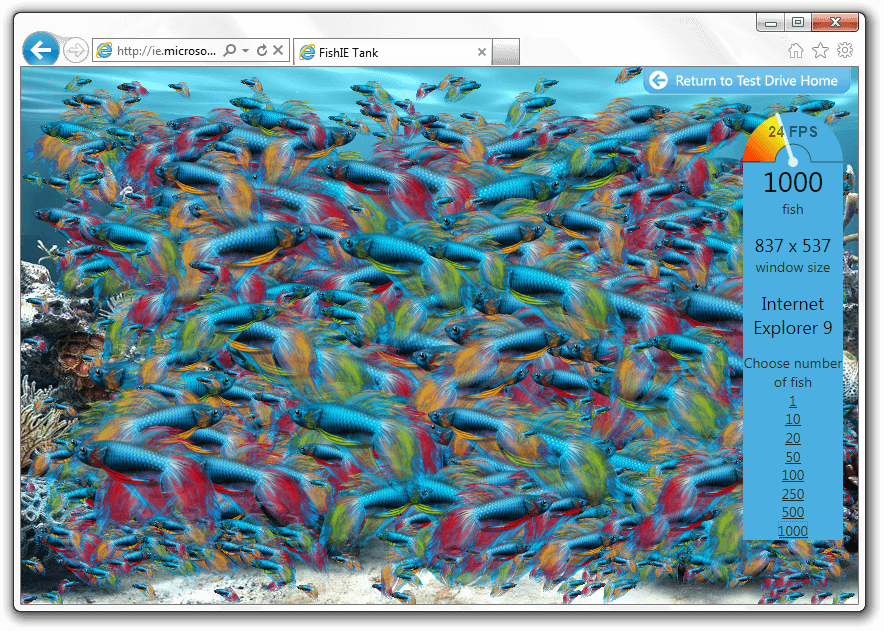
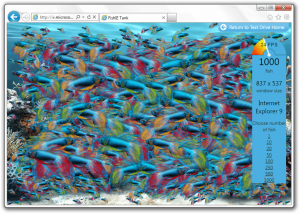
Internet Explorer 9 has tried to resolve another major problem with Internet Explorer: it’s slow. While Microsoft’s test sites are heavily biased, they’re still a good example of how much its javascript performance has improved. Here’s my average computer rendering a thousand fish in a virtual fish tank:
It’s more secure.
Internet Explorer has often borne the title of least secure browser due to its many security flaws and large numbers of exploits. However, Microsoft has tried to get it better this time, and has introduced many new security features. There is, for instance, the scanning now used when downloading files. There are also several more technical aspects in Internet Explorer 9 that allow for less hacking and better security, including several techniques involving memory randomization.
Conclusion
Internet Explorer 9 is a huge step forward. From improving the interface to making it Not Suck™, Microsoft has shown some competency while producing Internet Explorer. What are you waiting for? Update the world’s best Firefox downloader today!
Supported OS: Windows Vista/7Version reviewed: v9.0.8112.16421
Internet Explorer Download Page
Windows Vista: 32-bit download | 64-bit download
Windows 7: 32-bit download | 64-bit download


rofl @ Firefox downloader!
On another note, that bottom portion of the big back button that is cut off really bothers me for some reason…
How could I have missed reporting this!!!!!!! At least I got the first post about IE9…maybe I’ll do a tech version actually going more in depth on the differences…
@Jyo: That’s actually a complaint a lot o people have, I personally don’t mind it but that’s just me.
Putting all control elements in just one bar might save some space. But just having a relatively short URL-Bar ist not very convenient when viewing long URLs. Maybe it expands when you mouse-over it.. hmm. I simply don’t like it. Have to check it out later this day.
Still Chrome FTW!
and if MS continue refusing to make it work for XP users they are going to drive millions more to chrome of firefox
On this rig i’m xp on my laptops i’m win7 it’s ok i’ve been playing with it all morning it’s not that bad much better than 8. but not being able to use it on this rig, well. my thought is i’m still with the fox.
I *like* my menus and buttons and especially my links bar. Make me click more times/navigate endless unfolding menus (that fold back if I move my mouse the wrong way) to gain a couple centimetres of screen space? Sorry, not seeing the value here.
Tried it for 2 days then uninstalled. Don’t like the new navigation and it ran slower on my machine then IE 8.
So it is pretty. So it is fater. Big deal!!! How about more secure? You didn’t even mention any security enhancements. Does that mean there isn’t any?
“first browser to introduce hardware acceleration”
Amazing
Will it also add an extra 2 GB of RAM to my MoBo ! ! !
I’m having a terrible time finding the Internet Explorer download link for my operating system (Ubuntu 10.10).
@Jim Cook:
I tried a late beta version for about 2 *minutes* before uninstalling it. Could not find a way to display the toolbars I like and want visible. If those become optional I will try it again.
When I need more real estate in my browser window I simply hide all my IE8 toolbars and get the same basic effect as installing IE9 (I do not use any third party toolbars).
Don
Full IE9 Installer Links below, not Rubbish Web Installer.
http://download.microsoft.com/download/C/3/B/C3BF2EF4-E764-430C-BDCE-479F2142FC81/IE9-Windows7-x86-enu.exe
http://download.microsoft.com/download/C/1/6/C167B427-722E-4665-9A40-A37BC5222B0A/IE9-Windows7-x64-enu.exe
http://download.microsoft.com/download/0/8/7/08768091-35BC-48E0-9F7F-B9802A0EE2D6/IE9-WindowsVista-x86-enu.exe
http://download.microsoft.com/download/7/C/3/7C3BA535-1D8C-4A87-9F1D-163BBA971CA9/IE9-WindowsVista-x64-enu.exe
Right clicking on the very top area of the IE9 Window (yes, this mostly blank useless area) reveals a menu where you can adjust most of the looks and menus you want to see in IE9. Here you can customize it to you liking and make it look like IE7 or IE8 or show your favorite links permanently etc.
@Unicorn02: Thanks for the tip!
@Don: It is in fact more secure, for some reason Locutus just doesn’t mention them:
1) It will block you from downloading known Malware, and warn you about suspicus files.
2) It allows you to block tracking sites from tracking you by simply rejecting the requestest (unlike FF which just asks them to not track)
There are others but they’re a bit more technical. The point of them is to make it harder to crack the broswer.
@roger-u and @jabtano: While MS’s decition to not make IE9 for XP may not be the greatest desistion please let me know when another computer company still supports it’s almost decade old OS? The fact that they even still realise patches for XP is more then we should expect of them.
@Jim Cook: Take a look at http://blogs.msdn.com/b/ieinternals/archive/2011/02/17/ie9-benchmark-tests-and-gpu-fallback-to-software-rendering-mode.aspx
@Unicorn02:
They must have changed something because I right clicked everywhere and could not find a menu to display the various tool bars I want. Especially the menu bar.
@Don: Startup IE9, rightclick on the “glass” to the right of your home page’s tab. That menu should include all toolbars that IE9 has installed.
@Samuel:
Guess I will have to download and install it to see. I’ll wait until I have time to check out a lot of other software so I only have to clean up once. Thanks for the info.
@Don: No problem, happy to help
After using it i have serious issues with compatibility. Particularly I use igoogle for my home page and the widgets don’t work. For example, Top Stories for NY Times doesn’t populate, my rss feed to dottech.org doesn’t even work! Just a blank bar. Unless someone has a good suggestion (I am guessing something to do with javascript), I’ll stick with chrome or firefox.
It sucks i run win 7 ultimate and ie9 sucks uninstalled would not support roboform password toolbar or yahoo glad i only have 3 more machines to switch to ubuntu and firefox
@Brent Coughenour, Sr: IE9 by defualt hides all tool bars, If you follow my instructions from above in answer to Don you should be able to se the toolbars for them.
Tried this on my netbook to see how it stacks up to Chrome, my usual browser choice. Installing IE9 (over IE8) was uneventful, and everything looked like it should when I started it up … and then things started going wrong. First visit was to a site that uses Java to deliver content I check regularly, but rather than seeing what I expected, all I got was a warning that Java was not installed or not enabled. A check of everything I can think of indicated otherwise and that the warning was in error. Next thing I tried was retrieving messages from Gmail, where I ran into a message saying that ActiveX controls were not enabled and Gmail could not operate properly. Again, a check of all relevant browser settings revealed that ActiveX settings were exactly as recommended by Gmail, and yet my mail still remained inaccessible. The happy ending to this story is that uninstalling IE9 was remarkably quick and pain-free and that my netbook is now purring contentedly with Chrome as my default browser and IE8 back and running as it was before. I will not be installing IE9 again on my netbook or my other 3 computers any time soon.
@Mike from Markham: To be blunt your problem makes no sense. My only questions, so I can try to help are:
1) What site uses the Java plugin?
2) When you say “retrieving” from gmail, do you mean going to mail.google.com (gmail.com) or something else?
The only reasonable thing i can come up with for now is that for some reason when trying IE9 you were running the 64 bit version but being on a netbook I doubt the OS is even 64 bit.
@Samuel: Samuel: Thanks for your comments. In answer to your questions:
1. The site that uses the Java plug-in is a newspaper site, specifically its puzzle page. It’s worked flawlessly for years through several versions of IE and Chrome and Firefox and Opera on all my computers, but not under IE9 on the notebook.
2. I was accessing Gmail directly from the Gmail link on my google.ca home page.
Furthermore, I can assure you that I did use the 32-bit version of IE9 on my netbook, not the 64-bit. I had the same thought but I double and triple-checked the installer before and after I ran it. That computer only runs Win7 Starter and is not used for much else besides browsing and email, so it has been adequate and entirely problem-free since I bought it. I have no idea why the IE9 problems arose, and frankly I’m not wasting my time trying to find out either.