What’s new in Internet Explorer 9: faster, better, more competent

March 14, 2011 61 Email article | Print article

It’s finally here: Internet Explorer 9. Internet Explorer 9 is meant to revitalize Internet Explorer and maybe even turn some techies into IE users. Its web standards supports are exponentially better than previous versions, with much better CSS3 and HTML5 support than previous generations.  It was also the first browser to introduce hardware acceleration and the fastest at the Sunspider javascript test.

The new design: snazzy!

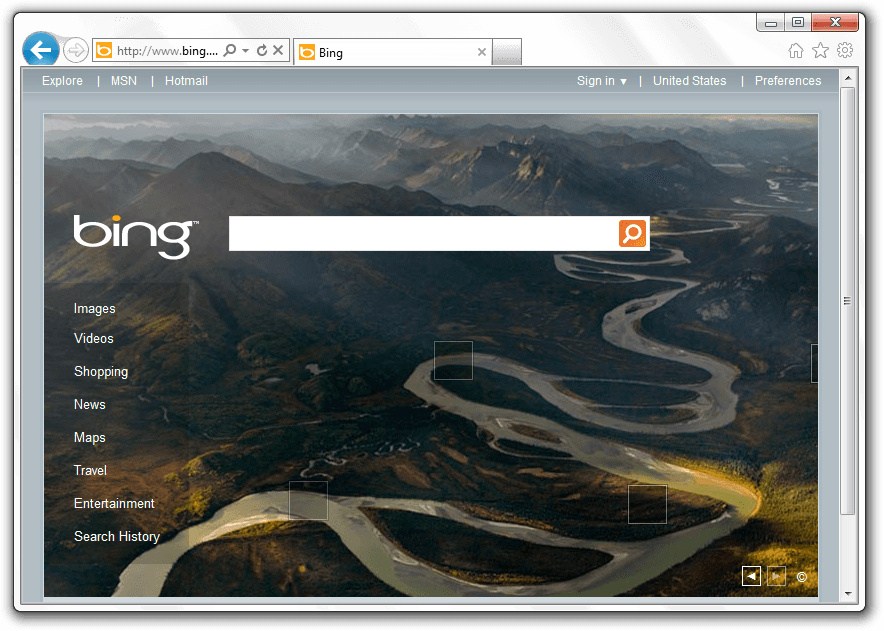
Of course, the first thing you’ll notice when starting up Internet Explorer 9 for the first time is that it looks… different. Just different. Gone are the lots of toolbars and too many buttons to count. In fact, Internet Explorer 9 is the one with the least browser chrome of the big three:

The way Internet Explorer manages to do this while maintaining large buttons is to put all the tools on one line:

(If you don’t like the small amount of space for the URL bar, you can simply drag the right side to make it bigger.)

Pinned Sites: integrate webapps with Windows

If you use Windows 7, you’ve surely come across jump lists.  These are the little boxes that pop up when you right click on a task bar item.  Microsoft has decided to take it one step further and not only allow you to pin sites as webapps, but to actually allow them to create items on their jump lists:
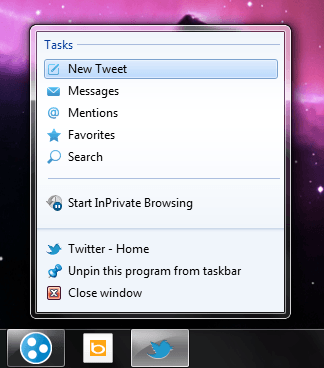
These lists can allow for quick task jumping and make it easier to access things you want.

The all-new Download Manager: minimal and useful

If you’ve been using Internet Explorer for all these years, another thing you’ve had to put up with the lack of a download manager. Luckily for you, Internet Explorer 9 comes with a download manager that actively informs you about the percentage done, the status, and the size of each download:

One unique feature of this new download manager is Microsoft’s SmartScreen technology which uses a URL blacklist to determine how safe a download is, and to show an appropriate warning. It also performs some basic scanning, like Firefox and Chrome.

Web standards support: code for one, publish for all

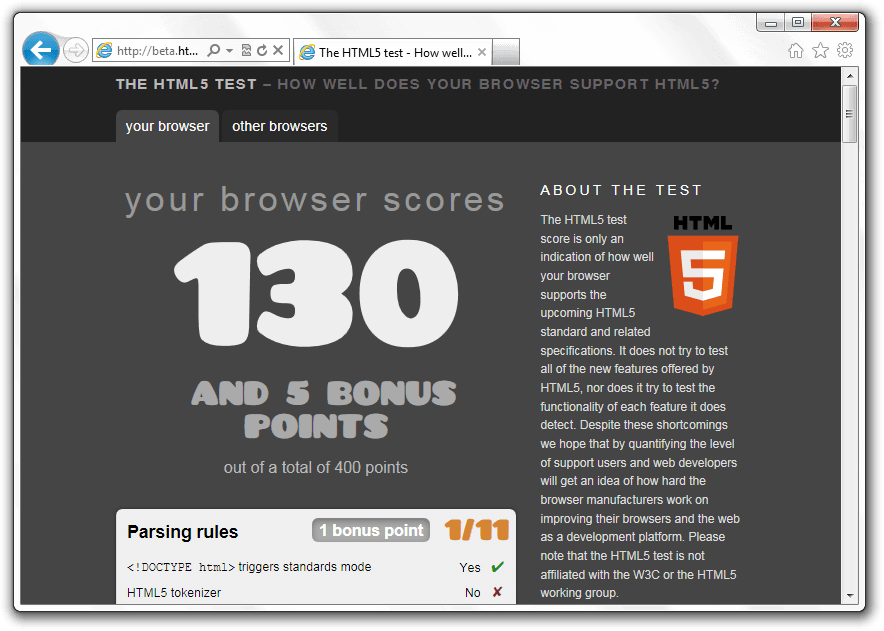
One of the most amazing parts about Internet Explorer 9 is that it’s actually fairly close to being compatible with most current web standards.  It still lacks things like form types and user interaction events, but Internet Explorer 9 is a leap towards actually working well with the rest of the world.
It’s fast(er).

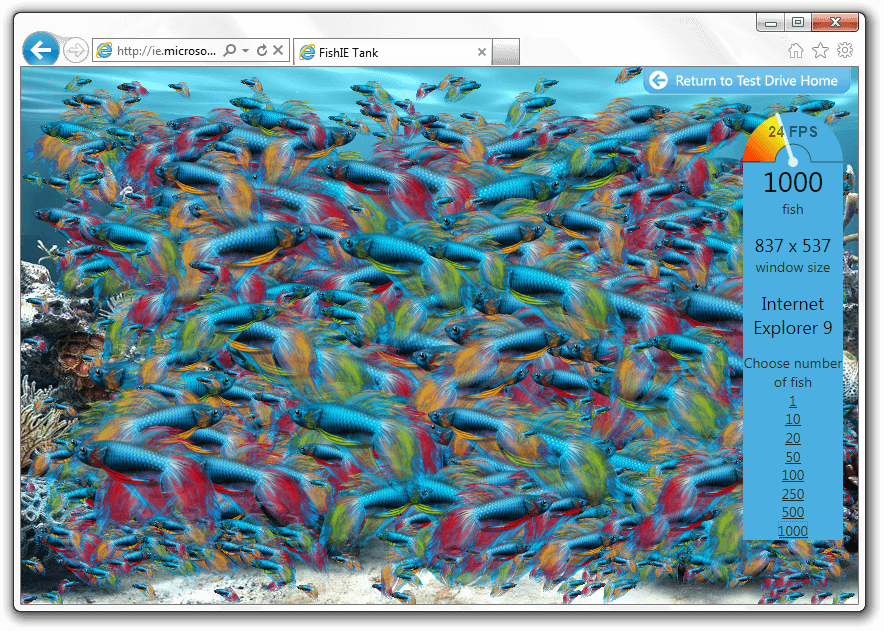
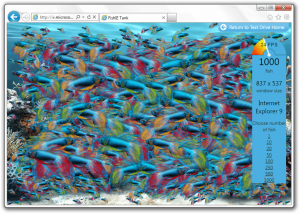
Internet Explorer 9 has tried to resolve another major problem with Internet Explorer: it’s slow.  While Microsoft’s test sites are heavily biased, they’re still a good example of how much its javascript performance has improved. Here’s my average computer rendering a thousand fish in a virtual fish tank:
It’s more secure.

Internet Explorer has often borne the title of least secure browser due to its many security flaws and large numbers of exploits.  However, Microsoft has tried to get it better this time, and has introduced many new security features.  There is, for instance, the scanning now used when downloading files.  There are also several more technical aspects in Internet Explorer 9 that allow for less hacking and better security, including several techniques involving memory randomization.

Conclusion

Internet Explorer 9 is a huge step forward. From improving the interface to making it Not Suck™, Microsoft has shown some competency while producing Internet Explorer.  What are you waiting for? Update the world’s best Firefox downloader today!

Supported OS: Windows Vista/7Version reviewed: v9.0.8112.16421

Internet Explorer Download Page

Windows Vista: 32-bit download | 64-bit download

Windows 7: 32-bit download | 64-bit download

61 Comments »

  1. hangdawg March 15, 2011 at 1:27 PM (comment permalink) -

    no mention about the new tracking protection list the built-in add block for ie 9

    http://ie.microsoft.com/testdrive/Browser/TrackingProtectionLists/

    26
  2. Samuel March 15, 2011 at 1:31 PM (comment permalink) -

    @Mike from Markham: The only thing left I can think of is that some how you got the ActiveX filtering feature turned on. If you want to give it a try again, you can check by looking to see if Tools>ActiveX Filtering is checked. I’ll forward this problem to MS, any chance you could give me the newspapers URL so MS and I can check against it?

    27
  3. dr_kaushal March 15, 2011 at 1:52 PM (comment permalink) -

    how to completly uninstall IE9? Please Help.

    28
  4. Mike from Markham March 15, 2011 at 1:54 PM (comment permalink) -

    @Samuel: Here is the link to the puzzle page I was trying to load : http://lifewise.canoe.ca/Puzzles/Add_Them_Up/home.php

    As for the Active-X filtering idea, I can’t tell you whether or not it was turned on because I’ve uninstalled IE9 and am not going to reinstall it just to check. However, I don’t recall going anywhere near that setting on the Tools menu. I can tell you that under IE8, my security settings for the Internet zone do allow for running ActiveX controls and plug-ins, and I know that same setting was carried forward into IE9 because it was one of the recommended settings for proper Gmail operation. Didn’t help though.

    Thanks again for trying to help. It’s entirely likely I accidentally screwed something up, but if not, maybe something here will be of use to others too.

    29
  5. Mike from Markham March 15, 2011 at 2:01 PM (comment permalink) -

    @dr_kaushal: With thanks to VG, this worked for me:

    1. Open Control Panel and click on “Programs and Features”.

    2. Now click on “View installed updates” link given in left sidebar.

    3. You’ll see “Windows Internet Explorer 9″ update listed there. Select the update and click on “Uninstall” button in toolbar or right-click on the update and select “Uninstall” option.

    4. That’s it. It’ll require a restart. After restarting IE9 will be removed from your system.

    30
  6. Locutus March 15, 2011 at 5:07 PM (comment permalink) -

    @pip: thanks for those links. The post has been updated!

    31
  7. Locutus March 15, 2011 at 5:22 PM (comment permalink) -

    @Mike from Markham: Sorry your comment got marked as spam :O

    @All: Thanks for the comments! The post has been updated with a bit more on how IE9 is more secure. (Not sure how I forgot about that.)

    32
  8. Samuel March 15, 2011 at 5:57 PM (comment permalink) -

    @Mike from Markham: Just did a quick personal test of that site and it is working fine in IE9 for me…
    I’ll send it over to the IE team, they’ll be able to do better testing then me.

    33
  9. Lucky March 15, 2011 at 7:57 PM (comment permalink) -

    It appears some of you are not turning Active X filtering off. By default, when you first visit a website, Active X filtering is on for security reasons. On the right side of the address bar there is an icon that looks like a circle with a line through it; left click on that to turn off Active X filtering. Now that web page will load properly with each visit.
    I tried every website and page that was mentioned in these comments and they all worked.
    Those of you that are dismissing IE9 because you can’t take the time to learn how to properly use it are going to miss a very good browser. I gave up Firefox for Chrome, and this IE9 might just replace Chrome as my default web browser.

    34
  10. Samuel March 15, 2011 at 9:19 PM (comment permalink) -

    @Lucky: Love to hear that you’re giving IE9 a chance. But last I knew ActiveX Filtering is off by default.

    35
  11. dr_kaushal March 15, 2011 at 11:42 PM (comment permalink) -

    @Mike from Markham: worked for me too. thanks buddy.

    36
  12. jumbi March 16, 2011 at 5:45 AM (comment permalink) -

    @Samuel:

    Do not underestimate XP.
    Most big companies still use them and not only for financial reasons.
    Thats why Microsoft still supports them officially.
    I believe, the IE9 experiment of not supporting them will be temporary as a test.

    To give you a most recent example:
    Last month the german foreign office decided to switch from Linux back to XP, after a decade!
    And this is no accident.

    Few linux mainly sites to read about this:
    http://linux.slashdot.org/story/11/02/22/0244242/German-Foreign-Office-Going-Back-To-Windows

    http://lxnews.org/2011/02/23/german-foreign-office-reverts-to-windows/

    http://www.linuxinsider.com/story/71983.html

    http://www.businessweek.com/magazine/content/04_45/b3907083_mz054.htm

    37
  13. lmg March 16, 2011 at 10:18 AM (comment permalink) -

    After installing Internet Exp 9 some of my desktop gadgets started flashing or flickering.Is this the leakage I heard some experts talking about.I think IE9 needs patches urgently,unless I am the only one experiencing this behaviour.My OS is Win7

    38
  14. Dave March 16, 2011 at 10:21 AM (comment permalink) -

    @Jyo:

    It drive’s me absolutely nuts also. I saw a skin somewhere that replaced them on a screenshot, trying to find that. As it stands now, this annoys me enough not to use it…

    39
  15. Mags March 16, 2011 at 3:47 PM (comment permalink) -

    I for one will not be installing I.E. 9 for awhile yet.

    As some of you know I h8 I.E. with a passion! However, I still have versions of I.E. but only for testing purposes when developing sites. I’ll wait a few months and see what the general verdict is then before I think about installing it.

    40
  16. Samuel March 16, 2011 at 4:35 PM (comment permalink) -

    @jumbi: I’m not saying XP is bad, but at the same time I’m just saying that most if not all computer companies would have abandoned XP a long time ago…

    41
  17. Lucky March 17, 2011 at 5:36 AM (comment permalink) -

    @ Samuel – It appears that it depends on what your security setting were in IE8 prior to installing IE9. On my PC where I had stringent security settings, Active X filter was on by default. When I installed it on my wife’s PC that was using the standard security settings, Active X filter was not on. Or maybe it remembers how I had IE9 beta set up when I was testing it (even though I uninstalled it long before installing ie9 RC).
    In any event, the syptoms described by some of the commenters would indicate that Active X filter is on.

    42
  18. Samuel March 17, 2011 at 7:04 AM (comment permalink) -

    @Lucky: I’d be more willing to believe it still had the settings from the Beta.
    Their symptoms do sound like the ActiveX Filter is on, in fact I think I even said so previously I just also said I slightly doubt it because I think they’d know if they turned it on.

    43
  19. Jackie March 17, 2011 at 9:47 PM (comment permalink) -

    A copycat of Chrome. Good bye IE. I got XP and I like Chrome now. And I hate how Windows 7 looks. Everything all clutter up.

    44
  20. jumbi March 18, 2011 at 2:37 PM (comment permalink) -

    @Samuel:

    (Of course XP is not bad, they have proven themselevs a thousand times over time).

    I am not talking about computer companies, I am talking about ALL kinds of companies, from large multinational to unlimited national companies of all commercial activities, have hundreds of old and new PCs with XP exclusively!
    Their admins know XP so well and have developed server-clients applications for XP that they are not willing to change and develop again (and pay again money + time) for windows 7. It just doesn’t worth it for a job they do already in XP and know every little detail to deal with.
    The last 5 years I have been selling PCs -among other products/services- to large and medium companies, both portable and desktops and believe it or not, they order machines with XP either preinstalled or separately. For notebooks, they always ask me to check for XP drivers beforehand, before they purchase! Hewlett Packard for example, still sells its business desktops PCs with XP CDs along with Win 7 and most of them have XP as the initial OS! And this happens simply because the companies-admins ask for XP. Many other brands have similar policy.

    Microsoft has announced officially two times to abandon XP and both times had to delay this decision.
    As we speak, they are commited to support XP till 2014.
    (my personal opinion is that they will postpone again for another 4-5 years till companies and public services change themselves to 7, thus it may very well become 2016 or 2018..). It would be silly to hold IE out of this market for such a long period, especially when FF 4 (launched in a few days on 22/Mar/2011) is compatible with XP :-)

    45
  21. Samuel March 18, 2011 at 3:51 PM (comment permalink) -

    @jumbi: When i said computer companies I ment that any other company, computer or not, does eventually stop support for a product. I used the computer industry because I’d like to know if Apple still makes software for the orginal OS X which is as old as XP….

    Do lots of companies still use XP? yes, I know that first hand…but that doesn’t make it a good idea for Micosoft, or any company at that, to make sure they’re software still runs on XP if they think it will impact perfomance and make their program less then it could be.

    46
  22. Jack Moskowitz March 19, 2011 at 1:43 PM (comment permalink) -

    The url window can be resized by grabbing the right edge with the mouse and dragging.

    47
  23. Locutus March 19, 2011 at 1:45 PM (comment permalink) -
  24. Sunny March 20, 2011 at 2:36 AM (comment permalink) -

    Thanks for the insights into MS’s new browser. My computers run XP, Vista, Win7 respectively and of the three XP wins hands down for ease of use, speed of operations, convenience, and lack of a multitude of annoyances that dragged Vista down, and still echo in Win7, which I don’t like. In due course, when IE9′s defects have been fully ironed out I may trial it. At present, judging from feedback here and elsewhere I don’t care if it doesn’t work with XP, I wouldn’t want it as I’m very happy with a plethora of other browsers which offer me all I need and work very satisfactorily. Microsoft has always tended to cut off its nose to spite its face, and is still behaving true to form. Their loss not mine.

    49
  25. jumbi March 22, 2011 at 9:31 AM (comment permalink) -

    @Samuel:

    Let’s just wait until 2014 and watch microsoft once again announcing the support of XP for another few years :-)

    (sorry for the off-topic)

    50

Leave A Response »