Software Description
jv16 PowerTools 2011 is a great freebie. Here’s what Macecraft, the makers of jv16 PowerTools, has to say about their flagship product:
Key Features
- Cleans and fixes your computer
- Uninstalls software and gets rid of all the left-overs
- Optimizes Windows
- Improves your safety by detecting potentially dangerous files
- Improves your privacy
- Recovers deleted files
- Safe to use – automatic backup feature and numerous additional safety features
- Multilingual user interface
dotTech Advice
Although Ashraf has never formally reviewed jv16 PowerTools, he has never been shy about showing how much he likes it:
Although never formally reviewed on dotTech, jv16 PowerTools is among the top-tier when it comes to system cleaning, maintenance, and optimization utilities. jv16 PowerTools is what I like to call a “focused” system utility. Instead of including a wide spectrum of tools, like some other system utility programs out there, jv16 PowerTools focuses on system cleaning, maintenance, and optimization features which range from registry management to privacy cleaning and everything in between.
Freebie Details
Version being given out for free: v2.0
Free updates: Unknown
Supported OS: Windows 2000+
Download size: 9.5MB
Giveaway time frame: 48 hours
Instructions
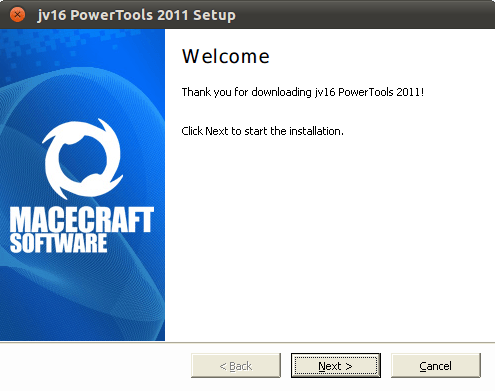
Download and install jv16 PowerTools 2011 like normal. You’ll be walked through a multiple-step setup process at the end of which the program will restart.
Then download and extract the license file. It should contain a simple license.xbin file. Just put this file onto your desktop for it to be detected automatically. You may have to restart the program.
In what has to be one of the easiest giveaways ever, you now have a working copy of jv16 Powertools! It’s a great find and an even better freebie.
[via Freebiest]


Email article


Looks interesting. Thank You! :)
Works well. Good stuff, thank you.
Thanks Locutus. This is in deed a great find. Cheers!
It Produced an alert from Comodo Firewall about a shellcode injection from a buffer overflow. Comodo refuses to let it run. Tried install again – same result. Will now uninstall with Revo and wind back to the Restore Point I set before starting
Have two Previous versions of this software which did no do this.
Has it happened to anyone else. I’m using Vista SP2 with what I thing is the latest version of Comodo Firewall Free
I had previously downloaded the 2010 version from the last promo given on this website. Since then, I have completely fallen in love with this program. In less than 3 months since I installed it, I have already used it over 40 times and it has immensely helped me clean up my registry junks and help my laptop run smoothly and faster. Of all the free and commerical registry toolboxes out there, I find this to be the best and most thorough specialized registry cleaner. So naturally I downloaded this latest version.
Thanks guys at dottech.org for sharing this awesome program!!! This program rocks!
Thank you for the Giveaway :-)
@Doug:
Actually, I would use the “softwareindustryreport.com” website with caution! This is a thinly disguised ad for competing software, which aims to scare people away from using jv16PowerTools. They “review” software in other areas, and somehow always manage to end up finding their own — otherwise unheard of — product as the editor’s choice. What a laugh!
Look for serious reviewers of software, and you will find near-unanimous acclaim for jv16.
I’m too late this time Locutus.
Best regards.
@tuiruru:
Same thing happened to me.
How is this better then the free Auslogics registry cleaner and disk defrag. And, why would I want this over Revo Uninstaller and CCleaner? Is it better then those?
Most users gave this version bad reviews for creating problems n their computer. Read the reviews at:
http://fileforum.betanews.com/detail/jv16-PowerTools-2011/987567453/1#reviews
I started using this program years ago (20+?) when it was free, and have been a BIG fan
ever since.
So what’s the final word on the “possible” buffer overflow attack alert from Comodo Firewall that I also get when I try to start the program after installation? Is this something like a “false positive” and I should “skip” (ignore) it?
It says trial limitation in effect- 60 days left. Is it a trial freebie only?
@ Doug, I would have to agree with Bruce Fraser on this, as when i went to softwareindustryreport web site… W.O.T. Blocked it stating… Trustworthiness -Very poor, Vendor reliability- Very poor, Privacy- Very poor, and finally, Child safety – Very poor. Does anyone have SiteAdvisor or SafeWeb or LinkExtend so that we know what they say. Thanks
Sorry got it sorted. Something went wrong but downloaded another licence.
I normally shy away from utilities that offer registry cleaning. I don’t get the logic behind cleaning/deleting say a hundred registry entries to speed up the computer considering that a typical Windows install has tens of thousands of registry entries?
This might be a good utility though for cleaning temp files and the like.
Read what Anthony above says, he’s got a valid question. Someone should answer his question. Also, do you really want a program that causes “buffer overflow”?
Hi,
Have downloaded this 2x and in both instanced this crashes before loading, am now downloading for the third time but am not hopeful that this will load up OK.
This within the given time frame of 48 hrs.
Art
4x Now and no joy ????????????????????
Thanks to naf for its link to fileforum : there, the comment of carlvui is very percussive.
Personally I think that there are very good ideas under this software, but there are a very poor ergonomics and visual conception.
So, the developper should try first to achieve a better product under these aspects and repair all the bugs before doing anything new.
Maybe he should associates with a good graphic designer, there is a big problem there : surfing through the various windows of this software gives us the impression that we deal with different softwares.
I have been working for many years in the printing industry and I know that the visual regularity is really fundamental in order to achieve a good visual presentation.
I downloaded this last time it was offered as a freebie (from TipRadar). Like all this of type programs, you have to take care:
THINK TWICE, CLICK ONCE!
However jv16 PowerTools 2011 often offers the option to back up items being removed, I not tried this yet, but it does give some confidence.
The jewel in its crown for me is the “Registry Finder” under “Registry Tools”. This allows for a search on multiple words, very useful when getting rid of the remnants of an uninstalled program. Yes I do use Revo and Ashampoo Uninstallers and CCleaner, but they still leave the odd one or ten items behind.
I would rate this as a “must have” together with “TweakNow PowerPack 2011″.
Great tool. Used JV16 2009, JV16 2010 and will use 2011 for sure. Thanks for this free version.
One advise: use it with care and it helps a lot.
Been using Iobit’s version. Don’t see any reason to chenge. Thanks, to…