
Free jv16 PowerTools 2011! [48 hours only!]

April 28, 2011 44 Email article | Print article

Software Description

jv16 PowerTools 2011 is a great freebie.  Here’s what Macecraft, the makers of jv16 PowerTools, has to say about their flagship product:

Key Features

  • Cleans and fixes your computer
  • Uninstalls software and gets rid of all the left-overs
  • Optimizes Windows
  • Improves your safety by detecting potentially dangerous files
  • Improves your privacy
  • Recovers deleted files
  • Safe to use – automatic backup feature and numerous additional safety features
  • Multilingual user interface

dotTech Advice

Although Ashraf has never formally reviewed jv16 PowerTools, he has never been shy about showing how much he likes it:

Although never formally reviewed on dotTech, jv16 PowerTools is among the top-tier when it comes to system cleaning, maintenance, and optimization utilities. jv16 PowerTools is what I like to call a “focused” system utility. Instead of including a wide spectrum of tools, like some other system utility programs out there, jv16 PowerTools focuses on system cleaning, maintenance, and optimization features which range from registry management to privacy cleaning and everything in between.

Freebie Details

Version being given out for free: v2.0

Free updates: Unknown

Supported OS: Windows 2000+

Download size: 9.5MB

Giveaway time frame: 48 hours

Instructions

Download and install jv16 PowerTools 2011 like normal.   You’ll be walked through a multiple-step setup process at the end of which the program will restart.
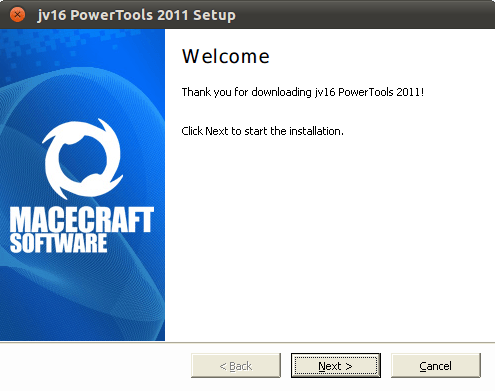
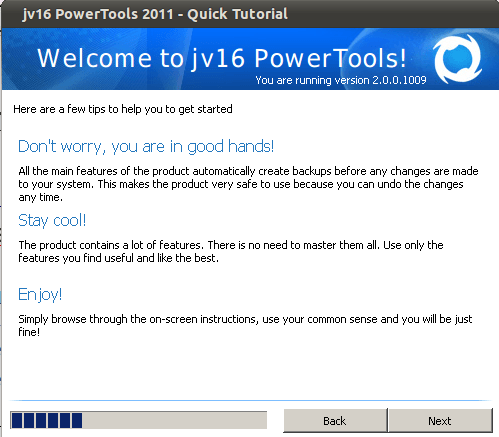
Then download and extract the license file. It should contain a simple license.xbin file.  Just put this file onto your desktop for it to be detected automatically.  You may have to restart the program.

In what has to be one of the easiest giveaways ever, you now have a working copy of jv16 Powertools!  It’s a great find and an even better freebie.

[via Freebiest]

44 Comments »

  1. aqua April 28, 2011 at 12:02 PM (comment permalink) -

    license is smaller in size than other licenses,,but well at the botton of the program it askes me to ad exclussion in my antivirus program..
    when i put the tipradar license back…”"no messages like above”

    26
  2. Al LIPSKY April 28, 2011 at 2:51 PM (comment permalink) -

    @Al LIPSKY:
    My bad problem solved

    27
  3. Johnmw1 April 28, 2011 at 3:20 PM (comment permalink) -

    Hi,
    Must admit to having issues with it also. Was immediately informed from Immunet Protect that there were 2 breaches of security in the form of W32 something or other, and it also crashed my PC.

    I have never had problems using previous versions of this software and have always thought highly of it, so not sure of what gives this time around?

    28
  4. Roland April 28, 2011 at 5:02 PM (comment permalink) -

    Had the 2010 version licensed under TipRadar. Just install this and it automatic used the same license. So I just deleted the older version and everything is fine. Thanks for this.

    29
  5. Locutus April 28, 2011 at 5:37 PM (comment permalink) -

    @Anthony: Other than the fact that it’s widely acclaimed to be just about the best in the business, no 8)

    @naf: Most every complaint everywhere is that it’s too complicated, except for a few that say it messed up their computers. For a tool with so many functions, though, how would you make it look nicer?!

    @jbyrdmor: It’s never been dirty before, and both I and Ashraf know this developer is clean, so it’s probably a false positive.

    @Art: Does it crash on the installation, or on the program load?
    @Johnmw1: What’s giving the positive results, the key file, the installer, or the finished product?

    30
  6. tuiruru April 28, 2011 at 5:49 PM (comment permalink) -

    In my case it was when I tey to run the program for the fist time (just done it again without downloading the PDF’s (last option on the install prompt. The first couple of times the end of the download of the pdf’s and the program runnin first meant it was difficult to see which had caused it.

    I’ve got the 2010 version with no problems – what does this version offer that’s better/new? So is it worth my while wasting time with it?

    31
  7. Locutus April 28, 2011 at 5:57 PM (comment permalink) -

    @tuiruru: Here’s what the press release says:

    This extraordinarily versatile program includes utilities for encryption, privacy management, system optimization, file and directory management and data security. Additionally, jv16 Power Tools 2011 has significantly improved the performance standards of both its registry cleaner and software uninstaller, and has added many features not found in prior versions.

    “We have made a number of highly useful additions to the software,” said Faisal Habib, spokesman for Macecraft USA. “We truly believe that our latest version is the best optimization and tune-up utility suite on the market today.”

    Existing customers can take advantage of a special offer to purchase the new jv16 Power Tools 2011 for the discounted price of $5.95, no matter which prior version they’re using. “The regular price will be $29.95 for first-time buyers,” according to Mr. Habib, “which is still a tremendous value for a product of this quality.”

    According to Mr. Habib, users of jv16 Power Tools 2011 will experience an improvement in the overall stability of their computers, which keeps computers running faster, smoother and error-free. More details on the features of the new release can be found at http://www.macecraft.com/jv16powertools2011/

    http://www.macecraft.com/news/204/

    32
  8. tuiruru April 28, 2011 at 6:09 PM (comment permalink) -
  9. Waqar April 28, 2011 at 6:41 PM (comment permalink) -

    Because Ashraf has not personally used this product, I googled for reviews and found this page which is unflattering for this software:

    http://fileforum.betanews.com/review/987567453/1/view

    34
  10. Hatman April 28, 2011 at 10:17 PM (comment permalink) -

    Thanks. Cool.
    Activation Instructions
    Note: There is no need to open the license file, just save it to your computer. Your computer will not be able to open the license file, this is normal.
    1. Open the downloaded license file and place the license file on the desktop.
    2. Start jv16Power Tools. If you don’t have it installed.
    3. From the Main menu select “Help” and than “License Tool”.
    4. Click “Install a new license” and go to the desktop file licence.xbin and select the licence file.

    35
  11. redmaledeer April 29, 2011 at 4:00 AM (comment permalink) -

    @Bruce Fraser: I second this comment. This site looked fishy to me for exactly the reasons mentioned.

    36
  12. Blue April 29, 2011 at 4:53 AM (comment permalink) -

    IMHO, the 2010 version of Tune Up Utilities that’s being given away is a much better choice.

    37
  13. Blue April 29, 2011 at 4:58 AM (comment permalink) -

    @Johnmw1: JV16 has been around forever and it is completely clean of malware. Granted, it does do some odd things with initial program startup that could cause ill-mannered security programs to crash/give false alerts/otherwise freak out but what it is doing is not malicious.

    That doesn’t mean that JV16 is a *good* choice; just not malicious

    38
  14. vika6 April 29, 2011 at 5:51 AM (comment permalink) -

    I also got an alert from Comodo Firewall about a shellcode injection from a buffer overflow and am not able to run the program (Comodo refuses it to run).
    I didn`t have this kind of problem with 201o version.
    What should I do ? Is it serious or false positive ?

    39
  15. vika6 April 29, 2011 at 6:03 AM (comment permalink) -

    @ Blue
    Why you recommend 2010 version of TuneUp Utilities – is it superior over 2011 ?

    40
  16. Sputnik April 29, 2011 at 8:14 AM (comment permalink) -

    I have just uninstalled the 2011 version to reinstall the 2010 version.

    jv16 2011 was unable to perform the cleaning after the scan.

    41
  17. Sunny April 29, 2011 at 11:04 AM (comment permalink) -

    I am concerned at the number of bad reviews given to jv16 PowerTools.
    Have a gander at this Softpedia page and see what you make of it.

    http://www.softpedia.com/progViewOpinions/jv16-PowerTools-5656,.html

    If these reviews are genuine, then there are a lot of bugs in the program that haven’t yet been ironed out. Some people appear pretty angry about this software.

    In contrast to the other major optimiser programs out there, jv16 gets a very bad rap.

    42
  18. jayesstee April 29, 2011 at 1:55 PM (comment permalink) -

    There are also good reviews out there as well. See the Bruce Fraser post above about motives. On the other hand, some reviewers talk up rubbish software.
    All I can say is that I regularly used jv16 Power Tools 2009 from December 2010, then jv16 Power Tools 2010 from February 2011 and jv16 Power Tools 2011 since April 4, 2011. I rate it highly.
    Note, it is worth downloading the 82 page (PDF) manual. How many paid-for applications offer this?
    My advice is: make sure you set a restore point, install and explore!

    43
  19. tuiruru April 29, 2011 at 5:16 PM (comment permalink) -

    @vika6: My situation exactly. I’ve given up on it – got better things to do with my time, especially considering the posts since my last one. 2010 worked so i’ll stick with that ’till next time!

    Now I’ve got to let SWMBO tell me all about THE WEDDING!!@&*

    44

Leave A Response »