dotTech Promo: Free iSkysoft iMedia Converter! [24-hours only]

June 9, 2011 60 Email article | Print article

Update: This promotion is now over. Sorry to those that missed it! To avoid missing promotions in the future, consider subscribing to dotTech: RSS Feed | E-mail | Twitter | Facebook.

Last year dotTech and iSkysoft Studio came together to bring you multiple freebies. Now we are back; and once again we bring you one of iSkysoft Studios’ best products, iSkysoft iMedia Converter!

Software Description

The following is the official list of features for iSkysoft iMedia Converter (created by the developer) followed by a chart listing all the supported input formats, output formats, and electronic devices (also created by the developer):
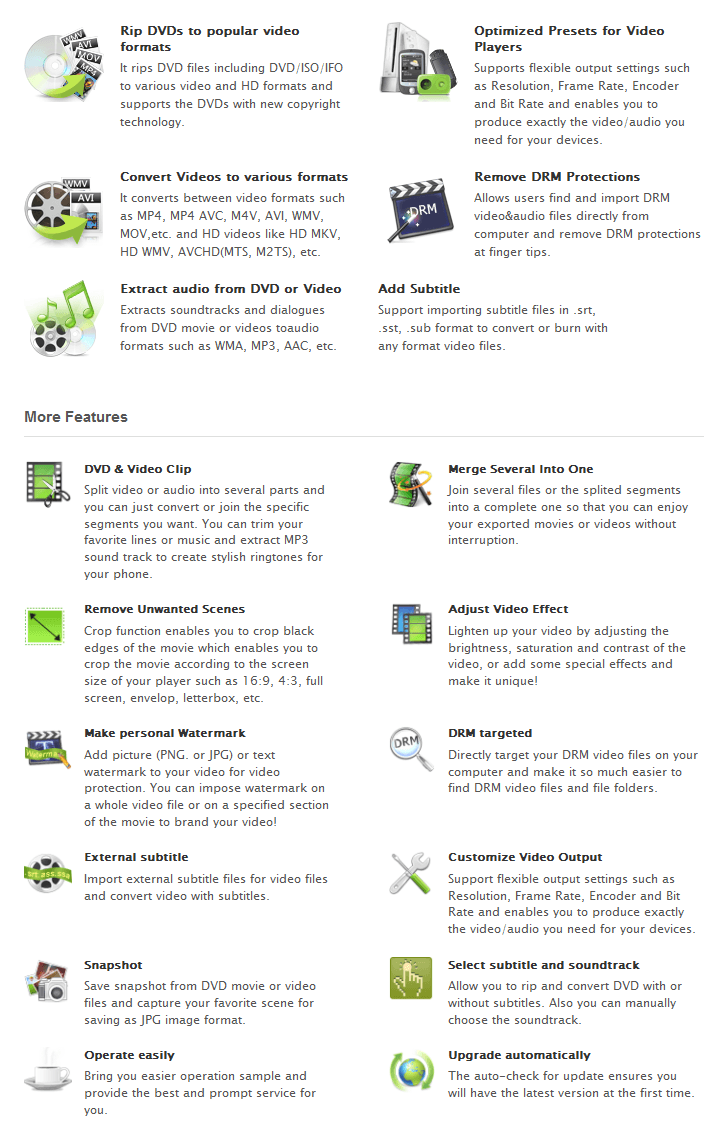
(Click on the image to view list in full size.)
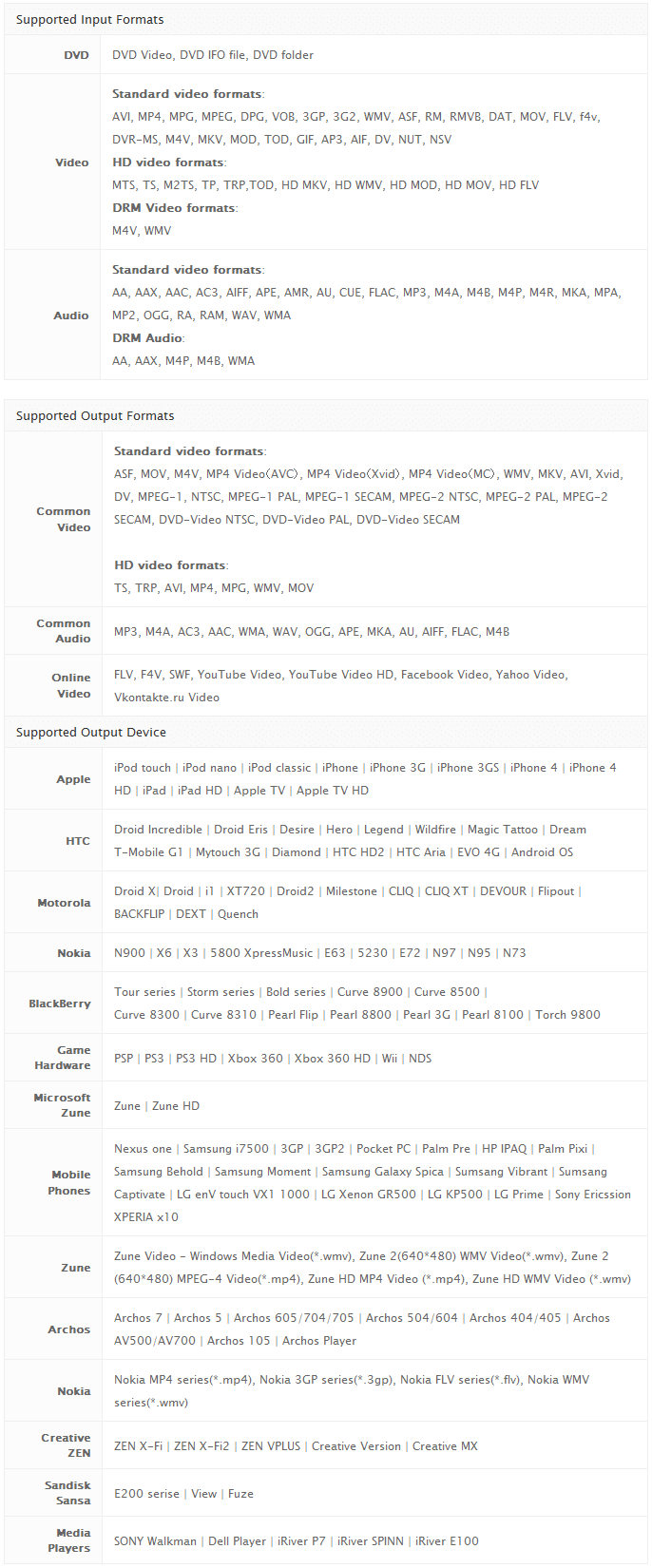
(Click on the image to view list in full size.)

dotTech Advice

Despite what the name may imply, iSkysoft iMedia Converter is not a program aimed at iProducts. Rather, iSkysoft iMedia Converter is an all-in-one video converter, audio converter, and DVD ripper. (Yes, iSkysoft iMedia Converter can bypass DRM protection.) And, of course, iSkysoft iMedia Converter comes with those much loved basic editing capabilities that has become the trademark of Wondershare Software products (iSkysoft Studio is owned by Wondershare Software).

To put it simply, iSkysoft iMedia Converter is a terrific product. While I do wish it had better support for  mobile phones (specifically Samsung smartphones), iSkysoft iMedia Converter does allow you to customize output settings so don’t let the lack of pre-defined output profiles deter you from using this converter for your phone or any other electronic device. If you find iSkysoft iMedia Converter does not have a output profile for your device, simply go to a common video selection, pick the video format you want, and customize the settings to fall in line with what works with your device.

All in all, I highly recommend iSkysoft iMedia Converter.

Disclaimer: Please only use iSkysoft iMedia Converter for purposes deemed legal in your country/region. Ashraf, dotTech, and everyone else except yourself is not responsible for any gain or loss incurred by using iSkysoft iMedia Converter nor for any illegal activities done with iSkysoft iMedia Converter.

Freebie Details

For the next 24-hours, dotTechies can get iSkysoft iMedia Converter ($49 value) for free! This freebie does not come with free updates, but you are allowed to install/reinstall the product as long as you keep the registration information safe. However, please do not share your registration information with anyone. If iSkysoft Studios discovers the registration information is being shared and people are not going through the official channels to get it, they may blacklist the license(s) code and you will no longer be able to use iSkysoft iMedia Converter for free.

Before I spill the beans on the freebie, I would like to inform everyone of the second part of this promotion. As part of this promotion, anyone that wants a product with more features than iSkysoft iMedia Converter can purchase iSkysoft Video Converter Ultimate for a discounted price of $29 (regular price is $59). Although the software titles may imply otherwise, iSkysoft Video Converter Ultimate actually has more features than iSkysoft iMedia Converter. iSkysoft Video Converter Ultimate is the combination of various different iSkysoft Studios products; it can do everything iSkysoft iMedia Converter can do and more, such as burn DVDs and download streaming videos. iSkysoft Video Converter Ultimate can be purchased from the giveaway page at the $29 discounted price.

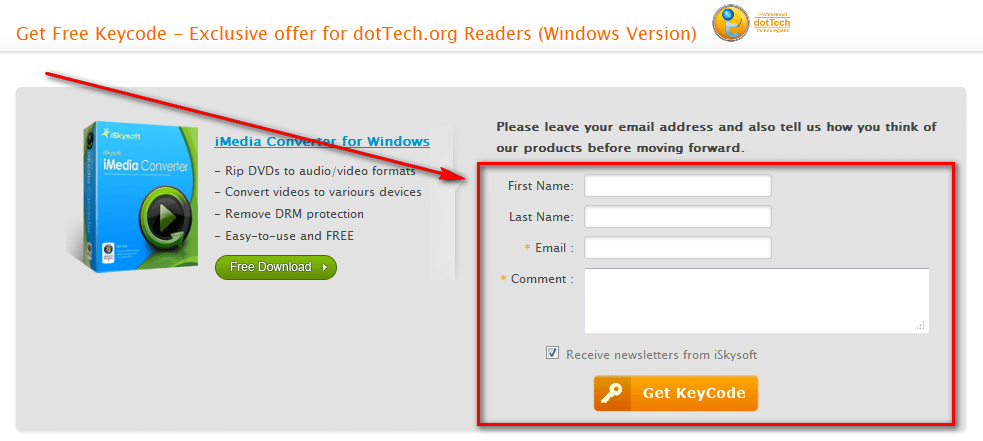
That said, to get iSkysoft iMedia Converter for free, follow these simple directions:

Version being given out for free: v3.0.3.0

Official free updates: No

Supported OS: Window NT/2000/XP/2003/Vista/Win7

Note: iSkysoft iMedia Converter also has a Mac OS X version, but this giveaway is only for the Windows version

Download size: 19.8 MB

Giveaway time-frame: This giveaway starts June 9, 2011 at 00:00 PST and ends June 9, 2011 at 24:00 PST. Users will be allowed to install/activate at later dates – just make sure you keep you registration details and program installer safe.

  • Once you have registered, check the inbox of the e-mail address you registered with. Look for an e-mail from iSkysoft Mailer (mailer@iskysoft.com) with the subject of Get Free Keycode – Exclusive offer for dotTech.org Readers (Windows Version). In the e-mail you will find your registration information:
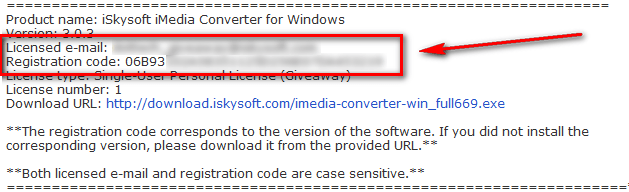
Note: Please do not share your registration information with anyone. If iSkysoft Studios discovers the registration information is being shared and people are not going through the official channels to get it, they may blacklist the license code(s) and you will no longer be able to use iSkysoft iMedia Converter for free!

  • Download and install iSkysoft iMedia Converter.
  • After installation has finished, run iSkysoft iMedia Converter; you will be promoted to register the software so register with using the registration details you received via e-mail:
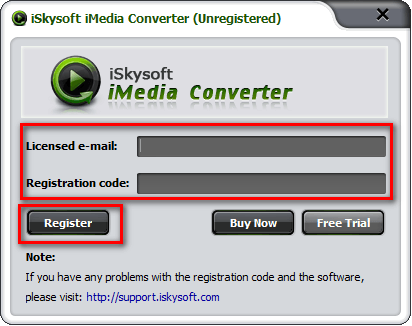
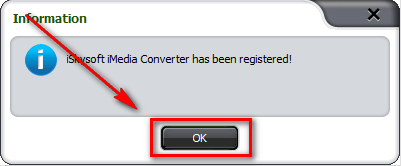
Update: Please do not use your own email address to register iSkysoft iMedia Converter. Use the “Licensed email” provided in the email you are sent.

  • Enjoy!

If you have trouble getting iSkysoft iMedia Converter for free, post below and other dotTechies or I will try to help.

60 Comments »

  1. stockel1949 June 9, 2011 at 12:39 AM (comment permalink) -

    I will try this.

    Thank you

    1
  2. Mekong Mick June 9, 2011 at 1:22 AM (comment permalink) -

    Thanks Ashraf and iSkysoft for bringing this promo back. I think this is a fabulous piece of software. Managed to get installed on my lappy only last time before the promo expired. Trust me, I haven’t missed out this time – it’s now on the desktop as well.
    Thanks again.

    2
  3. njwood60 June 9, 2011 at 1:37 AM (comment permalink) -

    Thanks heaps Ashraf and iSkysoft. I have been using iSkysoft video converter and it is the best video converter I have found. Easiest to use, especially for cropping videos which is so easy
    Happy to now have imedia converter

    3
  4. John K June 9, 2011 at 2:29 AM (comment permalink) -

    Having duly filled in all the fields I clicked “Get key code”. All the fields were emptied and I was back where I started. No e-mail with registration code either. Something must have gone wrong here.

    4
  5. Jinlei June 9, 2011 at 3:42 AM (comment permalink) -

    @John K: Hi John K, thanks for joining the campaign made from iSkysoft Studio. Please check the junk mails to see if the registration letter is there. If not, just send me a notice (iskysoft@gmail.com) and I will get you the keycode. Thanks.

    5
  6. Sherwood Tucker June 9, 2011 at 3:49 AM (comment permalink) -

    dl and installed. got the email with the feg info.
    Ran program but would not all enter into the lines for email or reg code. greyed out???
    software is working but i reg online at site and submitted a support ticket

    6
  7. Carl June 9, 2011 at 4:12 AM (comment permalink) -

    The instructions are a bit confusing. This seems to be posted today, June 9th, but the detailed instructions say:

    Giveaway time-frame: This giveaway starts May 7, 2011 at 00:00 PST and ends May 7, 2011 at 24:00 PST. Users will be allowed to install/activate at later dates – just make sure you keep you registration details and program installer safe.

    7
  8. John K June 9, 2011 at 4:24 AM (comment permalink) -

    Thanks for your help, Jinlei!

    8
  9. baseballnan June 9, 2011 at 4:31 AM (comment permalink) -

    Downloaded fine after receiving the reg code via email. Opened the program and entered the email and reg code and popup shows one or both invalid. Double checked that I put them in correctly which I did but still saying invalid….

    9
  10. Steel June 9, 2011 at 4:59 AM (comment permalink) -

    Jinlei,
    I’m having the same problem John K. was having. I’m going to send you an email per your recommendation to John.

    10
  11. baseballnan June 9, 2011 at 5:04 AM (comment permalink) -

    Downloaded fine after receiving the reg code via email. Opened the program and entered the email and reg code and popup shows one or both invalid. Double checked that I put them in correctly which I did but still saying invalid….@baseballnan: figured this one out–DUH!

    11
  12. Ashraf June 9, 2011 at 5:05 AM (comment permalink) -
    Mr. Boss

    @stockel1949: You are welcome!

    @Mekong Mick: You are welcome!

    @njwood60: You are welcome!

    @John K: I am sorry to hear you are having issues. Have you tried a different e-mail address? Or a different browser? Do you have NoScript installed (if you use Firefox)?

    @Jinlei: Thanks for coming here to support your product.

    For those that don’t know, Jinlei is a great guy.

    @Sherwood Tucker: Are you sure you didn’t download it previously? It may already be registered from the last time you downloaded it. (dotTech had a promo of this exact same software last year.)

    @Carl: Whoops, my bad. I must have been on crack when I wrote that. You are right this promo is for today only, June 9. Fixed, thanks.

    @John K: Did it work out for you?

    @baseballnan: Odd. It works for me. Can you try it on a different comp to see if you are having the same issue?

    @Steel: Same as I said to John K, have you tried a different e-mail, browser, etc.?

    12
  13. Ashraf June 9, 2011 at 5:05 AM (comment permalink) -
    Mr. Boss
  14. Steel June 9, 2011 at 5:22 AM (comment permalink) -

    When I didn’t get an email from iSkysoft It was because of Firefox. Per Ashraf’s advice, I tried Internet Explorer and got the email within a minute. Thanks for the help and the great software!

    14
  15. Ron2011 June 9, 2011 at 5:49 AM (comment permalink) -

    Thank you Ashraf and iSkysoft Media, your program rocks!

    15
  16. Mike June 9, 2011 at 6:15 AM (comment permalink) -

    Many thanks!

    Question: Does the software need to be installed and then registered today? Or is it enough to download the software and also to sign up and receive the registration code email–can one then install and use the registration code later? (Pressed for time today …)

    16
  17. Jake Shakespeare June 9, 2011 at 6:32 AM (comment permalink) -

    I just downloaded it, and then clicked on the link provided in their email. I ran the program and entered the email address I’d provided, then copy-pasted the code in their email. The message said that either the email or the code was invalid. Neither of them are invalid. Any way to get this without spending the whole day emailing back and forth with them?

    17
  18. Ashraf June 9, 2011 at 6:38 AM (comment permalink) -
    Mr. Boss

    @Steel: Glad it worked out for you.

    @Ron2011: You are welcome!

    @Mike: You should be able to install it later.

    @Jake Shakespeare: When registering, use the email address provided in the email – not your own email address.

    18
  19. john barrentine June 9, 2011 at 6:40 AM (comment permalink) -

    I downloaded the iskysoft media converter,when I opened the reg box, it would not let me install name ,or ser # .I’ve deleted everything, and reinstalled, same thing cant reg. could use some help please

    19
  20. Jake Shakespeare June 9, 2011 at 6:46 AM (comment permalink) -
  21. Ashraf June 9, 2011 at 6:47 AM (comment permalink) -
    Mr. Boss

    @john barrentine: Have you installed/registered iSkysoft iMedia Conveter in the past? If so it probably took that registration information. Are you getting any message telling you it is a trial? If not it is probably registered. Look in About, if it is registered it will say so.

    21
  22. Ashraf June 9, 2011 at 6:51 AM (comment permalink) -
    Mr. Boss
  23. John K June 9, 2011 at 6:58 AM (comment permalink) -

    @John K: I am sorry to hear you are having issues. Have you tried a different e-mail address? Or a different browser? Do you have NoScript installed (if you use Firefox)?
    @John K: Did it work out for you?

    Taking your questions inn order, Ashraf:

    Yes, I tried a different e-mail addie. Firefox had NoScript installed but I gave the page full permission before filling in the form.

    So far it hasn’t worked out yet. I sent Jinlei the mail e asked for but have not yet heard from him. Still, hope springs eternal.

    23
  24. john barrentine June 9, 2011 at 7:18 AM (comment permalink) -

    @Ashraf: Thanks for your help, sure is good to know there are people out there to help dummies like me

    24
  25. Jinlei June 9, 2011 at 7:23 AM (comment permalink) -

    @Carl: Hi, maybe there is a lack of explanation here. Yes the giveaway is available only in 24hrs, but if you can anticipate during this period and get your program successfully, we will be glad to help you with any problem in registration or tech things for a week. So long as you have received the product when the campaign is alive, you can register it in a week or longer (within our helps). Hope it helps.

    25

Leave A Response »