
 Email article
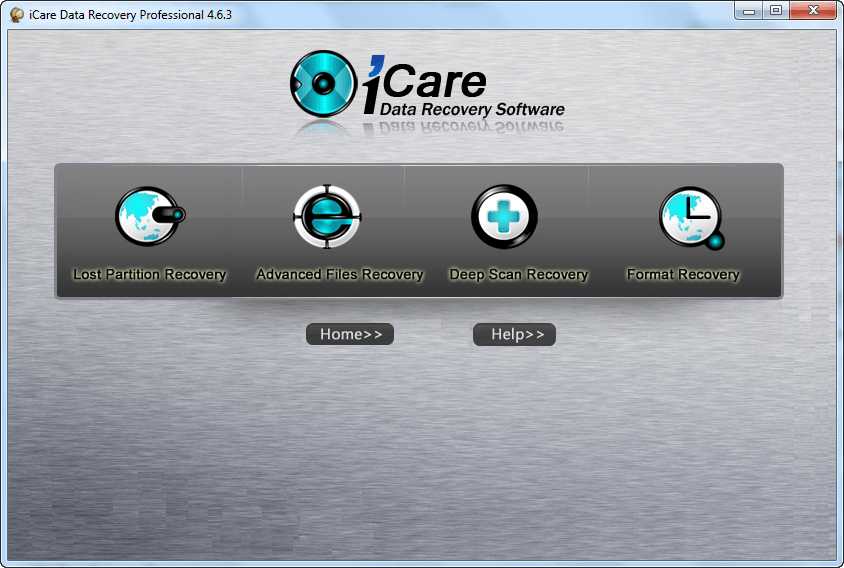 Update: It looks like this promotion has expired. Sorry I posted about it so late! If you still want this program, you can wait until it is promoted again (it is given out often) or read comment #9 by hal9000 and comment#18 by 3K3 explaining a trick on how to register this software even after the promo has expired.
Software Description
The following is a description of iCare Data Recovery Professional, as per the developer:
Key Features of iCare Data Recovery Professional
- Recover files from formatted partition, memory card, external drive, USB drive, sd card…
- Recover 2TB disk
- drive not formatted error and report RAW file system
- Recover MAC files on Windows
- Recover data when lost due to resize partition, merge partition, copy partition failure by PartitionMagic, Partition Manager…
- It could restore photos, office files, zip files, rar files, emails, pdf files, etc.
- Reformatted sd card, xd card, cf card, pen stick, memory card…
- System cannot boot, cannot locate the boot partition, I/O error
- external drive, memory card, cf card cannot be detected or recognized…
- Virus attack and lost files
- Bad boot sector, bad partition table, damaged FAT, lost File Allocation Table…
- Recover files from FAT, NTFS partitions
- Recover files from devices with unknown file systems including Hard Disk, external ZIP/USB drive, removable SmartMedia, MemoryStick, SD cards, etc.
- Partition structures are damaged or deleted…
dotTech Advice
I reviewed iCare Data Recovery Professional earlier this year. It got an Ordinary rating. This was my verdict:
I am not impressed with iCare Data Recovery Software at all. While the “Deep Scan Recovery” mode does perform well, the other modes don’t; and there are so many annoying aspects to iCare Data Recovery Software such as not being able to preview all major file types and having to view already existing files in the scan results instead of just lost/deleted ones. Plus the lack of bootable media is a huge con; potentially a deal-breaker considering how much this program costs. Do yourself a favor and save your $69.95; grab a different file/partition recovery software instead. Testdisk & PhotoRec, although not perfect especially in regards to ease-of-use, are the best file/partition software I have ever used.
Freebie Details
iCare Data Recovery Professional is being offered by the developer for free on “Cyber Tuesday” for 24-hours only. I was a bit busy yesterday so I wasn’t able to post about it but it looks like this freebie is still available — I just activated it myself, to test it out. So grab this while you still can, if you want it. (There is no information on if you can install/reinstall it at a later date.)
To get iCare Data Recovery Professional for free, do the following:
Version being given out for free: v4.6.3.3
Free updates and technical support: Unknown
Supported OS: Windows 2000 and higher — Windows Server “compatible”
Download size: v3.5 MB
- Download and install iCare Data Recovery Professional.
- After installation, run iCare Data Recovery Professional and register it using the code shown below:
Code: 2G7333343A72E25D3EHH4AIL2WSB4G9F
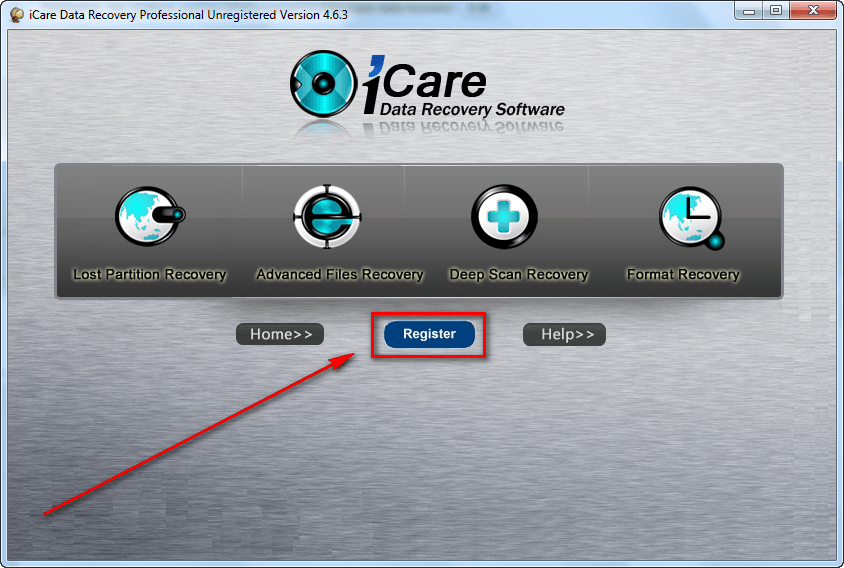
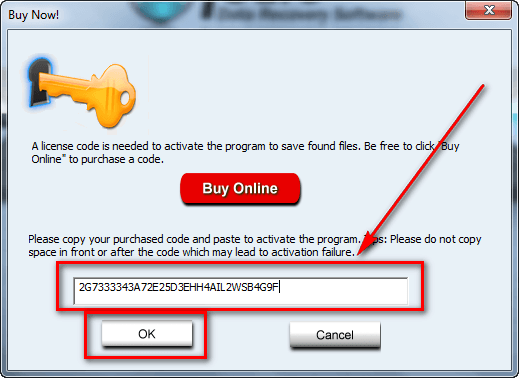
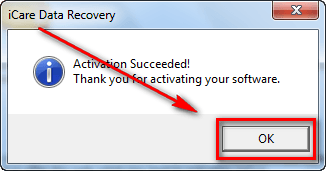
- After registration, close and re-open iCare Data Recovery Professional and it should now not be shown as being unregistered.
- Enjoy!
If you are trouble getting iCare Data Recovery Professional for free, post below and other dotTechies or I will try to help.
Thanks RobCr and Wild Cat!
