
 Email article
 Software Description
The following is a description of DAZ Studio 4 Pro, as per the developer:
SOFTWARE INNOVATION OF THE YEAR
Voted “Software Innovation of the Year” by a panel of leaders in the 3D industry, the GenesisTM figure platform built on DAZ Studio 4’s new technology was determined the best software break-through that “…delivers new techniques and algorithms, and provides a clear benefit for artists in the creation or implementation of CG assets…”
DAZ Studio 4 Professional is a brand new version of DAZ Studio. It includes everything in DAZ Studio 4 Advanced plus the Content Creator Toolkit and a host of other plug-ins and add-ons that will empower any 3D artist to bring their work to 3D software applications, games, real-time apps, animations, high resolution art, and more.
Created for professionals, by professionals, the Content Creator Toolkit is geared toward serious Content Creators, developing complex figures and accessories. These tools will save you weeks, or even months, of development time.
If you have ANY interest in creating YOUR OWN 3D content, you NEED this toolkit.
The following is a description of Hexagon 2.5, as per the developer:
Hexagon delivers all the tools a graphic artist needs to create detailed 3D models ready for final render. Packed with features such as; DAZ Studio Bridge, sculpted primitives, freehand modeling brushes, micro-displacement modeling tools, comprehensive UV-mapping modules, advanced 3D paint, and instant ambient occlusion. Hexagon provides you with all the options of expensive competitor software, but at an affordable price.
The following is a description of Bryce 7 Pro, as per the developer:
Bryce is an award winning, fun, feature-packed 3D modeling and animation package designed to allow new users to quickly create and render stunning 3D environments. Bryce combines exceptional power with an innovative interface for incredible ease of use. Add wildlife, people, props and more to your scenes via the DAZ Studio character plug-in in addition to terrain, water, sky, rocks, clouds, fog, vegetation, and architecture for which Bryce has long been the standard.
dotTech Advice
3D modeling is something I know absolutely nothing about. As such, I cannot really give advice one way or another on DAZ Studio 4 Pro, Hexagon 2.5 or Bryce 7 Pro. Instead, I ask dotTechies who do have experience with 3D modeling give us feedback regarding these software in the comments below.
Do take note, however, back in December dotTech posted about a DAZ Studio 4 freebie. Today’s freebie includes DAZ Studio 4 Pro — a more feature filled version of the software.
Freebie Details
DAZ Studio 4 Pro, Hexagon 2.5, and Bryce 7 Pro are being given away in a promotion by the developer. The giveaway is live until February 29, 2011 but there is no information on if you can install/reinstall at a later date. My guess is you can install/reinstall at a later date because the freebie is being processed like you are purchasing it (although you don’t have to enter any financial details).
To get DAZ Studio 4 Pro, Hexagon 2.5, and Bryce 7 Pro for free, do the following:
Version being given out for free: v4 Pro | v2.5 | v7 Pro
Free updates: Unknown
Free technical support: Unknown
Supported OS: Windows and Mac OS X
Note: Bryce 7 doesn’t work well on Mac OS X Lion
Download size: Varies depending on what you download, but they are large files — hundreds of MB
- The first thing you need to do is register an account with DAZ Productions. (If you already have an account with them, skip to the next step — you don’t need to create a new one.) Registration is free and only takes a few minutes. To register, visit the registration page and fill out the form:

Take note if you aren’t comfortable giving your birthday you don’t have to — leave it at the default value and you will still register just fine.
Once you will out the form hit the create account button. If you do it properly you will see a page like that says the following:

Check the inbox of the e-mail address you registered with. Look for an e-mail from noreply@daz3d.com with subject of DAZ account confirmation. In the e-mail is a link u must follow:

Click on the link or copy + paste it in your browser. Close the page that loads — you now have an active account with DAZ Productions.
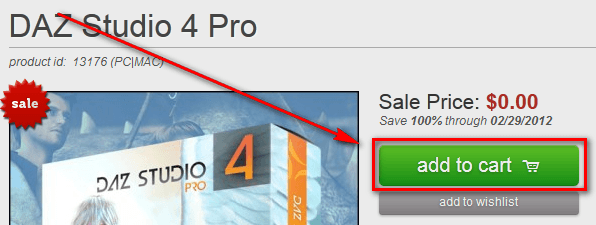
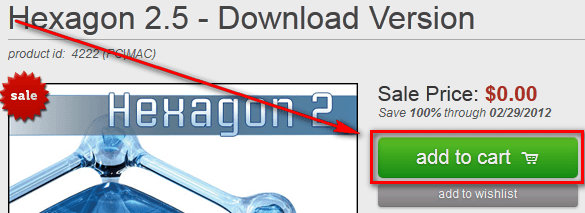
- Visit the promotion page for each of the three software (DAZ Studio 4 Pro | Hexagon 2.5 | Bryce 7 Pro) and click add to cart on each page:

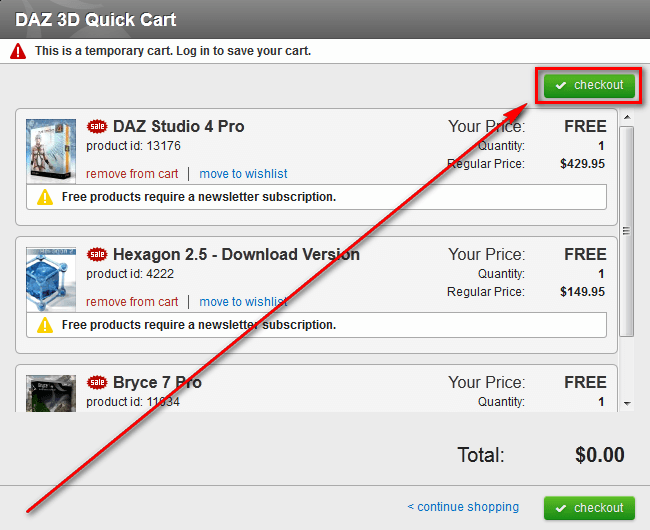
- When you click add to cart a window will pop up on each page. Close this window on the first two promotion pages. On the third page, when you have all three products in your cart, click the checkout button:
- Now log into your account:
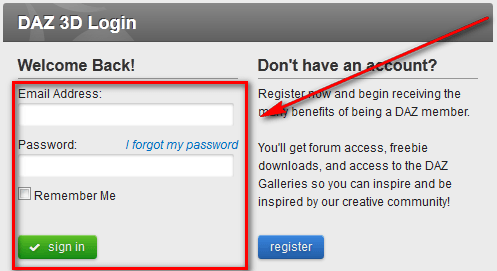
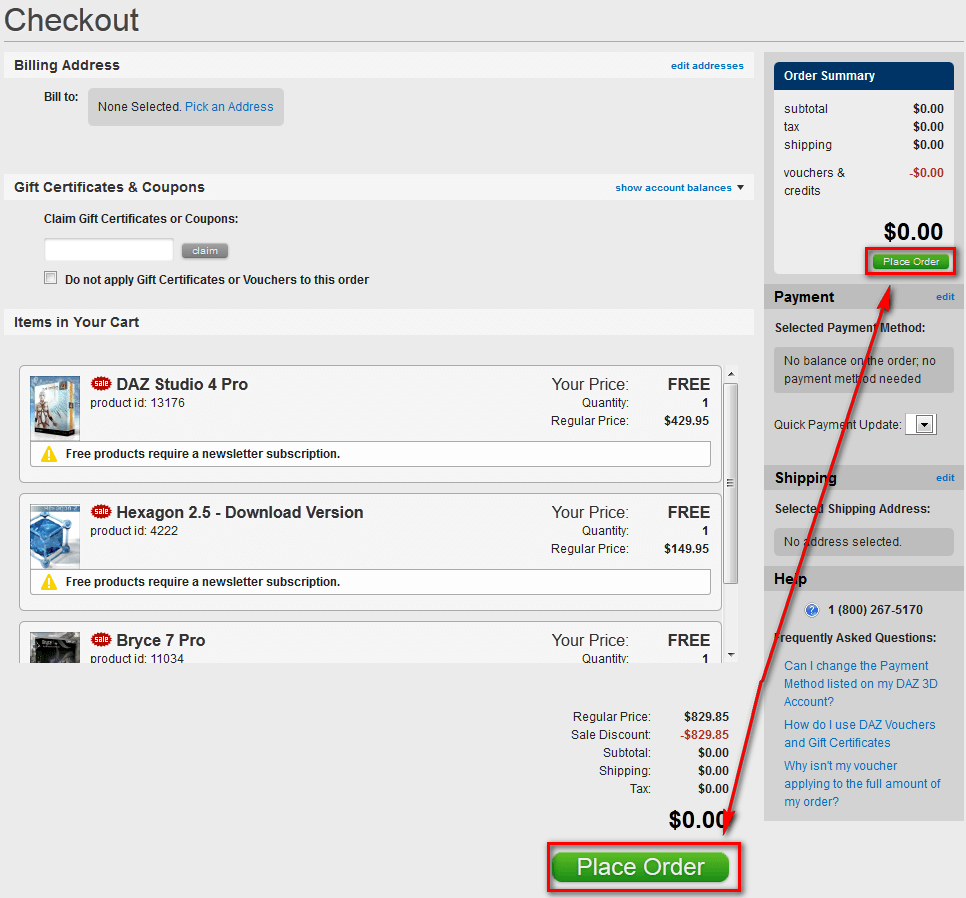
- At the next page click on the Place Order button:
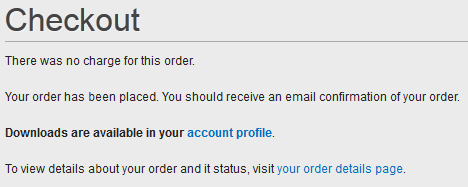
If all goes well you will be shown a confirmation message:
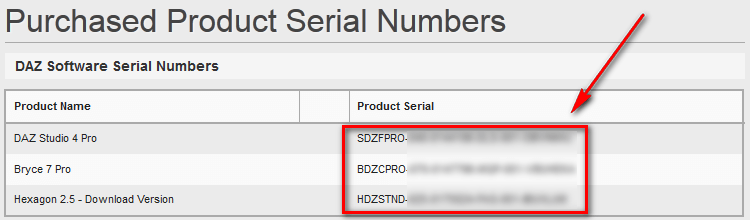
- Visit the serial keys section of your profile for the serial keys:
- Visit the downloads section of your profile for the download links:

Take note while there are many downloads, most of them are just add-ons and extra stuff. The download names Hexagon 2, Bryce 7 Pro, and DAZ Studio 4 64-bit/DAZ Studio 4 32-bit are the main program downloads.
- Download, install, and register (with the serial keys you were given) whichever products you want to use.
- Enjoy!
If you have trouble getting DAZ Studio 4 Pro, Hexagon 2.5, or Bryce 7 Pro for free, post below and other dotTechies or I will try to help.
[Thanks textboox5 and Hokus Pokus!]
