Free WinISO Standard 6.1 (never expiring license)! [24-hours only]
March 22, 2012 40
Email article | Print article
Note: A giveaway of WinISO Standard was originally posted in Feb-12. That giveaway has ended and a new giveaway of the same software is available. Sorry for whoever receives double notifications!
Software Description
The following is a description of WinISO, as per the developer:
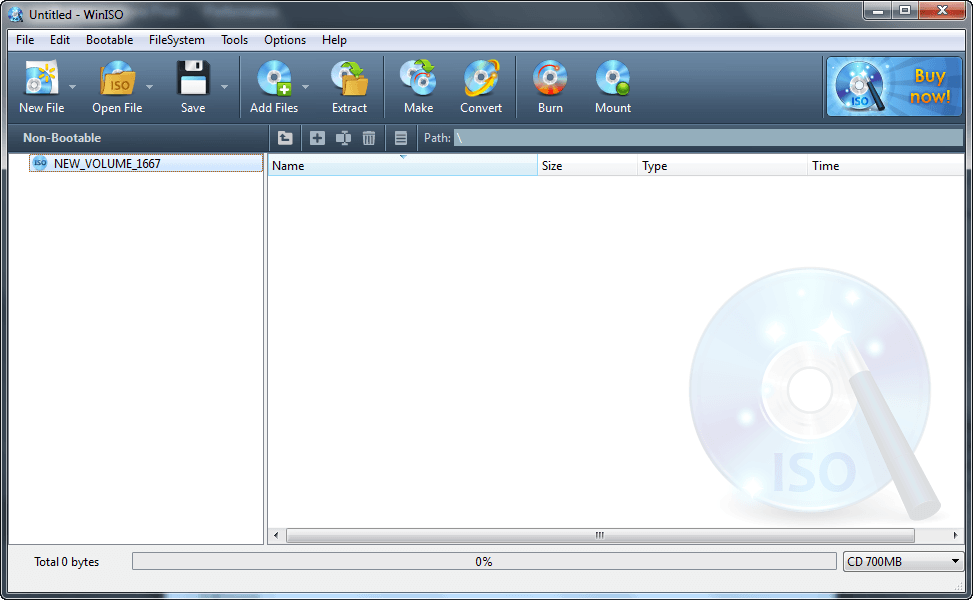
WinISO is a professional CD/DVD/Blu-ray Disc image file utility tool that you can open, create, edit, extract, mount, convert ISO files and other image file formats. It can also make bootable CD/DVD/BD and burn ISO image file to CD/DVD/Blu-ray Disc. Furthermore, it’s capable of processing almost all CD/DVD/BD image files, including ISO and BIN. WinISO provides a comprehensive solution. You can handle the ISO image files as you wish.
- Open and edit ISO files
- Extract ISO files and CD/DVD/Blu-ray Disc image files
- Convert image files between ISO/BIN and other formats
- Burn ISO image file to CD/DVD/Blu-ray Disc and burn image files on-the-fly
- Backup CD/DVD/BD to image files from CD/DVD/BD Driver
- Make bootable CD/DVD/Blu-ray Disc
- Mount ISO image files
Support Input Files & Devices
- Image File: ISO, BIN / CUE, DMG, NRG, UIF, HFS, DAA
- Devices: CD Disc, DCD Disc, Blu-ray Disc
Support Output File Formats
- ISO, BIN / CUE
dotTech Advice
WinISO is a program that offers full range of features for users who work with and/or manipulate disc images (ISOs, BINs/CUEs, DMGs, etc.) such as open, edit, create, mount, extract, and convert disc images.
I didn’t spend a lot of time with WinISO so it wouldn’t be just for me to comment on its quality (i.e. I am not saying if it is good or bad) or make any explicit recommendations (i.e. I am neither recommending it nor not recommending it). That being said, however, WinISO definitely looks like an interesting program. It isn’t one of those program that you except to use everyday (unless, of course, you work with disc images regularly in which case you may be using WinISO daily) but it is one of those programs that is very useful once you need it… if that makes any sense. I especially like its ability to edit, extract, and convert disc images.
My best advice on this freebie is download it and give it a test run. If you like it, keep it for future use. If you don’t like it, dump it. What have you got to lose, aside from a few moments of your time?
Note: Anyone that got WinISO Standard from the earlier DownloadCrew promotion in February should grab this freebie from Giveaway of the Day. Whereas the DownloadCrew giveaway was for 1 year only, this GOTD giveaway is never expiring. You don’t need to reinstall WinISO Standard if this is the case for you. Just go to Help -> Register -> Change Registration Code and enter the new registration code.
Freebie Details
WinISO Standard is being given away in a promotion by the Giveaway of the Day. The promotion is live until Thursday 22 March 2012 23:59 Pacific Standard Time; you must install and register during these 24 hours.
To get WinISO Standard, do the following:
Version being given out for free: v6.1.0.4463
Free updates: Unknown
Free technical support: Unknown
Supported OS: Windows XP/Vista/Win7
Download size: 7.16 MB
- Download the giveaway ZIP file.
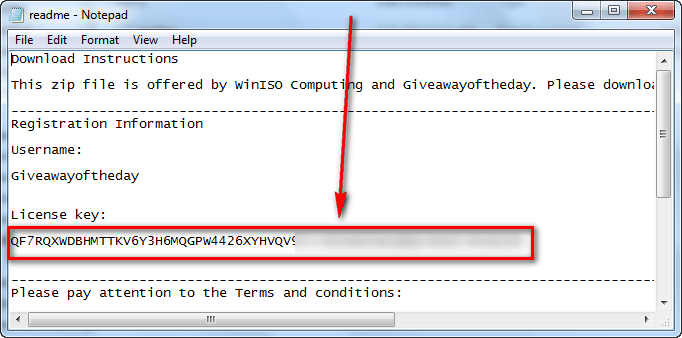
- Extract the ZIP file and you should see three files in there — Readme.txt, and Setup.exe. Open Readme.txt and copy the registration code:
- Now run Setup.exe. Make sure you have a valid Internet connection at the time and wait while the installer checks to make sure the giveaway is still live. Once the installer confirms the giveaway is still live, the installer of WinISO Standard will launch. Follow on-screen instructions to install WinISO Standard:
- After installation WinISO Standard finishes, the Giveaway of the Day installer will popup again — click Close (unless you want to install an optional third-party program Software Informer, in which case click Software Informer):
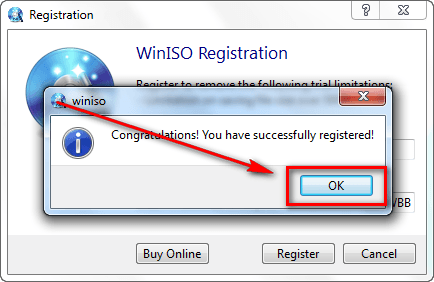
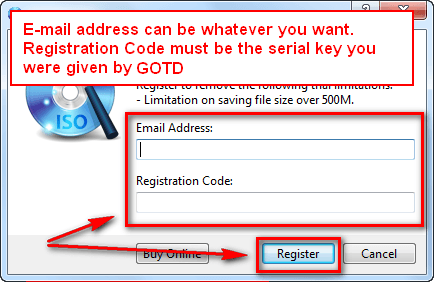
- Run WinISO Standard if it isn’t running already and register it with the serial code you were copied. If you are confused on how to do that, these screenshots show you — follow the red boxes, arrows, and text:
- Enjoy!
If you have trouble getting WinISO Standard for free, post below and other dotTechies or I will try to help.




Virtual Disk for x64 not supported… :(
I downloaded, installed and registered with the Serial Number provided. When I check the registration info it says “registered until March 4, 2013″ It also states that it should be registered to remove the 500 Mb file size restriction. Comments?
@t0m: :-(
@Commonkore: You are right mine is saying the same. Interesting, DownloadCrew didnt mention this is a 1-year license only. Hopefully they will clarify this point soon. I’ll update the articlr in the meantime.
Oh and I wouldn’t worry about the 500 MB limit message. Once you are registered, and it looks like you are even if its for 1 year only, you won’t have that limit.
Thank you for notifying me, I didn’t catch that 1 year limit.
Thank you Ashraf; For the review
After registering it states it will expire 3/4/2013 and is good only for files <500MB. You should add this to your description.
@Jimmy: You are welcome!
@dan: No, it isn’t good for <500 MB. That is if you are using the trial — once you register it, it has no file limit. And I have already issued an update to the post about the 1-year license.
Too bad it´s a time limited regcode. Hope to see this on GAOTD cause you get usually lifetime activated software there.
Will this really stop working after the 4th of march 2013 or will just updates don´t work anymore?
Anyway… first ISO software so far i´ve seen as giveaway. :)
Maybe some time in the future UltraISO, PowerISO or MagicISO also will be given away for free. :)
@Fred
After 4th march 2013, WinISO will ask you for a new licence key and will revert to a trial version.
To check this, simply change the system date on your computer and launch the software…
There is an easy way to bypass this limit but dotTech isn’t the proper place for this discussion…
UltraISO (lifetime licence) has been offered as a giveaway one or two years ago.
I googled for a while but couldn´t find reports about a giveaway of UltraISO. Only contests where a few licenses could be won. No unlimited giveaway available for all.
On one site i found a username and key for version 9.3 but that didn´t really look like a proper giveaway.
@Fred
I had say one or two years ago (2010) :
http://www.raymond.cc/forum/freebies/12282-free-ultraiso-v9-full-license-key.html
Well… that´s a free version from a pc magazine – not a public giveaway.
Try this excellent tool: it’s FREE & PORTABLE!!
http://www.askvg.com/iso-toolkit-freeware-to-create-convert-copy-and-extract-iso-image-files/
@genieautravail: How about emailing me at commonkore@gmail.com
@Everyone: This new promotion provides a never expiring license!
Confirmed. And I tried to register it using my own e-mail with the given code, and It Worked :D
@Ashraf:
@genieautravail:
Thanks, I managed to get the exe and registered it using my own name with give serial and it worked as well.
:)….
My 2004 PCs don’t live forever.
If I install in one, and six months later it dies, can I install fresh into the replacement PC ?
@genieautravail:
If the answer to my question in post 17 is not good, would your trick help ?
Thanks,
Rob
robhp@iprimus.com.au
@Ashraf: Thanks mate,always appreciated.always looking out for us and finding us great deals.
Good for converting rather unpopular image formats to something useful. :) As for the ISO format itself… every decent file archiver can extract it – I’ve always been using WinRAR for unpacking ISO (mounting is a hassle ^^ – and burning: pffft). ^^
It isn’t one of those program that you except to use everyday
correct words are
It isn’t one of those program that you expect to use everyday
These giveaways are usually suspicious, often set to expire in time and come with limited functionality. So I prefer either to use freeware or buy what I need.
I missed the DownloadCrew giveaway for WinISO, and I’m glad to actually have this since I see so many people say to use WinISO. I’ll just install this on all my computers including the work computer. :)
I haven’t really checked GOTD in a very long time since most of the time they offer something I’m not interested in so I forget to check them daily. Thanks for the heads up, Ashraf!
In my post 17 I ask will I be able to install this in a few months time, when my current old PC dies ?
I notice Robert (post 23) has taken the precaution of installing it in all of his PCs.
The download comes with the key in a text file, AND I suspect that this is one of the most likely ‘Install later’ candidates.
Does anyone have a stand alone PC, that lacks internet connection, and don’t mind advancing the date on their PC, prior to installing the program.
If it installs, and says that it is registered, could you report back.
More importantly, could you report back if it fails to activate.
Thanks,
Rob
When wishes come true. Glad to see this on GAOTD again.
Yes. Now with not time limited license. :)
@Rob I guess it will install fine any time. Just save the installer since updates aren´t included…
I activated both times with disconnected WLAN. I didn´t change date but i don´t think the program cares much about the date. If that matters you can also set it back to today´s date.