[Firefox] Open your current page in another browser with “Open With” add-on

March 12, 2012 12 Email article | Print article

Have you ever felt the need to open the web page you’re looking at in other browsers, for whatever imaginable reason, while using Firefox? If you’re nodding your head up and down at the screen, I’ve  got good news for you in the shape of a Firefox add-on called Open With.

EXPLAIN WHAT IS OPEN WITH

By now I think you have already guessed what Open With does: It opens the web page you’re currently browsing with Firefox in any other browser you might have on your system; and, as a plus, you can use it to open other applications, for example Notepad, directly from Firefox.

I WANT IT

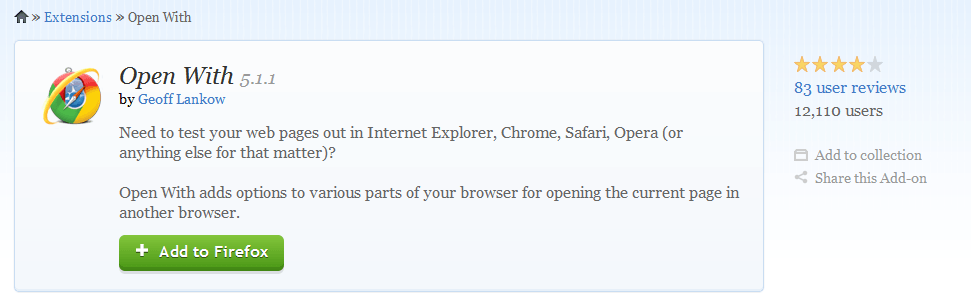
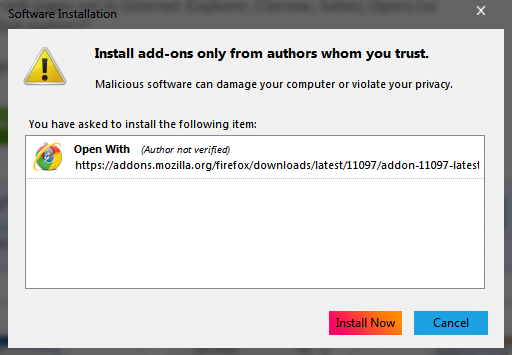
And you can have it. At the extensions page for the add-on follow the usual drill, choose + Add to Firefox, Install now, and restart the application.
Do I walk on the wild side or what?
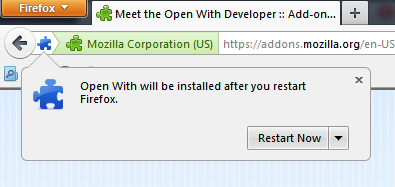
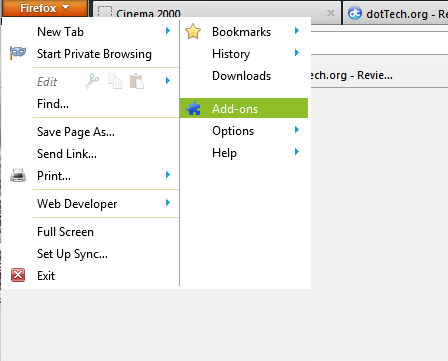
Once restarted, go for the Add-ons menu.
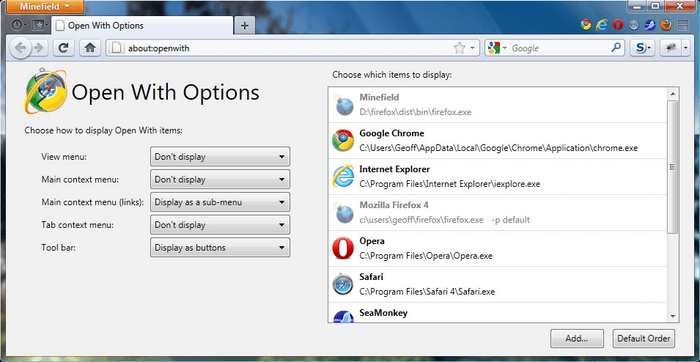
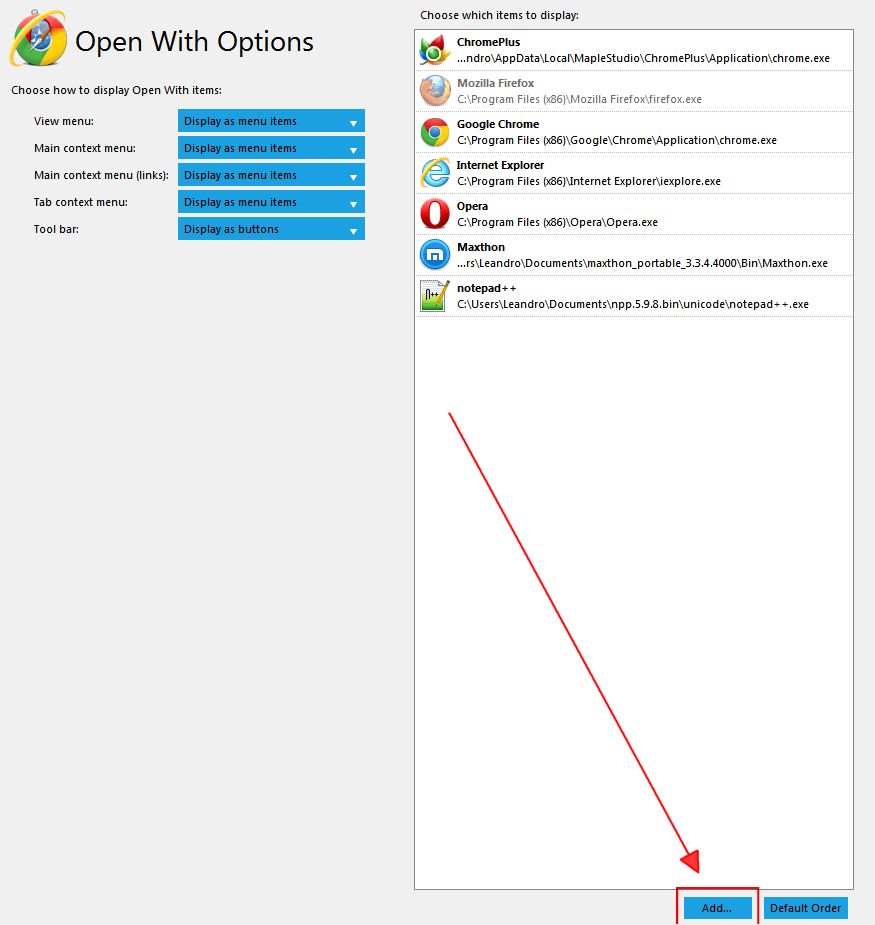
Check Open With options to make sure everything is in place and, while you´re at it, why not add any other applications besides web browsers that you desire to use Open With with (as you can see, I added notepad++). At the upper left of this options window you will find the options regarding Open With’s menu’s behavior.
Now, if you go back to a web page and hit the right button of your mouse, the menu will pop up with a few extra options:
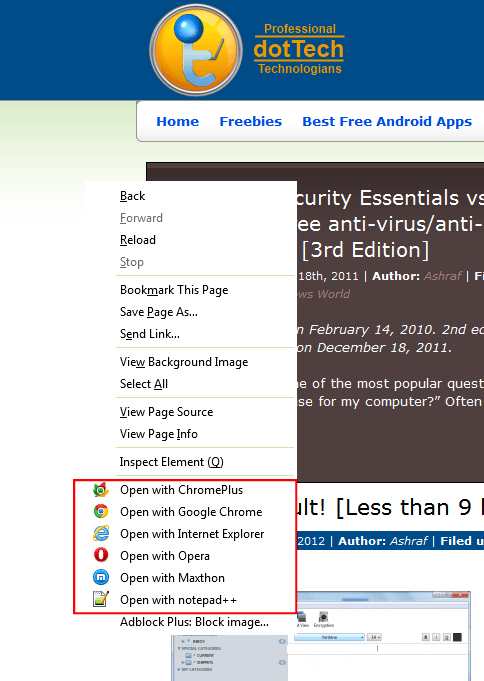
Wallah! Simply right-clicking on any page allowed you to open that page in other browsers or applications.

AND WHAT ABOUT THE TOOLBAR?

Yes, what about it? Oh! You mean adding Open With to the Firefox toolbar? Why not.

To add Open With to the Firefox toolbar, go for the Toolbar Layout menu under Firefox -> Options.
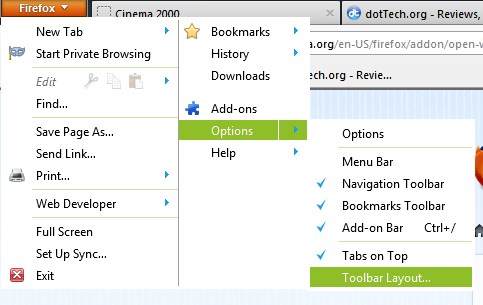
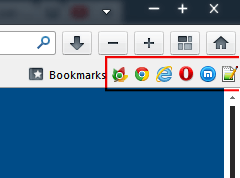
There you will find the Open With button  — drag it to your toolbar.
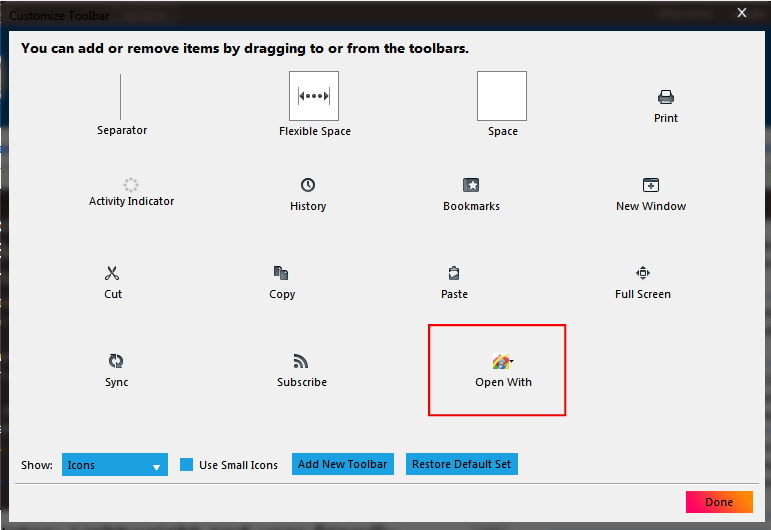
Now, open a web page, click on the buttons in the toolbar and boom! — you’re golden.

CONCLUSION

There’s not much to conclude here. Open With is just another neat Firefox extension that does exactly what it claims to do, with no pitfalls (at least not yet).

You can grab Open With for Firefox from the links below:

Version reviewed: 5.1.1, released February 20, 2012

Supported Browsers: Works with Firefox 10.0 – 13.0a1, SeaMonkey 2.7 – 2.8.*

Download size: 87.0 KB

Malware status: VirusTotal scan results (0/43)

Open With add-ons page [direct download]

12 Comments »

  1. dar March 12, 2012 at 9:58 AM (comment permalink) -

    FYI, this handy dandy ff add-on is based on one of the context menus
    that has been on many versions
    of the Opera browser…
    cheers

    1
  2. jayesstee March 12, 2012 at 10:35 AM (comment permalink) -

    @Leandro: Nice one, thanks!

    @Asahraf: The site is really buzzing now. Good work by you with your recent changes!

    2
  3. Jeanjean March 12, 2012 at 11:18 AM (comment permalink) -

    It’s impossible to recover most of the videos played in Firefox (with “Video Cache View” for example).
    This is an easy way to play and retrieve them in IE.
    Thanks !

    3
  4. Ashraf March 12, 2012 at 2:10 PM (comment permalink) -
    Mr. Boss

    @dar: Funny enough I just noticed that in Opera few days back.

    @jayesstee: Glad you approve :-) Although now I’m thinking there are too many articles per day, people that used to read everything now only read one or two cause of lack of time.

    @Jeanjean: Really? VCV doesn’t let you grab videos from FF? It seems to work fine for me.

    4
  5. Leandro March 12, 2012 at 6:18 PM (comment permalink) -

    @jayesstee:

    you are welcome jayesstee, and don´t make a case of what Ashraf wrote about too many articles, he´s a slow reader.

    5
  6. Leandro March 12, 2012 at 6:19 PM (comment permalink) -

    @dar:

    Indeed it has dar, indeed it has…

    6
  7. Jeanjean March 13, 2012 at 2:55 AM (comment permalink) -

    Given your response, i inspected the advanced options of VCV.
    The cache of Firefox was false (probably an old situation).
    This does not take anything to the utility of this add-on of course.
    Thanks !

    7
  8. TeXaCo March 13, 2012 at 2:23 PM (comment permalink) -

    I have had this add-on for a while now. It seems to me that this stuff should be built into the browser already but either way. The add-on works great. It also allows you to add Portable browser locations.

    8
  9. dar March 13, 2012 at 4:34 PM (comment permalink) -

    -just curious: how many new & old fans of OW
    have shown their appreciation of prof Geoff L.’s
    swell creation with a ppal donation?

    9
  10. hatman March 13, 2012 at 11:50 PM (comment permalink) -
  11. jayesstee March 14, 2012 at 1:17 PM (comment permalink) -

    @Ashraf:
    Reading the comments and posts, I think that there are a lot of people reading most, if not all the articles. I promise I will post if there is ever too many :=))

    11
  12. ebony July 26, 2012 at 3:15 AM (comment permalink) -

    @dar:
    What version of FF are you using. I have dl 10 and 11 and it is not compatible with either one.

    12

Leave A Response »