
 Email article
Windows has hundreds of thousands of programs. Because of this great volume and lack of a central store, software discovery (aka finding new and useful programs) is extremely difficult. With our Windows Software of the Day initiative, dotTech aims to change that. Everyday we post three programs, allowing our readers to discover new software, daily. Enjoy! [Subscribe to our Windows section to never miss an article: RSS Feed | E-mail]
Developers: Click here to get your apps featured here!
dotTechies: Want to see an app on here? Send us a tip!
Software for April 3, 2012
Open Hardware Monitor
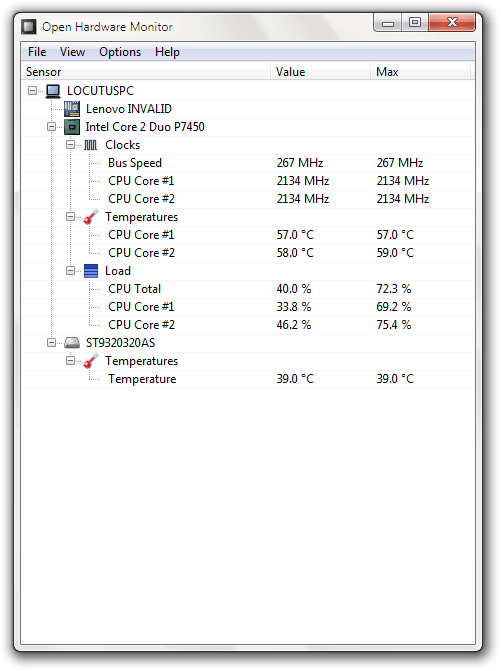 Often computers, especially laptops, love to overheat. In fact, my previous laptop died probably due to overheating so often. That’s why it’s often critical to keep an eye out for what temperatures your computer is running at.
Open Hardware Monitor scans your system for its hardware and, when possible, displays voltage and temperature information. If it doesn’t work with all of your hardware, don’t worry! The developer is always working to include more hardware in it and releases updates every few months.
Open Hardware Monitor is a great little program for keeping track of your hardware and making sure it doesn’t overheat.
Price: Free!
Version discovered: v0.4.0 beta
Supported OS: Windows XP/VIsta/7, Linux (any)
Download size: 254KB
Malware scan: VirusTotal scan results 0/43
Open Hardware Monitor homepage
Ext2Fsd
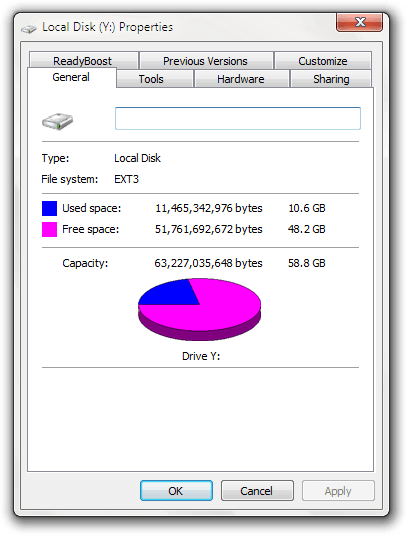 Many people do not know the pain of accessing files from one operating system on another. While the pain has gradually gone down in recent years starting with the backward engineering of NTFS so it could be supported on Linux, reading your Linux partitions (like ext2, ext3, and ext4) hasn’t ever really worked well.
Ext2Fsd is another open source tool with the goal of allowing you to mount your ext* partitions in Windows. As you can see to the left, I’ve mounted my Ubuntu partition as Y: and can use it like any other partition. The only missing features are one-off things like the ability to defragment.
Price: Free!
Version discovered: v0.51
Supported OS: Windows XP/Vista/7
Download size: 1.0MB
Malware scan: VirusTotal scan results 1/43
MD5sums
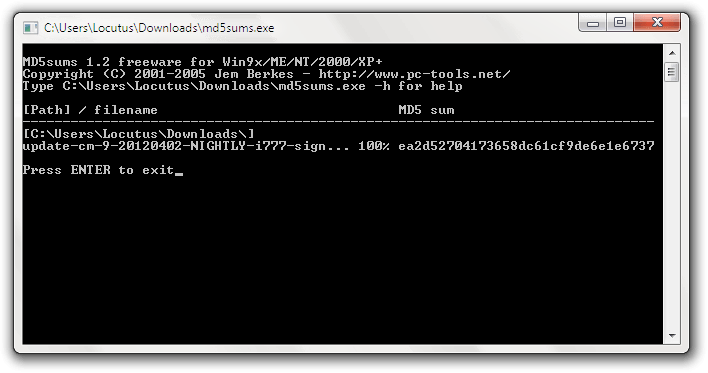 Today I tried to download a file on six different devices ten different times. Each time, it wouldn’t work. Each time, I thought I’d done something wrong. If I had ever bothered to stop and take an md5 sum, I’d have instantly noticed that the file was hosted wrong and wrongly downloaded each time across each device.
To use MD5sums, just drag a file onto md5sums.exe. A console window will pop up that shows the MD5 sum as soon as it’s calculated. It’s really that simple!
Price: Free!
Version discovered: v1.2
Supported OS: Windows (all)
Download size: 28.1KB
Malware scan: VirusTotal scan results 0/43
dotTechies: We have tested all the software listed above. However, Windows Software of the Day articles are not intended as “reviews” but rather as “heads-up” to help you discover new programs. Always use your best judgement when downloading programs, such as trying trial/free versions before purchasing shareware programs, if applicable.




