
 Email article
Today’s Software
- HostsMan: automatically update your hosts file from any of various sources
- Easy Power Plan Switcher: quickly switch between multiple performance modes
- AutoRunner U/X: automatically run portable programs upon insertation
Subscribe to our Windows section to never miss an article: RSS Feed | E-mail
About Windows Software of the Day
Windows has hundreds of thousands of programs. Because of this great volume and lack of a central store, software discovery (aka finding new and useful programs) is extremely difficult. With our Windows Software of the Day initiative, dotTech aims to change that. Everyday we post three programs, allowing our readers to discover new software, daily. Enjoy! [Subscribe to our Windows section to never miss an article: RSS Feed | E-mail]
Developers: Click here to get your apps featured here!
dotTechies: Want to see an app on here? Send us a tip!
Software for April 30, 2012
HostsMan
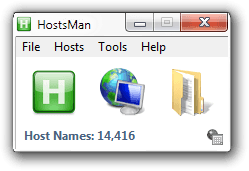 Want to block badware and ad sites using Windows’ built-in hosts file but have nowhere to start looking for information? HostsMan makes it as easy as possible to edit your hosts file.
HostsMan lets you edit your hosts file by automatically replacing or merging it with several downloadable hosts files, or even manually line by line. It’s definitely a great tool for anyone who wants to keep their machine safe and badware-free.
Price: Free!
Version discovered: v3.2.73
Supported OS: Windows 98SE+
Download size: 1.9MB
VirusTotal malware scan results: 0/42
Easy Power Plan Switcher
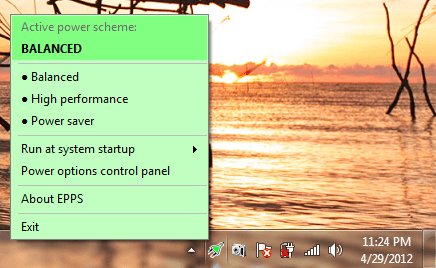 Want to switch power plans so you can either have a faster computer or keep your battery alive longer? Try Easy Power Plan Switcher, or EPPS for short. It provides two-click access to most any power plan you have set up.
Easy Power Plan Switcher can support up to 7 power plans, too. If you want additional power plans that dictate certain things about battery levels and other power-related settings, you can create them using Control Panel’s Power settings and then switch to and from them very easily using EPPS.
Price: Free!
Version discovered: v1.0.6.323
Supported OS: Windows Vista/7
Download size: 498KB
VirusTotal malware scan results: 0/42
AutoRunner U/X
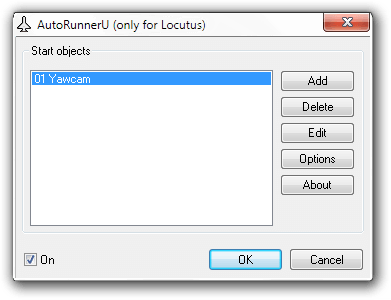 Do you remember autorun? It was the promising technology that automatically started videos/audio/applications when you inserted a CD or DVD. Then Microsoft totally annihilated it because it was a security risk. AutoRunner sort of brings it back, only in a more controlled and more secure fashion.
After installation, AutoRunner lets you add either files or folders to automatically start when you insert a drive. It’s that easy, and it’s quite simple too. Keep in mind the program was originally written in German and then translated to English, so some translations are a little off. However, it’s still quite usable and shouldn’t interfere too much in the use of the program.
Price: Free!
Version discovered: v1.42
Supported OS: Windows 2000+
Download size: ARX: 496KB | ARU: 495KB
VirusTotal malware scan results: ARX: 0/36 | ARU: 0/40
dotTechies: We have tested all the software listed above. However, Windows Software of the Day articles are not intended as “reviews” but rather as “heads-up” to help you discover new programs. Always use your best judgement when downloading programs, such as trying trial/free versions before purchasing shareware programs, if applicable.




