
 Email article
 Oh PrintScreen how well you have served us over the years; always there, willing and able, when the need arrived to capture that very special moment in our computing lives. So simple, yet so empowering: press PrintScreen, paste into Paint and go. Life was grand with your help. However your days are numbered.
Lets take a quick count: How many people have taken, or have had the need to take, a screenshot (of a program, window, chat, text, etc.) in the past? How many anticipate taking, or needing to take, a screenshot in the future? How many people have used a method besides pressing PrintScreen and pasting it into an image editor like Paint? I am sure there will be more Vista users that answer in the affirmative to the previous question then other users because of a built-in feature for Vista that Microsoft was generous enough to include: Snipping Tool. Snipping Tool is/was a step above the orthodox PrintScreen method. With Snipping Tool, in addition to the traditional capture-the-whole-screen, one is able to capture individual windows or define specific areas of the screen to capture. After the desired region is captured, it is placed into the Snipping Tool editor where one could use a pen tool to manually write on it or use a highlighter tool to highlight something specific. After the desired edits are made, one can save the snip into JPG, GIF or PNG format. However, being able to do all that with Snipping Tool is good and all, but why stop there? And what about the people who don’t have Vista? Must they suffer and stick to the PrintScreen method? Nahhhhhhhhhh. Ladies and gents, FastStone Capture is here to save the day (actually it has been saving the day for a while now):

FastStone Capture, in my opinion, is the best free screen capture/screenshot tool out there. In fact FS C is the screen capture/screenshot tool that I use to take screenshots of programs for use on this blog. Yes it is the program I use to make those awesome arrows, write text, and outline areas with boxes.
FS C is feature filled, has a very small footprint computer resource wise, and is extremely easy to use. With FS C you can take a screenshot of the current active window, capture a window (does not have to be the active window – you get to chose), capture a specific region (via rectangle or free form tool), capture the full screen and capture a scrolling window (like in a web browser if you have to scroll up/down or left/right on a webpage, FS C will capture the whole webpage). You can do all that by either clicking on the respective buttons on the “capture panel” that you see above, use hotkeys to active a feature, or right click on the FS C system tray icon and chose what you want to do.
Once you make a screen capture the image is sent to the FS C “image editor”:

From this editor you can highlight and select specific parts of the screenshot and save just them instead of the whole image:

You can crop the image:


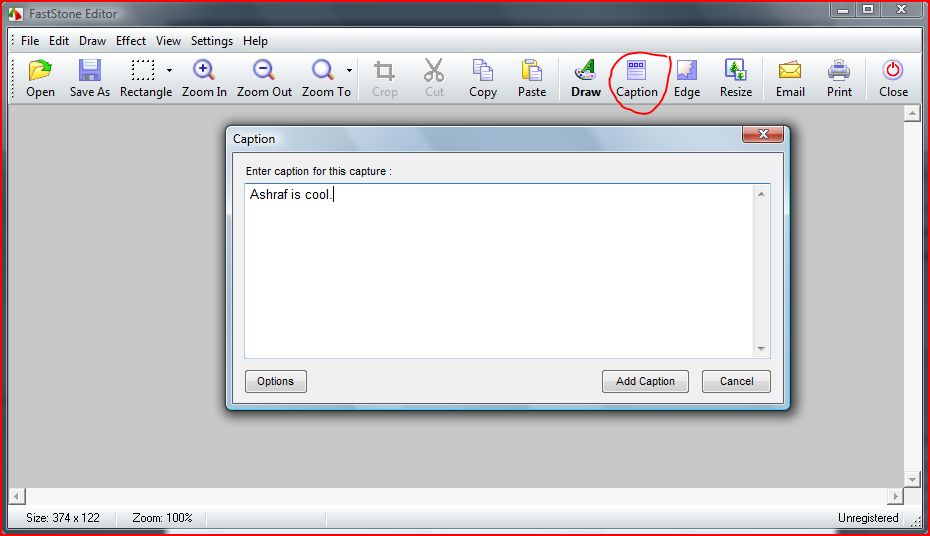
You can add captions to the image:

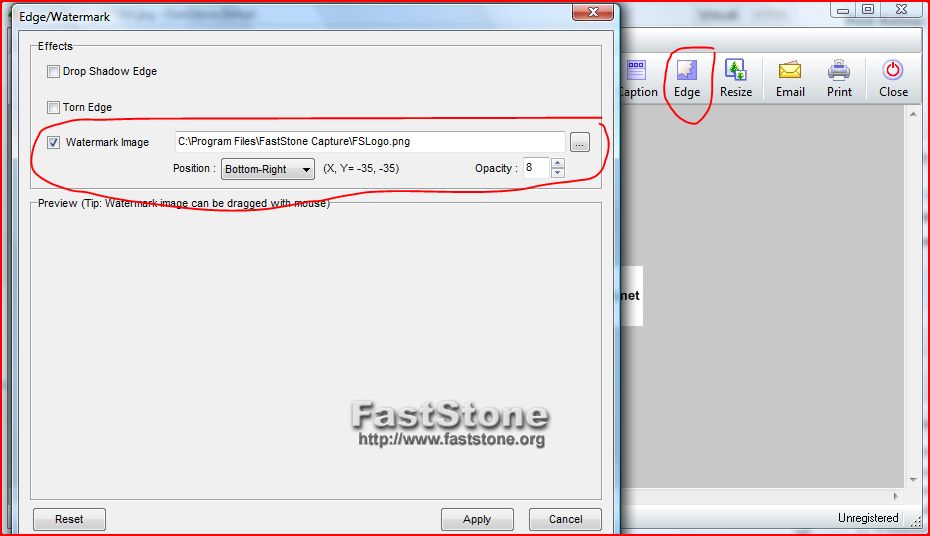
You can add a watermark to the image:
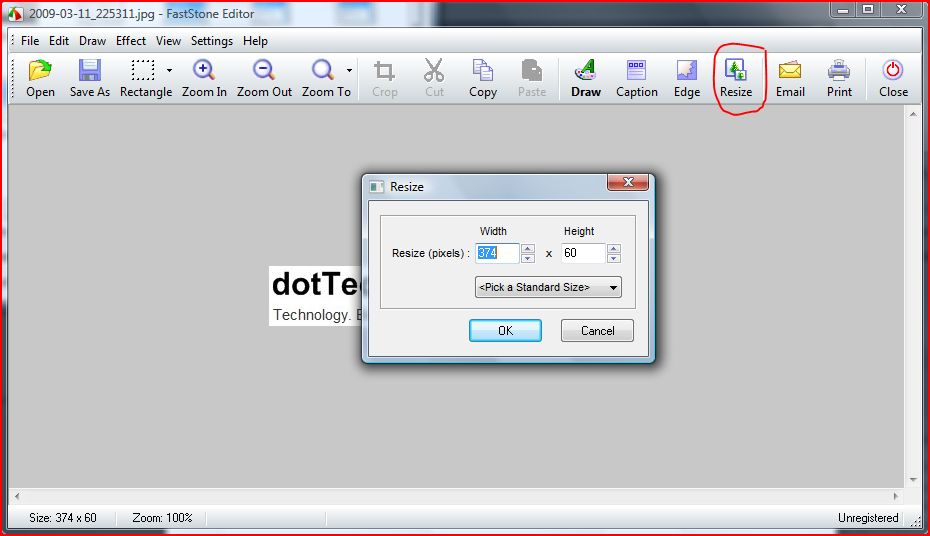
You can resize the image:
If you hit  you will be able to do all the fun things that I do for my screenshots:

When all is set and done and you are happy with everything, you can save your image by clicking the  button:
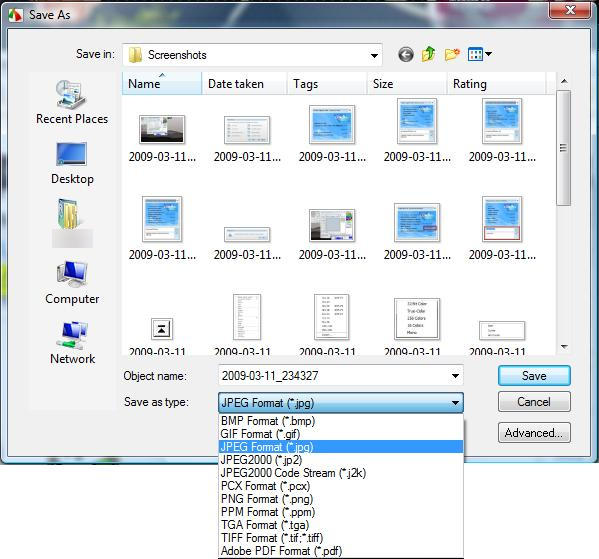
You have the choice of choosing multiple different formats and you since FS C applies a naming scheme to all your screenshots, you don’t have to enter a custom name for the screenshot if you don’t want to; however you can if you want.
Now of course if you are the busy type you may just want to take screenshots and skip the whole “send-to-editor- process. No problem…FS C can do it all:

Now there are still more features to FS C (such as automatically add a watermark, hotkeys support, etc.); so I have not done full justice to this program but I think you get my point: FastStone Capture is awesome. I truly recognized how much I rely on FS C when I had to take screenshots for this post. I obviously could not use FS C to take screenshots of itself, so I used Snipping Tool. I felt like crying.
Before I give you the download link to FastStone Capture there is an important thing to note: FastStone Capture used to  be a free-for-home-use program; it is now a shareware program ($19.95 for lifetime license). However you can still download and use the last free version (v5.3) without having to purchase a license. I wrote this review discussing the features of v5.3; newer shareware versions have more features – such as video capturing capabilities – that I did not discuss in this review. I like FS C so much, and I use it so much, that I would buy the latest version if it was within my price range ($20 is too much for me…).
Update: I went ahead and purchased the latest version of FastStone Capture. It is one of the best $19.95 I have ever spent.
Anyway, I am sure you just want me to stop talking and give you the download link now:
Version reviewed: v5.3
Supported OS: Windows 98 and higher
Download size: 1.3 MB
Price: $0 for v5.3 and $19.95 for the latest version with a lifetime license
Freeware-limitations: The latest v5.3 is free for home and non-commercial use only
[FastStone Capture v5.3 download – installer]
[FastStone Capture v5.3 download – portable]




