Some time ago I posted about how you can get eXPert PDF 4 Pro for free. Then I posted about how you can upgrade to eXPert PDF 6 Pro for free. However the upgrade to eXPert PDF 6 Pro was kind of tricky and many people are unable to do it properly. Well for the people who are unable to get eXPert PDF 6 Pro for free, you can now grab eXPert PDF 5 Pro (for free of course… duh =D). Unlike the procedure to get eXPert PDF 6 Pro, the procedure to get eXPert PDF 5 Pro is simple, straightforward and guaranteed to work (or your money back).
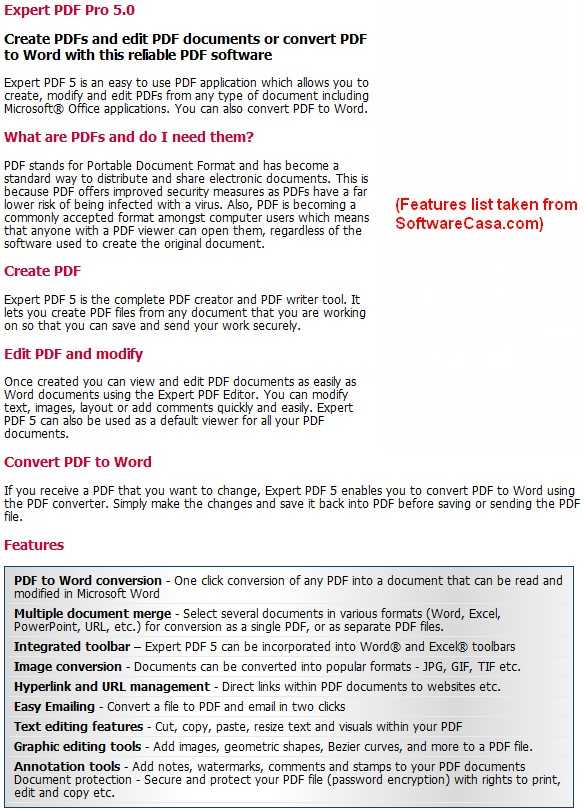
For those that don’t know what eXPert PDF 5 Pro is, here is a quick description of what eXPert PDF 5 Pro can do:
So how to get eXPert PDF 5 Pro?
NOTE: eXPert PDF 5 Pro is not supported on 64-bit machines. Sorry!
UPDATE 8/9/09: There is now a direct English version of eXPert PDF 5 Pro. Therefore you don’t need to follow any of the directions below since they are about how to get the German version and turn it in to English. Just download the English version from the promotion page (click here). You will need to register if you don’t have an Avanquest account already.
After you have eXPert PDF consider reading How To: Fix some eXPert PDF Pro annoyances (prevent PDF Printer from starting on boot and turn it off automatically when you are done using it).
- First, since this is another Chip.de promotion, be sure to visit them once again as a symbolic “thank you”.
- After that, visit the eXPert PDF 5 Pro promotion page.
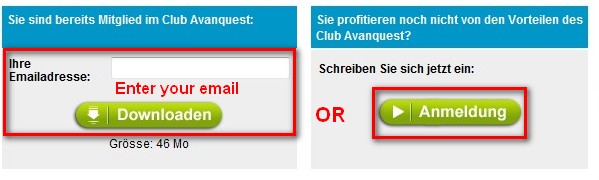
- If you already have an account with Avanquest, type in your email and click “Downloaden”. If you do not have an account with Avanquest, you must register – click “Anmeldung”:
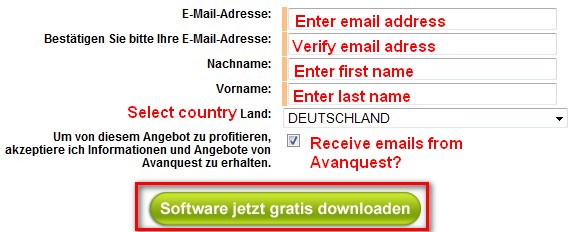
- If you clicked on “Anmeldung” to register, you will have to fill out a form with some information – click “Software jetzt gratis downloaden” when you are done:
- If you already had an email address and you clicked on “Downloaden” or after you registered and clicked on “Software jetzt gratis downloaden” you will be brought to a screen where your serial key will be listed and there will be a download link for eXPert PDF 5 Pro:
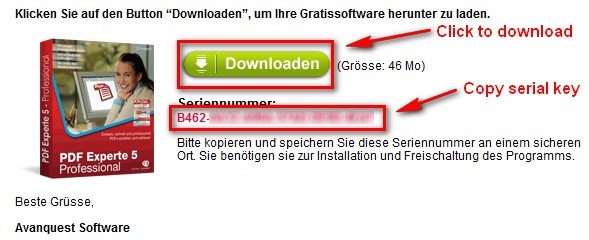
Highlight and copy the serial key (it will also be emailed to you) and click on “Downloaden” to start download eXPert PDF 5 Pro.
NOTE: The download for eXPert PDF 5 Pro was extremely slow for me (took about an hour to download) so don’t be surprised if you get a slow download speed.
- After you download eXPert PDF 5 Pro, run the installer. You will be brought to this screen:
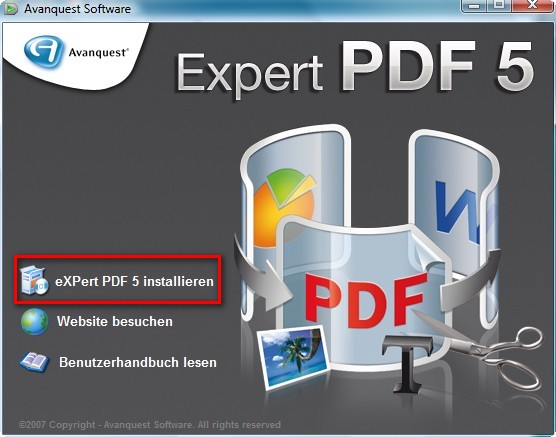
Click on “eXPert PDF 5 Installieren”
NOTE: If you have a previous version of eXPert PDF installed, you may be asked to uninstall it first. Do so.
- At the next screen it asks you to register or something (I am not exactly sure what it is since it is written in German). Just click “X” from the top right to close the window:
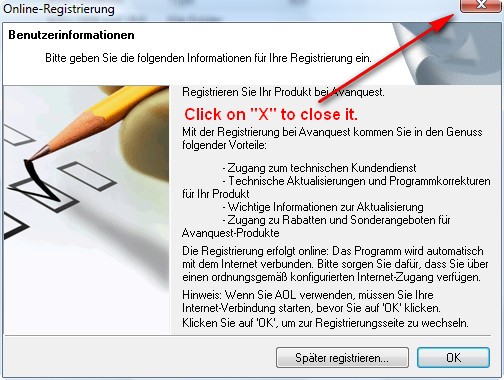
You will be asked something like “Are you sure you want to exit?”. Click “Yes”.
- The next screen will bring up the actual installer. Install eXPert PDF 5 normally:
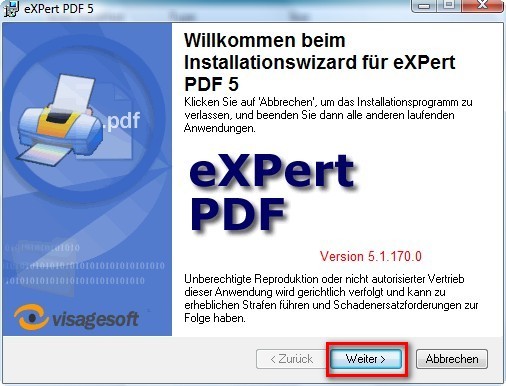
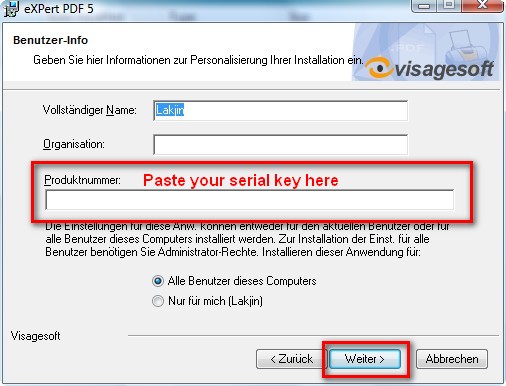
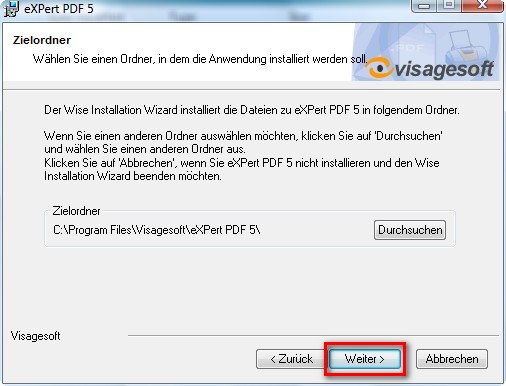
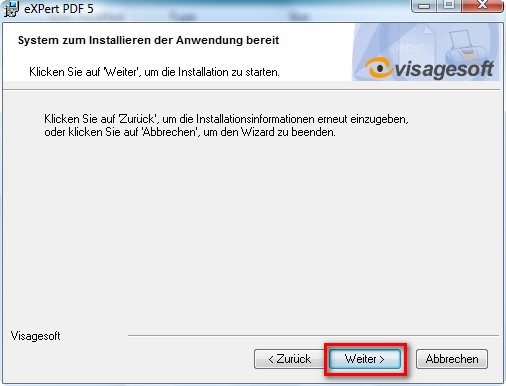
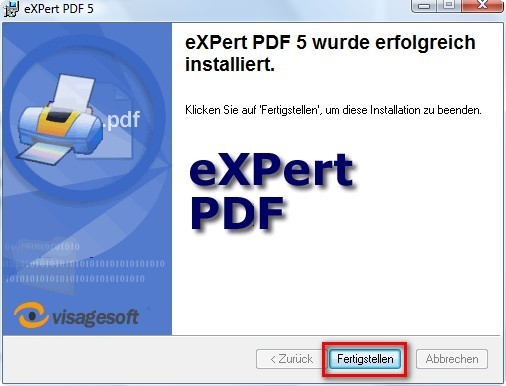
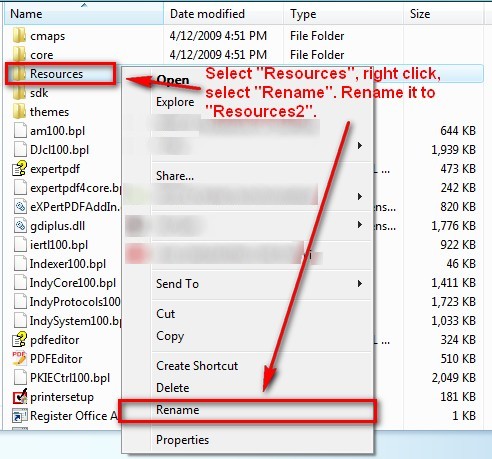
- After you click on “Feertigstellen” at the last installer window you are done installing eXPert PDF 5 Pro. However if you run it, you will notice the program is in German. To turn the program into English go to the folder where you installed eXPert PDF 5 Pro. If you did not change it, by default, this folder will be C:/Program Files/Visagesoft/eXPert PDF 5. There is a “Resources” folder there. Right click on it and rename it to “Resources2″:

- That is it. Now you have a fully functional eXPert PDF 5 Pro in English! However while the program is in English, the help files are not in English. If you would like your help files to be in English, download the the English help files I ripped from the English version (click here) and extract them into C:/Program Files/Visagesoft/eXPert PDF 5. Replace the existing files if prompted.
NOTE1: If you are getting an error while trying to download the help files from the above link, you can try to use the alternative download link: click here.
NOTE2: If you are having problems viewing the help files after you download them:
- Right-click on “expertpdf.chm”
- Click Properties.
- Click Unblock.
- Double-click on “expertpdf.chm” to make sure it is now working.
- Repeat the same for “pdfeditor.chm”.
- Now that you have eXPert PDF consider reading How To: Fix some eXPert PDF Pro annoyances (prevent PDF Printer from starting on boot and turn it off automatically when you are done using it).
Done =). Special thanks to jda2000 for bringing this freebie to my attention.


Email article

Also, to make it COMPLETELY (Or CLOSER to Completely) in ENGLISH:
(XP)
Change the text (File name) at this path:
Start Menu>All Programs>PDF eXPert 5>Wasserzeicheneditor
To this path (rename the Wasserzeicheneditor file):
Start Menu>All Programs>PDF eXPert 5>Watermark Editor
(I think this is how it goes in VISTA)
Change the text (File name) at this path
Start Menu>Programs>PDF eXPert 5>Wasserzeicheneditor
To this path (Rename the Wasserzeicheneditor file):
Start Menu>Programs>PDF eXPert 5>Watermark Editor
I used Babel Fish to translate, but edited their translation to make it more accurate
Thank you, Ashraf! Just donated some money to you because you found — once again — exactly the software (for free!!) that I was looking for. :-)
Come on, everybody, donate at least $2 and it’ll make Ashraf’s day! ;-)
Looks great and everything in English to start, WOW!
Why do the Germans get so many freebies?
Is this Windows 7 Compatible? I have had issues installing… something about printer not being set up… any help? I will post more information if necessary…
Thanks in advance…
Ok, Update: Thanks to comment #108 on page http://dottech.org/freebies/5859 by Thom Porter for helping with the printer issue.
I installed eXPert PDF 5 Pro. I feel that the pdf-to-Word conversion is not good enough for me.
Do you know of anything for free that will work on Windows 7 64 bit? I would like something like this that I can create and convert pdf both.
Thanks
@Brian Gaede:
As noted before; the easy fix is outlined by EC #55 comment
@Eddy: [Removed by Ashraf. Reason: Play nice...] – then go BUY something else.
ALWAYS grateful to Ashraf for unstinting excellence (Really missed you over the holidays), so here is a tiny repayment:
The Avanquest link for ExpertPDF5 is dead, but managed to find this one, with several programs:
http://ftp2.avanquest.com/pub/ExpertPDF/
Just downloaded the program, about 46MB.
Again, dozens of thanks to Ashraf. You rock!
@ Del Nidor
No wonder I couldn’t install the program. Didn’t realize that this is last year’s entry.
The link you provide is great, but where do you get the serial number from?
Thanks :)
http://register.avanquest.com/ABSOFT/produits/Promotion/enregistrement_presse/register_cov_gd.cfm?idcgd=437
Here’s EN Version
Ashraf, thank you so much for this!
One important note, if you use the link for English download, all the instructions for registering, etc are in english, as well as the help files included in the download!
Makes for a much nicer experience.
@Ron: OpenOffice.org opens, edits and exports PDFs when you get the PDF plugin.
@Jean-Luc Picard: Please ”GO FUCK YOURSELF” – it’s higher quality
Asraf, You are the GREATEST.
I fully depend on you for your comments on software provided by GAOTD.
Thanks for eXpert PDF.
I have a problem with this software. It imposes itself as a Microsoft Word Add-in (as well as one for Excel and PowerPoint) — which is really unnecessary, as the user can simply “Print” to the printer driver when desired.
The problem is that editing a document is much slower — I don’t understand why. Furthermore, I have tried advanced techniques to get rid of the Add-In, and the only success I have is to raise the Macro Security level. The add-in is not a macro to Normal.dot. It is not a “COM Add-in.” In fact, when I found the DLL which appears to be the offending source. I deleted it, but still the symptoms are there.
Perhaps there is some kind of virus on my machine that suggests this product is the culprit, but ZoneAlarm Extreme cannot detect it, nor can Malaware Bytes. I’m have not figured out how to get rid of this annoyance. Anyone have any ideas? Windows XP – SP3.
@JonathanP:
JonathonP – If it’s so bad that you’r suspecting a virus I would rollback the machine using the System Restore function. If you don’t have an available restore point or it’s been too long since you installed the software (don’t want to loose everything installed since) then I would use REVO uninstaller to remove the PDF software and see if that solves the slow problem. If it does then you’re good and need to get some other PDF software (maybe NitroPDF). If not then running a free online scanner (like Bit Defender or Kaspersky or any of the many others available) may be the way to go.
Good Luck.
You’re so nice. Have sought this for years, and we have quite a collection of both paid and free software.
Sadly, it’s still downloading German version direct from ftp2.Avanquest… yet normally unproblematic XP3 machine just won’t take the program, giving error message that is eternally repeating, effectively forcing one to cancel the installation. Thank you for trying. You are a treasure.
(Everything is in English right up to the actual installation, and then the error messages come, regarding expertpdf_v5.exe/german.cab.)
It also says, “Stellen Sie sicher dass die Datei vorhanden ist und Sei darauf zugreifen konnen”…… which Google tells us translates fairly well into “Make sure that the file exists and can access it Be”
Any ideas would be gratefully acknowledged. :-)
The link above goes to the regular website.
I googled it and found another link to the page but how does one insert thekey>??
http://register.avanquest.com/ABSOFT/produits/Promotion/enregistrement_presse/register_cov_gd.cfm?action=register
Please see http://dottech.org/freebies/18437 for eXPert PDF Pro 6
I tried to download several times. Filled out everything on the english page. Clicked download. Nothing!!!!!! I went to there webpage. Lots of stuff. But, software eXpert PDF7,etc??? Nothing about eXpert PDF5. Even typed in search. Nothing. So, that’s that than. Yes, I did copy the serial key. But, what’s the use? Can’t download the eXpert PDF5 software. Yes, I put my information properly into Not registered with Avanquest? Still can’t download when clicked on download bar? Waste of my time. Trying. Bye David.