Some time ago I posted about how you can get eXPert PDF 4 Pro for free. Then I posted about how you can upgrade to eXPert PDF 6 Pro for free. However the upgrade to eXPert PDF 6 Pro was kind of tricky and many people are unable to do it properly. Well for the people who are unable to get eXPert PDF 6 Pro for free, you can now grab eXPert PDF 5 Pro (for free of course… duh =D). Unlike the procedure to get eXPert PDF 6 Pro, the procedure to get eXPert PDF 5 Pro is simple, straightforward and guaranteed to work (or your money back).
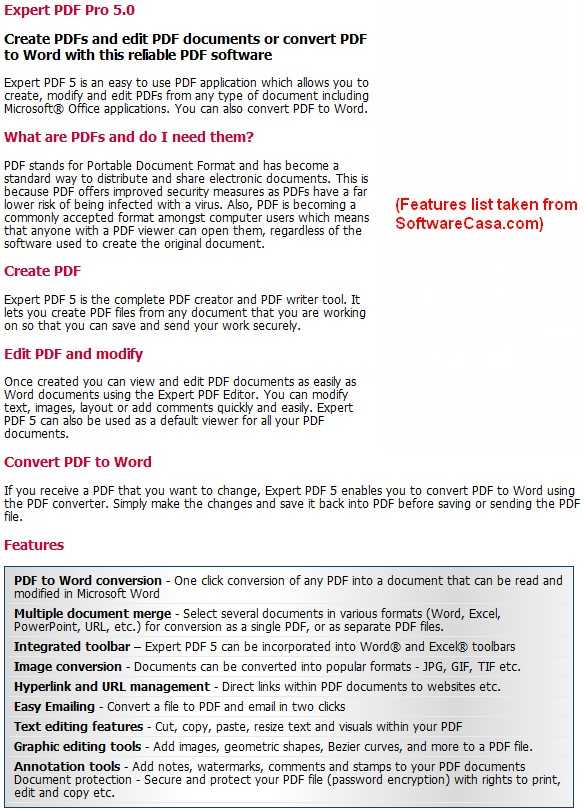
For those that don’t know what eXPert PDF 5 Pro is, here is a quick description of what eXPert PDF 5 Pro can do:
So how to get eXPert PDF 5 Pro?
NOTE: eXPert PDF 5 Pro is not supported on 64-bit machines. Sorry!
UPDATE 8/9/09: There is now a direct English version of eXPert PDF 5 Pro. Therefore you don’t need to follow any of the directions below since they are about how to get the German version and turn it in to English. Just download the English version from the promotion page (click here). You will need to register if you don’t have an Avanquest account already.
After you have eXPert PDF consider reading How To: Fix some eXPert PDF Pro annoyances (prevent PDF Printer from starting on boot and turn it off automatically when you are done using it).
- First, since this is another Chip.de promotion, be sure to visit them once again as a symbolic “thank you”.
- After that, visit the eXPert PDF 5 Pro promotion page.
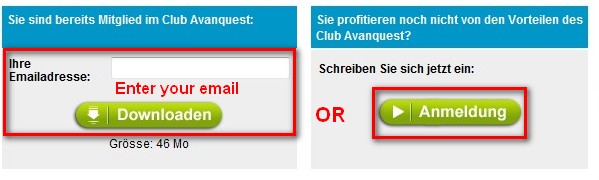
- If you already have an account with Avanquest, type in your email and click “Downloaden”. If you do not have an account with Avanquest, you must register – click “Anmeldung”:
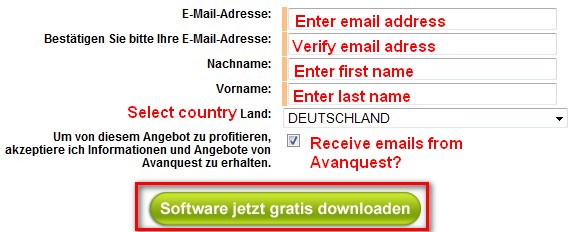
- If you clicked on “Anmeldung” to register, you will have to fill out a form with some information – click “Software jetzt gratis downloaden” when you are done:
- If you already had an email address and you clicked on “Downloaden” or after you registered and clicked on “Software jetzt gratis downloaden” you will be brought to a screen where your serial key will be listed and there will be a download link for eXPert PDF 5 Pro:
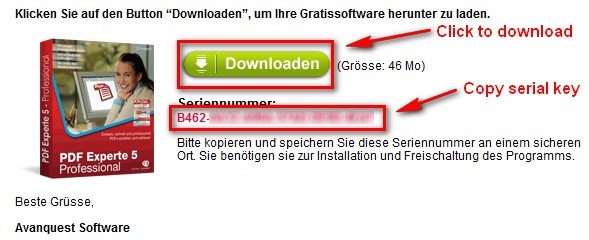
Highlight and copy the serial key (it will also be emailed to you) and click on “Downloaden” to start download eXPert PDF 5 Pro.
NOTE: The download for eXPert PDF 5 Pro was extremely slow for me (took about an hour to download) so don’t be surprised if you get a slow download speed.
- After you download eXPert PDF 5 Pro, run the installer. You will be brought to this screen:
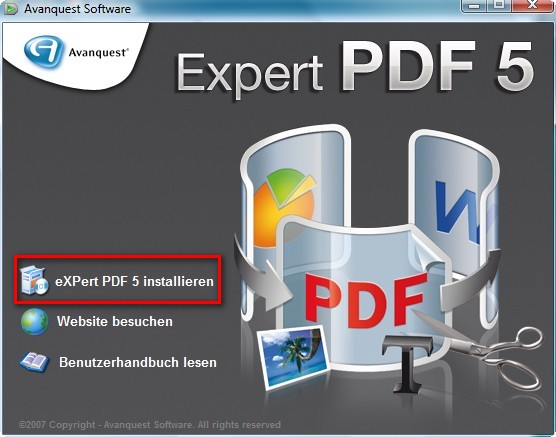
Click on “eXPert PDF 5 Installieren”
NOTE: If you have a previous version of eXPert PDF installed, you may be asked to uninstall it first. Do so.
- At the next screen it asks you to register or something (I am not exactly sure what it is since it is written in German). Just click “X” from the top right to close the window:
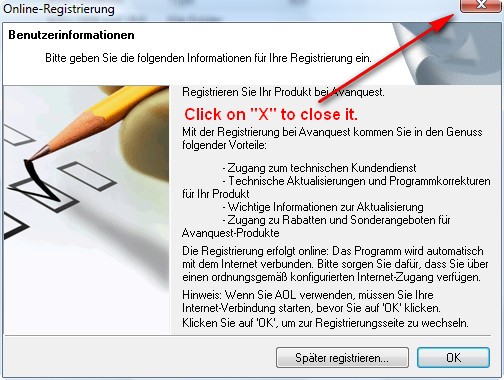
You will be asked something like “Are you sure you want to exit?”. Click “Yes”.
- The next screen will bring up the actual installer. Install eXPert PDF 5 normally:
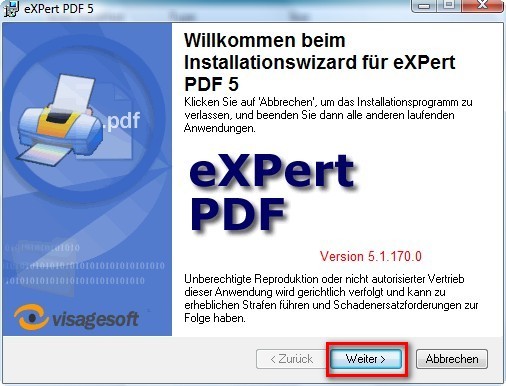
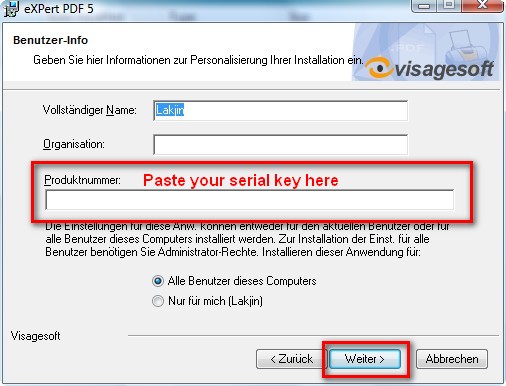
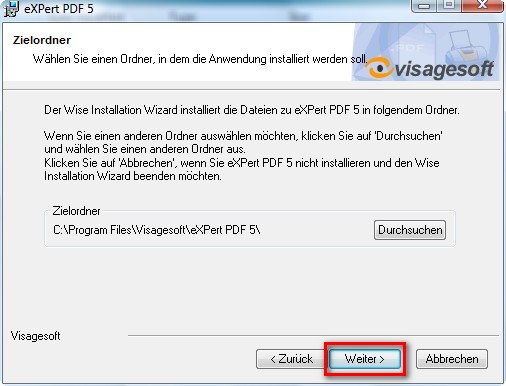
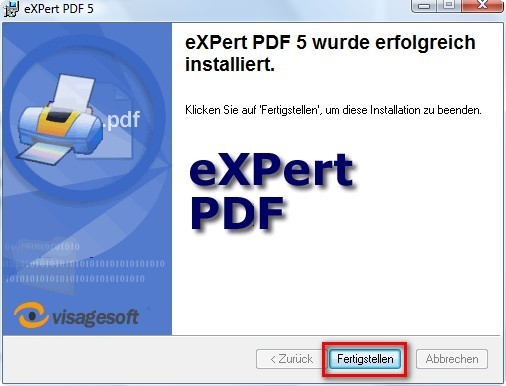
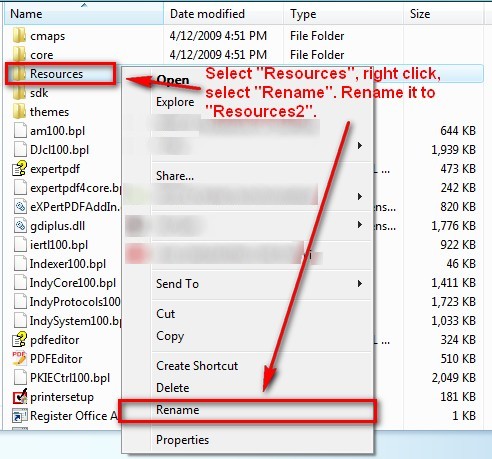
- After you click on “Feertigstellen” at the last installer window you are done installing eXPert PDF 5 Pro. However if you run it, you will notice the program is in German. To turn the program into English go to the folder where you installed eXPert PDF 5 Pro. If you did not change it, by default, this folder will be C:/Program Files/Visagesoft/eXPert PDF 5. There is a “Resources” folder there. Right click on it and rename it to “Resources2″:

- That is it. Now you have a fully functional eXPert PDF 5 Pro in English! However while the program is in English, the help files are not in English. If you would like your help files to be in English, download the the English help files I ripped from the English version (click here) and extract them into C:/Program Files/Visagesoft/eXPert PDF 5. Replace the existing files if prompted.
NOTE1: If you are getting an error while trying to download the help files from the above link, you can try to use the alternative download link: click here.
NOTE2: If you are having problems viewing the help files after you download them:
- Right-click on “expertpdf.chm”
- Click Properties.
- Click Unblock.
- Double-click on “expertpdf.chm” to make sure it is now working.
- Repeat the same for “pdfeditor.chm”.
- Now that you have eXPert PDF consider reading How To: Fix some eXPert PDF Pro annoyances (prevent PDF Printer from starting on boot and turn it off automatically when you are done using it).
Done =). Special thanks to jda2000 for bringing this freebie to my attention.


Email article

Hi:
I Have current copy of version 4.760.xx
should I bother to upgrade?
Or just be content with older version…?
Many Thanks!
Don
Fantastic! Thanks Ashraf! I couldn’t get V6 to work, despite the detailed instructions, so this is great!
…. ahem, aren’t you supposed to be taking a break, boy?! :)
Don,
I have been looking for a changelog to know exactly what new features are in eXPert PDF 5 Pro but have yet to find one. So the answer to your question is I don’t know.
Ozzie,
Break over :P
Glad to hear it, Ashraf! :)
I got this error message:
Failed to get data for ‘AlwaysCheckIfDefaultReader’
Should I uninstall existing pdf reader?
Wow; I’ve been needing a good PDF since I’ve not given in to Adobe 8. I followed your instructions, did the copy/paste file transfers for the help in English and everything works. Thanks; plain step by step how to for the technically challenged (with delusions of competence). You really know how to help out. Thank you again; good work, Ashraf!
@ashraf:
Please use .PNGs instead of .JPGs for your screenshots. It’s higher quality.
Tony,
Are you getting that message while trying to install eXPert PDF 5 Pro? Or are you getting that message when trying to uninstall?
Yes, you need to uninstall all parts of any previous installation of eXPert PDF Pro.
However I have run into that same error many times so if the uninstalling does not work, there is a simple registry fix that needs to be applied:
Jean,
PNGs are usually bigger in size which is why I use JPGs – I get more control (I usually lower the quality of the JPG depending on how big it is). There is no need to extremely high quality screenshots for these guides; maybe if I was posting pictures of some sort.
Thanks Ashraf,
I am downloading as we speak.
I read that it installs a virtual printer.
I currently have DoPDF 5 which is a virtual printer.
My ink dried up years ago, so whenever i print from any program, DoPDF has been reliably creating PDF’s for me.
DoPDF’s PDF creation has been perfection every time, so I hope to keep using it as the default printer.
I suspect I will use Expert PDF to edit existing PDF’s only.
Will Expert PDF’s virtual printer, cause problems for my DoPDF ?
Thanks again,
Rob
Hmm… I don’t see why it should Rob. However seeing as I don’t have multiple PDF printers installed, I can’t confirm this.
Thanks Ashraf,
Your solution worked, I had to search for the Visage folder since my registry key was different.
Program installed OK.
Now I am trying to download the English help files. I am caught in some sort of “invalid session loop”. Hope I come out of it soon. Is there an alternative way to download the English help files?
Hi Ashraf!!
As you know very well, unlike you, I had lots of problems with the HELP FILES (remember??) when I tried to upgrade from Expert PDF 4 to 6 and I stopped working on this issue because the method published on your blog by PAUL was quite difficult to understand and implement.
So the question is: what’s the difference between this freebie and EXPERT PDF 6??
If I’m not wrong you were able to upgrade to EXPERT PDF 6 without any hassle, weren’t you??
So I suppose you don’t need this freebie…right?
Just wondering why just this German website is committed to offer such great freebies almost on a daily basis…LOL!!
What do you make of it??
Hi Ashraf!
I tried downloading 4 (for upgrade to 6) from the French site and I am now trying to download 5 from the German site. My ADSL connection says I have over 13 hours to go for either!!! Both sites give me between 29 and 618 bytes/sec (it seems to change now and then)!!! Do you think if I wait till another time it might be faster?
Thanks for the tips–I look forward to having this program….
Janet
I get an error:
Exception ERegistyException in module rtl100.bpl at 00053F7C. Failed to get data for ‘AlwaysCheckIfDefaultReader’.
Any ideas how to get this to work? The program won’t open.
I also had serious problems trying to install version 6, so just stayed with version 4.
Currently downloading version 5 and going to give it a try. (taking forever to download and I’m using highspeed broadband approx 10 k/s)
Anyway, question: Do you know if one can upgrade to version 6 from version 5?
Ashraf,
I started by reading your posts on GAOTD and found you to be the most reliable and trustworthy source. Now I subscribe to your email and find you an excellent source for new programs that I have never heard of as well as your expertise in evaluating them. Keep up the great work and thank you!
Ken
Mags,
I was thinking the same thing: “Can I upgrade to PDF 6 from PDF 5?” I will test it out when I get home. However I bet the samething will happen as with PDF 4: Some people may be able to do it, some may not.
Muhammad,
Please see my fix above. The one about the registry fix.
Janet,
Ouch. You may or you may not get a better connection later. I think it is particularly bad for you considering where you live. I got a 10 KB per sec speed when downloading PDF 5 and I live in the USA (download is from Germany).
Its a special giveaway for Easter. I don’t even celebrate Easter nor do I believe in the logic behind Easter; however I love these freebies.
Also, I used to have PDF 6… before I formatted =(. I have yet to try to upgrade yet because it is not very urgent for me.
Ashraf:
If you’re not paying for upload bandwidth consider an external photo host like Photobucket or Imageshack for your PNGs.
Thx Ashraf, I’ll check back later or tomorrow to see if you have posted any results.
Download is just about finished so will be installing version 5 in approx 5 min.
@ Rob just an FYI
I had Cute PDF free installed before installing eXpert PDF 4 and didn’t have any problems with either.
I am paying for everything. I just don’t want to be forced to move to a VPS or private server just yet (it would cost me 8-10x more per month then what I am paying right now). This is actually also why I don’t have the forums back up; I will have them up soon as I am forced to move up on the hosting ladder.
Third party hosts are just a pain to work with when it comes to pictures.