Some time ago I posted about how you can get eXPert PDF 4 Pro for free. Then I posted about how you can upgrade to eXPert PDF 6 Pro for free. However the upgrade to eXPert PDF 6 Pro was kind of tricky and many people are unable to do it properly. Well for the people who are unable to get eXPert PDF 6 Pro for free, you can now grab eXPert PDF 5 Pro (for free of course… duh =D). Unlike the procedure to get eXPert PDF 6 Pro, the procedure to get eXPert PDF 5 Pro is simple, straightforward and guaranteed to work (or your money back).
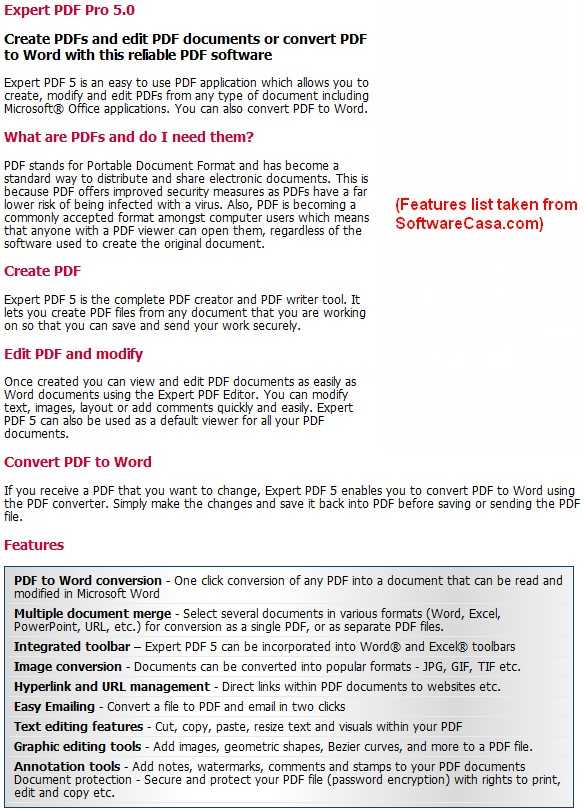
For those that don’t know what eXPert PDF 5 Pro is, here is a quick description of what eXPert PDF 5 Pro can do:
So how to get eXPert PDF 5 Pro?
NOTE: eXPert PDF 5 Pro is not supported on 64-bit machines. Sorry!
UPDATE 8/9/09: There is now a direct English version of eXPert PDF 5 Pro. Therefore you don’t need to follow any of the directions below since they are about how to get the German version and turn it in to English. Just download the English version from the promotion page (click here). You will need to register if you don’t have an Avanquest account already.
After you have eXPert PDF consider reading How To: Fix some eXPert PDF Pro annoyances (prevent PDF Printer from starting on boot and turn it off automatically when you are done using it).
- First, since this is another Chip.de promotion, be sure to visit them once again as a symbolic “thank you”.
- After that, visit the eXPert PDF 5 Pro promotion page.
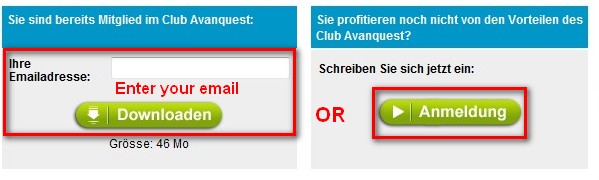
- If you already have an account with Avanquest, type in your email and click “Downloaden”. If you do not have an account with Avanquest, you must register – click “Anmeldung”:
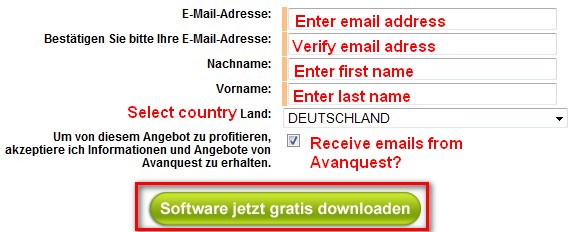
- If you clicked on “Anmeldung” to register, you will have to fill out a form with some information – click “Software jetzt gratis downloaden” when you are done:
- If you already had an email address and you clicked on “Downloaden” or after you registered and clicked on “Software jetzt gratis downloaden” you will be brought to a screen where your serial key will be listed and there will be a download link for eXPert PDF 5 Pro:
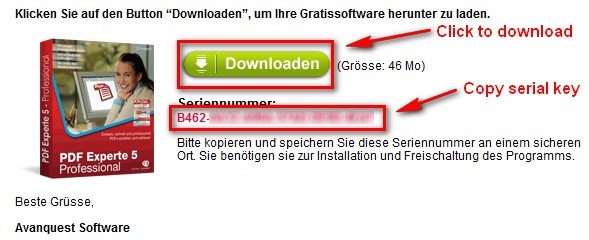
Highlight and copy the serial key (it will also be emailed to you) and click on “Downloaden” to start download eXPert PDF 5 Pro.
NOTE: The download for eXPert PDF 5 Pro was extremely slow for me (took about an hour to download) so don’t be surprised if you get a slow download speed.
- After you download eXPert PDF 5 Pro, run the installer. You will be brought to this screen:
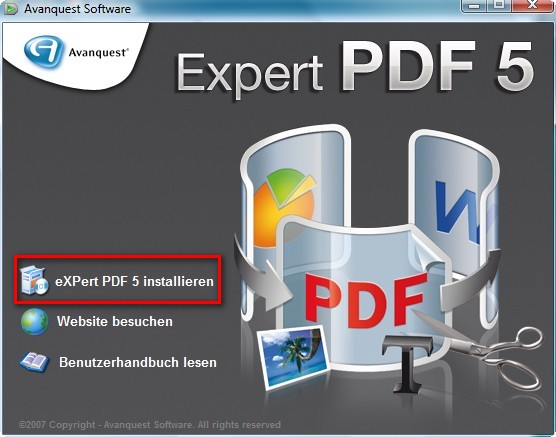
Click on “eXPert PDF 5 Installieren”
NOTE: If you have a previous version of eXPert PDF installed, you may be asked to uninstall it first. Do so.
- At the next screen it asks you to register or something (I am not exactly sure what it is since it is written in German). Just click “X” from the top right to close the window:
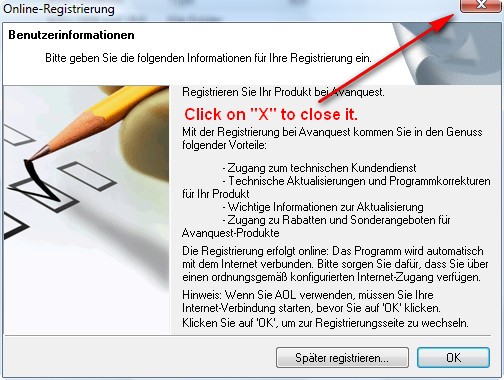
You will be asked something like “Are you sure you want to exit?”. Click “Yes”.
- The next screen will bring up the actual installer. Install eXPert PDF 5 normally:
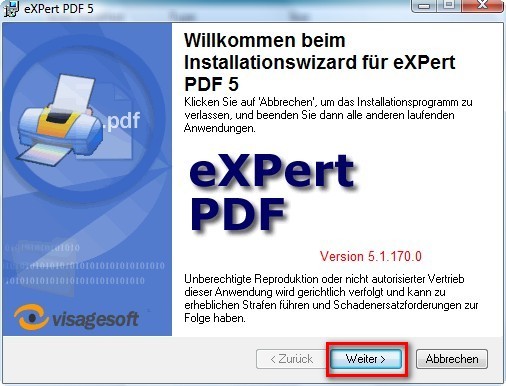
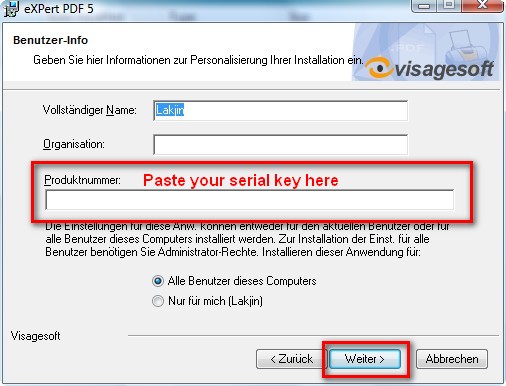
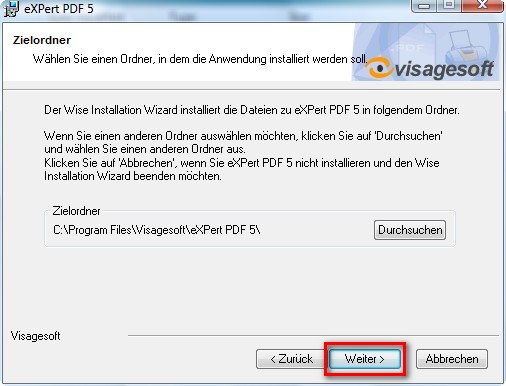
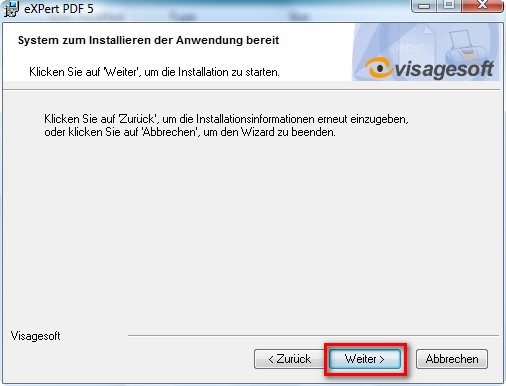
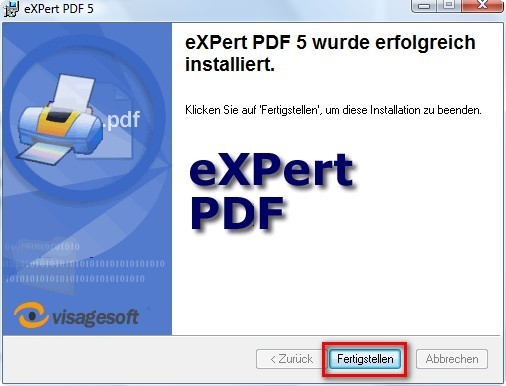
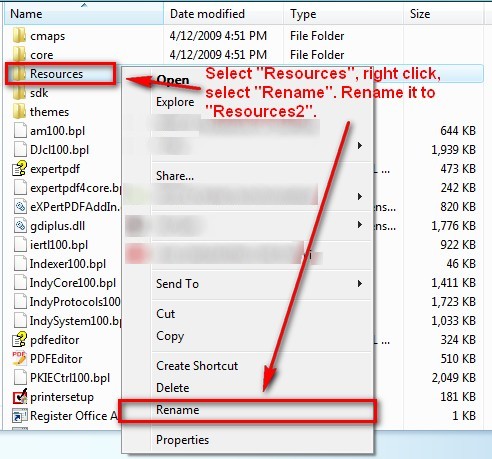
- After you click on “Feertigstellen” at the last installer window you are done installing eXPert PDF 5 Pro. However if you run it, you will notice the program is in German. To turn the program into English go to the folder where you installed eXPert PDF 5 Pro. If you did not change it, by default, this folder will be C:/Program Files/Visagesoft/eXPert PDF 5. There is a “Resources” folder there. Right click on it and rename it to “Resources2″:

- That is it. Now you have a fully functional eXPert PDF 5 Pro in English! However while the program is in English, the help files are not in English. If you would like your help files to be in English, download the the English help files I ripped from the English version (click here) and extract them into C:/Program Files/Visagesoft/eXPert PDF 5. Replace the existing files if prompted.
NOTE1: If you are getting an error while trying to download the help files from the above link, you can try to use the alternative download link: click here.
NOTE2: If you are having problems viewing the help files after you download them:
- Right-click on “expertpdf.chm”
- Click Properties.
- Click Unblock.
- Double-click on “expertpdf.chm” to make sure it is now working.
- Repeat the same for “pdfeditor.chm”.
- Now that you have eXPert PDF consider reading How To: Fix some eXPert PDF Pro annoyances (prevent PDF Printer from starting on boot and turn it off automatically when you are done using it).
Done =). Special thanks to jda2000 for bringing this freebie to my attention.
123 Comments »
Leave A Response »


Email article

What do you mean by this?
Also, maybe try uninstalling/reinstalling? Be sure to use RevoUninstaller.
If all else fails you can use CutePDF as a PDF printer. But keep in mind eXPert PDF still has a “Batch Creator” that allows you to convert images, html files, text files and other stuff to PDFs and merge PDFs together.
I use Ashampoo magical Uninstaller. It seems to work well. When I tried to run the original eXPertPDF5_DEU file it failed with a Windows XP popup which wanted to send a report to ?Microsoft? or maybe it was Avanquest (I don’t remember. I used WinRAR to extract it to a temp file and installed the expertpdf5_deu file and it all seemed to work correctly.
Strangely I just tried to extract the file again and now I am getting a corrupted archive error message from WinRAR – it didn’t happen before but now I will have to download the file again in case I need to reinstall.
It’s really late here in NY so I will check this site tomorrow for any responses. Thanks for all your help.
I tried what Maria did (extracted help files) and it worked. PDF Creator is now in English!
steel
Thanks!
hi ashraf. thank you. i followed your step by step instructions and i managed to install the programme. for the moment, i have only tried creating a pdf from a word doc and it worked fine.
Ashraf,
Just a follow-up. I uninstalled and reinstalled eXPert PDF5. I have discovered something. When printing from FireFox (v3.09) to the eXPert PDF 5 printer I do not get any text unless it is in an image. When I print from Internet Explorer 7 the result looks good. If I print from Firefox to another PDF printer (called PDFCreator – a different product)the results look good. Any idea about why that might be? Is there a setting in Firefox that might be changed? The Firefox print preview looks fine until I look at the PDF produced from Visage.
Thanks.
I have no idea Iberg. It may be one of your plugins because it works fine for me.
Ok. Thanks.
Sorry I was not very clear on my last post. What I meant to say is the problem maybe because one of your plugins is conflicting with eXPert PDF. Did you try to disable all your plugins then try it?
Thx, Ashraf. I installed and registered no probs following instructions at top of this page.
I am using -
HP Compaq Presario V6000
Windows Vista Home Premium Service Pack 1
Nothing special about my laptop.
I am logged in as a standard/regular user, not as Administrator on my laptop. (Maybe people having probs should log in as Administrator.)
I cannot understand probs that other users are having. So, the following is what I did.
Downloaded from -
http://register.avanquest.com/ABSOFT/produits/Promotion/enregistrement_presse/register_cov_gd.cfm?idcgd=413
Then installed using downloaded EXE file -
PDF_eXPert5_DEU.exe
Followed instructions as posted above by Ashraf(author) on this page -
http://dottech.org/freebies/6301
Then downloaded English help file archive from -
http://files.filefront.com/dotTechorg+eXPert+PDF+szip/;13590587;/fileinfo.html
Using Windows File Explorer, I double-clicked the downloaded file -
dotTech.org_-_eXPert_PDF_5.zip
I selected the VisageSoft folder according to instructions above, and then confirmed that I wanted to proceed.
And it all worked.
Note that I also previously installed Soft Xpansion PDF Quick Master 4.0 and still have that installed and it is NOT conflicting with Visage Xpert PDF 5.
Ashraf,
I disabled all my Firefox addons and it still only captures the non-text items. I sent in a support question to Avanquest to see what they might suggest. Thanks for the assist.
Okay thanks for the update. Good luck.
The guy who runs this site is AMAZING, and generous, and inspires me to give more freebies away. Somebody, please, nominate this guy for a serious award. Many thanks. You are simply wonderful!
just followed the instructions..completed the installation including the english help file in a breeze !
you really seems like ashraf…e makhlukat!(hope, u`d know makhlukat`s meaning).
Hi Ashraf,
I am having trouble with pdf’s embedded into web pages. Firefox is telling me to download adobe. Is there a browser plug-in for this program or a generic one I can use?
Just wanted to tell you all know how much I appreciate your postings guys.
Found you though google!
I just finished downloading the product (will install later).
Tried to download the english help files and got an error message: File is Unavailable.
Hope it comes up later.
Thanks!
@Bob Marconi: Seems FileFront deleted my account =(. I just updated the download mirror: http://www.mediafire.com/download.php?ty05km2cddz
Hello Ashraf,
Found an English version of 5 that is also free on Avanquest UK!
Here is the link: http://register.avanquest.com/ABSOFT/produits/Promotion/enregistrement_presse/register_cov_gd.cfm?idcgd=437
I have used it on my new (sic) Vista computer and it works with no need to change anything as it installs in English.
Regards,
Quantum Dragon AKA Paul
@Quantum Dragon AKA Paul: Ya I also saw that. Didn’t get around to updating this post until you posted.
Thanks!
Thank you ashraf
I love this site. Great work Ashraf! I check back everyday.
But, this is a stupid piece of software. It printed out blank document from an HTML page.
Thanks, I downloaded the EU version and it worked except some error about printer drivers not installed.
Anyone knows what this is about?
Thanks So Much!
Why would you people do such procedure when the site is promoting it free, regardless of french english spanish or any other language. Its totally FREE.
I just googled “avanquest + promotion”.
http://register.avanquest.com/ABSOFT/produits/Promotion/enregistrement_presse/register_cov_gd.cfm?idcgd=437
Note:
Not only eXpert PDF but u’ll get Web Easy 7 free too.