
 Email article
Today’s Software
- IOGraphica: create a beautiful graph of your cursor over time
- KeyCounter: count the number of times you hit individual keys
- WhatPulse: record and track numbers of keypresses and mouse clicks/distance
Subscribe to our Windows section to never miss an article: RSS Feed | E-mail
About Windows Software of the Day
Windows has hundreds of thousands of programs. Because of this great volume and lack of a central store, software discovery (aka finding new and useful programs) is extremely difficult. With our Windows Software of the Day initiative, dotTech aims to change that. Everyday we post three programs, allowing our readers to discover new software, daily. Enjoy! [Subscribe to our Windows section to never miss an article: RSS Feed | E-mail]
Developers: Click here to get your apps featured here!
dotTechies: Want to see an app on here? Send us a tip!
Software for July 19, 2012
IOGraphica
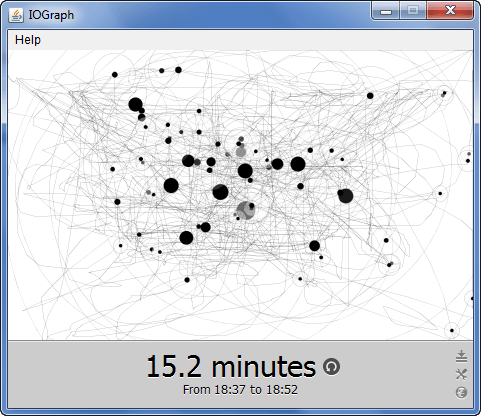 Want to create art based on where your cursor was located while you used your computer? IOGraphica is a free program that creates a map based on cursor movement and stillness, and can overlay it on a screenshot of your activity.
Here at dotTech we actually covered IOGraphica last August. When you move the cursor, a faint gray line is drawn; when the cursor rests, it draws a black circle corresponding to the time of the wait. It creates some absolutely stunning art, and is totally worth the minute system drain of it running in the background. Try keeping it open and minimized while you work: it’ll be a tapestry of circles and lines when you’re done!
IOGraphica is a very interesting program, and is absolutely free. Check it out!
Price: Free!
Version discovered: v0.9
Supported OS: Windows/OS X/Linux with Java
Download size: 460KB
VirusTotal malware scan results: VT not working
Portability: No installation required!
[via vsauce]
KeyCounter
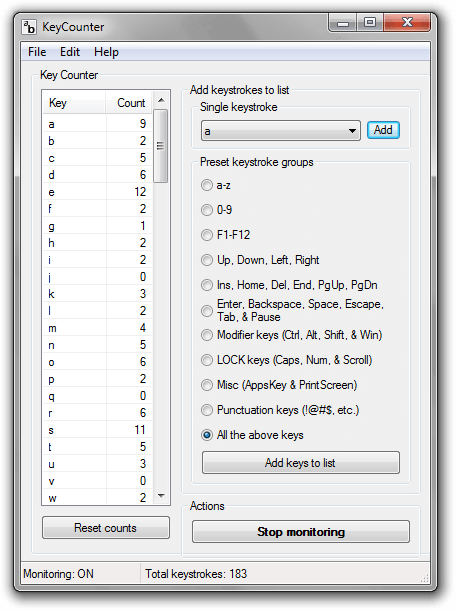 What’s the most popular key on your keyboard? You might be surprised: it’s probably not the letter “e”, even though that’s the most common letter in the English language. With KeyCounter, however, you can be 100% certain in calling one key the most-used key on your ‘board.
KeyCounter sits silently in the background waiting for you to press keys. It can monitor any set of keys you want, but comes with built-in sets for letters, numbers, F-keys, various sets of function and punctuation keys, and plain ol’ all of them at once. When writing this up, my space bar took the brunt of the typing: it received 269 keypresses. This was just above the left shift key, at 222 presses, and the backspace key at 172. It’s interesting to see this, as I never before knew I used backspace so much.
If you’re interested in seeing what your most-used keys are, I definitely recommend giving KeyCounter a try. It’s tiny and lets you track your key use with ease.
Price: Free!
Version discovered: v0.0.1.2
Supported OS: Windows unknown
Download size: 335KB
VirusTotal malware scan results: 0/43
Portability: No installation required!
[via HowTo Geek]
WhatPulse
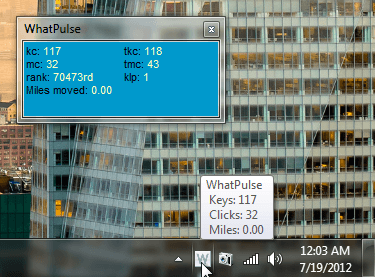 KeyCounter sounds cool, with its key-counting abilities and all, but what if you want more? Want your key-counting tool to count mouse clicks too, and have the ability to generate heat maps of most-used keys? WhatPulse will do just that for you, and it’ll do it with ease.
WhatPulse is primarily cloud-based, and requires you to sign up for an account with them before using the program. After that’s completed, it counts your keys, your clicks, and even the distance your mouse cursor has traveled. It can then send “pulses” containing the frequencies of keypresses to their server. (You can set it to send these automatically.) You can also generate heatmaps from the context menu.
WhatPulse is an interesting approach to keyboard frequency monitors in that it uploads to the cloud. This lets you compare yourself to your friends and your enemies the top WhatPulse users in the world right from their website. It’s a very interesting program, and if you’re looking for a long-term game/competition to play with your friends, why not see who types more?
Price: Free!
Version discovered: v1.7.1
Supported OS: Windows unknown/OS X/Linux
Download size: 1.1MB
VirusTotal malware scan results: 0/42
Portability: Requires installation
[via vsauce]
dotTechies: We have tested all the software listed above. However, Windows Software of the Day articles are not intended as “reviews” but rather as “heads-up” to help you discover new programs. Always use your best judgement when downloading programs, such as trying trial/free versions before purchasing shareware programs, if applicable.




