
 Email article
Today’s Software
- Freemake Video Converter: convert and download video
- Auto Sensitivity: change mouse sensitivity per mouse
- Intel Processor Identification Utility: identify your Intel processor
Subscribe to dotTech to never miss an article: RSS Feed | E-mail
About Windows Software of the Day
Windows has hundreds of thousands of programs. Because of this great volume and lack of a central store, software discovery (aka finding new and useful programs) is extremely difficult. With our Windows Software of the Day initiative, dotTech aims to change that. Everyday we post three programs, allowing our readers to discover new software, daily. Enjoy! [Subscribe to dotTech to never miss an article: RSS Feed | E-mail]
Developers: Click here to get your apps featured here!
dotTechies: Want to see an app on here? Send us a tip!
Software for August 6, 2012
Freemake Video Converter
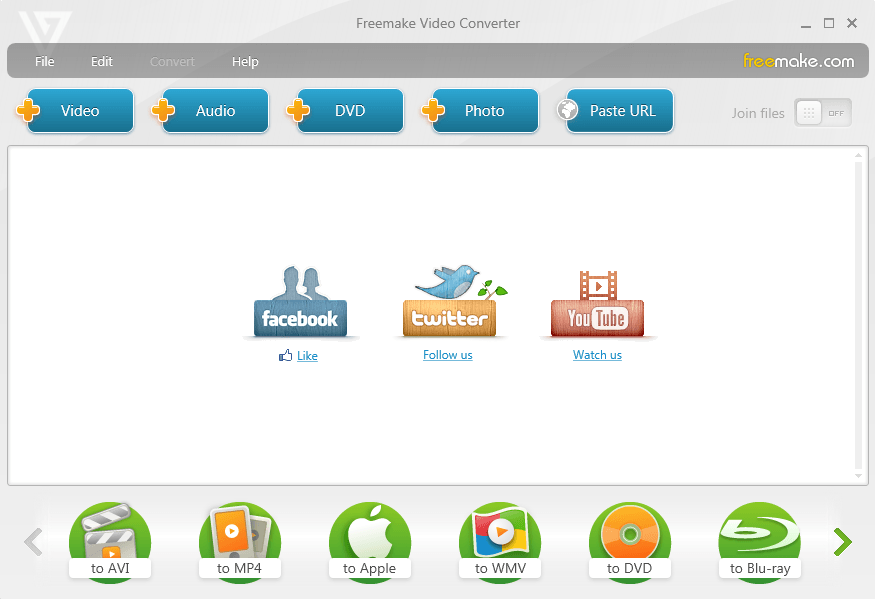 Looking for a tool to convert your videos, music, and photos? Freemake Video Converter may be the tool you’re looking for. Previously covered over a year and a half ago, the tool lets you convert video to audio, audio to video, and even burn discs.
Freemake Video Converter supports a whole pile of various formats, meaning the format of video or audio you have is most definitely supported. It supports over 60 video formats, over 40 audio formats, and almost 20 photo formats.
It also supports converting to special presets for specific devices, including Apple, Sony, and Android devices. It even lets you burn DVDs and Blu-rays. Adding to this impressive feature list is the ability to download videos from sites, including YouTube, Facebook, Dailymotion, and many more. It used to support Hulu, but that’s unfortunately ended.
Overall, Freemake Video Converter is an impressive program, and if you’re looking for a video conversion or download tool, it’s the tool for the job.
Price: Free!
Version discovered: v3.0.2
Supported OS: Windows unknown
Download size: 1.4MB (web installer)
VirusTotal malware scan results: 1/41
Portability: Requires intallation
Freemake Video Converter homepage
[via Ghacks]
Auto Sensitivity
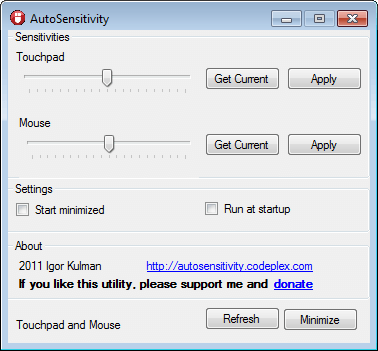 Touchpads and laser/ball mice are two very different things, but Windows treats them the same way. There’s no good way to change their sensitivities individually, meaning you’re left with either a snail speed touchpad or a cheetah in your laser mouse. Auto Sensitivity lets you change that: you can set touchpad and mouse sensitivities entirely independently.
The way Auto Sensitivity works is by changing your sensitivity when you plug in your mouse. This means that it doesn’t matter which mouse you plug in, but which ever one it is will also slow down the touchpad while it’s plugged in. There’s unfortunately not too much that can be done about this, but it’s still quite usable.
Auto Sensitivity is a nice little program, and one that can definitely have its uses. Unless you’re constantly seething over your mouse sensitivity, though, it may not be worth having yet another program constantly running in the background.
Price: Free!
Version Discovered: v1.4
Supported OS: Windows XP+
Download size: unknown (web installer)
Portability: Requires installation
Intel Processor Identification Utility
Your computer has most likely has some random Intel processor in it. Which one is it, and is it operating at the expected speeds? Intel’s own Processor Identification Utility has that information for you in a single easy-to-use interface.
Once installed, the program will give you information including the various CPU caches, speeds, and more. It’ll also show you which technologies your core supports: hyperthreading? Virtualization?
There’s really not much to this utility, but if you’ve ever wondered what your CPU really is and what its tech specs are, it’s a tool you may find interesting.
Price: Free!
Version Discovered: v4.50
Supported OS: Windows XP+
Download size: 1.4MB
VirusTotal malware scan results: 0/42
Portability: Requires installation
Intel Processor Identification Utility homepage
[via Online Tech Tips]
dotTechies: We have tested all the software listed above. However, Windows Software of the Day articles are not intended as “reviews” but rather as “heads-up” to help you discover new programs. Always use your best judgement when downloading programs, such as trying trial/free versions before purchasing shareware programs, if applicable.




