How to switch from Outlook.com to Hotmail [How-To Guide]
August 7, 2012 569
Email article | Print article
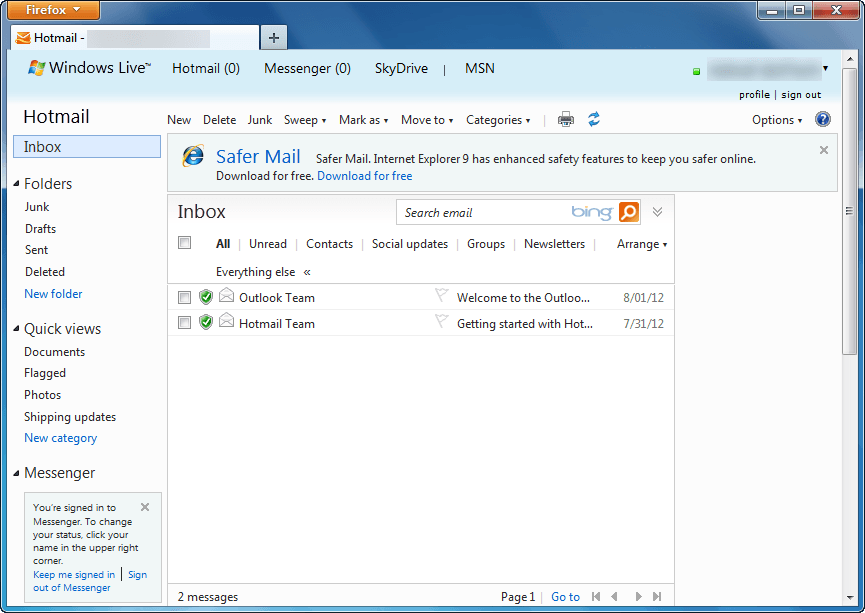
Outlook.com is a new free web e-mail service by Microsoft intended to replace Hotmail. Using Outlook.com can be done by creating a new Outlook.com account or upgrading your existing Hotmail account to Outlook.com. If you have used Outlook.com and decided you want to go back to Hotmail, that can be done easily. This guide shows you how to do it.
Before We Begin
Before we being, take note going from Hotmail to Outlook.com does not change your e-mail address. This means if you created a new @outlook.com e-mail, that e-mail will stay with you when you go to Hotmail; if you converted your Hotmail account to Outlook.com, you will still retain the same Hotmail e-mail when you go back.
Also, downgrading from Outlook.com to Hotmail does not result in loss of data. All your e-mails, contacts, folders, etc. are converted with you. The only thing that changes when going from Outlook.com to Hotmail is the user interface; you get the old Hotmail inbox and features back.
Lastly, if you were forced to upgrade to Outlook.com from Hotmail, you cannot revert back to Hotmail. Going from Outlook.com to Hotmail is only for those people that voluntarily upgraded.
UPDATE: It looks like Microsoft is no longer allowing people to revert back to Hotmail from Outlook.com. Sorry people — you are stuck with Outlook.com, you cannot change back!
How To Go Back To Hotmail From Outlook.com (How To Turn Off Outlook.com)
The following are the steps you need to take to covert your Outlook.com account to Hotmail:
Note: To enlarge any images below, simply click on them.
- Login to Outlook.com.
- Once logged in, you will be taken to your Outlook.com inbox. From there click on the gear icon located near the top-right corner:
- Clicking on the gear icon will open a menu. From that menu click on Switch back to Hotmail:
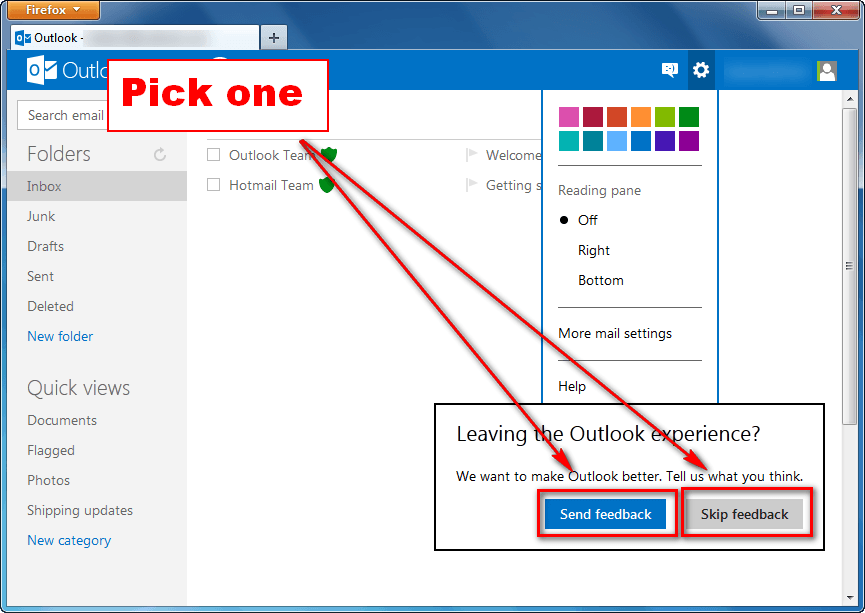
- Next you will be prompted with a message asking for feedback. If you want to provide feedback, click on Send feedback; otherwise, click on Skip feedback:
- Done.
If you opted to send feedback, you will be asked a series of questions after which you will be taken to Hotmail; if you opted to not send feedback, you will be taken directly to Hotmail:
Conclusion
Switching between Hotmail and Outlook.com is very easy and dotTech’s two guides How To Upgrade From Hotmail to Outlook.com and How To Switch from Outlook.com to Hotmail make the process even easier thanks to our step-by-step directions with screenshots. So go, venture into the world of Microsoft e-mail without fear of permanent change. Enjoy!





![Running Windows is more painful than torture [Comic]](http://cdn.dottech.org/media/2013/05/klingon_pain_stick_comic-134x90.gif)


So am I wrong is thinking this is just another way of getting using “live mail” and is nothing new?
And is there a Non-browser way of reading from “new outlook”
thank you very much for such a nice tip………………..
I am unable to see ‘switch back to hotmail’ on the menu button. Please help as I am suffering with this outlook! Thanks. Looking forward to ur prompt response.
Thank you for this tip really I were in mass since morning cause I accidintly switch to outlook. & all of sudden my Internet connection goes wrong ,I thought I will lose everything .but now am rifeled .thank you again
Also unable to see ‘switch back to hotmail’ pls help!!!
I can’t see the ‘switch back to hotmail’ as well! :(
@Neeti:
Same problem with me.
I hate this outlook
Theres not switch back to hotmail or gear button on outlook
Thanks for this…I was really confused with outlook!!!
Also, I was wondering (and hoping as I accidentally switched….) is outlook.com free? I thought I saw something on hotmail that said it was not.
For those of you who didnt see the “switch back to hotmail” button. It took me a while to get it to appear. Make sure you are viewing your inbox. Also give it a few minutes, maybe it has to notice stuff(idk, the button didnt show up immediately).
I also went looking at other pages, then went back to the inbox and it was there. So i dont know what made it appear. I came to this page and read the instructions. Didnt see the button. Then within 3 minutes, the button appeared for me. just keep trying i guess?
@Bryce: is not working
i hate it its not coming up with switch back to hotmail im getting annoued please help before i scream :@
?????? help me out
help me
it doesnt work properly
if u click on urs or somebody elses profile it still goes back onto outlook
but when you go log on its goes on hotmail
@Neeti:
you have to go on outlook from the search gbar
dont go on hotmail and then outlook
I don’t see any icon on the top right hand corner to switch back or to do anything really. My screen doesn’t look like the one’s I’m reading about either. How can I get it to be normal or to go back to old hotmail?
If you cannot get the switch back to hotmail button then try and go back to your inbox and then try I did that to mine and it worked!! :)
Thanks for the help switching back to Hotmail. Outlook isn’t very friendly!
I don’t have any icons at the top of my “great new” outlook email inbox. With out any icons, I can’t even get to the “switch back to hotmail” buttons or do anything else. I am extremely frustrated and don’t know what to do.
There is no switch back button. has to be one of the worst things ever. very frustrating
Outlook continues to sign me in with a Phone view – and does not show the Gear Tool in the upper right of the Outlook toolbar – so I can access the option to make changes. I want to see the Desktop view – NOT the phone view when I am online at a desktop. Why doesn’t the Gear tool show up? Why does it log me in without a password. HELP!! I’m trying to get back to hotmail…This is truly a huge issue work wise. Any feedback would be appreciated!
Thanks for the help Ashraf .. it worked like a charm! Was very easy to switch back to hotmail. Also love your “bio”!
@Dave:
login to outlook.com – click on your INBOX – upper right hand corner where your name is, there should be a little gear icon / click on that and down at the bottom it says “switch back to hotmail”. I just did it & it was very easy. Hope this helps.
Hi Dave. Thanks for the info. For some reason my outlook inbox has no icons on the right, no icons anywhere. It looks like a cell phone view of the inbox, very bare. Not a desktop view. This is so frustrating! :(