
 Email article
Today’s Software
- ChrisPC Free Video Converter: convert video and audio files
- Kiwi Monitor: monitor your
kiwissystem - BrowserBackup Pro: back up your browser profile
Subscribe to dotTech to never miss an article: RSS Feed | E-mail
About Windows Software of the Day
Windows has hundreds of thousands of programs. Because of this great volume and lack of a central store, software discovery (aka finding new and useful programs) is extremely difficult. With our Windows Software of the Day initiative, dotTech aims to change that. Everyday we post three programs, allowing our readers to discover new software, daily. Enjoy! [Subscribe to dotTech to never miss an article: RSS Feed | E-mail]
Developers: Click here to get your apps featured here!
dotTechies: Want to see an app on here? Send us a tip!
Software for August 15, 2012
ChrisPC Free Video Converter
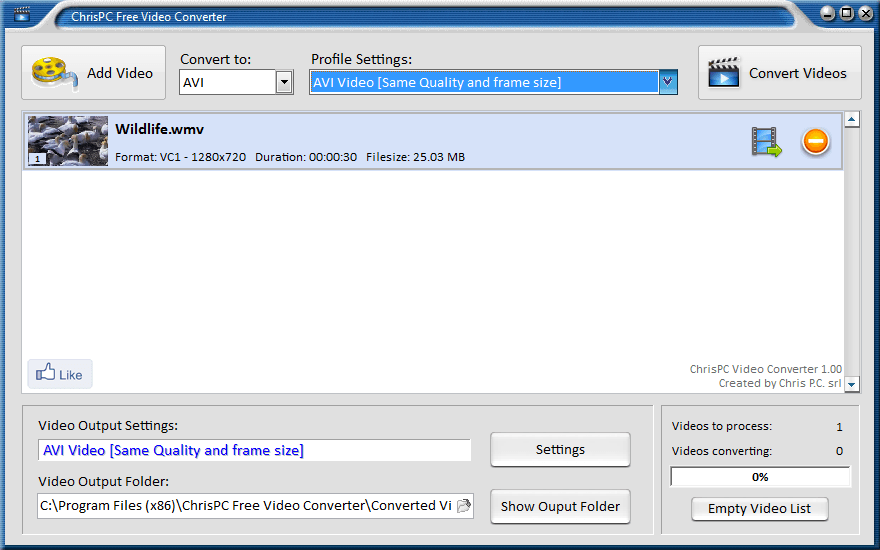 Apparently, someone somewhere decided that all programming students must create vaguely 2002 era video conversion applications as their finals, as the world appears to be flooded with media conversion applications that differentiate themselves by name and name only. ChrisPC Free Video Converter is another one of those applications.
ChrisPC Free Video Converter has the exact same features as the last video converter you tried out. It’s probably also got the same rendering engine as the other ones, meaning it’ll process videos at exactly the same speeds. It’s also got a stunningly original profile system allowing you to automatically resize the videos to play on your “Sony PS3”, “XBOX 360”, “Apple TV”, or a few other devices. What’s so amazingly cool about this feature is that the profile setting for iPhones is even spelled wrong, meaning if you go to try it, it may accidentally convert your videos so they’re 10 times wider than they are tall.
There is one differentiating factor about ChrisPC. Instead of the standard WinX-style format management screen, ChrisPC deserves some credit for rearranging the locations of the icons and moving the presets to within dropdown menus. Overall, ChrisPC Free Video Converter is just like any other video converter, and has the exact same featureset. It also comes bundled with some post-install installable adware, which is always a plus in the video conversion industry. Not. ChrisPC Free Video Converter isn’t a program anyone needs, and its profiles and adware are both detrimental to any real-world success it might have.
Note: upon installation, ChrisPC Free Video Converter will prompt you to install Complitly, some sort of forceful browser add-on.
Price: Free!
Version discovered: v1.00
Supported OS: Windows 2000+
Download size: 2.5MB
VirusTotal malware scan results: 1/41
Portability: Requires installation
ChrisPC Free Video Converter homepage
[via AddictiveTips]
Kiwi Monitor
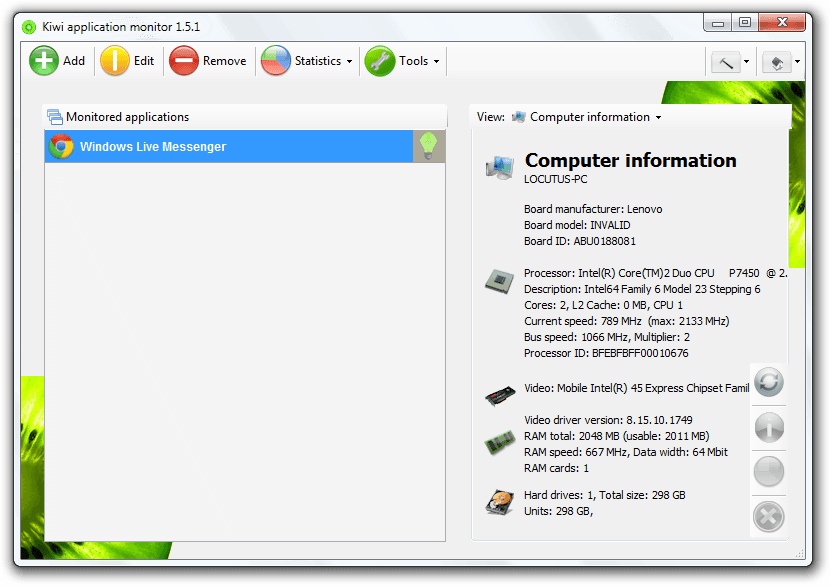 Looking for a complete system resource manager with application monitoring abilities? Kiwi may be what you’re looking for. It can give system statistics as well as information on system resources, but its most important feature is definitely the monitoring.
Detailed statistics, including CPU load, run times, memory consumption, and more are all part of a $37 upgrade that allows you even better access to your computer. Even without this upgrade, Kiwi is still useful, as you can use it as both a process and a service explorer. It can even get any kind of system information you want.
Overall, Kiwi Monitor is a nice little program, and while it costs money to get the full range of features, it’s still quite a nice program, and anyone who is looking for something new ought to try it.
Price: Free with $37 upgrade
Version discovered: v1.5.1
Supported OS: Windows unknown
Download size: 3.6MB
VirusTotal malware scan results: 0/35
Portability: Requires installation
[via Windows.Appstorm]
BrowserBackup Pro
 Browser data is quickly becoming crucial data. While 10 years ago, browsers were simply holes into a static text field, now browsers are supremely evolved portals into the universe of information. But what happens if your computer crashes? Many people like to pretend it will never happen, but chances are it will.
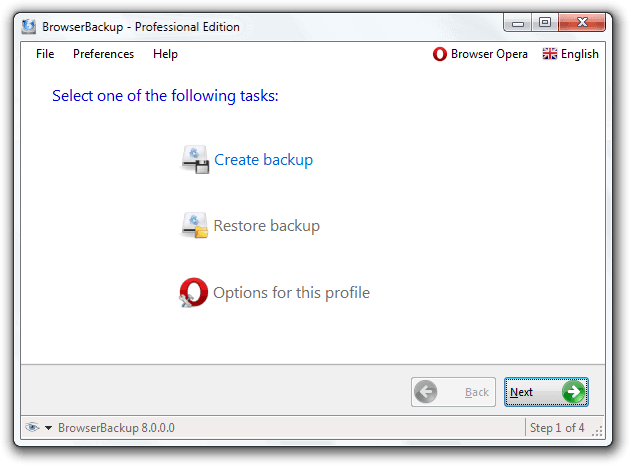
BrowserBackup Pro is quite versatile. It can back up Chrome, Chromium, Opera, and Firefox, meaning you’re covered from pretty much all bases. (Except IE. No one likes IE.) These backups, which can be stored locally or in the program owner’s cloud, are encrypted with AES-256, meaning it would be virtually impossible to crack it open if needed.
This tool also has a great-looking interface. You can easily understand what the program is doing, even if you don’t know it is while you discuss it with mere mortals. BrowserBackup Pro is definitely a program for anyone with a high probability of losing their data.
Price: Free!
Version discovered: 8.0 Stable
Supported OS: Windows 2000+
Download size: 1.1MB
VirusTotal malware scan results: 0/35
Portability: Requires installation
[via Freeware Genius]
dotTechies: We have tested all the software listed above. However, Windows Software of the Day articles are not intended as “reviews” but rather as “heads-up” to help you discover new programs. Always use your best judgement when downloading programs, such as trying trial/free versions before purchasing shareware programs, if applicable.




