
 Email article
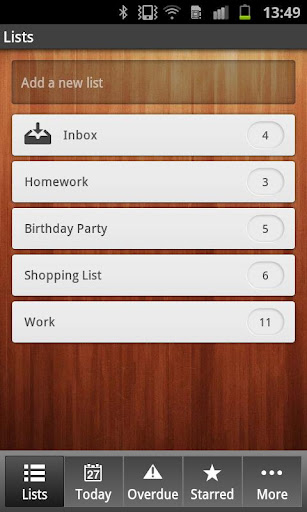 Managing your daily tasks can be annoying, but several apps have tried to lighten that load. Unfortunately, a lot of them either don’t sync tasks to the cloud, or just have sub-par sync interfaces. Wunderlist is neither of those: with it, you can sync your tasks with great ease.
Wunderlist requires a Wunderlist account. After setting it up, you can sync all of your tasks to your Android phones, iOS devices, Windows PC, or OS X computer. Adding tasks is as easy as creating a list–Homework, for example, or Shopping List–and then adding a task. That way, you can manage your daily life, or individual events, as easily as possible.
If you’re looking for a task synchronizer, Wunderlist is an awesome choice. It’s entirely free, synchronizes well with the cloud, and even has a great-looking interface.
Price: Free!
 Version discovered: v1.31
Requires: unknown
Download size: 3.3MB
Wunderlist Task Manager on Play Store
[via The Verge]




