
 Email article
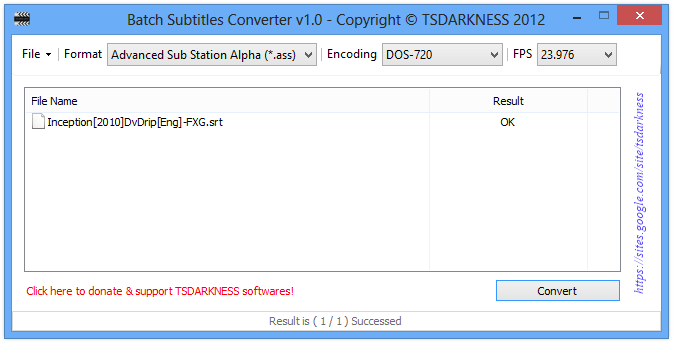 Subtitles are tricky beasts. While every major DVD release since ever has subtitles nicely integrated onto the discs, downloaded and ripped movies can be much more complicated. There are dozens of files, and each media player supports different things. BatchSubtitlesConverter is a free tool that’ll automatically change subtitle format, encoding, and FPS with great ease.
Contrary to its squished-name nature, BatchSubtitlesConverter doesn’t remove any of the spaces from within your subtitles. It does, however, convert between every popular subtitle format: .ASS, .TXT, .STP, .XML, .CSV, .STL, .SUB, .TTXT, .JSON, .TITL, .SUBTITLE, and many, many more. There’s really no limit to what file types it accepts. It also converts FPS and encoding, both of which can have varying support based on the video file and video player you’re using.
The conversion process is fairly quick. It processes hours worth of video in just seconds. It’s a nice tool, and entirely portable, making it a great tool for you to download, use, and discard in case you need it.
Price: Free!
Version Discovered: v1.0
Supported OS: Windows
Download size: 815KB
VirusTotal malware scan results: 0/42
Portability: No installation required!
BatchSubtitlesConverter homepage
[via AddictiveTips]




