
 Email article
 Are you an avid fan of painting with Windows’ built-in Paint program?
 If you are, you’re crazy. Most kids aren’t–they’re probably looking for a fun app they can paint and draw in. Paint 4 Kids is that kind of app.
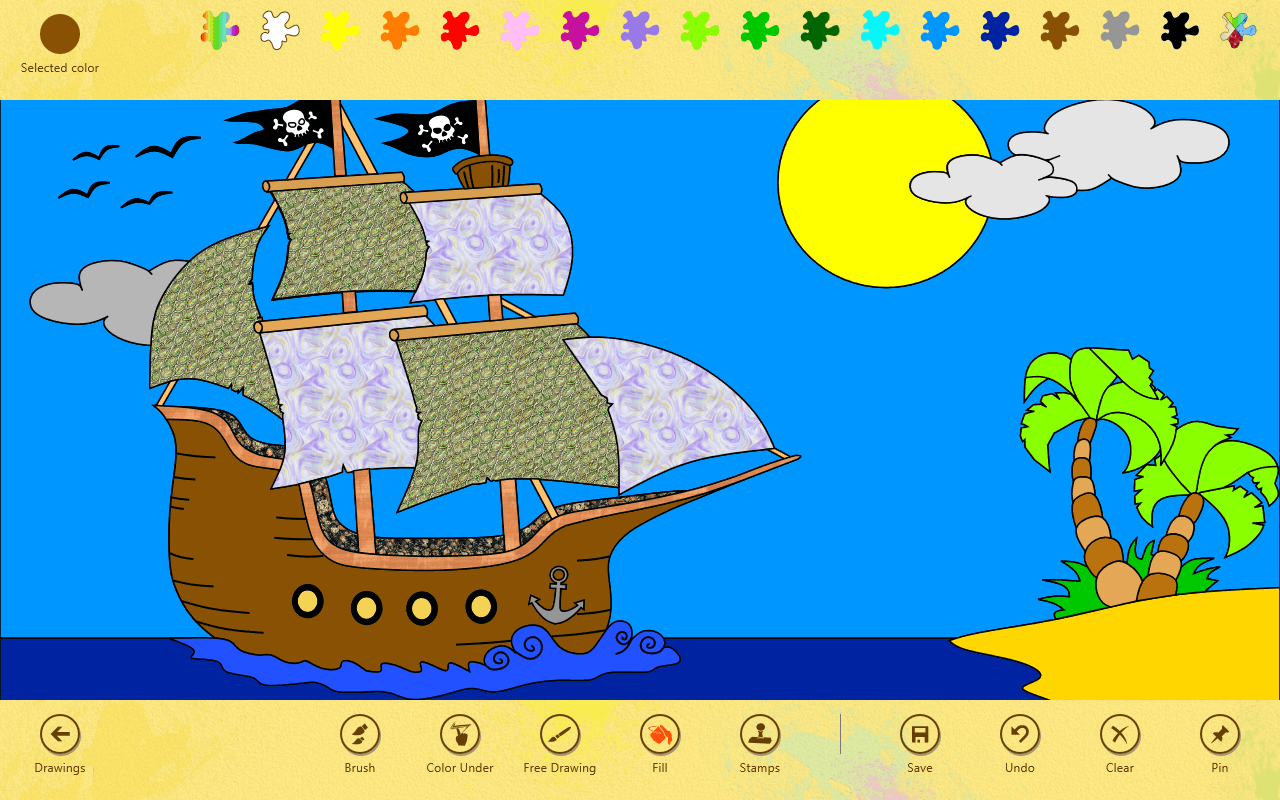
Paint 4 Kids is not the most beautiful app in the world, but it gets the job done–and it stays mostly out of the way while you’re painting. After selecting a template, you can choose colors at the top. There’s a rainbow of colors, but if you’re looking for a custom color, you’ll need to tap on the Selected Color color. You can also get textures by tapping the top right swatch.
On the bottom, you get your actual toolset. This is where you can select the tools to use, and various Save/Undo/Pin buttons. You can choose between a Brush tool (with size and opacity settings), a Color Under brush, a Free Drawing brush, a Fill bucket, and a set of pre-built stamps. If you’re using a tablet the first few are perfect for you, but if you’re stuck with a keyboard and mouse, the fill tool will probably be more up your alley.
I’ll admit, I spent a good 15 minutes using the Fill tool to paint that picture of a pirate ship. It’s one of the built-in images Paint 4 Kids has available. There are several pirate-based pictures, some animals, some vehicles, some sea life, a grid, a lined page, and blankness–there’s something for any child. (The vehicles and animals especially.)
This article is almost an hour later than it should be. That’s because I spent that extra time playing around with Paint 4 Kids. It’s an awesome app, and although the interface is rather ugly, the content inside is fun. It’s perfect for your kids–or your kid at heart. Download Paint 4 Kids today, and discover why it should be named Paint 4 Everyone.
Price: Free!
Last updated: 9/01/2012
Supported OS: Windows 8
Supported processors: x64/x86/ARM
Download size: 3.1MB




