
 Email article
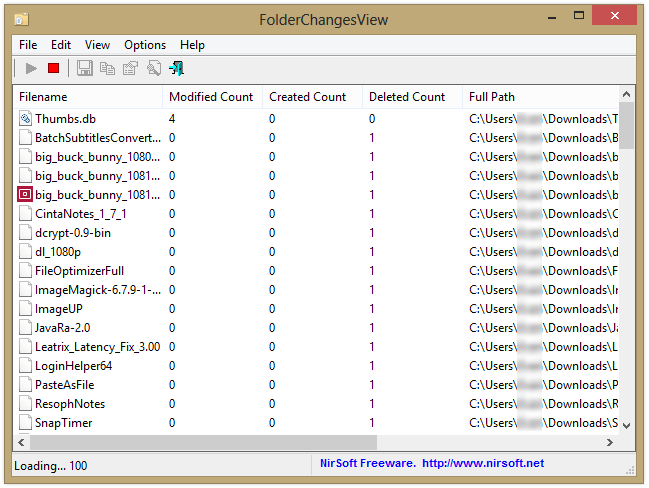 There are thousands of tiny filesystem changes across your computer every second, but for the most part, they’re entirely invisible. It’s when a file gets modified in special places that they’re cause for alarm or celebration, and FolderChangesView lets you do just that: monitor folders for the creation, deletion, or modification of any and all files located within a certain folder.
FolderChangesView is a simple program, really. Like all NirSoft programs, it’s a list. In this case, it displays the filenames of the modified files, as well as how many times files by that name have been modified, created, or deleted. You can export the list into HTML using the context menu, like normal, and add or remove columns as wanted.
Like many NirSoft programs, FolderChangesView is a program that is seemingly useless until one day you stumble across something for which it’s perfect. Need to see if a program is outputting something? Set FCV to run in the folder where it’s supposed to output. Looking for where you downloaded something? Monitor your home folder for created files. Overall, it’s a nice download, and its typical tiny size and cool functionality make it a signature NirSoft program–a true must-have.
Price: Free!
Version Discovered: v1.15
Supported OS: Windows 2000+
Download size: 44KB
VirusTotal malware scan results: 0/42
Portability: No installation required!




