
 Email article
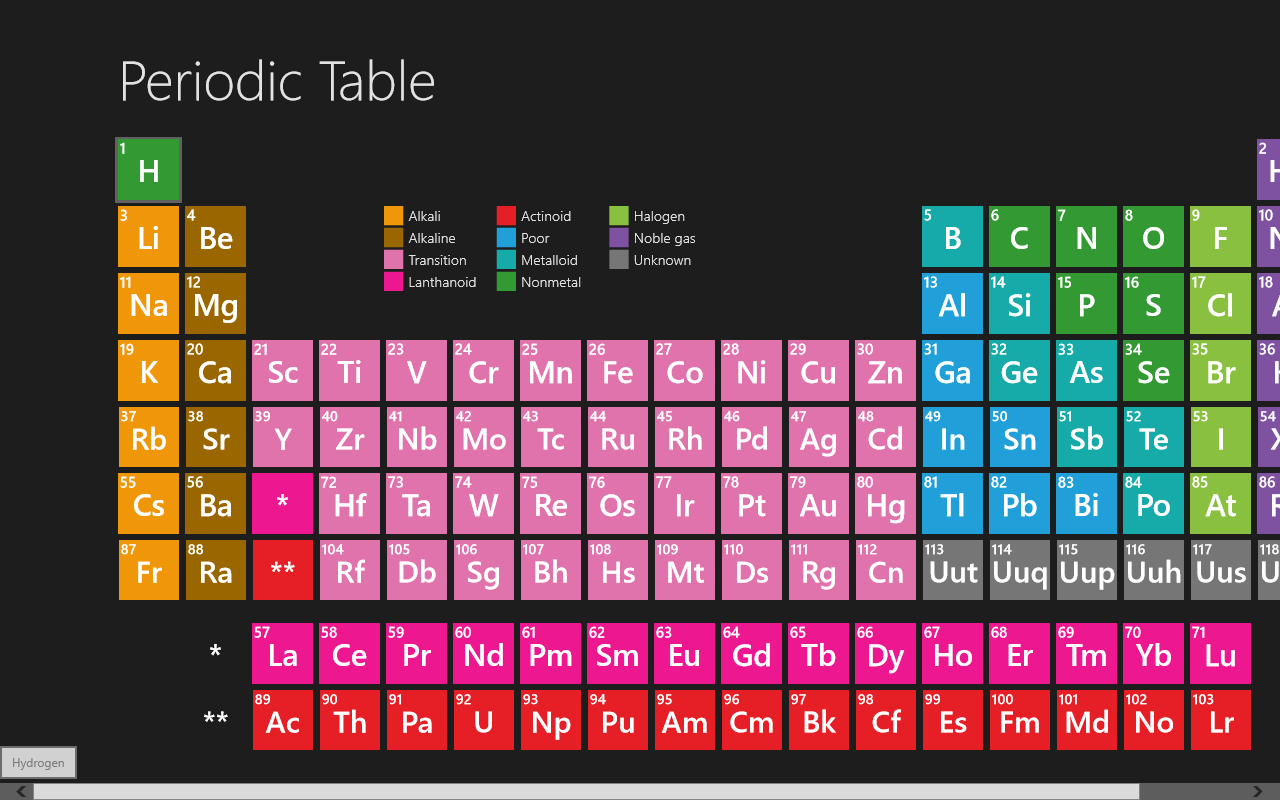 Chemistry students everywhere are always in search of a better periodic table–one that shows them everything they need to know without overcrowding the already small squares. Due to their linkable, expandable nature, computers are a natural candidate in the competition, and with Periodic Table, you can quickly get all of the information you’d ever need about an element.
Like most periodic tables, Periodic Table shows the elements organized into the various categories like Alkali metals, Alkaline metals, Transition metals, etc. Clicking on the elements, however, brings you to a much more interesting screen: one that has everything there is to know about an element.
 As you can see to the right, there’s no lack of information in Periodic Table. You can easily find any element’s electron configuration, atomic weight, melting point, boiling point, color, and even images of the element. The way the information is laid out is wonderful, and has everything you could ever want to know.
Periodic Table is an awesome periodic table app. Since it both contains the information one wants from such a table and looks quite nice, it’s definitely the best table I’ve ever seen. If you’re looking for a nice reference or study tool, Periodic Table is a nice one to try.
Price: Free!
Last updated: unknown
Supported OS: Windows 8
Supported processors: x86/x64/ARM
Download size: 196KB
Periodic Table on Windows Store




