
 Email article
 As you all know, converting scanned documents into electronic files is not the easiest process in the world. There are a few programs out there that claim to do this, but most of them fall well short of completing this goal. PDF OCR promises to be different from the others. So let’s find out how it does!
WHAT IS IT AND WHAT DOES IT DO
Main Functionality
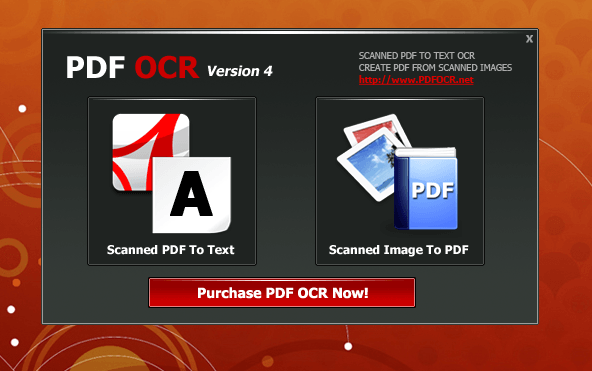
PDF OCR is based on OCR (Optical Character Recognition) technology. The idea is for this program to convert scanned PDF files (paper books, documents, etc.) into editable electronic text files. PDF OCR comes with a build-in text editor, which allows you to edit the OCR results that you get without using MS Word. The program also supports batch mode to convert all pages of a PDF file to text at the same time. The program comes with a Scanned Image To PDF Converter as well. This means you can actually create your own scanned PDF books.
Perfect program for editing PDF files that were created using a Scan-to-PDF function that many scanners offer.
Pros
- Allows you to extract text from PDF files — quickly converts text in scanned PDF documents into an editable text document
- Can create PDFs out of image files (but the image -> PDF feature does not support OCR — you need to use PDF -> OCR feature after you create a PDF file if you want OCR)
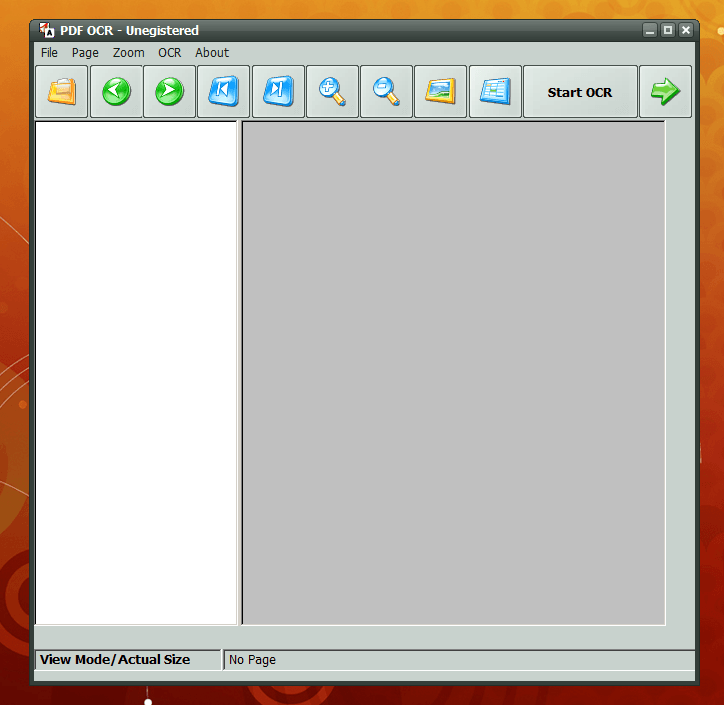
- Intuitive interface that is simple for almost everyone to figure out
- Can be used as a standard PDF viewer
- When converting PDF -> OCR, you can convert current page only, a range of pages, or whole PDF
- Supported multiple languages: English, French, German, Fraktur, Italian, Dutch, Spanish, Portuguese, and Basque
Cons
- Hit-or-miss conversion quality. Had difficulty extracting text from images like the program promises. Only clear and easy-to-read text was converted properly into an editable document, and even that text needs to be proofread, because the program still makes multiple mistakes
- Multiple language supports seems to be limited to languages that use variations of the English characters (e.g. a, b, c, etc.) and does not include support for languages that use other characters, like Chinese or Arabic.
- Page breaks do not seem to be recognized during conversion
- Wants to install into C:\pdfOCR instead of a more proper C:\Program Files\pdfOCR location
- Extremely resource hungry (at times it was using 80% of my computer’s resources during conversion). With conversion programs, high resource usage isn’t an issue because that just means they are doing their job, but I wanted to mention it anyway.
- PDF -> OCR feature does not support drag + drop (image -> PDF feature does)
- No ability to automatically shut down computer after conversion has finished, which would be nice to have seeing as some OCR can take a long time to complete
- Doesn’t officially list Windows 8 as being support, which is sad seeing as how long Windows 8 has been out already. I don’t have Windows 8 so I didn’t test the program on it.
- No offline help documentation
Discussion
 There are a few different programs out there that claim to use OCR technology. However, if you have ever tried this technology, you will know that most of them don’t work very well — especially the cheap programs. The whole idea behind this technology is for the program to read non-editable text (whether from a scanned document or from a PDF file).
And that really is what determines the quality of an OCR program; its ability to accurately detect and extract text from images. In the case of PDF OCR, its ability to accurately detect and extract text from PDFs that contain text within images (i.e. scanned PDFs). I found PDF OCR worked better than some other free OCR programs. However, in the end, I am still not sure that the program is worth the price tag.
Let’s start off with what it does right. It has an easy-to-understand interface, so everyone can use it. Also, you can use the program as a standard PDF viewer; however, most of us already have programs for that anyway so this isn’t really a value-added feature especially when you consider the PDF viewing aspect is below par when compared to detected PDF viewers (e.g. no browser plugin). The program will let you create editable text documents from scanned PDF files. If you care converting easy-to-read text, the program works most of the time. It is when you start working with images that things get a bit… odd.
I did four tests with this program. The first test was testing it with clear, machine text. What I did was take a screenshot of a typed paragraph in English and turned that screenshot into a PDF file; since I used a screenshot, the text in the PDF was not native — despite being typed text — and could only be extracted using OCR. My second and third tests were, I repeated this test but with Japanese and German instead of English. Lastly, I tested PDF OCR’s ability to detect and extract handwritten (English) text; wrote something by hand, scanned it, threw it into PDF OCR.
The results? With a scanned PDF containing clear, machine English and German text, PDF OCR performed OK; it wasn’t perfect but it isn’t the worst I’ve seen either. You are going to need to proofread the document that it creates for you, because nine times out of ten, the program makes multiple mistakes. With a scanned PDF containing clear, machine Japanese text and a scanned PDF containing handwritten text, PDF OCR performed terribly… so much so that you would almost be better off manually typing the text yourself if you want it to be editable than using PDF OCR to do OCR. Of course, it should be pointed out the ability to extract handwritten text will vary from handwriting to handwriting but anyone that writes more human-like and less machine-like will have trouble with PDF OCR.
(Note: It appears that PDF OCR uses Tesseract as its engine for OCR. I looked in its Program Files folder and it has a “tessdata” folder with language files for the languages in the Pros list above. Tesseract is a free OCR engine maintained by Google and many freeware OCR program uses it. If PDF OCR uses it, and it looks like it does, I don’t see any reason why anyone would want to pay for PDF OCR when all they are getting is the same engine found in freeware OCR programs.)
CONCLUSION AND DOWNLOAD LINK
If this program was free, I might say it is worth the download. However, with a price tag of $39.95, I just can’t recommend this program to anyone. This is not the worst OCR program I have ever used, but it is far from the best and I wouldn’t recommend anyone to drop $39.95 in return for the mediocre output quality this program offers.
Anyone looking for free OCR solution will be hard pressed to find it simply because good OCR is difficult to do and good OCR programs typically cost a lot of money. The best free OCR program I know of is gImageReader — it uses an open source OCR engine — but even gImageReader has its quirks. If anyone knows of good OCR programs (free or paid), do let us know in the comments below.
Price: Free to try, $39.95 to buy
Version reviewed: 4.3.1
Supported OS: Windows 2000 / XP / 2003 / Vista / 7
Download size: 13.8 MB
VirusTotal malware scan results: 1/46
Is it portable? No




