Email article
So you upgraded your Android phone or tablet to Android 4.1.2 or higher and now you get a “Please enable Google apps location access” error whenever accessing Google Maps or Google Now. What is this damn error and how do you get rid of it? This article spills the beans!
 What is it?
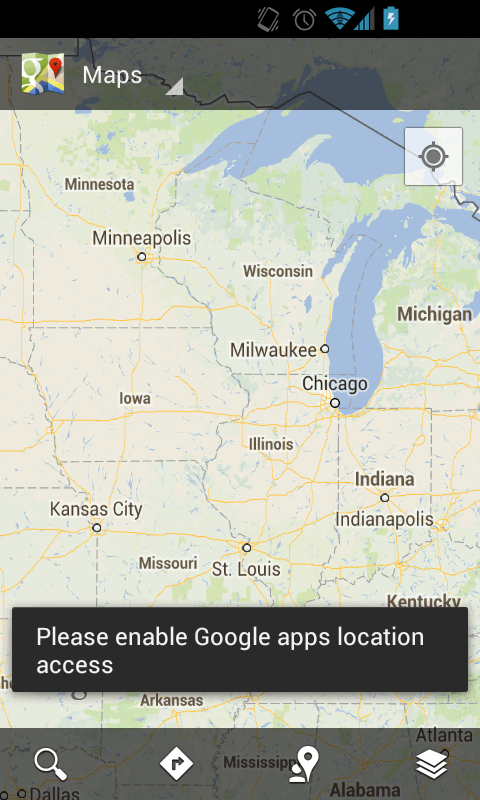
Prior to Android 4.1.2, to find your location in Google Maps all you had to do was enable GPS. Starting in Android 4.1.2, however, Google has made a change. You still need to enable GPS. However, in addition to enabling GPS, you need to explicitly give access to all Google apps to allow them to find your location. If you don’t do this second step then you will get a “Please enable Google apps location access” error in Google Maps, Google Now, and any other Google app that tries to use your location.
Why did Google make this change? I’m not sure.
How to enable Google apps location access
As I just mentioned, before you can proceed further, you need to make sure you have GPS enabled. To enable GPS, go to ‘System settings’ -> ‘Location access’ -> flip ‘Access to my location’ to on -> check the box for ‘GPS satellites’; you will also have to agree or disagree to send Google anonymous location data. Once you have GPS enabled, you need to do the following to give Google apps access to your location so you can start using Google Maps, Google Now, etc.:
- Go to ‘System settings’ -> ‘Accounts’ -> ‘Google’
- Scroll to the bottom and tap on ‘Location settings’
- Flip the switch for ‘Let Google apps access your location’ to ‘On’
- Done!
Once you do the above, you will no longer get the “Please enable Google apps location access” error in Google Maps, Google Now, or any other Google app.
If you ever want to revoke location access for Google apps, simply repeat the same process mentioned above except flip the switch for ‘Let Google apps access your location’ to ‘Off’
Conclusion
Google definitely made this whole process a lot more confusing than it needs to be. However, it is a one-time thing — you set it once and you never have to worry about it again. Enjoy!