Freeware Reviews »
Here you will find detailed reviews and recommendations on freeware software that cover every different category, from Personal Information Managers, to Image Editors to Desktop Managers…and more!
To be kept up-to-date with our reviews, you are welcome to subscribe to the RSS feed or e-mail notifications or follow us on Twitter.
Dazzle your senses with Wunderlist, a task management tool
Having trouble keeping track of the zillion things going on in your life, but can’t seem to find an easy-to-use, down-to-earth task management tool to help you out? Wunderlist may be what you are looking for.
Wunderlist is an easy-to-use task management tool by 6wunderkinder, a small start-up based out [...]
Read More »DVDSmith will bypass DRM protection and region locks to allow you to rip your DVDs
Recently I posted about WinX DVD Ripper. WinX DVD Ripper is a useful software because it bypasses DRM protection and region locks to allow you to rip your DVDs to different video formats (such as AVI, WMV, etc.). Now I would like to tell you about another DVD ripping program [...]
Read More »Clean up your messy computer with Belvedere, an automatic file sorter
Is your Downloads folder a mess? Do you wish your documents would move themselves from your desktop to, you know, Your Documents? Adam Pash, who writes for software and life hack blog Lifehacker, had exactly this problem–and decidede to fix it.
Meet Belvedere, your new servant
Belvedere is your new [...]
Read More »Adrian’s recommendations on what to grab from the Google Pack
More and more we are seeing companies releasing software “packs” – basically a one-size-fits all installer for multiple programs. Google is one of those companies – in the form of the Google Pack – and could be credited with actually making this wave popular (no pun intended). Google Pack includes [...]
Read More »Supplement your computer’s security with WinPatrol (now with a portable version!).
I am sure everyone has read my list of top 6 free security software. Well today I am here to tell you of a program that you can use to supplement your protection software to enhance digital security. Meet WinPatrol:

WinPatrol is a very lightweight security app that does all [...]
Read More »Re-enable critical Windows’ components disabled by malware
One popular form of attack used by malware is disabling Window’s components such as the Command Prompt, System Restore, and Task Manager. Re-enable is a simple portable tool that allows users to easily re-enable Windows’ RegEdit, Command Prompt, Task Manager, Run, Folder Options, and System Restore:

Using Re-enable cannot get [...]
Read More »Need an awesome (and free) video capture/screen recording tool? Try BB FlashBack Express.
I am sure most of you have seen the videos that I have begun to incorporate in some of my reviews; for those videos I used a video capture tool called Debut. For the longest time Debut has been my favorite video capture tool – it is simple to use [...]
Read More »Permanently change the processing priority of a running program with Prio
Prio is a simple program which adds a “Save Priority” option to Windows Task Manager effectively making any priority change by you permanent:

Screenshot originally found on the developer’s website
Of course this “Save Priority” feature is optional so you do not have to enable it (if you just want [...]
Read More »IObit’s “Advanced Uninstaller” tries to satisfy your clean uninstalling desires
Recently IObit, a software publishing firm famous for their Advanced SystemCare software package and their Internet Security 360 scandal, released a freeware product – Advanced Uninstaller – that aims to serve all your uninstalling needs:

While the focus of Advanced Uninstaller is on performing clean uninstalls (i.e. performing a regular [...]
Read More »Resize non-resizable windows with ResizeEnable
Resizable windows are one of the key parts of the window metaphor. Unfortunately, not every piece of software follows this design standard. For example, how many times have you gone to a Properties panel, only to discover you had to scroll? Stop this madness now with ResizeEnable.[...]
What it does
Read More »Desk Drive automatically creates – and removes – shortcuts on your desktop for external media (USB/flash drives, external hard drives, etc.)
While I personally have depreciated the use of my desktop, some people are desktop fiends: All important files, folders, and shortcuts should be accessible directly from the desktop. If you are one of these desktop fiends, then Desk Drive may be for you.
Image Credit: Ody5iu5[...]
What Is Desk Drive
Read More »iPrint – now freeware – helps users cut back on printing costs “by up to 60%”
Forget the fact that “going green” is now the cool thing to do. Just think about saving money. iPrint is a very simple software which helps users reduce printing costs (developer claims printing costs can be reduced “by up to 60%”) by using some smart – yet simple – page [...]
Read More »Surf Canyon: Using search engines just got easier
You have a final project due on interracial marriages; you need to do some research so you go to Google.com and type in “interracial marriages”. You find a link that you think may be relevant to your research and you click on it. The page is not bad but you [...]
Read More »iWisoft Video Converter: Terrific freeware video and audio converter
Everyone knows dotTech’s favorite audio and video converter is FormatFactory. However a week or so ago Jeff, a dotTechie, brought iWisoft Video Converter to my attention, a freeware video and audio converter, as a possible software that can triumph FormatFactory (big thanks to you my friend). So here I am, [...]
Read More »4 ways to monitor who is accessing your shared folders/files
Windows allows us to easily share files and folders with other people on our network; but some of us may want to know when someone else is accessing our shared files and folders. I am going to show everyone 4 different methods to do just that.
Computer Management

For all [...]
Read More »Control the volume on your computer with your mouse wheel.
Some of us have dedicated buttons on on laptops/speakers that allow us to control the volume of out computer; some of us don’t. However, would it not be convenient if you did not have to use those buttons at all; rather you could just scroll up or down using your [...]
Read More ȆberIcon: add simple effects to opening files, folders, and shortcuts in Windows
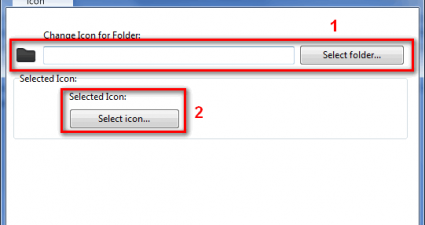
Sometimes when using Windows I think about the awesome eye candy of Linux and cry (ok… I don’t really cry). You know, Windows has some nice effects and all but at times its so… boring. So keeping with that line-of-thought, ÜberIcon is a simple lightweight program which adds effects to [...]
Read More »PStart: Extremely useful and unique program launcher for USB/flash drives
With more and more software being designed to be “portable” so they can run off USB/flash drives, more and more users are jam-packing their USB/flash drives with programs to take with them on the go. However, with new horizons comes new problems. One of the new problems with having dozens [...]
Read More »The only free file (audio, video, image) converting program you will ever need.
Ask yourself these five questions:
- Do I want to be able to easily convert a video file to literally any video format?
- Do I want to be able to easily convert an audio file to literally any audio format?
- Do I want to be able to easily rip the audio
[...]
Easily encrypt your USB/flash drive with SafeHouse Explorer… even if you don’t have administrator access!
We all know TrueCrypt is the king of encryption software. Undoubtedly, it is one of the most feature filled and secure encryption software out there; best of all, it is open source. The only one problem with TrueCrypt is you need administrator access to install it on any computer or, [...]
Read More »What’s new in Firefox 4.0: App Tabs and Syncing and Panoramas, Oh My!
Firefox 4. It’s finally here. If you’ve been wanting to see more from your browser, you’ve got no more time to waste, because Mozilla has been working non-stop for the last year for today. What’s new in Firefox 4? Where to start? From new locations for the user interface to [...]
What’s new in Internet Explorer 9: faster, better, more competent
It’s finally here: Internet Explorer 9. Internet Explorer 9 is meant to revitalize Internet Explorer and maybe even turn some techies into IE users. Its web standards supports are exponentially better than previous versions, with much better CSS3 and HTML5 support than previous generations. It was also the first browser [...]
WinX DVD Author is now freeware
Two years ago dotTech reviewed WinX DVD Author and last year we ran an exclusive promotion giving away WinX DVD Author v5.5 for free. Now, similar to what they did with WinX DVD Ripper, Digiarty Software has made WinX DVD Author a freeware program. Click up the link below to [...]
Keep all your apps up to date with FileHippo Updater
Most people here know that updating software means having less bugs and having more security. Unfortunately, most software titles have their own custom-built updaters that are easily ignored and only show up once you open a program. This can make a person annoyed at a piece of software for crashing, [...]
Easily convert rich text to plain text with PureText
Anyone that has copied and pasted anything in the past knows how annoying it can be when one wants just the text and not all the formatting and images that come with it. Yes, being able to copy + paste rich text is a handy feature of Windows Clipboard, but [...]
Read More »Quickly close all running programs – and easily restore them – with SmartClose
Sometimes we install programs that require no other programs to be running. Other times we are doing something resource intensive and would like there to be no other program running in the background. For whatever reason, there are situations where users need to quickly and easily close all running programs. [...]
Switcher: Get Mac OS X’s Exposé on Windows Vista/Win7
If your friend has a Mac, then you’ve most likely heard bragging about how switching windows with Exposé is the best thing since sliced Safari. Switcher is a really cool free Windows app that takes that feature and implements it beautifully in Windows. (Windows Vista and higher only, though, since [...]
Enable/disable codecs and DirectShow filters with InstalledCodec
You became overjoyed by reading about the solution to your Windows Media Player woes. So you had a few clicks and ended up with a mess of codecs on your hands. Now Windows Media Player or [insert player name here] will no longer play your beautiful media files anymore, instead [...]
Read More »Enhance graphics performance with 3D-Analyzer, a graphics card “emulator”
[The following article has been written by Jason. Some dotTechies may know him as Jyo. Be sure to thank him in the comments below for the write-up and tip!]
Ever been in that situation where you just spent countless hours (legally) downloading a game or shelled out a day’s [...]
Read More »Make Gmail, Hotmail, Yahoo, AOL, Google Apps, or any other webmail the default mailto: client in all browsers with GmailDefaultMaker
Firefox has this nifty feature that allows users to set mailto: links to open in Yahoo or Gmail. But what if you aren’t a Firefox user? Or, what if you are a Firefox user and want to open mailto: links in a webmail service other than Yahoo or Gmail? That [...]
Read More »Jealous of your Mac friends? Get multitouch on Windows with the latest Synaptics drivers.
There are several cool things about owning a Mac: for one, you get to look cool in front of the rest of the café; you can be unique. But if I had to choose one feature from a Mac that makes me want to admire Apple’s polish and thoughtfulness, I’d [...]
New v2 of EASEUS Todo Backup brings (many) new features and a new name
dotTech was one of the first, if not the first, blogs to bring you EASEUS Todo Backup; so it is only fitting that we be the first ones to inform you about the latest release of EASEUS Todo Backup, v2.
The latest v2 update to EASEUS Todo Backup brings many [...]
Read More »New v2 of Microsoft Security Essentials brings new features, makes improvements
Reviewed by dotTech, and used by many, Microsoft Security Essentials is a terrific product created by Microsoft to help address the ever growing malware issue. Being fairly new, until yesterday MSE was only v1; now, Microsoft has released v2 of MSE, adding few features and making improvements.
Although Microsoft seems [...]
Read More »Freemake Video Converter & Downloader: Two great freeware utilities that convert videos, burn DVDs & BDs, download streaming videos, and more
Between freebies and freeware, dotTech has talked about many, many video converters and quite a few video downloaders. So, you ask, what is the point of talking about more video converters and downloaders? Well, first of all, it never hurts to spread the word about freeware software. More importantly, however, [...]
Read More »New v1.9.0 of Unlocker adds 64-bit support
Last October I compared and contrasted two file “unlocking” software, LockHunter and Unlocker. Back then Unlocker was only supported on 32-bit machines whereas LockHunter was available for 32-bit and 64-bit. This, however, has changed because v1.9.0 – the latest version of Unlocker released yesterday – has added 64-bit support to [...]
Read More »