Email article
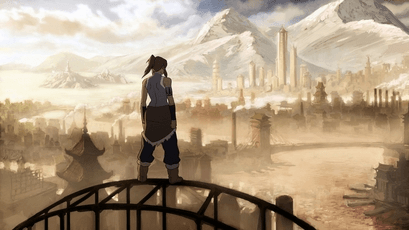
Season 2 of Avatar: The Legend of Korra has ended, and I’m left with a love and hate feeling. The whole season was pure hit and misses, but when it came down to the final episodes, the season began to redeem itself, especially with the episode where we had the chance to see the first of all Avatars in the last 10,000 years, Avatar Wan. This particular episode taught us a few things about how the Avatar came to be, however; it was completely tossed aside in the season finale.
SPOILERS AHEAD.
Let me try to keep this short and simple. Wan got kicked out from his home on top of a Lion Turtle, which was the early civilization of the Fire Nation. During this time, Lion Turtles grant citizens the elemental powers when they leave the city to hunt among other means. When they return, the power must be given back to the Lion Turtle. Obviously, Wan broke the rules and was banished, but not before requesting to keep the power of fire to protect himself in the wilds.
Now, in these days, humans and spirits lived on the same plain . However, the spirits didn’t enjoy the company of humans due to their violent ways. We only later came to understand that the Air Nomads were far more friendly with the spirits than any other.
How did Wan end up with the other three elemental powers? Well, he made the biggest mistake that would change the world when he broke Vaatu (dark spirit) away from Raava’s grip (light spirit). He was tricked by Vaatu into doing so, which in turn allowed Vaatu to bring chaos on the land. You see; Raava’s goal is to keep balance, and this done by maintaining Vaatu under control. When Vaatu was freed, he grew stronger and larger, Raava, on the other hand, grew weaker and smaller, so she was in no position to defeat him by herself.
Wan realized he was the cause of all this madness. The spirits began to turn evil under Vaatu’s control among other things. To fix this problem, Wan traveled to other Lion Turtle cities where he acquired the elemental powers of Air, Water, and Earth. However, he could not use them all at the same time, which was necessary for him to defeat Vaatu. This caused Raava to merge with Wan, creating the first Avatar. It is the reason why the Avatar is the bridge between the spiritual world and the real world.
Obviously, Wan defeated Vaatu and trapped him in the Tree of Time. However, by this time the world has experienced darkness and thus the Avatar was needed to keep balance.
Wan died an old man on the battlefield, but the Avatar cycle continued because the soul is reincarnated in another body. It’s same for every soul; the only difference here is Wan’s soul is linked with Raava.
Note that neither Raava or Vaatu has the ability to completely destroy each other because there must be light and darkness. They can, but it won’t be a permanent thing. For example, if Raava destroyed Vaatu, he would e reborn 10,000 years later inside Raava, giving her the chance to grip him for all eternity.
Now to the ending.
Fast forward and we realize that the chief water bender of the South Pole, Unalaq wants to free Vaatu so both could merge, which would create a dark avatar. This happened, but in all the clashing, Korra managed to lose out to Vaatu. During this time, he ripped Raava from Korra’s spirit and destroyed her. This caused Korra to forever lose her connection with the past Avatars along with no longer being the Avatar.
As it usually happens with stories like this, Korra found a way to go up against the dark Avatar once more, however; she wasn’t strong enough. As she was about to be defeated, Jinora returns with this orb of light, which is likely the remnants of Raava. In no time, Raava suddenly appeared inside the chest of the dark Avatar, (this was explained above) which prompted Korra to rip her out.
Now, this particular scene was not explained at all. As was mentioned in Avatar’s Wan episode, when either Raava or Vaatu is destroyed, they will not return until another 10,000 years. It’s the reason why Vatuu was chanting about 10,000 years of darkness, because he knew Raava wouldn’t be able to stop him until then.
So the question is, how did Jinora speed up the process of Raava’s reincarnation? We may never know.
Furthermore, with the destruction of Vaatu, why did Raava chose to merge with Korra again? As explained above, when Vaatu returns, he will be reborn inside of Raava 10,000 years from now. It is likely Raava will still be linked with the Avatar, so what would happen if Vaatu return inside Raava who is inside a human?
I truly believe this episode should have brought an end to the Avatar cycle. The main reason why Raava merged with Wan was because she was too weak to go up against Vaatu. But now that Vaatu is out of the picture, she would be strong enough to continue her mission of keeping balance along with waiting for Vaatu’s return.
We see how Jinora could accelerate the process of Raava’s reincarnation, who’s to tell if someone else out there isn’t capable of bringing back Vaatu before his time?
The whole thing doesn’t make much sense. From Jinora bringing back Raava before her time to Raava merging with Korra to continue the Avatar cycle. The only thing that made sense is after the recreation of the Avatar, Korra, did not regain her connection with the past Avatars as Raava lost that connection when she died.
Let me hear your thoughts on the season finale and what you think of mine.