
 Email article
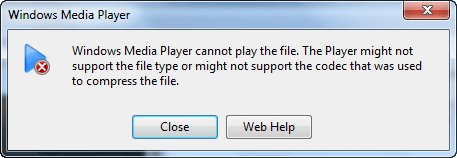 Ever try to play a video/audio file in Windows Media Player and get an error message telling you the file type is not supported? The reason this happens is there are many different types of video/audio files out there; these different file types require different codecs in order to be played properly. Windows doesn’t come with all the codecs needed. The remedy to this problem is codec packs.
What they are and what they do
Codec packs are nothing more than a compilation of various video/audio codecs. They install codecs for you, allowing programs that don’t come with codecs of their own – or don’t have the codecs you need – to make use of them. While it varies from pack to pack what codecs are included, most codec packs typically contain all popular/commonly used codecs.
Codec packs vs Third party players
Many third party players, like VLC and GOM Player, come with codecs built-in that support all major file types; so users that use these players typically do not need to download codec packs. Rather, codec packs are for those programs that don’t come with codecs of their own or programs that have codecs of their own but don’t have the codecs that you need (like Windows Media Player).
Codec packs
The following are two codec packs I have used in the past:
- K-Lite Codec Pack
- Combined Community Codec Pack
- CCCP-Project’s wiki details exactly what it installs.
- CCCP works on Windows 2000, XP, Vista, and Windows 7.
- CCCP-Project’s wiki details exactly what it installs.
There are many more codec packs available; I know my list is short, only containing two packs. However, when it comes to codec packs less is more. Why? Firstly, most codec packs do the same thing, with only slight differences in what codecs each contain. More importantly, however, codec packs are a common way to lure people into installing spyware/adware/viruses on their computer. I know K-Lite Codec Pack and Combined Community Codec Pack are malware free and safe to use; I cannot verify the same for other packs. (Plus both are available for download from Softpedia and Download.com, so that is even more reasonable assurance they are safe.) Indeed I was about to list another codec pack I have used in the past – Shark007 – but turns out that it now comes bundled with Weather Bug.
Conclusion
While installing codec packs isn’t “dangerous” per se, it is something you want to avoid unless it is absolute necessary that you need them. If you are open to using third party players, I highly suggest you try using them – before running to codec packs – to solve your playback problems. (VLC is a very good third party player.) Codec packs should be something of a last resort. If you are determined to use Windows Media Player, you don’t have much of a choice; you have to download codecs because Windows Media Player doesn’t natively play all file types.




